
ChatGPT Millionaire
Create your comedy reaction
Preview the fixed comedy reference
This fixed reference supplies the phone performance and comic reaction. Your uploaded image supplies the main character’s appearance.
History
Loading history…
An everyday face with an overambitious plan
Give an ordinary day an absurdly ambitious interruption. ChatGPT Millionaire turns one portrait into the lead of a short phone-reaction comedy remake. Upload a clear subject image, watch the supplied reference and check the current task quote before creating your version.
The millionaire premise is a joke about an oversized plan. This page makes an entertainment clip, not a wealth forecast or a money-making plan. Its fixed video guides the performance; your photo supplies the appearance. No additional action footage is needed.

How to create your ChatGPT Millionaire remake
1. Pick the person behind the joke
Choose a subject your audience will recognize quickly. A clear head-and-shoulders portrait is more useful than a distant group photo. Keep both eyes and the mouth visible so the reaction has room to read.
2. Preview the comic rhythm
Watch the fixed reference from start to finish. Notice the confidence, listening pause and response. Decide whether that kind of reaction suits your subject; changing the portrait does not give this page a new choreography.
3. Add the portrait and inspect the quote
Use the main-character image slot, then review the available output settings. Recheck the displayed credit estimate after changes. The supplied reference is already part of this task, so you do not need to upload a separate phone-performance video.
4. Keep the clearest take
Open the finished video in History. Watch the face and hands at normal speed, then pause where the expression changes. Prefer a readable reaction over a dramatic thumbnail that hides a confusing middle.
A portrait that leaves space for expression

Our lavender-sweatshirt character starts with a relaxed face and a simple background. That gives the expression somewhere to go. Avoid choosing a source where a hand covers the mouth or hair hides an eye. Small accessories can be charming, but they should not obscure the features that carry the joke.
Use the photo-preparation illustration to compare clarity and framing. A busy café can be part of a moodboard, while the uploaded image should stay focused on one subject. The reference controls the remake’s scene; the source background is not a promised output location.
Let the pause do some work
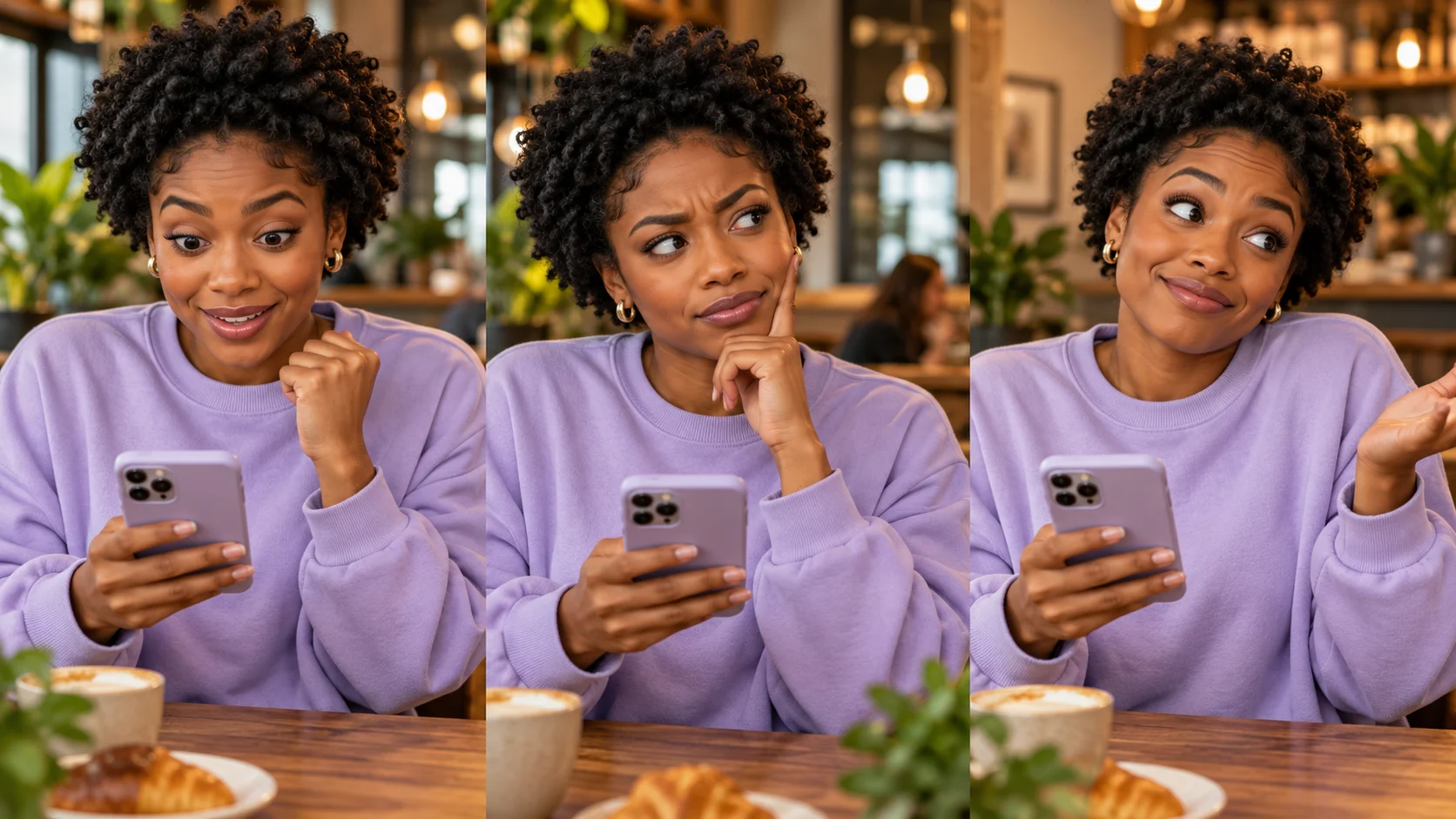
A comedy reaction has more than a beginning and an ending. The moment of processing can make the final expression understandable. The three-face study gives you a simple review order: expectation, pause and disbelief. Compare these beats against the actual player rather than assuming the illustration is a second preset.
The generator may reinterpret timing, hands or likeness. Check the whole transition before saving. This page does not provide an independent control for a different punchline or guarantee the exact original spoken words.
Add your personal context after generation

A short caption about an extravagant weekend idea can make the clip feel personal without covering the face. Keep the words outside the expressive area and check the result at phone size. A small line above the frame often leaves more room than a large block across the mouth.
Preview any audio before sharing, as sound can change how a reaction is understood. If a take has an odd hand, drifting features or unreadable motion, choose another result or prepare a clearer reference. The purpose is an affectionate meme that people can follow.
Input, cost and result questions
What do I upload?
One clear portrait of your chosen subject. The page supplies its own motion reference and prepared direction. A separate voice recording or action clip is not required.
Is ChatGPT Millionaire a financial tool?
No. It is a comedy video format about an exaggerated ambition. It does not provide financial guidance, promise earnings or turn the premise into an actual plan.
Can I try it without paying?
Eligibility follows your account and the current model policy. No free allowance is promised here. Review the quote in the form and current Pricing options before submitting.
How much will a clip cost?
The live estimate reflects the chosen settings and this reference-based task. Check it again after changing duration or other options; a subscription price is not the price of a single generation.
How long does it take?
Processing depends on the queue, settings and service conditions. Follow task status and History. The length of the reference video is separate from the time required to generate your clip.
Will it repeat the same words exactly?
Exact dialogue, voice and timing are not guaranteed. Listen to the finished take and inspect the performance before deciding whether it fits your intended joke.
Explore another part of the workflow
Prepare a new portrait concept
Create a clear character image before trying the reaction.
Explore a different video idea
Use a broader workflow when your scene needs another direction.
Review current credit plans
Compare plan options with the live quote for your next clip.
youdot.app · Updated
What's new on this page
- — Added photo inputs, a motion reference preview and guidance for creating this video effect.