
Veo Availability:Supported Video Models
Choose a Supported Text or Image Video Model
Veo is unavailable on youdot. Use an enabled Kling or Seedance model on the AI Video page for text-to-video or image-to-video. These examples are general creative inspiration, not Veo demonstrations.
Verified prompt
Create a 16:9 clean monochrome 2D storyboard line-sketch sheet for rooftop hand seals; omit bracketed labels. [HEADER] Crisp header, one thin rule; show only: "HANDS BREAK THE SKY" "Five seals before impact" [BOARD] 5x5 P## grid; 24 equal 16:9 landscape panels (1x), incomplete last row centered. Headers: `P## / short tag / short beat`; one frozen beat. [STYLE] Clean monochrome 2D storyboard line sketch on white paper: sparse single-pass graphite-gray contours, simplified featureless pose figures and gesture silhouettes, minimal construction marks, essential set geometry. No fills, wash, hatching, shading, shadows, ambient occlusion, color, texture, 3D volume, finished rendering, dense lines, or facial/anatomy/clothing/surface detail. [REFERENCES] Image A controls only masked fighter: mask, hair, collar, checked cloth. Image B controls only horn-haired fighter: twin hair, build, cropped jacket. [CONTINUITY] Keep him left and her right to P16; P17 puts her left at right edge. Hand poses link; effect origins and bindings persist. [RULES] Only two header lines and panel headers are visible; no panel text, arrows, icons, insets, extra panels, duplicates, ghost poses, or effect objects. [BEATS] Draw one storyboard panel per visual BEAT: BEATS: P01 / Low Clash / Air Block: Low wide, he blocks her airborne heel, left of her. P02 / Recoil Wide / Axis Split: Waist-wide, he recoils to left billboard, she to right tower. P03 / Hand Front / Prayer Lock: Eye insert, his palms meet vertically beneath mask. P04 / Hand Front / Horn Frame: Eye insert, joined thumbs support raised index fingers. P05 / Hand Front / Knuckle Braid: Eye insert, his fingers interlace between palms. P06 / Hand Front / Reverse Cage: Eye insert, her interlaced fingers face out between palms. P07 / Hand Angle / Wrist Tunnel: Oblique insert, his right hand crosses the left finger loop. P08 / Hand Angle / Twin Rings: Oblique insert, her paired thumb-index circles touch. P09 / Hand Low / Split Fang: Low insert, his outward wrists hold separated finger hooks. P10 / Hand Low / Spiral Lattice: Low insert, her right fingers cross the left-hand ring. P11 / Ground Seal / Final Verdict: Ground medium, he kneels left, joined hands aimed down. P12 / Chest Seal / Open Lotus: Chest medium, she holds crossed wrists with open finger fans. P13 / Frontal Wide / Seals Complete: Frontal wide, his floor seal faces her hand seal across center. P14 / Overhead Clash / Forces Meet: Top wide, floor winding line meets hand blade-fan lines. P15 / Shoulder Rush / Gap Breach: Shoulder wide, he lunges right through the effect gap. P16 / Tight Clash / Elbow Palm: Chest tight two-shot, his left elbow contacts her right palm. P17 / Canted Lock / Axis Cross: Canted medium, she stands left, locking his right wrist edgeward. P18 / Hand Insert / Ring Snap: Eye insert, her right keeps the lock; left forms a ring seal. P19 / Low Launch / Palm Burst: Low medium, her left palm touches his back, body aimed right. P20 / Edge Insert / Air Fang: Edge insert, his airborne right hand holds a one-hand fang. P21 / High Anchor / Fall Arrest: High wide, his right-palm line joins him to a roof crack. P22 / Edge Seal / Spiral Draw: Edge medium, she holds Spiral Lattice at the parapet. P23 / Exterior Pull / Double Bind: Low exterior, right anchor taut, left tether on her right wrist. P24 / Falling Open / New Chain: Low exterior, anchor snapped, tether held; new seals in his right and her left.
Create a 16:9 clean monochrome 2D storyboard line-sketch sheet for rooftop hand seals; omit bracketed labels. [HEADER] Crisp header, one thin rule; show only: "HANDS BREAK THE SKY" "Five seals before impact" [BOARD] 5x5 P## grid; 24 equal 16:9 landscape panels (1x), incomplete last row centered. Headers: `P## / short tag / short beat`; one frozen beat. [STYLE] Clean monochrome 2D storyboard line sketch on white paper: sparse single-pass graphite-gray contours, simplified featureless pose figures and gesture silhouettes, minimal construction marks, essential set geometry. No fills, wash, hatching, shading, shadows, ambient occlusion, color, texture, 3D volume, finished rendering, dense lines, or facial/anatomy/clothing/surface detail. [REFERENCES] Image A controls only masked fighter: mask, hair, collar, checked cloth. Image B controls only horn-haired fighter: twin hair, build, cropped jacket. [CONTINUITY] Keep him left and her right to P16; P17 puts her left at right edge. Hand poses link; effect origins and bindings persist. [RULES] Only two header lines and panel headers are visible; no panel text, arrows, icons, insets, extra panels, duplicates, ghost poses, or effect objects. [BEATS] Draw one storyboard panel per visual BEAT: BEATS: P01 / Low Clash / Air Block: Low wide, he blocks her airborne heel, left of her. P02 / Recoil Wide / Axis Split: Waist-wide, he recoils to left billboard, she to right tower. P03 / Hand Front / Prayer Lock: Eye insert, his palms meet vertically beneath mask. P04 / Hand Front / Horn Frame: Eye insert, joined thumbs support raised index fingers. P05 / Hand Front / Knuckle Braid: Eye insert, his fingers interlace between palms. P06 / Hand Front / Reverse Cage: Eye insert, her interlaced fingers face out between palms. P07 / Hand Angle / Wrist Tunnel: Oblique insert, his right hand crosses the left finger loop. P08 / Hand Angle / Twin Rings: Oblique insert, her paired thumb-index circles touch. P09 / Hand Low / Split Fang: Low insert, his outward wrists hold separated finger hooks. P10 / Hand Low / Spiral Lattice: Low insert, her right fingers cross the left-hand ring. P11 / Ground Seal / Final Verdict: Ground medium, he kneels left, joined hands aimed down. P12 / Chest Seal / Open Lotus: Chest medium, she holds crossed wrists with open finger fans. P13 / Frontal Wide / Seals Complete: Frontal wide, his floor seal faces her hand seal across center. P14 / Overhead Clash / Forces Meet: Top wide, floor winding line meets hand blade-fan lines. P15 / Shoulder Rush / Gap Breach: Shoulder wide, he lunges right through the effect gap. P16 / Tight Clash / Elbow Palm: Chest tight two-shot, his left elbow contacts her right palm. P17 / Canted Lock / Axis Cross: Canted medium, she stands left, locking his right wrist edgeward. P18 / Hand Insert / Ring Snap: Eye insert, her right keeps the lock; left forms a ring seal. P19 / Low Launch / Palm Burst: Low medium, her left palm touches his back, body aimed right. P20 / Edge Insert / Air Fang: Edge insert, his airborne right hand holds a one-hand fang. P21 / High Anchor / Fall Arrest: High wide, his right-palm line joins him to a roof crack. P22 / Edge Seal / Spiral Draw: Edge medium, she holds Spiral Lattice at the parapet. P23 / Exterior Pull / Double Bind: Low exterior, right anchor taut, left tether on her right wrist. P24 / Falling Open / New Chain: Low exterior, anchor snapped, tether held; new seals in his right and her left.
Verified prompt
Cute fluffy black cat sitting in a relaxed pose, holding a small white coffee cup with both paws, eyes closed with a peaceful sleepy expression, tiny heart shapes floating above the head, soft white background, cozy morning mood, fluffy detailed fur, adorable cartoon realistic style, minimal clean composition, warm gentle lighting, cute greeting card aesthetic, high detail, soft shadows, charming and wholesome, vertical composition.
Cute fluffy black cat sitting in a relaxed pose, holding a small white coffee cup with both paws, eyes closed with a peaceful sleepy expression, tiny heart shapes floating above the head, soft white background, cozy morning mood, fluffy detailed fur, adorable cartoon realistic style, minimal clean composition, warm gentle lighting, cute greeting card aesthetic, high detail, soft shadows, charming and wholesome, vertical composition.
Verified prompt
Verified prompt
FORMAT: 16:9 cinematic storyboard presentation, 1920×1080, ultra-detailed high-resolution STYLE: Hyper-realistic YouTube livestream horror, premium storyboard infographic, cinematic found-footage realism, dark documentary aesthetic PROJECT: PARIS CATACOMBS LIVESTREAM TITLE: “LIVE EXPLORING PARIS CATACOMBS (NOT CLICKBAIT)” DURATION: 15 Seconds LAYOUT: 5 large cinematic storyboard frames in top row Technical breakdown panels in bottom row Black premium background Thin white borders Red YouTube LIVE accents Minimal professional production-board layout ──────────────────── FRAME 01 (0:00–0:03) STREAM STARTS Wide handheld selfie shot. Streamer walking through narrow Paris catacombs tunnel. Walls built from skulls and bones. Headlamp and flashlight are only light sources. YOUTUBE UI OVERLAY: LIVE ● Viewers: 18,492 Chat visible on right side CHAT: “bro this is illegal” “turn back” “no way this is real” CAMERA: Handheld selfie cam Slight shake VISUAL: Wet stone walls Skulls Dark tunnel depth ──────────────────── FRAME 02 (0:03–0:06) DEEPER INSIDE Rear-facing camera. Tunnel becomes tighter and more claustrophobic. Streamer scans walls using flashlight. DIALOGUE: “Guys… I don’t think tourists come here.” CAMERA: Sony A7S III low-light look Shaky tracking shot VISUAL: Bones everywhere Moisture on walls Water puddles ──────────────────── FRAME 03 (0:06–0:09) CHAT NOTICES SOMETHING Streamer pans camera. Nothing visible to him. Chat suddenly floods rapidly. CHAT: “WAIT” “WHO IS THAT” “BRO BEHIND YOU” “RUN” CAMERA: Fast pan Digital compression artifacts VISUAL: Bitrate drop Glitch tearing Audio waveform distortion ──────────────────── FRAME 04 (0:09–0:12) ENTITY APPEARS Camera slowly turns toward deep tunnel. Far away: Tall pale humanoid figure. Standing completely motionless. No visible face. Unnaturally long limbs. CAMERA: Slow digital zoom Compression noise VISUAL: Flashlight flicker Deep darkness Entity silhouette ──────────────────── FRAME 05 (0:12–0:15) STREAM ENDS Entity suddenly much closer. Impossible movement. Streamer screams. Camera drops sideways. Final frame: Entity crouching near fallen camera. YOUTUBE UI: SIGNAL LOST STREAM ENDED VISUAL: Static noise Broken stream frame Corrupted pixels ──────────────────── KEY VISUALS: - Catacomb skull walls - YouTube live UI - Chat overlay - Flashlight beam - Compression artifacts - Pale humanoid entity - Moist tunnel reflections - Broken stream signal CAMERA STYLE REFERENCE: - IRL YouTube livestream - GoPro + Sony low-light footage - Found footage horror - Handheld realism - Sensor noise - Rolling shutter artifacts LIGHTING: - Headlamp beam - Flashlight spill - Cold blue shadows - Black void darkness - Moisture reflections - Flickering light COLOR PALETTE: Deep Black Bone White Wet Stone Gray Cold Blue Emergency Red AUDIO REFERENCE: - Dripping water - Heavy breathing - Footsteps - Chat notification pings - Digital glitch distortion - Sudden silence IMPORTANT NOTES: - Must feel REAL, not cinematic-polished - Zero supernatural glow - Entity should be subtle and terrifying - Horror comes from realism - Authentic livestream imperfections required TONE & ENERGY: Claustrophobic Unsettling Viral horror Psychological dread Realistic panic OUTPUT: Premium horror livestream storyboard Feels like a real viral YouTube stream gone horribly wrong
FORMAT: 16:9 cinematic storyboard presentation, 1920×1080, ultra-detailed high-resolution STYLE: Hyper-realistic YouTube livestream horror, premium storyboard infographic, cinematic found-footage realism, dark documentary aesthetic PROJECT: PARIS CATACOMBS LIVESTREAM TITLE: “LIVE EXPLORING PARIS CATACOMBS (NOT CLICKBAIT)” DURATION: 15 Seconds LAYOUT: 5 large cinematic storyboard frames in top row Technical breakdown panels in bottom row Black premium background Thin white borders Red YouTube LIVE accents Minimal professional production-board layout ──────────────────── FRAME 01 (0:00–0:03) STREAM STARTS Wide handheld selfie shot. Streamer walking through narrow Paris catacombs tunnel. Walls built from skulls and bones. Headlamp and flashlight are only light sources. YOUTUBE UI OVERLAY: LIVE ● Viewers: 18,492 Chat visible on right side CHAT: “bro this is illegal” “turn back” “no way this is real” CAMERA: Handheld selfie cam Slight shake VISUAL: Wet stone walls Skulls Dark tunnel depth ──────────────────── FRAME 02 (0:03–0:06) DEEPER INSIDE Rear-facing camera. Tunnel becomes tighter and more claustrophobic. Streamer scans walls using flashlight. DIALOGUE: “Guys… I don’t think tourists come here.” CAMERA: Sony A7S III low-light look Shaky tracking shot VISUAL: Bones everywhere Moisture on walls Water puddles ──────────────────── FRAME 03 (0:06–0:09) CHAT NOTICES SOMETHING Streamer pans camera. Nothing visible to him. Chat suddenly floods rapidly. CHAT: “WAIT” “WHO IS THAT” “BRO BEHIND YOU” “RUN” CAMERA: Fast pan Digital compression artifacts VISUAL: Bitrate drop Glitch tearing Audio waveform distortion ──────────────────── FRAME 04 (0:09–0:12) ENTITY APPEARS Camera slowly turns toward deep tunnel. Far away: Tall pale humanoid figure. Standing completely motionless. No visible face. Unnaturally long limbs. CAMERA: Slow digital zoom Compression noise VISUAL: Flashlight flicker Deep darkness Entity silhouette ──────────────────── FRAME 05 (0:12–0:15) STREAM ENDS Entity suddenly much closer. Impossible movement. Streamer screams. Camera drops sideways. Final frame: Entity crouching near fallen camera. YOUTUBE UI: SIGNAL LOST STREAM ENDED VISUAL: Static noise Broken stream frame Corrupted pixels ──────────────────── KEY VISUALS: - Catacomb skull walls - YouTube live UI - Chat overlay - Flashlight beam - Compression artifacts - Pale humanoid entity - Moist tunnel reflections - Broken stream signal CAMERA STYLE REFERENCE: - IRL YouTube livestream - GoPro + Sony low-light footage - Found footage horror - Handheld realism - Sensor noise - Rolling shutter artifacts LIGHTING: - Headlamp beam - Flashlight spill - Cold blue shadows - Black void darkness - Moisture reflections - Flickering light COLOR PALETTE: Deep Black Bone White Wet Stone Gray Cold Blue Emergency Red AUDIO REFERENCE: - Dripping water - Heavy breathing - Footsteps - Chat notification pings - Digital glitch distortion - Sudden silence IMPORTANT NOTES: - Must feel REAL, not cinematic-polished - Zero supernatural glow - Entity should be subtle and terrifying - Horror comes from realism - Authentic livestream imperfections required TONE & ENERGY: Claustrophobic Unsettling Viral horror Psychological dread Realistic panic OUTPUT: Premium horror livestream storyboard Feels like a real viral YouTube stream gone horribly wrong
Verified prompt
Create a premium 10-second AI-generated UGC-style product commercial in a 1:1 aspect ratio featuring gray sports sneakers. No face visible—only hands and feet. Use soft natural lighting, a clean neutral background, and smooth cinematic camera movements. Showcase realistic textures, breathable mesh fabric, cushioned sole, premium stitching, and modern sporty design. Scene 1 (0–1s): Open a gray shoe box revealing neatly packed gray sneakers. Scene 2 (1–2s): Close-up handheld rotation highlighting premium materials and details. Scene 3 (2–3s): Bend the shoe to demonstrate flexibility and lightweight comfort. Scene 4 (3–4s): On-feet walking shot showing a stylish everyday look. Scene 5 (4–5s): Close-up of the anti-slip outsole with textured grip. Scene 6 (5–6s): Front and side angles emphasizing the modern sporty design. Scene 7 (6–7s): Macro shot of the soft padded interior and tongue. Scene 8 (7–8s): Wipe the shoe with a cloth to show easy cleaning. Scene 9 (8–9s): Display multiple color variants with gray as the hero product. Scene 10 (9–10s): Place the gray sneakers back into a SPORT branded box for a clean premium closing shot with the text: "Comfort in Every Step." Style: Ultra-realistic, AI-generated, 4K, cinematic, smooth transitions, commercial quality, highly detailed product photography, premium e-commerce advertisement.
Create a premium 10-second AI-generated UGC-style product commercial in a 1:1 aspect ratio featuring gray sports sneakers. No face visible—only hands and feet. Use soft natural lighting, a clean neutral background, and smooth cinematic camera movements. Showcase realistic textures, breathable mesh fabric, cushioned sole, premium stitching, and modern sporty design. Scene 1 (0–1s): Open a gray shoe box revealing neatly packed gray sneakers. Scene 2 (1–2s): Close-up handheld rotation highlighting premium materials and details. Scene 3 (2–3s): Bend the shoe to demonstrate flexibility and lightweight comfort. Scene 4 (3–4s): On-feet walking shot showing a stylish everyday look. Scene 5 (4–5s): Close-up of the anti-slip outsole with textured grip. Scene 6 (5–6s): Front and side angles emphasizing the modern sporty design. Scene 7 (6–7s): Macro shot of the soft padded interior and tongue. Scene 8 (7–8s): Wipe the shoe with a cloth to show easy cleaning. Scene 9 (8–9s): Display multiple color variants with gray as the hero product. Scene 10 (9–10s): Place the gray sneakers back into a SPORT branded box for a clean premium closing shot with the text: "Comfort in Every Step." Style: Ultra-realistic, AI-generated, 4K, cinematic, smooth transitions, commercial quality, highly detailed product photography, premium e-commerce advertisement.
Verified prompt
Create a 15 second, 16:9 ultra realistic viral social media water fail compilation, presented as four separate authentic smartphone clips with abrupt hard cuts. Keep the action naturally centered within the horizontal frame with no black bars. 0.0–3.4 seconds: At a sunny outdoor water park, film from near the bottom of a narrow, worn blue open waterslide. Two young adult women wearing ordinary dark swimwear slide down closely one behind the other. The woman in front unexpectedly slows and turns slightly sideways; the second woman crashes into her from behind. Their arms fly outward, their bodies awkwardly tangle together, and both continue sliding toward the camera while laughing and screaming. Handheld phone footage, imperfect framing, slightly shaky zoom, realistic wet skin, flowing hair, water spray and natural body physics. 3.4–7.6 seconds: Immediate hard cut to a large outdoor slip-and-fly ramp beside a bright blue swimming pool. A young adult wearing a black swimsuit launches from the top of a steep white and green ramp and flies surprisingly high through the air. The distant phone camera hurriedly pans to follow, slightly late and unsteady. The person stretches forward almost horizontally, then drops into the pool with a huge, messy splash. Trees, cloudy sky, poolside structures and a few spectators appear naturally in the background. 7.6–11.7 seconds: Hard cut to a sunny wooden lakeside dock. A shirtless young man wearing dark shorts and a bright pink cap rides a small BMX style bicycle toward a short homemade wooden ramp at the edge of the water. A blonde woman in sunglasses, a gray tank top and denim shorts stands close to the foreground holding a phone. The rider loses balance as the front wheel reaches the ramp, tips sideways, and falls into the lake together with the bicycle. The handheld camera swings after him as water erupts beside the dock and nearby friends react with surprise. 11.7–15.0 seconds: Hard cut to a high angle view from the top of a large multi lane water slide painted glossy red, yellow and blue. A shirtless young man in blue swim shorts slides rapidly toward the steep drop, unexpectedly flips backward, throws both legs into the air, lands awkwardly on his upper back and shoulders, then shoots down the wet slide toward the large turquoise pool below. End on the chaotic slide and distant splash. Visual style: genuine reposted phone video footage, realistic amateur recording, mixed smartphone camera quality between clips, slight digital compression, natural daylight, uncontrolled exposure, authentic motion blur, imperfect autofocus, subtle camera shake, ordinary people, realistic gravity, believable collisions and water simulation. No cinematic lighting, no polished commercial look, no slow motion, no dramatic color grading. Audio: upbeat viral fail compilation background music mixed with real screams, laughter, crowd reactions, bicycle scraping on wood and loud water splashes. Each hard cut should also create a quick natural audio transition. Avoid: CGI appearance, artificial slow motion, rubbery bodies, distorted anatomy, extra limbs, duplicate people, floating objects, impossible physics, overly smooth camera movement, stylized acting, text, captions, logos, branding, borders or watermarks. Duration exactly 15 seconds. Aspect ratio 16:9. Frame rate 30 fps.
Create a 15 second, 16:9 ultra realistic viral social media water fail compilation, presented as four separate authentic smartphone clips with abrupt hard cuts. Keep the action naturally centered within the horizontal frame with no black bars. 0.0–3.4 seconds: At a sunny outdoor water park, film from near the bottom of a narrow, worn blue open waterslide. Two young adult women wearing ordinary dark swimwear slide down closely one behind the other. The woman in front unexpectedly slows and turns slightly sideways; the second woman crashes into her from behind. Their arms fly outward, their bodies awkwardly tangle together, and both continue sliding toward the camera while laughing and screaming. Handheld phone footage, imperfect framing, slightly shaky zoom, realistic wet skin, flowing hair, water spray and natural body physics. 3.4–7.6 seconds: Immediate hard cut to a large outdoor slip-and-fly ramp beside a bright blue swimming pool. A young adult wearing a black swimsuit launches from the top of a steep white and green ramp and flies surprisingly high through the air. The distant phone camera hurriedly pans to follow, slightly late and unsteady. The person stretches forward almost horizontally, then drops into the pool with a huge, messy splash. Trees, cloudy sky, poolside structures and a few spectators appear naturally in the background. 7.6–11.7 seconds: Hard cut to a sunny wooden lakeside dock. A shirtless young man wearing dark shorts and a bright pink cap rides a small BMX style bicycle toward a short homemade wooden ramp at the edge of the water. A blonde woman in sunglasses, a gray tank top and denim shorts stands close to the foreground holding a phone. The rider loses balance as the front wheel reaches the ramp, tips sideways, and falls into the lake together with the bicycle. The handheld camera swings after him as water erupts beside the dock and nearby friends react with surprise. 11.7–15.0 seconds: Hard cut to a high angle view from the top of a large multi lane water slide painted glossy red, yellow and blue. A shirtless young man in blue swim shorts slides rapidly toward the steep drop, unexpectedly flips backward, throws both legs into the air, lands awkwardly on his upper back and shoulders, then shoots down the wet slide toward the large turquoise pool below. End on the chaotic slide and distant splash. Visual style: genuine reposted phone video footage, realistic amateur recording, mixed smartphone camera quality between clips, slight digital compression, natural daylight, uncontrolled exposure, authentic motion blur, imperfect autofocus, subtle camera shake, ordinary people, realistic gravity, believable collisions and water simulation. No cinematic lighting, no polished commercial look, no slow motion, no dramatic color grading. Audio: upbeat viral fail compilation background music mixed with real screams, laughter, crowd reactions, bicycle scraping on wood and loud water splashes. Each hard cut should also create a quick natural audio transition. Avoid: CGI appearance, artificial slow motion, rubbery bodies, distorted anatomy, extra limbs, duplicate people, floating objects, impossible physics, overly smooth camera movement, stylized acting, text, captions, logos, branding, borders or watermarks. Duration exactly 15 seconds. Aspect ratio 16:9. Frame rate 30 fps.
Verified prompt
THE AWAKENING — 15 second premium cinematic short film, 10 scenes, continuous escalation, Hollywood trailer grade, follow the attached storyboard reference exactly for the titan design, color palette and composition. Shot on ARRI Alexa 35, Panavision anamorphic 35mm lens, natural film grain, subtle anamorphic lens flares, teal and amber cinematic color grade, photorealistic, not CGI. Golden hour light, deep atmospheric haze. SCENE 1 (0.0-1.5s): Macro shot, espresso cup on marble cafe table, concentric ripples spreading in the liquid, silverware trembling softly. Camera: locked macro, slow 10% push-in. Motion speed: subtle, delicate. Shallow depth of field, creamy city bokeh behind. SCENE 2 (1.5-3.0s): Anamorphic wide, crowded crosswalk freezes mid-step, hundreds of faces tilting upward in unison, awe and disbelief. Camera: slow dolly forward at eye level. Motion speed: crowd movement settling from normal to near-still. Long golden shadows across the street. SCENE 3 (3.0-4.5s): Pigeons erupting from rooftop ledges between glass towers, backlit dust motes drifting through god rays. Camera: low angle tilt-up following the birds. Motion speed: 120fps slow motion feel, wings suspended mid-beat. Volumetric sunlight shafts. SCENE 4 (4.5-6.0s): Extreme macro, weathered ancient stone texture, hairline fractures spreading like glowing veins, molten amber light breathing through the cracks. Camera: slow lateral tracking along the fracture line. Motion speed: crack growth gradual and organic, heat shimmer rising. SCENE 5 (6.0-7.5s): Colossal stone eyelid grinding open, millennia of sediment cascading like miniature waterfalls, moss and ivy peeling away, ember orange iris with intricate carved ring patterns igniting. Camera: slow tilt-up along the face into the opening eye. Motion speed: heavy slow motion, immense weight in the eyelid movement. SCENE 6 (7.5-9.0s): Hero low angle from street level, monumental stone titan rising behind the skyline, sheets of debris falling in graceful slow motion, glass towers reflecting its silhouette. Camera: dramatic low angle, slow tilt-up with slight dolly back. Motion speed: titan rising slow and deliberate, debris at half speed. SCENE 7 (9.0-10.5s): Street level detail, gravel dancing on wet asphalt from deep resonant vibration, rain puddle reflecting the titan mirrored upside down, crowd stepping back slowly, phone screens raised and glowing. Camera: low tracking shot skimming the ground toward the puddle. Motion speed: real time with vibrating micro-motion. SCENE 8 (10.5-12.0s): Majestic mid shot, titanic shoulders breaching the cloud layer above skyscrapers, blazing sunset rim light tracing every carved rune on its body, a river of birds streaming past in formation. Camera: slow ascending crane move alongside the titan. Motion speed: clouds parting in slow motion, birds at natural speed for scale contrast. SCENE 9 (12.0-13.5s): Epic aerial drone pull-back with slow orbital arc, titan fully risen, the entire city reaching only its knees, rolling dust clouds glowing gold at its feet, clouds parting around its crown. Camera: wide drone orbit pulling back and rising. Motion speed: smooth constant orbit, dust billowing at quarter speed. SCENE 10 (13.5-15.0s): Final monumental wide, the titan slowly turns its burning amber gaze toward the horizon, city lights igniting one by one below like scattered stars, golden haze settling. Camera: locked wide frame with barely perceptible push-in, settling into near-perfect stillness. Motion speed: minimal, meditative, loop-ready ending. Movement: slow deliberate monumental motion throughout, immense weight and gravity in every gesture of the titan, debris dust and sediment in elegant slow motion, human reactions subtle and reverent, speed ramping from delicate micro-motion in scene 1 to monumental scale by scene 9, settling calm in scene 10 Camera: macro push-in, eye-level dolly, low angle tilt-up, lateral macro tracking, face tilt-up, hero low angle with dolly back, ground-skimming tracking shot, ascending crane, aerial drone orbit pull-back, locked monumental wide, all camera moves smooth and stabilized, motivated cinematic blocking Effects: volumetric god rays, molten amber glow through stone fractures, shallow depth of field with creamy bokeh on close-ups, deep atmospheric haze, teal and amber blockbuster color grade, sunset rim lighting, subtle anamorphic lens flares, natural film grain, seamless match-cut transitions between scenes, no text no watermark
THE AWAKENING — 15 second premium cinematic short film, 10 scenes, continuous escalation, Hollywood trailer grade, follow the attached storyboard reference exactly for the titan design, color palette and composition. Shot on ARRI Alexa 35, Panavision anamorphic 35mm lens, natural film grain, subtle anamorphic lens flares, teal and amber cinematic color grade, photorealistic, not CGI. Golden hour light, deep atmospheric haze. SCENE 1 (0.0-1.5s): Macro shot, espresso cup on marble cafe table, concentric ripples spreading in the liquid, silverware trembling softly. Camera: locked macro, slow 10% push-in. Motion speed: subtle, delicate. Shallow depth of field, creamy city bokeh behind. SCENE 2 (1.5-3.0s): Anamorphic wide, crowded crosswalk freezes mid-step, hundreds of faces tilting upward in unison, awe and disbelief. Camera: slow dolly forward at eye level. Motion speed: crowd movement settling from normal to near-still. Long golden shadows across the street. SCENE 3 (3.0-4.5s): Pigeons erupting from rooftop ledges between glass towers, backlit dust motes drifting through god rays. Camera: low angle tilt-up following the birds. Motion speed: 120fps slow motion feel, wings suspended mid-beat. Volumetric sunlight shafts. SCENE 4 (4.5-6.0s): Extreme macro, weathered ancient stone texture, hairline fractures spreading like glowing veins, molten amber light breathing through the cracks. Camera: slow lateral tracking along the fracture line. Motion speed: crack growth gradual and organic, heat shimmer rising. SCENE 5 (6.0-7.5s): Colossal stone eyelid grinding open, millennia of sediment cascading like miniature waterfalls, moss and ivy peeling away, ember orange iris with intricate carved ring patterns igniting. Camera: slow tilt-up along the face into the opening eye. Motion speed: heavy slow motion, immense weight in the eyelid movement. SCENE 6 (7.5-9.0s): Hero low angle from street level, monumental stone titan rising behind the skyline, sheets of debris falling in graceful slow motion, glass towers reflecting its silhouette. Camera: dramatic low angle, slow tilt-up with slight dolly back. Motion speed: titan rising slow and deliberate, debris at half speed. SCENE 7 (9.0-10.5s): Street level detail, gravel dancing on wet asphalt from deep resonant vibration, rain puddle reflecting the titan mirrored upside down, crowd stepping back slowly, phone screens raised and glowing. Camera: low tracking shot skimming the ground toward the puddle. Motion speed: real time with vibrating micro-motion. SCENE 8 (10.5-12.0s): Majestic mid shot, titanic shoulders breaching the cloud layer above skyscrapers, blazing sunset rim light tracing every carved rune on its body, a river of birds streaming past in formation. Camera: slow ascending crane move alongside the titan. Motion speed: clouds parting in slow motion, birds at natural speed for scale contrast. SCENE 9 (12.0-13.5s): Epic aerial drone pull-back with slow orbital arc, titan fully risen, the entire city reaching only its knees, rolling dust clouds glowing gold at its feet, clouds parting around its crown. Camera: wide drone orbit pulling back and rising. Motion speed: smooth constant orbit, dust billowing at quarter speed. SCENE 10 (13.5-15.0s): Final monumental wide, the titan slowly turns its burning amber gaze toward the horizon, city lights igniting one by one below like scattered stars, golden haze settling. Camera: locked wide frame with barely perceptible push-in, settling into near-perfect stillness. Motion speed: minimal, meditative, loop-ready ending. Movement: slow deliberate monumental motion throughout, immense weight and gravity in every gesture of the titan, debris dust and sediment in elegant slow motion, human reactions subtle and reverent, speed ramping from delicate micro-motion in scene 1 to monumental scale by scene 9, settling calm in scene 10 Camera: macro push-in, eye-level dolly, low angle tilt-up, lateral macro tracking, face tilt-up, hero low angle with dolly back, ground-skimming tracking shot, ascending crane, aerial drone orbit pull-back, locked monumental wide, all camera moves smooth and stabilized, motivated cinematic blocking Effects: volumetric god rays, molten amber glow through stone fractures, shallow depth of field with creamy bokeh on close-ups, deep atmospheric haze, teal and amber blockbuster color grade, sunset rim lighting, subtle anamorphic lens flares, natural film grain, seamless match-cut transitions between scenes, no text no watermark
Verified prompt
Cinematic 10-sec sourdough recipe timelapse. Hands + ingredients only, NO faces. Warm natural kitchen lighting throughout. [0:00-0:02] Overhead: Hands mixing flour and water in silver bowl, flour clouds puffing, shaggy dough forming. [0:02-0:04] Side shot: Hands kneading smooth dough on floured wooden board, rhythmic push-fold motion. [0:04-0:05.5] Overhead timelapse: Dough rising in clear glass bowl on marble counter, doubling in size. [0:05.5-0:07] Close-up: Blade scoring confident slash across round dough boule, surface opening cleanly. [0:07-0:08.5] Oven interior: Loaf baking on rack, warm amber glow, steam rising, crust turning golden. [0:08.5-0:10] Slow push-in: Baked boule on wire rack, steam rising, rustic ear crack, cinematic beauty shot. STYLE: Warm film tones, smooth dissolve cuts, slow push-ins, no shaky cam, wrists/hands only, soft window light from left, 9:16 widescreen.
Cinematic 10-sec sourdough recipe timelapse. Hands + ingredients only, NO faces. Warm natural kitchen lighting throughout. [0:00-0:02] Overhead: Hands mixing flour and water in silver bowl, flour clouds puffing, shaggy dough forming. [0:02-0:04] Side shot: Hands kneading smooth dough on floured wooden board, rhythmic push-fold motion. [0:04-0:05.5] Overhead timelapse: Dough rising in clear glass bowl on marble counter, doubling in size. [0:05.5-0:07] Close-up: Blade scoring confident slash across round dough boule, surface opening cleanly. [0:07-0:08.5] Oven interior: Loaf baking on rack, warm amber glow, steam rising, crust turning golden. [0:08.5-0:10] Slow push-in: Baked boule on wire rack, steam rising, rustic ear crack, cinematic beauty shot. STYLE: Warm film tones, smooth dissolve cuts, slow push-ins, no shaky cam, wrists/hands only, soft window light from left, 9:16 widescreen.
Verified prompt
Main Subject: Young Chinese woman, early 20s. Natural appearance. Black hair loosely tied back with soft bangs and loose strands. Minimal makeup. Comfortable everyday summer clothing: faded cream sleeveless top, loose light-blue jeans, worn canvas sneakers. Consistent identity, clothing, and appearance throughout. Location: Authentic rural Chinese village during a warm summer afternoon. Whitewashed walls, grey tiled roofs, narrow stone paths, vegetable gardens, bamboo baskets, clay pots, citrus trees, hanging laundry, old wooden gates, chickens occasionally wandering nearby. No modern commercial elements. Camera Style (Critical) Early-2000s consumer DV camcorder. Friend or family member casually filming. Heavy handheld shake. Late reframing. Frequent autofocus hunting. Lens breathing. Exposure pumping when moving between sunlight and shade. Slight motion blur. Rolling shutter. Digital compression artifacts. Soft detail. Slightly faded colors. Low contrast. Mild sensor noise. No stabilization. No cinematic grading. 00:00–00:02 The camera follows her entering through an old wooden courtyard gate. She spots her grandmother watering vegetables and immediately smiles. The camera clips the edge of the gate slightly while entering. Autofocus struggles to switch from the gate to her face. 00:02–00:04 Grandmother waters a small vegetable garden. The young woman walks over and takes the watering can for a moment. They exchange a few casual words and laugh naturally. The camera briefly focuses on tomato plants instead of them. 00:04–00:06 Near the garden. Grandmother points toward something growing among the vegetables. The young woman crouches to inspect it. Wind moves leaves and loose hair strands. Exposure shifts as clouds pass overhead. 00:06–00:08 In the courtyard. Grandmother hands her a freshly peeled orange segment. She takes a bite and smiles. The operator catches the moment slightly late. Camera drifts off-center. 00:08–00:10 They fold laundry together beside a clothesline. Fabric moves gently in the summer breeze. The camera briefly loses focus and hunts between hanging clothes and faces. 00:10–00:12 Sitting together on small stools in the shade. Grandmother says something amusing. The young woman laughs and lightly leans toward her. The shot feels completely unplanned and natural. 00:12–00:15 The young woman leaves through the courtyard gate carrying a small bag of fruit. Halfway down the path she turns back. Her grandmother is still standing there watching. They exchange one final wave. The camera zooms slightly, loses focus for a moment, then recording cuts off abruptly mid-motion. Audio Birds. Distant village sounds. Wind through trees. Rustling leaves. Laundry fluttering. Chickens. Footsteps on stone. Quiet family conversation. No music. No narration. Goal A forgotten family camcorder recording from the early 2000s. Warm, authentic, deeply nostalgic, emotionally universal, and completely believable.
Main Subject: Young Chinese woman, early 20s. Natural appearance. Black hair loosely tied back with soft bangs and loose strands. Minimal makeup. Comfortable everyday summer clothing: faded cream sleeveless top, loose light-blue jeans, worn canvas sneakers. Consistent identity, clothing, and appearance throughout. Location: Authentic rural Chinese village during a warm summer afternoon. Whitewashed walls, grey tiled roofs, narrow stone paths, vegetable gardens, bamboo baskets, clay pots, citrus trees, hanging laundry, old wooden gates, chickens occasionally wandering nearby. No modern commercial elements. Camera Style (Critical) Early-2000s consumer DV camcorder. Friend or family member casually filming. Heavy handheld shake. Late reframing. Frequent autofocus hunting. Lens breathing. Exposure pumping when moving between sunlight and shade. Slight motion blur. Rolling shutter. Digital compression artifacts. Soft detail. Slightly faded colors. Low contrast. Mild sensor noise. No stabilization. No cinematic grading. 00:00–00:02 The camera follows her entering through an old wooden courtyard gate. She spots her grandmother watering vegetables and immediately smiles. The camera clips the edge of the gate slightly while entering. Autofocus struggles to switch from the gate to her face. 00:02–00:04 Grandmother waters a small vegetable garden. The young woman walks over and takes the watering can for a moment. They exchange a few casual words and laugh naturally. The camera briefly focuses on tomato plants instead of them. 00:04–00:06 Near the garden. Grandmother points toward something growing among the vegetables. The young woman crouches to inspect it. Wind moves leaves and loose hair strands. Exposure shifts as clouds pass overhead. 00:06–00:08 In the courtyard. Grandmother hands her a freshly peeled orange segment. She takes a bite and smiles. The operator catches the moment slightly late. Camera drifts off-center. 00:08–00:10 They fold laundry together beside a clothesline. Fabric moves gently in the summer breeze. The camera briefly loses focus and hunts between hanging clothes and faces. 00:10–00:12 Sitting together on small stools in the shade. Grandmother says something amusing. The young woman laughs and lightly leans toward her. The shot feels completely unplanned and natural. 00:12–00:15 The young woman leaves through the courtyard gate carrying a small bag of fruit. Halfway down the path she turns back. Her grandmother is still standing there watching. They exchange one final wave. The camera zooms slightly, loses focus for a moment, then recording cuts off abruptly mid-motion. Audio Birds. Distant village sounds. Wind through trees. Rustling leaves. Laundry fluttering. Chickens. Footsteps on stone. Quiet family conversation. No music. No narration. Goal A forgotten family camcorder recording from the early 2000s. Warm, authentic, deeply nostalgic, emotionally universal, and completely believable.
Verified prompt
Ultra-cinematic Pixar-style 3D animation, adorable chibi version of Erling Haaland with long blond ponytail, fair skin, rosy cheeks, expressive blue eyes, wearing a red long-sleeve shirt, navy apron, pink rubber gloves, and a white hairnet, traditional Korean hanok courtyard, warm autumn afternoon sunlight, authentic kimchi-making station, ultra-detailed vegetables, realistic food textures, cozy atmosphere, shallow depth of field, HDR, 8K, one continuous sequence. The scene opens with the adorable chibi football star standing behind a large wooden bowl filled with freshly seasoned napa cabbage. Around him are baskets of fresh napa cabbage, green onions, garlic, ginger, red chili flakes, and traditional Korean earthenware jars. He enthusiastically mixes the kimchi seasoning by hand, folding every cabbage leaf carefully with exaggerated cute movements while smiling. The camera slowly circles around him as he continues preparing the kimchi with genuine curiosity. His ponytail gently sways in the breeze while sunlight creates soft highlights across the courtyard. Every ingredient appears vibrant and highly detailed with realistic textures. Curious about the flavor, he picks up a freshly seasoned piece of kimchi and carefully brings it toward his mouth. The camera cuts to an intimate close-up as he takes his first bite. His eyes widen in surprise from the spicy kick, cheeks puff slightly, eyebrows lift, and he freezes for a brief moment while processing the intense flavor. A second later, his expression transforms into pure delight. He smiles broadly, his eyes sparkle with excitement, and he happily nods in approval. He laughs warmly while pointing at the kimchi as if telling everyone how delicious it is. The camera pulls back to reveal the beautiful traditional courtyard filled with earthenware jars and colorful ingredients. He proudly places both hands on his hips, then raises one gloved hand with a cheerful thumbs-up toward the camera, beaming with satisfaction. Style: Pixar-quality 3D animation, ultra-realistic food rendering, cinematic storytelling, wholesome, cozy Korean cultural atmosphere, expressive facial animation, physically accurate lighting, smooth camera movement, premium animated commercial, masterpiece, vibrant colors, ultra-detailed textures, 8K HDR.
Ultra-cinematic Pixar-style 3D animation, adorable chibi version of Erling Haaland with long blond ponytail, fair skin, rosy cheeks, expressive blue eyes, wearing a red long-sleeve shirt, navy apron, pink rubber gloves, and a white hairnet, traditional Korean hanok courtyard, warm autumn afternoon sunlight, authentic kimchi-making station, ultra-detailed vegetables, realistic food textures, cozy atmosphere, shallow depth of field, HDR, 8K, one continuous sequence. The scene opens with the adorable chibi football star standing behind a large wooden bowl filled with freshly seasoned napa cabbage. Around him are baskets of fresh napa cabbage, green onions, garlic, ginger, red chili flakes, and traditional Korean earthenware jars. He enthusiastically mixes the kimchi seasoning by hand, folding every cabbage leaf carefully with exaggerated cute movements while smiling. The camera slowly circles around him as he continues preparing the kimchi with genuine curiosity. His ponytail gently sways in the breeze while sunlight creates soft highlights across the courtyard. Every ingredient appears vibrant and highly detailed with realistic textures. Curious about the flavor, he picks up a freshly seasoned piece of kimchi and carefully brings it toward his mouth. The camera cuts to an intimate close-up as he takes his first bite. His eyes widen in surprise from the spicy kick, cheeks puff slightly, eyebrows lift, and he freezes for a brief moment while processing the intense flavor. A second later, his expression transforms into pure delight. He smiles broadly, his eyes sparkle with excitement, and he happily nods in approval. He laughs warmly while pointing at the kimchi as if telling everyone how delicious it is. The camera pulls back to reveal the beautiful traditional courtyard filled with earthenware jars and colorful ingredients. He proudly places both hands on his hips, then raises one gloved hand with a cheerful thumbs-up toward the camera, beaming with satisfaction. Style: Pixar-quality 3D animation, ultra-realistic food rendering, cinematic storytelling, wholesome, cozy Korean cultural atmosphere, expressive facial animation, physically accurate lighting, smooth camera movement, premium animated commercial, masterpiece, vibrant colors, ultra-detailed textures, 8K HDR.
Verified prompt
Generate a seamless continuous one-take video using the reference images. No dialogue, hard cuts, fade transitions, or opacity changes at any moment. Use ultra slow motion with a relaxed summer atmosphere and nostalgic ’90s visual aesthetic. Connect every scene naturally using only smooth camera movement transitions. Add matching transition sound effects and keep the cinematic ambient audio flowing continuously without interruption. No music. Maintain visual consistency, coherent motion, and realistic cinematic lighting throughout. 15 seconds, 16:9 aspect ratio, 720p resolution.
Generate a seamless continuous one-take video using the reference images. No dialogue, hard cuts, fade transitions, or opacity changes at any moment. Use ultra slow motion with a relaxed summer atmosphere and nostalgic ’90s visual aesthetic. Connect every scene naturally using only smooth camera movement transitions. Add matching transition sound effects and keep the cinematic ambient audio flowing continuously without interruption. No music. Maintain visual consistency, coherent motion, and realistic cinematic lighting throughout. 15 seconds, 16:9 aspect ratio, 720p resolution.
Verified prompt
A completely empty city at sunrise, clean streets, quiet apartments, abandoned cafés, traffic lights changing for no one. A single man walks through the city carrying a small radio. The morning light is beautiful but lonely. At the 2-second mark, the radio begins playing an old song. As he walks, transparent memories appear around him: people crossing streets, friends laughing in cafés, children running through fountains, all fading in and out like echoes. The camera follows him in a slow steady shot through wide boulevards and silent intersections. The city feels alive only through memory. Final moment: he places the radio on a bench, walks away, and the memories continue dancing around it. Melancholic urban poetry, soft sunrise, emotional silence, cinematic 4K.
A completely empty city at sunrise, clean streets, quiet apartments, abandoned cafés, traffic lights changing for no one. A single man walks through the city carrying a small radio. The morning light is beautiful but lonely. At the 2-second mark, the radio begins playing an old song. As he walks, transparent memories appear around him: people crossing streets, friends laughing in cafés, children running through fountains, all fading in and out like echoes. The camera follows him in a slow steady shot through wide boulevards and silent intersections. The city feels alive only through memory. Final moment: he places the radio on a bench, walks away, and the memories continue dancing around it. Melancholic urban poetry, soft sunrise, emotional silence, cinematic 4K.
Explore Video Workflows
Explore available video workflows and compare it with the related video pages. The generator is the source of truth for current model access and settings. Use the prompt library to study published results and the model that created them.
Plan a Scene with Available Video Models
Choose only the resolution and aspect ratio shown for the selected model. Check framing, fine details and any text in the completed video. A larger output size does not guarantee a more accurate result.
Describe speech, ambient sound and music as separate directions in your video brief. Audio output depends on the selected model and the options shown in the generator; check the finished clip rather than assuming sound is included.
Choose available video models
Explore Veo Video Ideas with youdot
For your video brief, describe how the subject should move from its starting pose. If the selected model supports an image or ending frame, use it to explain composition and continuity. Do not assume every reference type is accepted.
Text to Video Mode
Write your video brief around one visible action. Add the setting, shot size, camera movement and lighting. Keep dialogue and sound cues separate from the visual instructions so the intended scene is easy to understand.
Image to Video Mode
For your video brief, describe how the subject should move from its starting pose. If the selected model supports an image or ending frame, use it to explain composition and continuity. Do not assume every reference type is accepted.
Review and Download Completed Results
When a request completes, inspect the video in History and download the result you want to keep. Review the composition and any unintended details before sharing it with your team or publishing it.
Explore Related Video Workflows
Explore available video workflows and compare it with the related video pages. The generator is the source of truth for current model access and settings. Use the prompt library to study published results and the model that created them.
Choose an enabled model on the AI Video page. Review its supported settings and credit quote before generating a clip from text or an image.
For a video product concept, specify the product shape, material, key detail and setting. Keep logos and claims accurate, allow room for your own typography, and review the result before using it in an advertisement.

Choose a Supported Output Size
Choose only the resolution and aspect ratio shown for the selected model. Check framing, fine details and any text in the completed video. A larger output size does not guarantee a more accurate result.
Write your video brief around one visible action. Add the setting, shot size, camera movement and lighting. Keep dialogue and sound cues separate from the visual instructions so the intended scene is easy to understand.
Develop your video brief around the result you need. Keep the main direction specific, check supported settings in the generator, and review the completed work before using it in your project.
Develop your video brief around the result you need. Keep the main direction specific, check supported settings in the generator, and review the completed work before using it in your project.
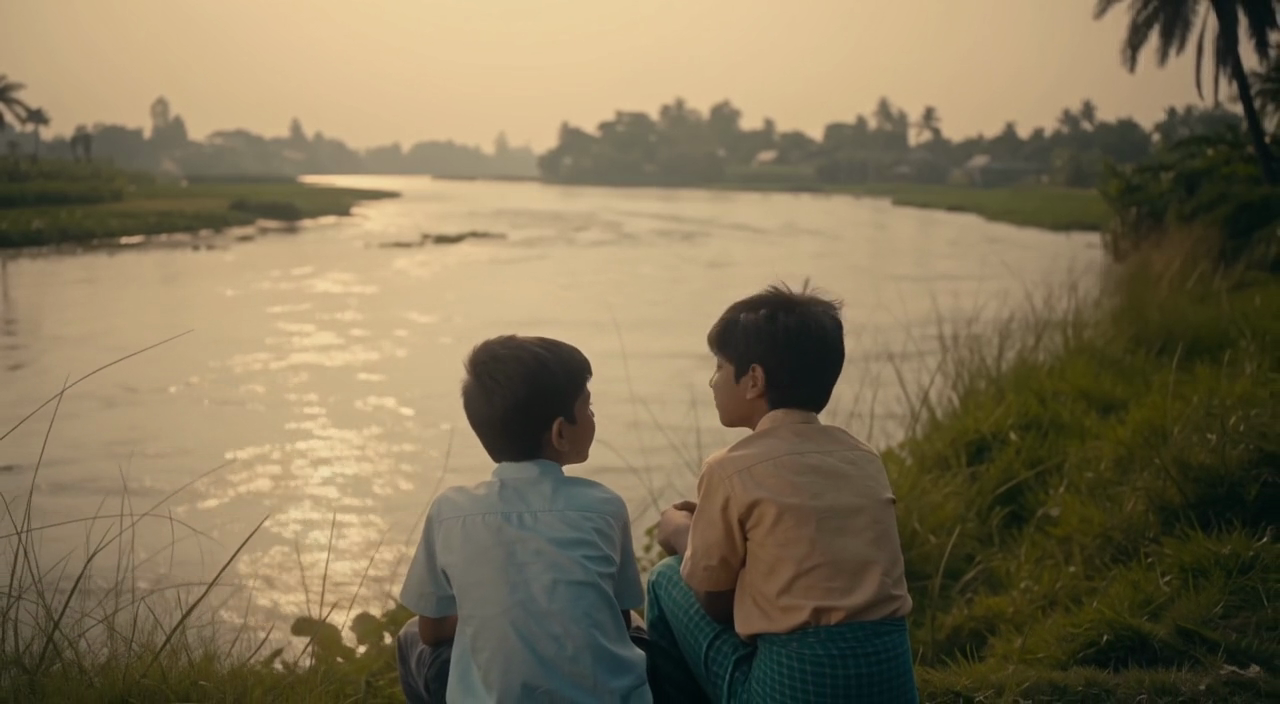
Choose an enabled model on the AI Video page. Review its supported settings and credit quote before generating a clip from text or an image.
Describe speech, ambient sound and music as separate directions in your video brief. Audio output depends on the selected model and the options shown in the generator; check the finished clip rather than assuming sound is included.
Write your video brief around one visible action. Add the setting, shot size, camera movement and lighting. Keep dialogue and sound cues separate from the visual instructions so the intended scene is easy to understand.
Describe speech, ambient sound and music as separate directions in your video brief. Audio output depends on the selected model and the options shown in the generator; check the finished clip rather than assuming sound is included.
Describe speech, ambient sound and music as separate directions in your video brief. Audio output depends on the selected model and the options shown in the generator; check the finished clip rather than assuming sound is included.
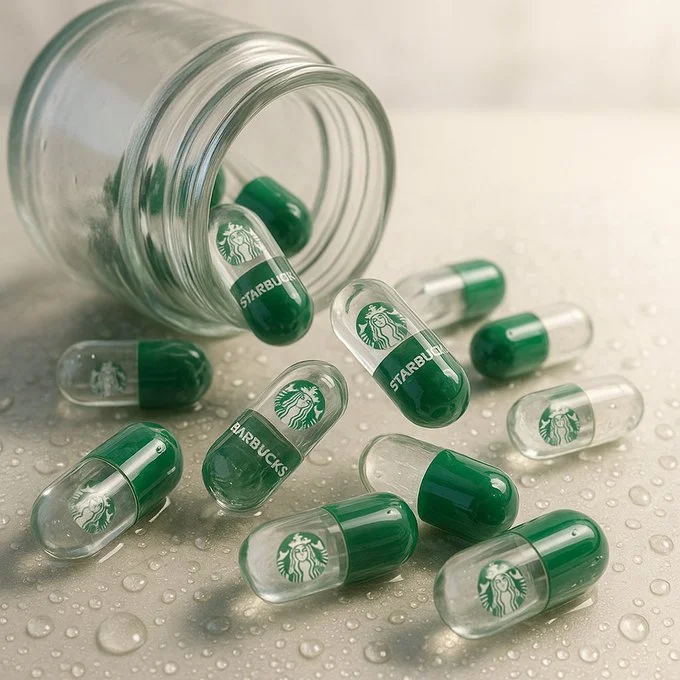
Use References to Explain the Intended Result
For your video brief, describe how the subject should move from its starting pose. If the selected model supports an image or ending frame, use it to explain composition and continuity. Do not assume every reference type is accepted.
For your video brief, describe how the subject should move from its starting pose. If the selected model supports an image or ending frame, use it to explain composition and continuity. Do not assume every reference type is accepted.
Write your video brief around one visible action. Add the setting, shot size, camera movement and lighting. Keep dialogue and sound cues separate from the visual instructions so the intended scene is easy to understand.
Develop your video brief around the result you need. Keep the main direction specific, check supported settings in the generator, and review the completed work before using it in your project.
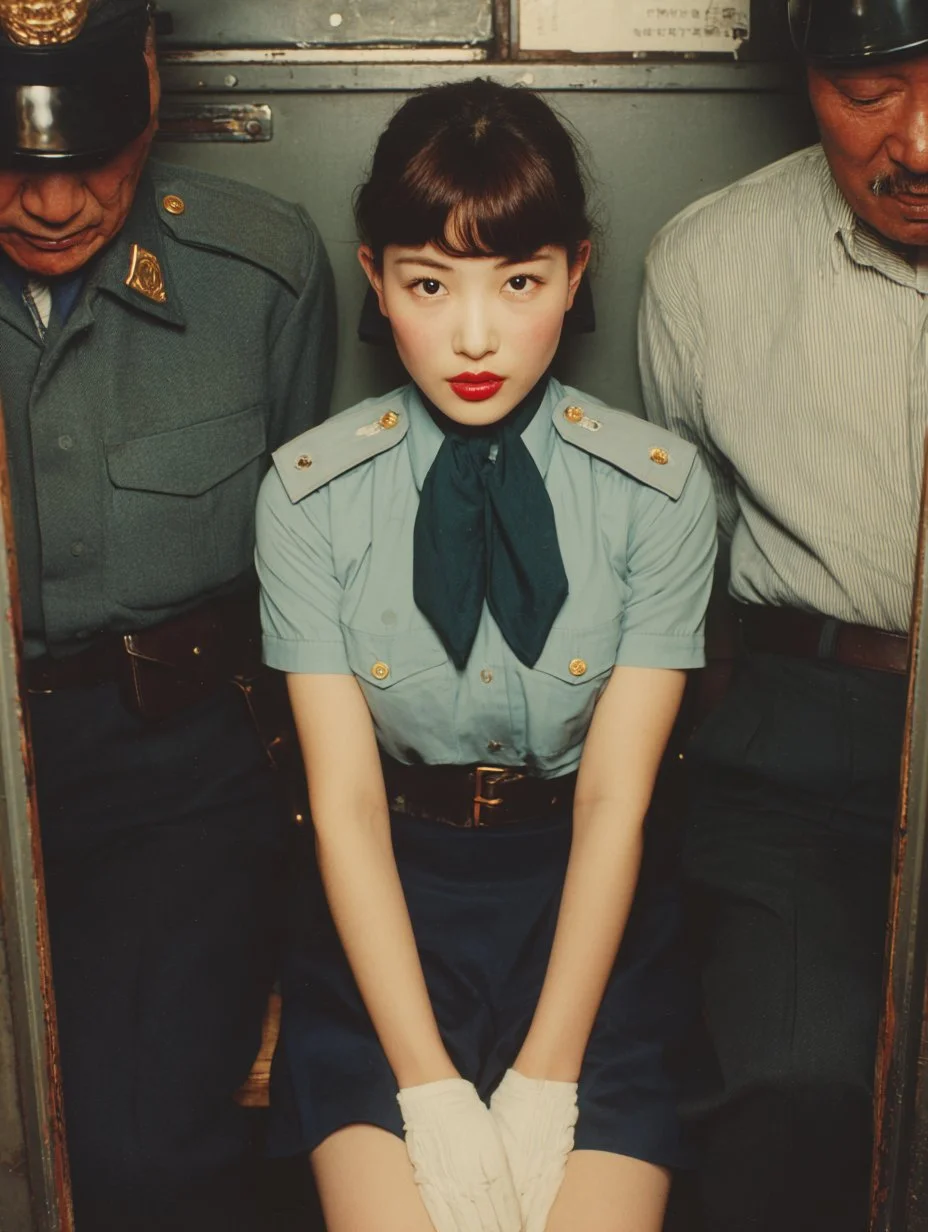
Review and Download Completed Results
Choose only the resolution and aspect ratio shown for the selected model. Check framing, fine details and any text in the completed video. A larger output size does not guarantee a more accurate result.
For a video product concept, specify the product shape, material, key detail and setting. Keep logos and claims accurate, allow room for your own typography, and review the result before using it in an advertisement.
Choose only the resolution and aspect ratio shown for the selected model. Check framing, fine details and any text in the completed video. A larger output size does not guarantee a more accurate result.
Allow time to inspect each video result and refine your brief. Processing time varies by model, request and service load. Change one direction at a time so that you can judge which edit improves the result.
A Clearer Creative Brief for Veo
For a video product concept, specify the product shape, material, key detail and setting. Keep logos and claims accurate, allow room for your own typography, and review the result before using it in an advertisement.
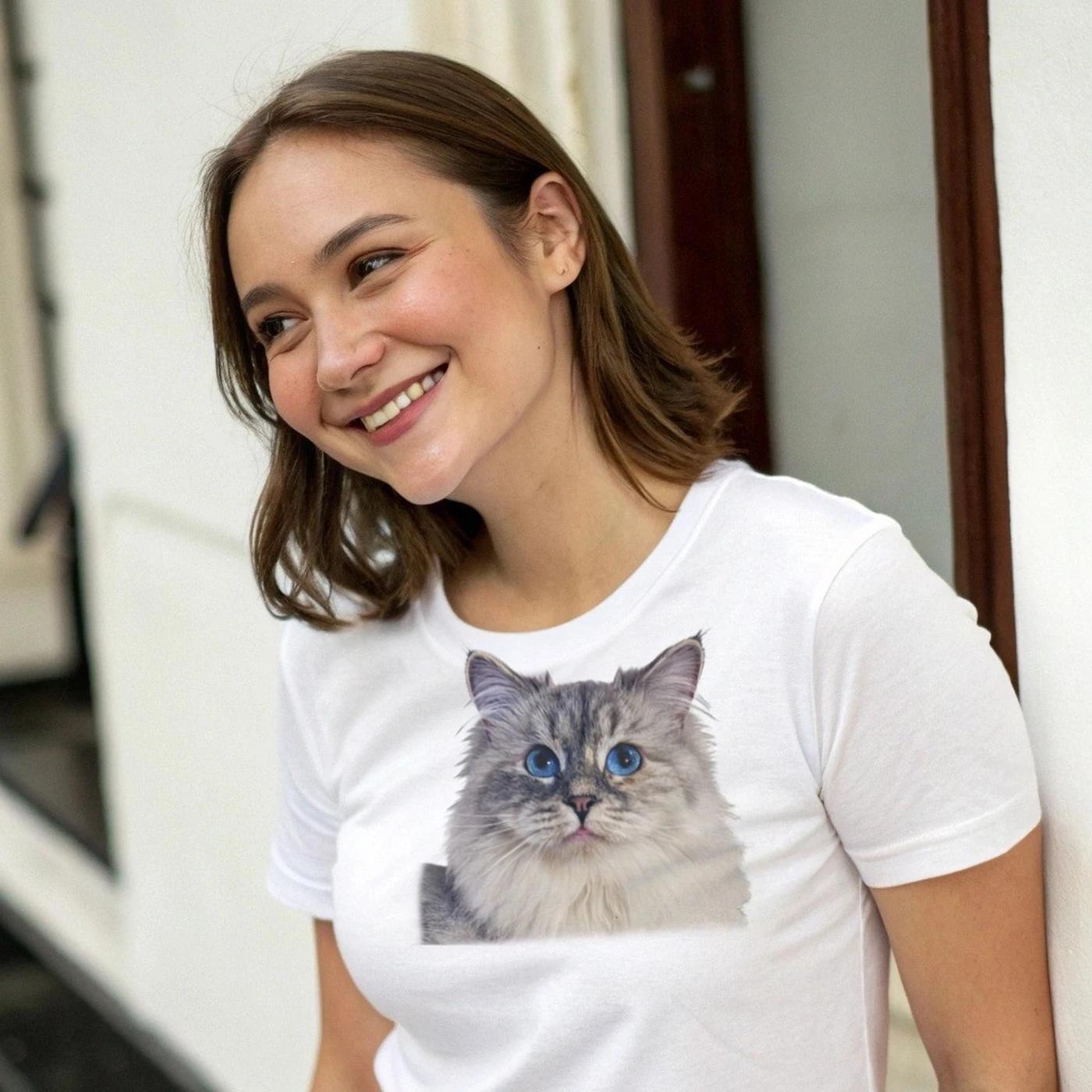
Plan One Clear Action per Shot
List the details that matter in your video brief: identity, shape, colors, clothing and background. Use supported references where appropriate and compare every result; exact consistency is not guaranteed.
Flexible Production Modes
For a video product concept, specify the product shape, material, key detail and setting. Keep logos and claims accurate, allow room for your own typography, and review the result before using it in an advertisement.
Write Precise Editing and Style Directions
For a video product concept, specify the product shape, material, key detail and setting. Keep logos and claims accurate, allow room for your own typography, and review the result before using it in an advertisement.
Explore Variations with a Focused Brief
Explore available video workflows and compare it with the related video pages. The generator is the source of truth for current model access and settings. Use the prompt library to study published results and the model that created them.
Choose an enabled model on the AI Video page. Review its supported settings and credit quote before generating a clip from text or an image.
Give the main subject one clear action. For a video concept, a precise brief is easier to assess than a list of competing effects.
Veo Video Workflow: Questions & Answers
For a video product concept, specify the product shape, material, key detail and setting. Keep logos and claims accurate, allow room for your own typography, and review the result before using it in an advertisement.
This youdot page explains the video workflow. It helps you write a focused brief and review the available inputs. Current access is shown in the generator; a model name on a guide does not mean it currently accepts requests.
Write your video brief around one visible action. Add the setting, shot size, camera movement and lighting. Keep dialogue and sound cues separate from the visual instructions so the intended scene is easy to understand.
Develop your video brief around the result you need. Keep the main direction specific, check supported settings in the generator, and review the completed work before using it in your project.
Choose only the resolution and aspect ratio shown for the selected model. Check framing, fine details and any text in the completed video. A larger output size does not guarantee a more accurate result.
Describe speech, ambient sound and music as separate directions in your video brief. Audio output depends on the selected model and the options shown in the generator; check the finished clip rather than assuming sound is included.
List the details that matter in your video brief: identity, shape, colors, clothing and background. Use supported references where appropriate and compare every result; exact consistency is not guaranteed.
You can request a refund within 10 days of purchase if you have unused credits from that purchase and provide a clear reason, subject to our Refund Policy. If eligible, an unused purchase can be fully refunded; a partly used purchase is refunded in proportion to its remaining unused credits. Fully used purchases and free or promotional credits are not refundable.
Credit validity depends on the pack, subscription or promotion that issued them. Review the purchase terms and expiration dates in Settings > Credits. A renewal or new purchase does not extend older credits. Use credits before their stated expiration; do not assume unused subscription credits roll over indefinitely.
Credits charged for a task that is confirmed as failed due to a system error are returned automatically. A task that is still processing has not yet been confirmed as failed. Check its status and your credit history before submitting again. If a confirmed failure still shows an unresolved charge, email support@youdot.app with the task ID.
AI results can vary, so a completed result that differs from your expectations is not automatically treated as a technical failure. Eligible completed image tasks can be submitted for credit refund review using the refund option where available; approval is required. For a video or another issue, contact support@youdot.app with the task ID and details. A credit refund returns credits, not money to your payment method.
Email support@youdot.app. For billing, include your account email and order ID; for generation, include the task ID, issue description and relevant screenshots. If you purchased as a guest, keep the original browser data and payment receipt so we can help locate the purchase.
Explore Your Next Veo Video Idea
Choose only the resolution and aspect ratio shown for the selected model. Check framing, fine details and any text in the completed video. A larger output size does not guarantee a more accurate result.
youdot.app · Updated
What's new on this page
- — Added editable example prompts and separate drafts for text and reference modes, with an action to restore the example.
- — Updated page copy and content.
- — Page content published.