
Veo Availability:Supported Video Models
Choose a Supported Text or Image Video Model
Veo is unavailable on youdot. Use an enabled Kling or Seedance model on the AI Video page for text-to-video or image-to-video. These examples are general creative inspiration, not Veo demonstrations.
Verified prompt
POV MiniDV camcorder vlog filmed entirely by the main character herself. The camcorder is never visible. Authentic early-2000s DV tape aesthetic with soft analog blur, subtle tape grain, faint tape hiss, slight colour bleed, blooming highlights, autofocus hunting, exposure breathing, muted contrast, imperfect white balance, realistic skin texture, natural motion blur, handheld shake, crooked framing, delayed focus, accidental head crops, awkward zooms, and genuine human camera movement. Documentary style, not cinematic perfection. Main Character: The same recurring fictional Japanese woman for every episode. Early 20s, very fair porcelain skin, naturally beautiful, long dark brown-black hair in a loose ponytail with soft face-framing strands, expressive brown eyes, natural makeup, slim petite build, oversized cream hoodie, black leggings, white sneakers, warm smile, playful and slightly clumsy personality. Location: Quiet Japanese neighbourhood during golden hour, tree-lined sidewalks, small local café, soft evening sunlight, peaceful atmosphere. Scene 1 (0–2s) Handheld selfie while leaving home. "Okay... today's mission is simple. One iced coffee... then straight home." Scene 2 (2–5s) Walking down the street. She notices a fluffy dog, crouches to pet it, laughs. "...No, stay focused... coffee first." Scene 3 (5–8s) Camera propped on the café counter. She reaches for her pocket to pay and suddenly freezes. "...Wait... where's my wallet?" Scene 4 (8–11s) Quick panic. She checks another hoodie pocket, finds it instantly, bursts into genuine laughter. "Never mind... false alarm!" Scene 5 (11–15s) Walking outside with the iced coffee during golden hour. Takes the first sip, smiles at the camera. "Mission accomplished... see you in tomorrow's chaos." Audio: No background music. Only authentic ambient sounds: birds, footsteps, distant traffic, café ambience, doors opening, soft wind, clothing movement, breathing, laughter, and natural voice. Overall feeling: Cozy, wholesome, funny, spontaneous, highly realistic, authentic camcorder diary, social-media-friendly pacing, emotionally warm, subtly humorous, and designed to feel like viewers are spending 15 seconds with a real person rather than watching a scripted video.
POV MiniDV camcorder vlog filmed entirely by the main character herself. The camcorder is never visible. Authentic early-2000s DV tape aesthetic with soft analog blur, subtle tape grain, faint tape hiss, slight colour bleed, blooming highlights, autofocus hunting, exposure breathing, muted contrast, imperfect white balance, realistic skin texture, natural motion blur, handheld shake, crooked framing, delayed focus, accidental head crops, awkward zooms, and genuine human camera movement. Documentary style, not cinematic perfection. Main Character: The same recurring fictional Japanese woman for every episode. Early 20s, very fair porcelain skin, naturally beautiful, long dark brown-black hair in a loose ponytail with soft face-framing strands, expressive brown eyes, natural makeup, slim petite build, oversized cream hoodie, black leggings, white sneakers, warm smile, playful and slightly clumsy personality. Location: Quiet Japanese neighbourhood during golden hour, tree-lined sidewalks, small local café, soft evening sunlight, peaceful atmosphere. Scene 1 (0–2s) Handheld selfie while leaving home. "Okay... today's mission is simple. One iced coffee... then straight home." Scene 2 (2–5s) Walking down the street. She notices a fluffy dog, crouches to pet it, laughs. "...No, stay focused... coffee first." Scene 3 (5–8s) Camera propped on the café counter. She reaches for her pocket to pay and suddenly freezes. "...Wait... where's my wallet?" Scene 4 (8–11s) Quick panic. She checks another hoodie pocket, finds it instantly, bursts into genuine laughter. "Never mind... false alarm!" Scene 5 (11–15s) Walking outside with the iced coffee during golden hour. Takes the first sip, smiles at the camera. "Mission accomplished... see you in tomorrow's chaos." Audio: No background music. Only authentic ambient sounds: birds, footsteps, distant traffic, café ambience, doors opening, soft wind, clothing movement, breathing, laughter, and natural voice. Overall feeling: Cozy, wholesome, funny, spontaneous, highly realistic, authentic camcorder diary, social-media-friendly pacing, emotionally warm, subtly humorous, and designed to feel like viewers are spending 15 seconds with a real person rather than watching a scripted video.
Verified prompt
SEEDANCE 2.0 视频提示词 时长:15秒 画幅:9:16竖屏 参考:严格使用参考图中的成年女主角,保持清晰面部五官、发型、妆容、身材比例和整套穿搭完全一致,全程为同一人物,不更换服装。 整体风格: 高级网红时尚短片,冷艳、妩媚、自信,深灰摄影棚,黑色镜面地面,暗紫色与金色轮廓光,柔和美颜主光,肤质真实细腻,轻微胶片颗粒,节奏感强但动作自然。 SHOT 1|0—5秒|怼脸眼神展示 主体:参考图女主。 动作:开场就是女主的面部超近景。她先微微侧脸看向画面外,随后缓慢转动眼睛直视镜头,轻轻眨眼,略微挑眉,嘴角露出若有若无的妩媚笑意;一只手自然拨动耳边碎发,身体轻微靠近镜头,目光自信、有吸引力。 环境:背景虚化成柔和的暗紫色光斑。 摄影机:85mm人像镜头,眼睛清晰锐利,浅景深,镜头缓慢推近并小幅环绕面部约15度,捕捉眼神、高光和真实皮肤细节。 约束:面部不能变形,不要夸张嘟嘴,不做低俗暗示动作。 SHOT 2|5—10秒|拉远展示完整造型 动作:女主抬手从镜头前自然划过,形成流畅遮挡转场。镜头迅速而平稳地从面部拉远到全身,她踩着高跟鞋向前走两步,交叉步停下,一只手扶腰,轻轻转换重心;随后转成侧身姿态,展示整体身材比例与服装轮廓,再顺势转身,回头看向镜头。 摄影机:由85mm近景无缝衔接至35mm全身镜头,轻微低机位但保持端正高级,镜头跟随后退;动作停顿瞬间出现一次时尚摄影闪光灯效果。 声音:清晰的高跟鞋脚步声、相机快门声、低沉时尚电子节拍。 约束:始终完整保留参考图服装、丝袜、高跟鞋及其花纹细节;镜头展示整体造型,不长时间聚焦单一身体部位。 SHOT 3|10—15秒|环绕炫姿收尾 动作:女主连续完成正面、侧面、背面三个自然模特姿势,动作之间使用短促流畅的速度变化。摄影机围绕她旋转约270度,她的裙摆、发丝和耳边碎发产生真实轻微摆动;环绕结束时她快速转回正面,向镜头走近,微微俯身贴近镜头,轻轻挑眉并眨一下眼,露出俏皮又妩媚的半笑,最后用指尖轻点镜头,画面瞬间切黑。 摄影机:50mm镜头稳定环绕,镜面地面产生柔和倒影;最后快速推近至面部特写,准确对焦双眼。 风格:高级、冷艳、妩媚、有网红爆款展示感,动作丰富但不杂乱,人物始终拥有镜头掌控力。 负面限制: 禁止人物身份变化、换脸、服装变化、蕾丝花纹漂移、丝袜接缝移动、身材忽胖忽瘦、比例夸张、肢体扭曲、额外手脚、多余手指、手指融合、五官融化、塑料皮肤、过度磨皮、走路滑步、高跟鞋穿模、衣物异常透明、走光、低俗姿势、私密部位特写、裙底机位、镜头角度漂移、人物瞬移、背景突然变形、过度慢动作、闪烁、字幕、文字、Logo、水印。
SEEDANCE 2.0 视频提示词 时长:15秒 画幅:9:16竖屏 参考:严格使用参考图中的成年女主角,保持清晰面部五官、发型、妆容、身材比例和整套穿搭完全一致,全程为同一人物,不更换服装。 整体风格: 高级网红时尚短片,冷艳、妩媚、自信,深灰摄影棚,黑色镜面地面,暗紫色与金色轮廓光,柔和美颜主光,肤质真实细腻,轻微胶片颗粒,节奏感强但动作自然。 SHOT 1|0—5秒|怼脸眼神展示 主体:参考图女主。 动作:开场就是女主的面部超近景。她先微微侧脸看向画面外,随后缓慢转动眼睛直视镜头,轻轻眨眼,略微挑眉,嘴角露出若有若无的妩媚笑意;一只手自然拨动耳边碎发,身体轻微靠近镜头,目光自信、有吸引力。 环境:背景虚化成柔和的暗紫色光斑。 摄影机:85mm人像镜头,眼睛清晰锐利,浅景深,镜头缓慢推近并小幅环绕面部约15度,捕捉眼神、高光和真实皮肤细节。 约束:面部不能变形,不要夸张嘟嘴,不做低俗暗示动作。 SHOT 2|5—10秒|拉远展示完整造型 动作:女主抬手从镜头前自然划过,形成流畅遮挡转场。镜头迅速而平稳地从面部拉远到全身,她踩着高跟鞋向前走两步,交叉步停下,一只手扶腰,轻轻转换重心;随后转成侧身姿态,展示整体身材比例与服装轮廓,再顺势转身,回头看向镜头。 摄影机:由85mm近景无缝衔接至35mm全身镜头,轻微低机位但保持端正高级,镜头跟随后退;动作停顿瞬间出现一次时尚摄影闪光灯效果。 声音:清晰的高跟鞋脚步声、相机快门声、低沉时尚电子节拍。 约束:始终完整保留参考图服装、丝袜、高跟鞋及其花纹细节;镜头展示整体造型,不长时间聚焦单一身体部位。 SHOT 3|10—15秒|环绕炫姿收尾 动作:女主连续完成正面、侧面、背面三个自然模特姿势,动作之间使用短促流畅的速度变化。摄影机围绕她旋转约270度,她的裙摆、发丝和耳边碎发产生真实轻微摆动;环绕结束时她快速转回正面,向镜头走近,微微俯身贴近镜头,轻轻挑眉并眨一下眼,露出俏皮又妩媚的半笑,最后用指尖轻点镜头,画面瞬间切黑。 摄影机:50mm镜头稳定环绕,镜面地面产生柔和倒影;最后快速推近至面部特写,准确对焦双眼。 风格:高级、冷艳、妩媚、有网红爆款展示感,动作丰富但不杂乱,人物始终拥有镜头掌控力。 负面限制: 禁止人物身份变化、换脸、服装变化、蕾丝花纹漂移、丝袜接缝移动、身材忽胖忽瘦、比例夸张、肢体扭曲、额外手脚、多余手指、手指融合、五官融化、塑料皮肤、过度磨皮、走路滑步、高跟鞋穿模、衣物异常透明、走光、低俗姿势、私密部位特写、裙底机位、镜头角度漂移、人物瞬移、背景突然变形、过度慢动作、闪烁、字幕、文字、Logo、水印。
Verified prompt
Create a 15 second photorealistic fashion performance film in 16:9 inside an abandoned concrete and brick industrial building: broken wooden staircase, exposed beams, cracked plaster, dusty floors, scattered rubble, rusted rails and large blown out window openings. Keep two male performers visually consistent. Performer A: pale skin, backward muted-green cap, white wraparound sunglasses, small hoop earrings, oversized black and white abstract fleece/jacket, loose dark trousers, black sneakers. Performer B: black balaclava, white oval wraparound sunglasses, teal green work jacket, dark shirt, very baggy pale blue grey jeans, white sneakers. Natural proportions, real skin texture, believable fabric weight, inertia and foot contact. Style: raw underground streetwear music video, full frame cinema camera, 12mm fisheye and 18mm ultrawide lenses. Handheld and physically close to the ground/bodies, with Dutch angles, fast push ins, pull backs, orbiting moves, short whip-pans and brief roll transitions. Preserve real camera momentum and parallax; no teleporting or impossible motion. 30 fps, 1/60-shutter feel, organic motion blur, mild lens breathing, realistic fisheye edge distortion and subtle sensor noise. 0–2.5s: extreme low angle beside the staircase, tilted frame. Performer A looms near lens, Performer B deeper in the space. Sweep past legs and sneakers so a shoe briefly crosses the lens; reveal the ruined stairwell and bright exterior openings. 2.5–4.5s: whip-pan to Performer B facing camera beneath the stairs, restrained rhythmic hand/shoulder gestures. Push into a distorted medium close up, then cut to Performer A in a low-angle portrait touching his white sunglasses. 4.5–6.5s: hard cut to a very wide floor level shot across rubble. Rapid dolly forward as Performer A walks/dances toward camera and passes close, creating natural foreground smear. 6.5–8.5s: circular fisheye energy. Performer B leans over the lens; one sneaker and trouser leg enlarge naturally in perspective. A fast rotational move transitions into an extreme symmetrical close up of Performer A’s face and sunglasses; hold briefly for stable facial detail and real reflections. 8.5–10.8s: Performer B centered between damaged stair rails, arms folding then opening into a small gesture. Camera retreats down the debris path while he advances, producing strong parallax and rushing floor texture. 10.8–12.8s: energetic whip and tilt into a high oblique angle showing both performers near the staircase, then drop to an extreme fisheye low angle where both lean into frame and gesture toward lens. 12.8–15s: snap to a long shot of Performer B framed by a concrete column. Fast lateral sweep and controlled zoom as he crouches, rises and gestures in a brighter rubble-filled bay. In the final beat Performer A steps in beside him; rapidly pull back down the long ruined corridor, ending wide with both men side-by-side. Lighting: motivated daylight through broken windows and doors; cool cyan green ambient shadows, rusty brown wood/brick, soft highlight bloom, deep but detailed blacks. Exposure feels imperfect and documentary real, never studio lit. Grade: muted teal/green, dirty cream, rust red, slight halation, restrained contrast. Audio: instrumental only, no vocals/dialogue. Dark industrial hip-hop/electronic beat around 103 BPM: dry kick, tight snare, sub-bass pulse, sparse metallic percussion, low drone and subtle room reverb. Sync major cuts, whip pans and push ins to beat accents; add quiet shoe scuffs, fabric movement and distant building ambience. No captions, logos, watermarks or HUD graphics. Avoid plastic skin, extra fingers, warped sunglasses, changing clothes, floating debris, duplicated limbs, rubbery motion, oversharpening or excessive bloom.
Create a 15 second photorealistic fashion performance film in 16:9 inside an abandoned concrete and brick industrial building: broken wooden staircase, exposed beams, cracked plaster, dusty floors, scattered rubble, rusted rails and large blown out window openings. Keep two male performers visually consistent. Performer A: pale skin, backward muted-green cap, white wraparound sunglasses, small hoop earrings, oversized black and white abstract fleece/jacket, loose dark trousers, black sneakers. Performer B: black balaclava, white oval wraparound sunglasses, teal green work jacket, dark shirt, very baggy pale blue grey jeans, white sneakers. Natural proportions, real skin texture, believable fabric weight, inertia and foot contact. Style: raw underground streetwear music video, full frame cinema camera, 12mm fisheye and 18mm ultrawide lenses. Handheld and physically close to the ground/bodies, with Dutch angles, fast push ins, pull backs, orbiting moves, short whip-pans and brief roll transitions. Preserve real camera momentum and parallax; no teleporting or impossible motion. 30 fps, 1/60-shutter feel, organic motion blur, mild lens breathing, realistic fisheye edge distortion and subtle sensor noise. 0–2.5s: extreme low angle beside the staircase, tilted frame. Performer A looms near lens, Performer B deeper in the space. Sweep past legs and sneakers so a shoe briefly crosses the lens; reveal the ruined stairwell and bright exterior openings. 2.5–4.5s: whip-pan to Performer B facing camera beneath the stairs, restrained rhythmic hand/shoulder gestures. Push into a distorted medium close up, then cut to Performer A in a low-angle portrait touching his white sunglasses. 4.5–6.5s: hard cut to a very wide floor level shot across rubble. Rapid dolly forward as Performer A walks/dances toward camera and passes close, creating natural foreground smear. 6.5–8.5s: circular fisheye energy. Performer B leans over the lens; one sneaker and trouser leg enlarge naturally in perspective. A fast rotational move transitions into an extreme symmetrical close up of Performer A’s face and sunglasses; hold briefly for stable facial detail and real reflections. 8.5–10.8s: Performer B centered between damaged stair rails, arms folding then opening into a small gesture. Camera retreats down the debris path while he advances, producing strong parallax and rushing floor texture. 10.8–12.8s: energetic whip and tilt into a high oblique angle showing both performers near the staircase, then drop to an extreme fisheye low angle where both lean into frame and gesture toward lens. 12.8–15s: snap to a long shot of Performer B framed by a concrete column. Fast lateral sweep and controlled zoom as he crouches, rises and gestures in a brighter rubble-filled bay. In the final beat Performer A steps in beside him; rapidly pull back down the long ruined corridor, ending wide with both men side-by-side. Lighting: motivated daylight through broken windows and doors; cool cyan green ambient shadows, rusty brown wood/brick, soft highlight bloom, deep but detailed blacks. Exposure feels imperfect and documentary real, never studio lit. Grade: muted teal/green, dirty cream, rust red, slight halation, restrained contrast. Audio: instrumental only, no vocals/dialogue. Dark industrial hip-hop/electronic beat around 103 BPM: dry kick, tight snare, sub-bass pulse, sparse metallic percussion, low drone and subtle room reverb. Sync major cuts, whip pans and push ins to beat accents; add quiet shoe scuffs, fabric movement and distant building ambience. No captions, logos, watermarks or HUD graphics. Avoid plastic skin, extra fingers, warped sunglasses, changing clothes, floating debris, duplicated limbs, rubbery motion, oversharpening or excessive bloom.
Verified prompt
Create a premium 15-second cinematic Coca-Cola commercial in ultra-realistic 8K HDR with Hollywood-level advertising quality. Begin with a quiet sunrise over a modern city where everything feels calm and colorless. A chilled Coca-Cola glass bottle stands alone on a rooftop as the camera slowly pushes in. Cut to an extreme macro close-up of the bottle covered in sparkling condensation, with droplets sliding down the glass in dramatic lighting. The cap pops open in slow motion, releasing a burst of fizzy bubbles and glowing red energy that races through the streets like streams of happiness. As the energy spreads, the city transforms into a vibrant world filled with colorful buildings, blooming flowers, glowing lights, balloons, and joyful crowds. Capture cinematic FPV drone shots weaving through lively streets where friends laugh, musicians perform, families celebrate, and everyone enjoys refreshing Coca-Cola together. Transition to a magnificent Coca-Cola fountain at the center of the city, surrounded by cheering people under warm golden-hour light. End with a premium hero shot of the Coca-Cola bottle overlooking the glowing Happiness City, followed by the iconic Coca-Cola logo on a clean red background with the tagline "Open Happiness." Style: Ultra-photorealistic, cinematic storytelling, smooth camera movements, anamorphic lens look, volumetric lighting, rich colors, realistic condensation, sparkling fizz, emotional atmosphere, premium commercial, Pixar-inspired world-building, luxury advertising aesthetics, no text except the final Coca-Cola logo and tagline.
Create a premium 15-second cinematic Coca-Cola commercial in ultra-realistic 8K HDR with Hollywood-level advertising quality. Begin with a quiet sunrise over a modern city where everything feels calm and colorless. A chilled Coca-Cola glass bottle stands alone on a rooftop as the camera slowly pushes in. Cut to an extreme macro close-up of the bottle covered in sparkling condensation, with droplets sliding down the glass in dramatic lighting. The cap pops open in slow motion, releasing a burst of fizzy bubbles and glowing red energy that races through the streets like streams of happiness. As the energy spreads, the city transforms into a vibrant world filled with colorful buildings, blooming flowers, glowing lights, balloons, and joyful crowds. Capture cinematic FPV drone shots weaving through lively streets where friends laugh, musicians perform, families celebrate, and everyone enjoys refreshing Coca-Cola together. Transition to a magnificent Coca-Cola fountain at the center of the city, surrounded by cheering people under warm golden-hour light. End with a premium hero shot of the Coca-Cola bottle overlooking the glowing Happiness City, followed by the iconic Coca-Cola logo on a clean red background with the tagline "Open Happiness." Style: Ultra-photorealistic, cinematic storytelling, smooth camera movements, anamorphic lens look, volumetric lighting, rich colors, realistic condensation, sparkling fizz, emotional atmosphere, premium commercial, Pixar-inspired world-building, luxury advertising aesthetics, no text except the final Coca-Cola logo and tagline.
Verified prompt
A rally car races through a muddy forest road during overcast daylight. The camera is positioned low near the track, lens splashed with mud, trees close to the road, engine echoing between trunks. At the 2-second mark, the car enters a tight corner too fast, slides sideways, wheels spinning, mud spraying violently behind. The suspension compresses over ruts, the driver corrects, and the car powers out of the bend without losing control. The movement stays grounded, fast, dirty, and believable. Final moment: the car disappears into the forest, leaving mud and exhaust hanging in the air. Hyper-real motorsport realism, practical mud physics, natural camera shake, 4K.
A rally car races through a muddy forest road during overcast daylight. The camera is positioned low near the track, lens splashed with mud, trees close to the road, engine echoing between trunks. At the 2-second mark, the car enters a tight corner too fast, slides sideways, wheels spinning, mud spraying violently behind. The suspension compresses over ruts, the driver corrects, and the car powers out of the bend without losing control. The movement stays grounded, fast, dirty, and believable. Final moment: the car disappears into the forest, leaving mud and exhaust hanging in the air. Hyper-real motorsport realism, practical mud physics, natural camera shake, 4K.
Verified prompt
Create an epic cinematic 3D animation/VFX camera showcase featuring a golden Garuda-like mythical warrior battling a celestial masked goddess above floating islands and glowing clouds. Demonstrate a sequence of cinematic camera techniques including extreme wide aerial shots, low-angle monster introductions, tracking circles, dynamic orbits, spirals, close-ups, and fast action angles as both characters unleash fiery orange and cyan energy attacks that culminate in a colossal mid-air beam clash and shockwave explosion. Display a 16-panel storyboard reference grid along the bottom of the screen labeled with each camera move and lens focal length, with the active camera technique highlighted by a glowing white border as the sequence progresses.
Create an epic cinematic 3D animation/VFX camera showcase featuring a golden Garuda-like mythical warrior battling a celestial masked goddess above floating islands and glowing clouds. Demonstrate a sequence of cinematic camera techniques including extreme wide aerial shots, low-angle monster introductions, tracking circles, dynamic orbits, spirals, close-ups, and fast action angles as both characters unleash fiery orange and cyan energy attacks that culminate in a colossal mid-air beam clash and shockwave explosion. Display a 16-panel storyboard reference grid along the bottom of the screen labeled with each camera move and lens focal length, with the active camera technique highlighted by a glowing white border as the sequence progresses.
Verified prompt
{ "style": "stylized 3D animation, hyperreal pop, squash-and-stretch", "mood": "fast slapstick mischief with fake wins and payoff", "characters": { "child": "round-faced, huge eyes, copper-red pigtails, yellow polka-dot dress", "vendor": "tall man, curled mustache, crimson vest, tilted cap, brass ice cream paddle" }, "environment": { "location": "sunlit stone courtyard in hillside town", "details": "flower archways, mosaic fountain, brass cart, cobblestones, warm late-afternoon light" }, "timeline": [ { "time": "0:00-0:04", "action": "Ice cream trick reveals fake outs; cone appears and disappears, quick miss gag", "sfx": "gasp, whoosh, chuckle, bell" }, { "time": "0:04-0:09", "action": "Switch trick, scramble chase, fake victory then cone removed", "sfx": "swish, skid, laughter, chime cut" }, { "time": "0:09-0:15", "action": "Public tease, then real cone given; calm payoff and taste moment", "sfx": "crowd laugh, bell, soft chime, applause" } ] }
{ "style": "stylized 3D animation, hyperreal pop, squash-and-stretch", "mood": "fast slapstick mischief with fake wins and payoff", "characters": { "child": "round-faced, huge eyes, copper-red pigtails, yellow polka-dot dress", "vendor": "tall man, curled mustache, crimson vest, tilted cap, brass ice cream paddle" }, "environment": { "location": "sunlit stone courtyard in hillside town", "details": "flower archways, mosaic fountain, brass cart, cobblestones, warm late-afternoon light" }, "timeline": [ { "time": "0:00-0:04", "action": "Ice cream trick reveals fake outs; cone appears and disappears, quick miss gag", "sfx": "gasp, whoosh, chuckle, bell" }, { "time": "0:04-0:09", "action": "Switch trick, scramble chase, fake victory then cone removed", "sfx": "swish, skid, laughter, chime cut" }, { "time": "0:09-0:15", "action": "Public tease, then real cone given; calm payoff and taste moment", "sfx": "crowd laugh, bell, soft chime, applause" } ] }
Verified prompt
Create a 16:9 clean monochrome 2D storyboard line-sketch sheet of Suzune cutting creatures across falling rocks; show four foot contacts and feminine silhouettes, and do not render bracketed labels. [HEADER] Minimal header with one thin rule; show only: "Falling Slaughter Run" "Leap, evade, cut, keep falling" [BOARD] Balanced 16:9 contact sheet with 9 near-equal 16:9 panels, clear gutters, natural P## order, and centered incomplete last row when needed. Headers use `P## / camera angle + shot size / short beat`, no movement term; preserve aspect, count, and order. [STYLE] Clean monochrome 2D storyboard line sketch on white paper: sparse single-pass graphite-gray contours, simplified featureless figures, minimal construction marks, essential set geometry. No fills, wash, hatching, shading, shadows, ambient occlusion, color, texture, 3D/clay volume, finished art, dense lines, or facial/anatomy/clothing/surface detail. [REFERENCES] Image A controls Suzune's build, long hair, cropped top, split wrap-skirt, right gauntlet, and single katana silhouette. [CONTINUITY] Suzune keeps an hourglass envelope, long hair, split skirt, right gauntlet, and one katana; Razorclaws are six-limbed walkers, Razorwings slim fliers. Four rocks stay distinct; each creature attacks or evades, one meets each sword contact, and Suzune exits down-right toward more. [RULES] Only header lines and panel headers are visible; no panel text, arrows, icons, insets, extra panels, duplicates, ghost poses, or effect objects. [BEATS] Draw one storyboard panel per visual BEAT: BEATS: P01 / Very low front 3/4 FS / First Landing: Ground front three-quarter pitched up, low horizon and slab underside; Suzune's left foot fills foreground below her leg-waist line and hair/skirt, first Razorclaw lunging from upper right. P02 / Low profile FS / First Cut: Knee-height profile with low horizon; Suzune extends right in an S-curve, katana touching the first Razorclaw below its airborne claw swipe, one edge arc attached. P03 / Low rear 3/4 MLS / Second Contact: Knee-height rear three-quarter pitched down over the second slab top; Suzune's right foot pins one point below waist and hair cascade, first Razorwing diving from upper right. P04 / Ground front 3/4 FS / Rising Cut: Ground front three-quarter pitched up with low horizon and rock undersides; Suzune bows upward, katana touching the banking first Razorwing as its wings turn away. P05 / High side FS / Third Cut: Raised profile pitched down across the third slab top; Suzune's left toes pin one point below her curved silhouette, katana meeting the second Razorwing inside its S-turn. P06 / Rear 3/4 MLS / Wall Clash: Chest-height rear three-quarter pitched down on the fourth rock's vertical plane; Suzune's right foot pins its face, leg and waist twisted, second Razorclaw clamping her katana. P07 / Tight profile MS / Recoil Cut: Waist-height profile with narrow horizon; Suzune's shoulder and waist counter-rotate around the katana contact as the second Razorclaw's foreclaws flare away. P08 / Low side FS / Under-Rock Cut: Low profile pitched up with a slab underside across frame top; Suzune's legs and bowed torso form one arc, katana touching the third Razorclaw lunging below. P09 / High front 3/4 WS / Falling Pursuit: Raised front three-quarter pitched down over receding rocks; Suzune falls down-right with open hair/skirt, katana touching the third Razorwing as more creatures move ahead.
Create a 16:9 clean monochrome 2D storyboard line-sketch sheet of Suzune cutting creatures across falling rocks; show four foot contacts and feminine silhouettes, and do not render bracketed labels. [HEADER] Minimal header with one thin rule; show only: "Falling Slaughter Run" "Leap, evade, cut, keep falling" [BOARD] Balanced 16:9 contact sheet with 9 near-equal 16:9 panels, clear gutters, natural P## order, and centered incomplete last row when needed. Headers use `P## / camera angle + shot size / short beat`, no movement term; preserve aspect, count, and order. [STYLE] Clean monochrome 2D storyboard line sketch on white paper: sparse single-pass graphite-gray contours, simplified featureless figures, minimal construction marks, essential set geometry. No fills, wash, hatching, shading, shadows, ambient occlusion, color, texture, 3D/clay volume, finished art, dense lines, or facial/anatomy/clothing/surface detail. [REFERENCES] Image A controls Suzune's build, long hair, cropped top, split wrap-skirt, right gauntlet, and single katana silhouette. [CONTINUITY] Suzune keeps an hourglass envelope, long hair, split skirt, right gauntlet, and one katana; Razorclaws are six-limbed walkers, Razorwings slim fliers. Four rocks stay distinct; each creature attacks or evades, one meets each sword contact, and Suzune exits down-right toward more. [RULES] Only header lines and panel headers are visible; no panel text, arrows, icons, insets, extra panels, duplicates, ghost poses, or effect objects. [BEATS] Draw one storyboard panel per visual BEAT: BEATS: P01 / Very low front 3/4 FS / First Landing: Ground front three-quarter pitched up, low horizon and slab underside; Suzune's left foot fills foreground below her leg-waist line and hair/skirt, first Razorclaw lunging from upper right. P02 / Low profile FS / First Cut: Knee-height profile with low horizon; Suzune extends right in an S-curve, katana touching the first Razorclaw below its airborne claw swipe, one edge arc attached. P03 / Low rear 3/4 MLS / Second Contact: Knee-height rear three-quarter pitched down over the second slab top; Suzune's right foot pins one point below waist and hair cascade, first Razorwing diving from upper right. P04 / Ground front 3/4 FS / Rising Cut: Ground front three-quarter pitched up with low horizon and rock undersides; Suzune bows upward, katana touching the banking first Razorwing as its wings turn away. P05 / High side FS / Third Cut: Raised profile pitched down across the third slab top; Suzune's left toes pin one point below her curved silhouette, katana meeting the second Razorwing inside its S-turn. P06 / Rear 3/4 MLS / Wall Clash: Chest-height rear three-quarter pitched down on the fourth rock's vertical plane; Suzune's right foot pins its face, leg and waist twisted, second Razorclaw clamping her katana. P07 / Tight profile MS / Recoil Cut: Waist-height profile with narrow horizon; Suzune's shoulder and waist counter-rotate around the katana contact as the second Razorclaw's foreclaws flare away. P08 / Low side FS / Under-Rock Cut: Low profile pitched up with a slab underside across frame top; Suzune's legs and bowed torso form one arc, katana touching the third Razorclaw lunging below. P09 / High front 3/4 WS / Falling Pursuit: Raised front three-quarter pitched down over receding rocks; Suzune falls down-right with open hair/skirt, katana touching the third Razorwing as more creatures move ahead.
Verified prompt
Super casual real smartphone home video footage, rooftop evening hangout with string lights and city view, natural mobile phone camera with slight authentic handheld shake, normal frame rate with smooth natural motion, rapidfire montage with quick jump cuts every 1-2 seconds, unpolished authentic phone recording of friends chatting, eating snacks and enjoying the sunset, pure raw home video feel, no cinematic polish. Use the provided reference photo as the strict ONLY visual reference for the main woman. Maintain her exact appearance with zero deviation. Generate a mixed group of friends around her on the rooftop, sunset/city lights visible. 0-2.5s: Shaky rapid cuts main woman laughing near the rooftop railing, sunset glow behind her. 2.5-5s: Abrupt jump cuts close-up of her smiling with a drink, then friends passing snacks around. 5-7.5s: Fast shaky she chats animatedly, friends laughing, string lights starting to glow. 7.5-10s: Quick cut close-up warm smile toward camera, then jump to group laughing together near the edge view. 10-12.5s: Abrupt edit group gathered around a small table, casual toast with cups, city lights twinkling. 12.5-15s: Final rapid transition main woman relaxed among friends, soft smile, calm rooftop memory ending with slight phone sway. Natural smartphone video quality, slight handheld shake, smooth motion, authentic interactions, stable main character consistency, no pro effects.
Super casual real smartphone home video footage, rooftop evening hangout with string lights and city view, natural mobile phone camera with slight authentic handheld shake, normal frame rate with smooth natural motion, rapidfire montage with quick jump cuts every 1-2 seconds, unpolished authentic phone recording of friends chatting, eating snacks and enjoying the sunset, pure raw home video feel, no cinematic polish. Use the provided reference photo as the strict ONLY visual reference for the main woman. Maintain her exact appearance with zero deviation. Generate a mixed group of friends around her on the rooftop, sunset/city lights visible. 0-2.5s: Shaky rapid cuts main woman laughing near the rooftop railing, sunset glow behind her. 2.5-5s: Abrupt jump cuts close-up of her smiling with a drink, then friends passing snacks around. 5-7.5s: Fast shaky she chats animatedly, friends laughing, string lights starting to glow. 7.5-10s: Quick cut close-up warm smile toward camera, then jump to group laughing together near the edge view. 10-12.5s: Abrupt edit group gathered around a small table, casual toast with cups, city lights twinkling. 12.5-15s: Final rapid transition main woman relaxed among friends, soft smile, calm rooftop memory ending with slight phone sway. Natural smartphone video quality, slight handheld shake, smooth motion, authentic interactions, stable main character consistency, no pro effects.
Verified prompt
Ultra-realistic cinematic live-action, inspired by Inception. Shot on Arri Alexa Mini, 50mm lens. Natural 8 AM sunlight, shallow depth of field, organic film texture, subtle lens dispersion, photorealistic. Character Consistency: Use the reference image as the exact protagonist. Maintain identical facial features, hairstyle, beard, body proportions, brown oversized T-shirt, black cargo pants, silver chain, and sunglasses throughout. No coffee cup. [0:00–0:03] The protagonist walks confidently through a busy city sidewalk. Pigeons fly in the background. He smirks and snaps his fingers. [0:03–0:06] A brilliant white shockwave bursts from his hand. Time freezes instantly. Pedestrians stop mid-motion, pigeons freeze mid-flight, dust and leaves hang motionless in the air. Silence. [0:06–0:10] Only the protagonist can move. Tracking shot as he walks through the frozen world. Light rays illuminate floating particles. He casually brushes a frozen pigeon. [0:10–0:12] He passes a woman in a yellow dress suspended in time. He glances at her and nods slightly. [0:12–0:15] He turns toward camera and snaps again. A reverse shockwave restores reality. People resume moving, pigeons scatter, city sounds return. Wide cinematic crane shot pulls away as he walks into the crowd. Premium Hollywood VFX, realistic shockwaves, time-freeze effects, volumetric lighting, seamless transitions, natural motion blur, blockbuster quality, no AI artifacts.
Ultra-realistic cinematic live-action, inspired by Inception. Shot on Arri Alexa Mini, 50mm lens. Natural 8 AM sunlight, shallow depth of field, organic film texture, subtle lens dispersion, photorealistic. Character Consistency: Use the reference image as the exact protagonist. Maintain identical facial features, hairstyle, beard, body proportions, brown oversized T-shirt, black cargo pants, silver chain, and sunglasses throughout. No coffee cup. [0:00–0:03] The protagonist walks confidently through a busy city sidewalk. Pigeons fly in the background. He smirks and snaps his fingers. [0:03–0:06] A brilliant white shockwave bursts from his hand. Time freezes instantly. Pedestrians stop mid-motion, pigeons freeze mid-flight, dust and leaves hang motionless in the air. Silence. [0:06–0:10] Only the protagonist can move. Tracking shot as he walks through the frozen world. Light rays illuminate floating particles. He casually brushes a frozen pigeon. [0:10–0:12] He passes a woman in a yellow dress suspended in time. He glances at her and nods slightly. [0:12–0:15] He turns toward camera and snaps again. A reverse shockwave restores reality. People resume moving, pigeons scatter, city sounds return. Wide cinematic crane shot pulls away as he walks into the crowd. Premium Hollywood VFX, realistic shockwaves, time-freeze effects, volumetric lighting, seamless transitions, natural motion blur, blockbuster quality, no AI artifacts.
Verified prompt
TITLE: THE LAST WATER GODDESS DURATION: 15 SECONDS STYLE: Ultra-photorealistic, Hollywood Blockbuster, IMAX Cinematography, Unreal Engine 5 Realism, 8K HDR, Hyper-Detailed Fluid Simulation. PROMPT: A breathtaking East Asian female warrior with long dark hair tied in a flowing ponytail stands alone on an ancient battlefield covered in mud, shattered weapons, and thousands of fallen medieval armored knights. She wears an elegant gray and sapphire-blue futuristic combat bodysuit infused with celestial water magic. Volumetric fog rolls across the battlefield as burning campfires and glowing embers illuminate the darkness. As hundreds of enemy warriors charge toward her from every direction, the camera slowly circles around her face revealing an intense, fearless expression. She gracefully raises both hands toward the sky as gigantic swirling rings of crystal-clear water erupt around her body. The ground violently trembles as towering walls of water rise behind her like awakened sea dragons. Suddenly, she launches into battle with supernatural speed. She performs devastating water-style martial arts attacks, slicing through enemy armies using razor-sharp water blades and explosive spirals of liquid energy. Massive tidal waves crash across the battlefield, sending armored knights flying through the air while crystal-clear water collides with fire, steel, and mud in breathtaking cinematic slow motion. The camera dynamically transitions between ultra-wide IMAX shots, close-up facial details, and slow-motion combat sequences. Millions of realistic water droplets reflect the atmospheric lighting while her hair and clothing move naturally through the chaos of battle. The final scene reveals her floating above the battlefield surrounded by colossal celestial water dragons spiraling around her body before unleashing an apocalyptic ocean wave that consumes the entire horizon. CINEMATIC DETAILS: - 15-second continuous cinematic shot - Hollywood VFX quality - Physically accurate fluid simulations - Dynamic camera orbit and seamless transitions - Volumetric fog and atmospheric lighting - Hyper-realistic mud, fire, and water interactions - Realistic armor destruction physics - IMAX blockbuster cinematography - Photorealistic skin and fabric textures - Unreal Engine 5 quality rendering - Masterpiece, award-winning fantasy realism - Ultra-detailed 8K HDR
TITLE: THE LAST WATER GODDESS DURATION: 15 SECONDS STYLE: Ultra-photorealistic, Hollywood Blockbuster, IMAX Cinematography, Unreal Engine 5 Realism, 8K HDR, Hyper-Detailed Fluid Simulation. PROMPT: A breathtaking East Asian female warrior with long dark hair tied in a flowing ponytail stands alone on an ancient battlefield covered in mud, shattered weapons, and thousands of fallen medieval armored knights. She wears an elegant gray and sapphire-blue futuristic combat bodysuit infused with celestial water magic. Volumetric fog rolls across the battlefield as burning campfires and glowing embers illuminate the darkness. As hundreds of enemy warriors charge toward her from every direction, the camera slowly circles around her face revealing an intense, fearless expression. She gracefully raises both hands toward the sky as gigantic swirling rings of crystal-clear water erupt around her body. The ground violently trembles as towering walls of water rise behind her like awakened sea dragons. Suddenly, she launches into battle with supernatural speed. She performs devastating water-style martial arts attacks, slicing through enemy armies using razor-sharp water blades and explosive spirals of liquid energy. Massive tidal waves crash across the battlefield, sending armored knights flying through the air while crystal-clear water collides with fire, steel, and mud in breathtaking cinematic slow motion. The camera dynamically transitions between ultra-wide IMAX shots, close-up facial details, and slow-motion combat sequences. Millions of realistic water droplets reflect the atmospheric lighting while her hair and clothing move naturally through the chaos of battle. The final scene reveals her floating above the battlefield surrounded by colossal celestial water dragons spiraling around her body before unleashing an apocalyptic ocean wave that consumes the entire horizon. CINEMATIC DETAILS: - 15-second continuous cinematic shot - Hollywood VFX quality - Physically accurate fluid simulations - Dynamic camera orbit and seamless transitions - Volumetric fog and atmospheric lighting - Hyper-realistic mud, fire, and water interactions - Realistic armor destruction physics - IMAX blockbuster cinematography - Photorealistic skin and fabric textures - Unreal Engine 5 quality rendering - Masterpiece, award-winning fantasy realism - Ultra-detailed 8K HDR
Verified prompt
Explore Video Workflows
Explore available video workflows and compare it with the related video pages. The generator is the source of truth for current model access and settings. Use the prompt library to study published results and the model that created them.
Plan a Scene with Available Video Models
Choose only the resolution and aspect ratio shown for the selected model. Check framing, fine details and any text in the completed video. A larger output size does not guarantee a more accurate result.
Describe speech, ambient sound and music as separate directions in your video brief. Audio output depends on the selected model and the options shown in the generator; check the finished clip rather than assuming sound is included.
Choose available video models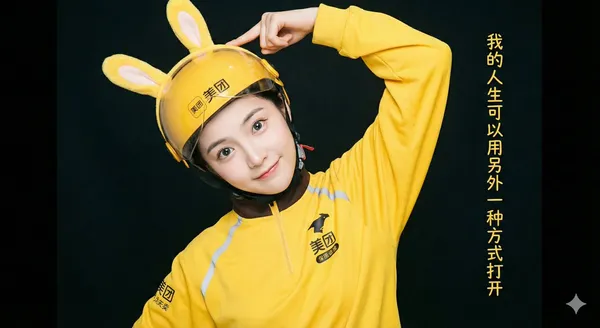
Explore Veo Video Ideas with youdot
For your video brief, describe how the subject should move from its starting pose. If the selected model supports an image or ending frame, use it to explain composition and continuity. Do not assume every reference type is accepted.
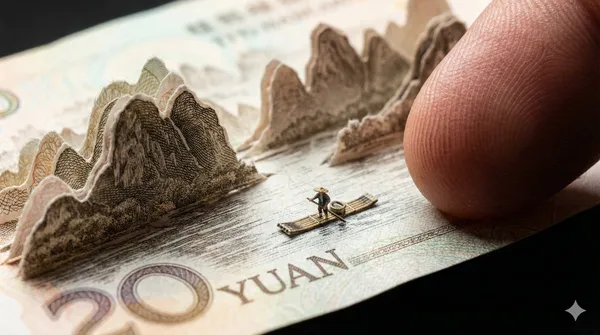
Text to Video Mode
Write your video brief around one visible action. Add the setting, shot size, camera movement and lighting. Keep dialogue and sound cues separate from the visual instructions so the intended scene is easy to understand.
Image to Video Mode
For your video brief, describe how the subject should move from its starting pose. If the selected model supports an image or ending frame, use it to explain composition and continuity. Do not assume every reference type is accepted.
Review and Download Completed Results
When a request completes, inspect the video in History and download the result you want to keep. Review the composition and any unintended details before sharing it with your team or publishing it.
Explore Related Video Workflows
Explore available video workflows and compare it with the related video pages. The generator is the source of truth for current model access and settings. Use the prompt library to study published results and the model that created them.
Choose an enabled model on the AI Video page. Review its supported settings and credit quote before generating a clip from text or an image.
For a video product concept, specify the product shape, material, key detail and setting. Keep logos and claims accurate, allow room for your own typography, and review the result before using it in an advertisement.
Choose a Supported Output Size
Choose only the resolution and aspect ratio shown for the selected model. Check framing, fine details and any text in the completed video. A larger output size does not guarantee a more accurate result.
Write your video brief around one visible action. Add the setting, shot size, camera movement and lighting. Keep dialogue and sound cues separate from the visual instructions so the intended scene is easy to understand.
Develop your video brief around the result you need. Keep the main direction specific, check supported settings in the generator, and review the completed work before using it in your project.
Develop your video brief around the result you need. Keep the main direction specific, check supported settings in the generator, and review the completed work before using it in your project.
Choose an enabled model on the AI Video page. Review its supported settings and credit quote before generating a clip from text or an image.
Describe speech, ambient sound and music as separate directions in your video brief. Audio output depends on the selected model and the options shown in the generator; check the finished clip rather than assuming sound is included.
Write your video brief around one visible action. Add the setting, shot size, camera movement and lighting. Keep dialogue and sound cues separate from the visual instructions so the intended scene is easy to understand.
Describe speech, ambient sound and music as separate directions in your video brief. Audio output depends on the selected model and the options shown in the generator; check the finished clip rather than assuming sound is included.
Describe speech, ambient sound and music as separate directions in your video brief. Audio output depends on the selected model and the options shown in the generator; check the finished clip rather than assuming sound is included.
Use References to Explain the Intended Result
For your video brief, describe how the subject should move from its starting pose. If the selected model supports an image or ending frame, use it to explain composition and continuity. Do not assume every reference type is accepted.
For your video brief, describe how the subject should move from its starting pose. If the selected model supports an image or ending frame, use it to explain composition and continuity. Do not assume every reference type is accepted.
Write your video brief around one visible action. Add the setting, shot size, camera movement and lighting. Keep dialogue and sound cues separate from the visual instructions so the intended scene is easy to understand.
Develop your video brief around the result you need. Keep the main direction specific, check supported settings in the generator, and review the completed work before using it in your project.
Review and Download Completed Results
Choose only the resolution and aspect ratio shown for the selected model. Check framing, fine details and any text in the completed video. A larger output size does not guarantee a more accurate result.
For a video product concept, specify the product shape, material, key detail and setting. Keep logos and claims accurate, allow room for your own typography, and review the result before using it in an advertisement.
Choose only the resolution and aspect ratio shown for the selected model. Check framing, fine details and any text in the completed video. A larger output size does not guarantee a more accurate result.
Allow time to inspect each video result and refine your brief. Processing time varies by model, request and service load. Change one direction at a time so that you can judge which edit improves the result.
A Clearer Creative Brief for Veo
For a video product concept, specify the product shape, material, key detail and setting. Keep logos and claims accurate, allow room for your own typography, and review the result before using it in an advertisement.
Plan One Clear Action per Shot
List the details that matter in your video brief: identity, shape, colors, clothing and background. Use supported references where appropriate and compare every result; exact consistency is not guaranteed.
Flexible Production Modes
For a video product concept, specify the product shape, material, key detail and setting. Keep logos and claims accurate, allow room for your own typography, and review the result before using it in an advertisement.
Write Precise Editing and Style Directions
For a video product concept, specify the product shape, material, key detail and setting. Keep logos and claims accurate, allow room for your own typography, and review the result before using it in an advertisement.
Explore Variations with a Focused Brief
Explore available video workflows and compare it with the related video pages. The generator is the source of truth for current model access and settings. Use the prompt library to study published results and the model that created them.
Choose an enabled model on the AI Video page. Review its supported settings and credit quote before generating a clip from text or an image.
Give the main subject one clear action. For a video concept, a precise brief is easier to assess than a list of competing effects.
Veo Video Workflow: Questions & Answers
For a video product concept, specify the product shape, material, key detail and setting. Keep logos and claims accurate, allow room for your own typography, and review the result before using it in an advertisement.
This youdot page explains the video workflow. It helps you write a focused brief and review the available inputs. Current access is shown in the generator; a model name on a guide does not mean it currently accepts requests.
Write your video brief around one visible action. Add the setting, shot size, camera movement and lighting. Keep dialogue and sound cues separate from the visual instructions so the intended scene is easy to understand.
Develop your video brief around the result you need. Keep the main direction specific, check supported settings in the generator, and review the completed work before using it in your project.
Choose only the resolution and aspect ratio shown for the selected model. Check framing, fine details and any text in the completed video. A larger output size does not guarantee a more accurate result.
Describe speech, ambient sound and music as separate directions in your video brief. Audio output depends on the selected model and the options shown in the generator; check the finished clip rather than assuming sound is included.
List the details that matter in your video brief: identity, shape, colors, clothing and background. Use supported references where appropriate and compare every result; exact consistency is not guaranteed.
You can request a refund within 10 days of purchase if you have unused credits from that purchase and provide a clear reason, subject to our Refund Policy. If eligible, an unused purchase can be fully refunded; a partly used purchase is refunded in proportion to its remaining unused credits. Fully used purchases and free or promotional credits are not refundable.
Credit validity depends on the pack, subscription or promotion that issued them. Review the purchase terms and expiration dates in Settings > Credits. A renewal or new purchase does not extend older credits. Use credits before their stated expiration; do not assume unused subscription credits roll over indefinitely.
Credits charged for a task that is confirmed as failed due to a system error are returned automatically. A task that is still processing has not yet been confirmed as failed. Check its status and your credit history before submitting again. If a confirmed failure still shows an unresolved charge, email support@youdot.app with the task ID.
AI results can vary, so a completed result that differs from your expectations is not automatically treated as a technical failure. Eligible completed image tasks can be submitted for credit refund review using the refund option where available; approval is required. For a video or another issue, contact support@youdot.app with the task ID and details. A credit refund returns credits, not money to your payment method.
Email support@youdot.app. For billing, include your account email and order ID; for generation, include the task ID, issue description and relevant screenshots. If you purchased as a guest, keep the original browser data and payment receipt so we can help locate the purchase.
Explore Your Next Veo Video Idea
Choose only the resolution and aspect ratio shown for the selected model. Check framing, fine details and any text in the completed video. A larger output size does not guarantee a more accurate result.
youdot.app · Updated
What's new on this page
- — Added editable example prompts and separate drafts for text and reference modes, with an action to restore the example.
- — Updated page copy and content.
- — Page content published.