
Verified prompt
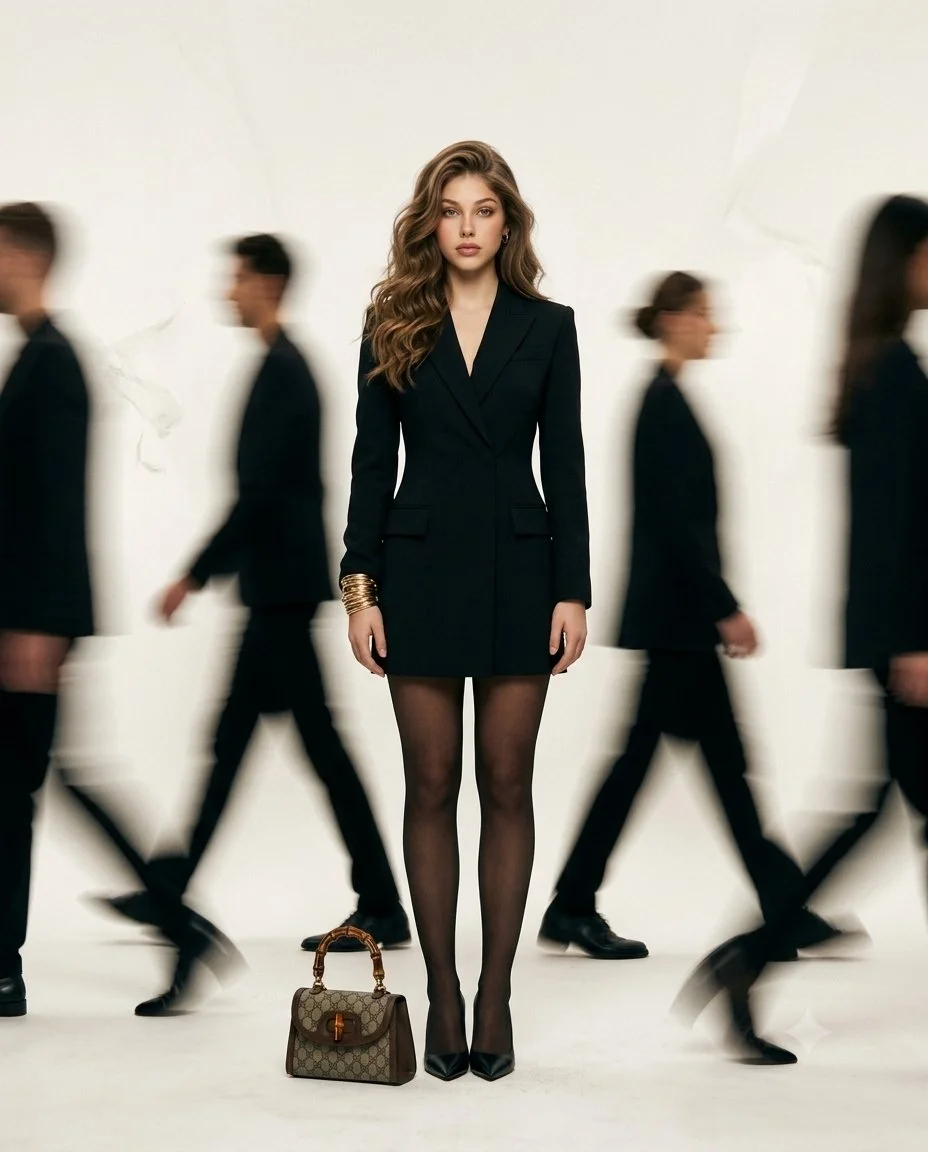
Create a high-fashion editorial image of an adult woman standing still in the center of a bright minimal space while people walk past around her. Dress the main figure in a tailored black outfit and keep her face, posture and clothing sharply focused. Render the passing figures as soft directional motion blur without obscuring the central subject. Use a calm expression, natural light and a pale neutral background. Keep the composition vertical and uncluttered, emphasizing the contrast between a still, clearly defined person and the movement of the surrounding crowd.
Create a high-fashion editorial image of an adult woman standing still in the center of a bright minimal space while people walk past around her. Dress the main figure in a tailored black outfit and keep her face, posture and clothing sharply focused. Render the passing figures as soft directional motion blur without obscuring the central subject. Use a calm expression, natural light and a pale neutral background. Keep the composition vertical and uncluttered, emphasizing the contrast between a still, clearly defined person and the movement of the surrounding crowd.
Verified prompt
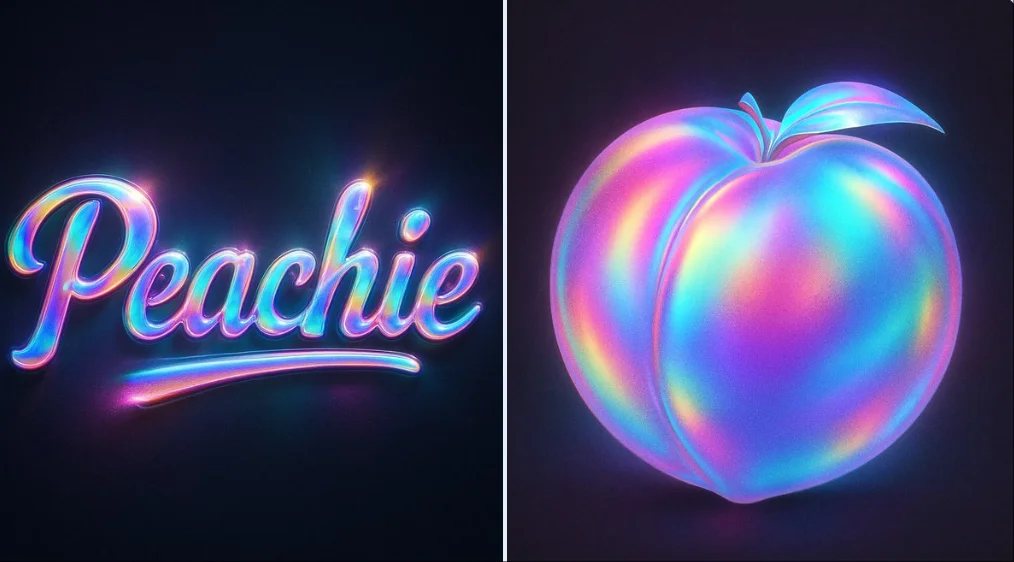
Apply a holographic overlay effect on [SUBJECT/TEXT] — dreamy rainbow gradients with soft radial light reflections — smooth glossy surface, high contrast blending — iridescent hues like pink, teal, cyan, and purple — noise texture with soft light blend — subtle shadows and edge lighting to add depth — centered composition on a dark background — ultra-HD, 1:1 ratio, cinematic lighting
Apply a holographic overlay effect on [SUBJECT/TEXT] — dreamy rainbow gradients with soft radial light reflections — smooth glossy surface, high contrast blending — iridescent hues like pink, teal, cyan, and purple — noise texture with soft light blend — subtle shadows and edge lighting to add depth — centered composition on a dark background — ultra-HD, 1:1 ratio, cinematic lighting
Verified prompt
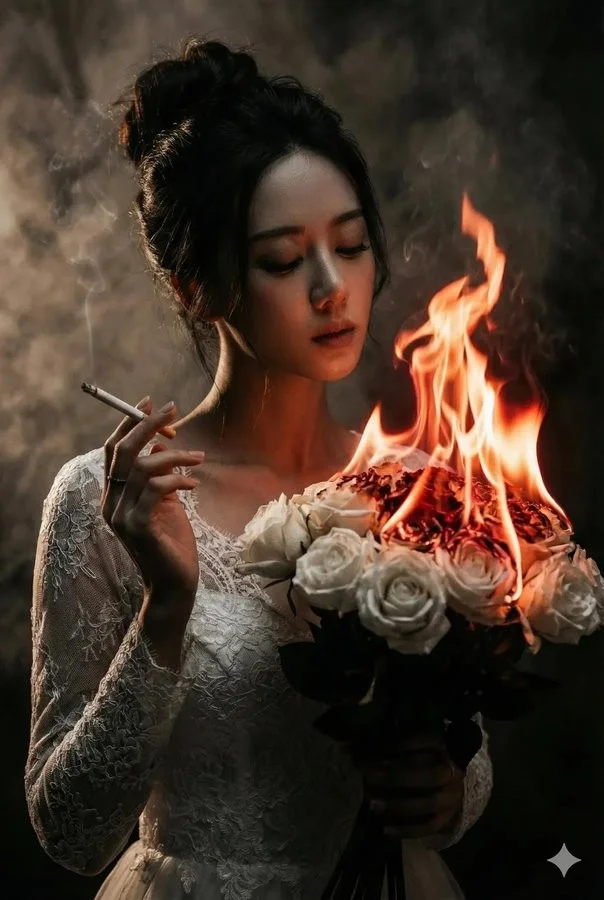
A cinematic, dark-romantic portrait of a mysterious bride holding a bouquet of white roses that are on fire, orange flames consuming the flowers, soft glowing embers and smoke in the air. The woman is wearing an elegant white lace wedding dress, hair in a loose elegant updo, holding a cigarette between her fingers while exhaling smoke in front of her face. Dramatic low-key lighting, warm firelight illuminating her face from the side, deep shadows, moody atmosphere, gothic aesthetic, ultra-detailed, photorealistic, shallow depth of field, 85mm lens look, high contrast, soft skin texture, cinematic color grading, dark background, volumetric smoke, fantasy realism, 8k quality.
A cinematic, dark-romantic portrait of a mysterious bride holding a bouquet of white roses that are on fire, orange flames consuming the flowers, soft glowing embers and smoke in the air. The woman is wearing an elegant white lace wedding dress, hair in a loose elegant updo, holding a cigarette between her fingers while exhaling smoke in front of her face. Dramatic low-key lighting, warm firelight illuminating her face from the side, deep shadows, moody atmosphere, gothic aesthetic, ultra-detailed, photorealistic, shallow depth of field, 85mm lens look, high contrast, soft skin texture, cinematic color grading, dark background, volumetric smoke, fantasy realism, 8k quality.
Verified prompt
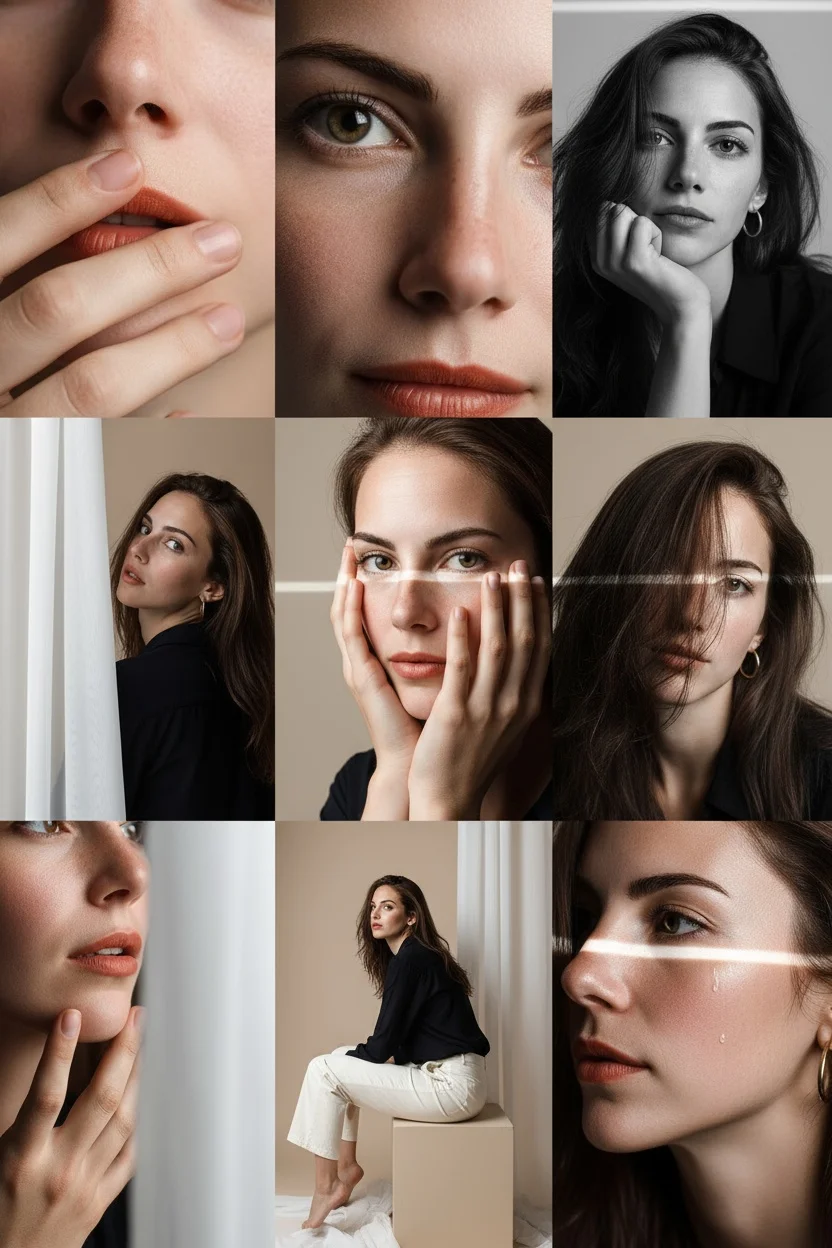
Editorial 3x3 photo grid in a clean soft beige studio. Character (matches reference 100%) wearing lightweight dark navy shirt, ivory trousers, barefoot for raw simplicity. Lighting: large diffused key light directly front-right, silver reflector left, subtle rim from top. Shots to include: 1. extreme close-up of lips + cheekbone with blurred hand partially covering (85mm, f/1.8, razor-thin DOF); 2. tight crop on eyes looking into lens with reflection of light strip visible (85mm, f/2.0); 3. black & white close portrait resting chin on fist, face filling frame (50mm, f/2.2); 4. over-shoulder shot, blurred foreground fabric curtain framing half face (85mm, f/2.0); 5. very close frontal with hands overlapping face, light streak across eyes (50mm, f/2.5); 6. tight angled portrait showing hair falling into eyes, soft-focus background (85mm, f/2.2); 7. crop of hands touching jawline, eyes cropped out (50mm, f/3.2, detail-focused); 8. half-body seated sideways on low cube, head turned sharply away, blurred foreground (35mm, f/ 4.5); 9. intense close-up of profile with single tear-like water droplet, cinematic light slice across (85mm, f/ 1.9). Angles: mostly tight headshots with slight high/low tilts, maintaining variation. Capture RAW, professional muted grade, smooth tonal contrast, subtle cinematic grain. Mood: intimate, introspective, character-led editorial minimalism with delicate use of fabric as prop.
Editorial 3x3 photo grid in a clean soft beige studio. Character (matches reference 100%) wearing lightweight dark navy shirt, ivory trousers, barefoot for raw simplicity. Lighting: large diffused key light directly front-right, silver reflector left, subtle rim from top. Shots to include: 1. extreme close-up of lips + cheekbone with blurred hand partially covering (85mm, f/1.8, razor-thin DOF); 2. tight crop on eyes looking into lens with reflection of light strip visible (85mm, f/2.0); 3. black & white close portrait resting chin on fist, face filling frame (50mm, f/2.2); 4. over-shoulder shot, blurred foreground fabric curtain framing half face (85mm, f/2.0); 5. very close frontal with hands overlapping face, light streak across eyes (50mm, f/2.5); 6. tight angled portrait showing hair falling into eyes, soft-focus background (85mm, f/2.2); 7. crop of hands touching jawline, eyes cropped out (50mm, f/3.2, detail-focused); 8. half-body seated sideways on low cube, head turned sharply away, blurred foreground (35mm, f/ 4.5); 9. intense close-up of profile with single tear-like water droplet, cinematic light slice across (85mm, f/ 1.9). Angles: mostly tight headshots with slight high/low tilts, maintaining variation. Capture RAW, professional muted grade, smooth tonal contrast, subtle cinematic grain. Mood: intimate, introspective, character-led editorial minimalism with delicate use of fabric as prop.
Verified prompt
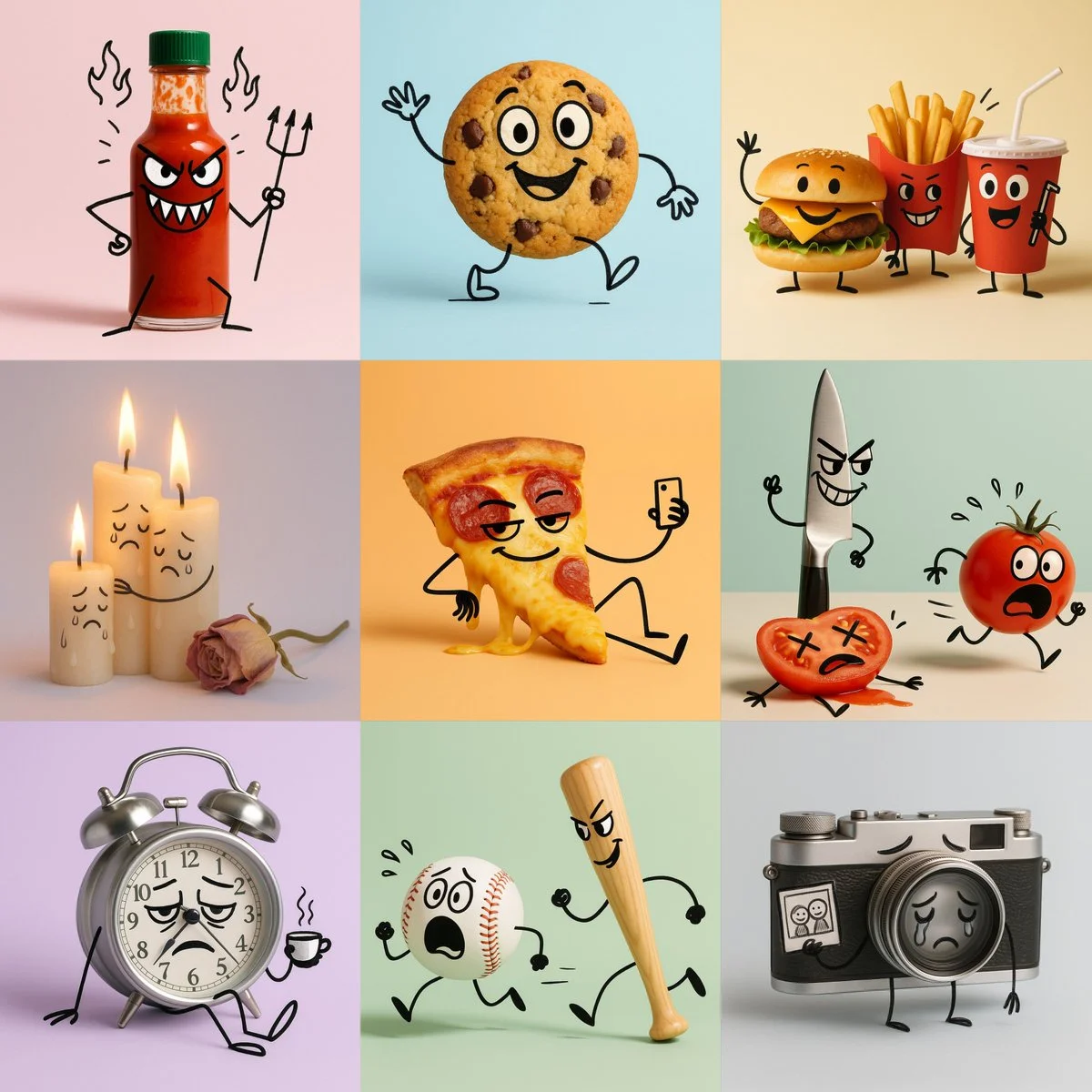
A cartoon illustration of [OBJECT], photographed in a clean minimal studio setup. All objects remain realistic and three-dimensional, but have been transformed into expressive cartoon characters: • [DESCRIPTION & EMOTION] (describe facial features, expressions, and emotional tone for each object) • [ACTION] • doodle lines are black, slightly uneven, and hand-drawn — like quick expressive sketchbook strokes drawn directly on the objects. Style: hybrid mix of real product photography and cartoon doodle overlay. Background: solid pastel [COLOR], clean and minimal. Lighting: soft, even, studio-style — subtle highlights and gentle shadows; no harsh light. Mood: [MOOD / THEME — e.g. playful, melancholic, poetic, humorous]. Keywords: hybrid photo-doodle, product cartoon, expressive characters, minimal pastel background. Aspect ratio: 1:1
A cartoon illustration of [OBJECT], photographed in a clean minimal studio setup. All objects remain realistic and three-dimensional, but have been transformed into expressive cartoon characters: • [DESCRIPTION & EMOTION] (describe facial features, expressions, and emotional tone for each object) • [ACTION] • doodle lines are black, slightly uneven, and hand-drawn — like quick expressive sketchbook strokes drawn directly on the objects. Style: hybrid mix of real product photography and cartoon doodle overlay. Background: solid pastel [COLOR], clean and minimal. Lighting: soft, even, studio-style — subtle highlights and gentle shadows; no harsh light. Mood: [MOOD / THEME — e.g. playful, melancholic, poetic, humorous]. Keywords: hybrid photo-doodle, product cartoon, expressive characters, minimal pastel background. Aspect ratio: 1:1
Verified prompt
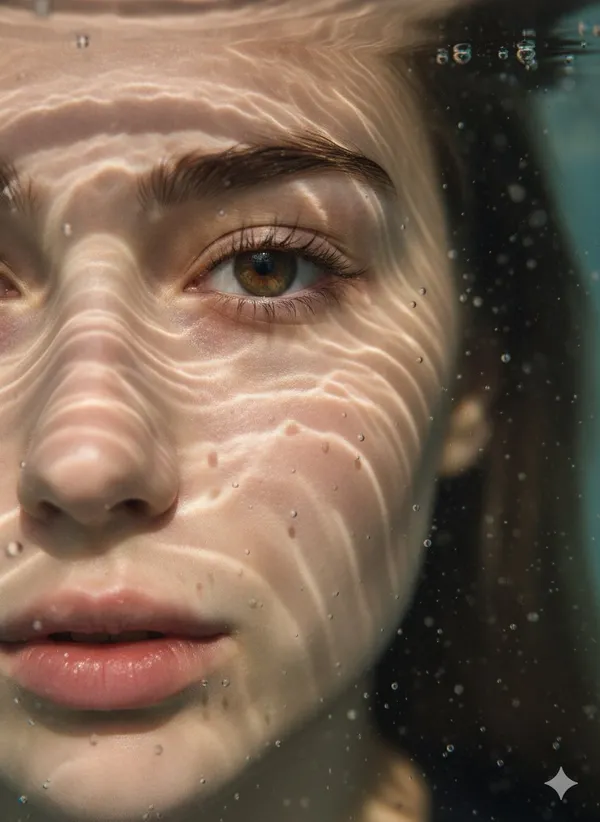
mpt] Description: Hyper-realistic, ultra-detailed close-up portrait of the left half of a young woman’s face submerged in water. One eye is in sharp focus. Light rays create caustic reflections and fluid patterns across her skin. Tiny suspended water droplets and bubbles add depth.. Details: [Subject] Young woman's face, fair skin, focused eye (left). [Pose] Submerged in water. [Lighting] Cinematic soft shadows with crisp highlights, light rays creating caustic patterns. [Attire] Not visible, implied underwater setting. [Hair] Dark hair visible on the right side, extending into the water. [Expression] Calm and serene, with an intense gaze from the focused eye. [Mood] Surreal, dreamlike, ethereal, and serene.. [Image Settings] Size: original. Quantity: 1. Style: Underwater macro portrait photography. Composition: Close-up, with a shallow depth of field and an underwater macro perspective, emphasizing textures and light play. Cropped to show only the left half of the face.. Aspect Ratio: 3:4. [Output Format] Type: image. Expected Result: A visually striking and highly detailed underwater portrait, showcasing the interplay of light, water, and skin textures..
mpt] Description: Hyper-realistic, ultra-detailed close-up portrait of the left half of a young woman’s face submerged in water. One eye is in sharp focus. Light rays create caustic reflections and fluid patterns across her skin. Tiny suspended water droplets and bubbles add depth.. Details: [Subject] Young woman's face, fair skin, focused eye (left). [Pose] Submerged in water. [Lighting] Cinematic soft shadows with crisp highlights, light rays creating caustic patterns. [Attire] Not visible, implied underwater setting. [Hair] Dark hair visible on the right side, extending into the water. [Expression] Calm and serene, with an intense gaze from the focused eye. [Mood] Surreal, dreamlike, ethereal, and serene.. [Image Settings] Size: original. Quantity: 1. Style: Underwater macro portrait photography. Composition: Close-up, with a shallow depth of field and an underwater macro perspective, emphasizing textures and light play. Cropped to show only the left half of the face.. Aspect Ratio: 3:4. [Output Format] Type: image. Expected Result: A visually striking and highly detailed underwater portrait, showcasing the interplay of light, water, and skin textures..
Verified prompt
Verified prompt
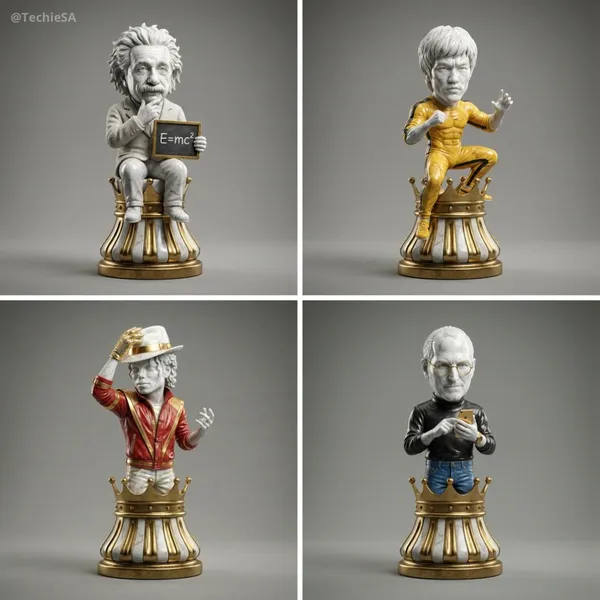
per-detailed 3D render of a collectible chess piece designed as [ICON]. The figure is sculpted in polished marble and gold accents, with a stylized base resembling a classic chess piece. The character’s iconic features, clothing, or accessories are faithfully captured in a simplified but instantly recognizable form. Studio lighting with soft reflections, dramatic shadows, photorealistic textures, cinematic presentation. Centered on a clean neutral background, 1080x1080 square format.
per-detailed 3D render of a collectible chess piece designed as [ICON]. The figure is sculpted in polished marble and gold accents, with a stylized base resembling a classic chess piece. The character’s iconic features, clothing, or accessories are faithfully captured in a simplified but instantly recognizable form. Studio lighting with soft reflections, dramatic shadows, photorealistic textures, cinematic presentation. Centered on a clean neutral background, 1080x1080 square format.
Verified prompt
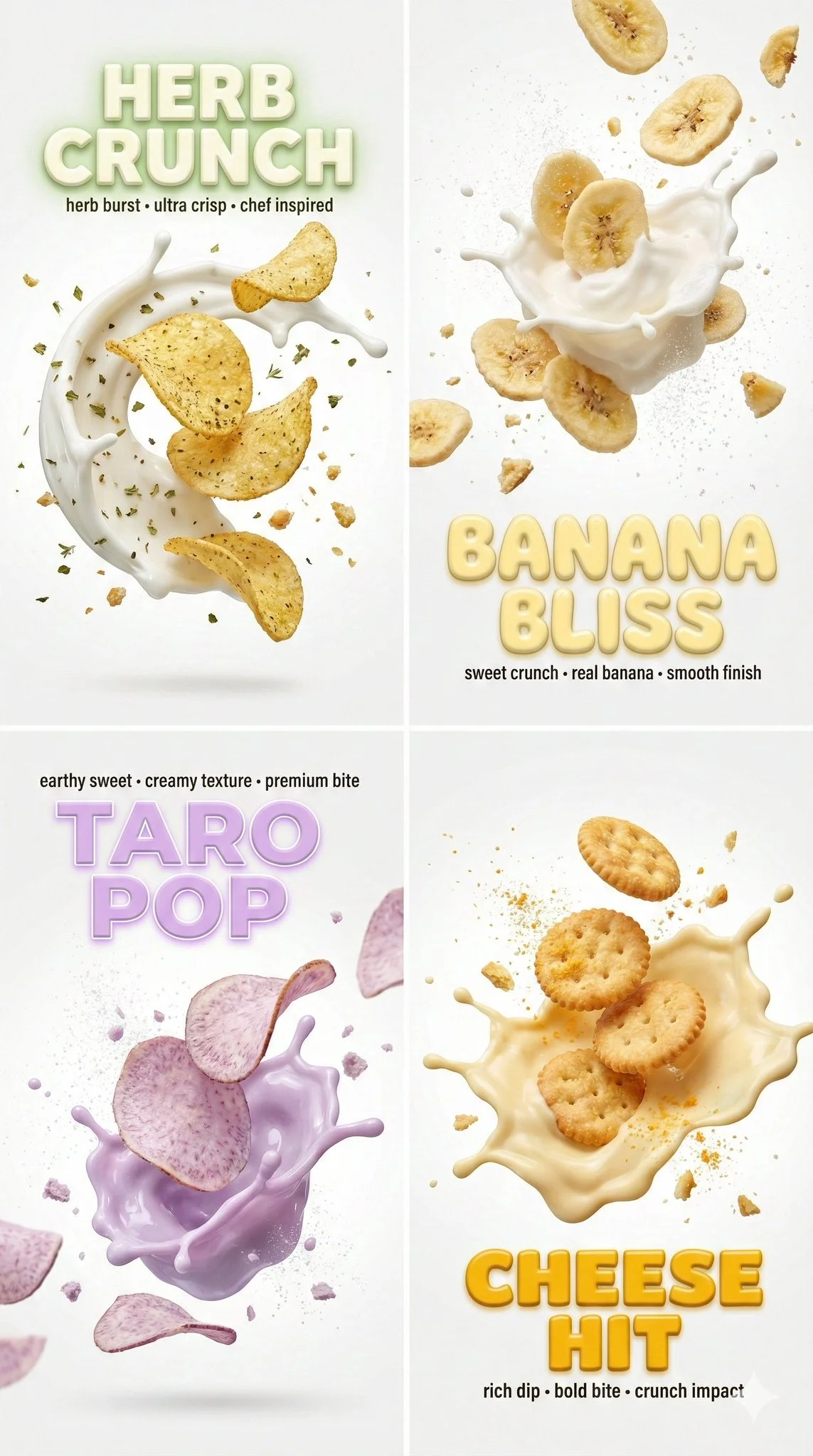
Macro still image, aspect ratio 9:16. Clean white backdrop with cinematic bloom lighting and ethereal atmosphere. Canon EOS R5 with 85mm f/1.2 lens, shallow bokeh depth of field. Multiple snack items suspended mid-air: herb-seasoned chips with Mediterranean herb cream frozen splash arc; banana chips with vanilla cream frozen burst; taro chips with pastel-purple taro cream frozen eruption; cheese crackers with pale-yellow cheese dip frozen splash. Each item has frozen liquid droplets, spice particles (oregano, thyme, sugar dust, cheddar powder), and hyper-detailed crumbs. Bold extruded 3D text overlays matching each item's color palette. High-key color profile, 8k resolution.
Macro still image, aspect ratio 9:16. Clean white backdrop with cinematic bloom lighting and ethereal atmosphere. Canon EOS R5 with 85mm f/1.2 lens, shallow bokeh depth of field. Multiple snack items suspended mid-air: herb-seasoned chips with Mediterranean herb cream frozen splash arc; banana chips with vanilla cream frozen burst; taro chips with pastel-purple taro cream frozen eruption; cheese crackers with pale-yellow cheese dip frozen splash. Each item has frozen liquid droplets, spice particles (oregano, thyme, sugar dust, cheddar powder), and hyper-detailed crumbs. Bold extruded 3D text overlays matching each item's color palette. High-key color profile, 8k resolution.
Verified prompt
Verified prompt
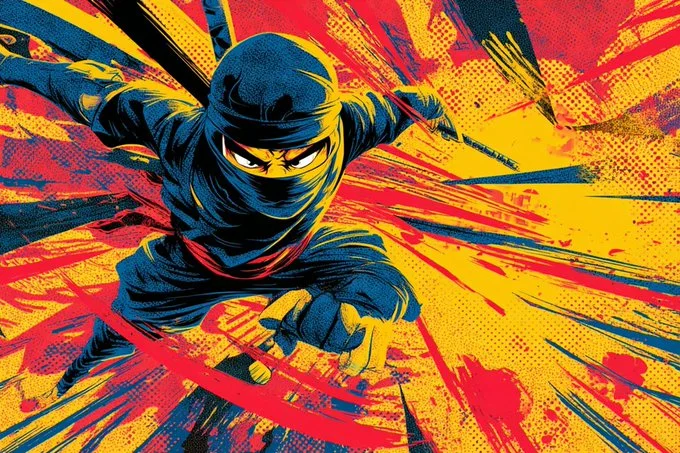
2D cartoon illustration of a [subject] mid-motion in a [dynamic action pose], drawn in vintage comic book style with bold outlines and saturated primary colors. Featuring dramatic motion streaks, exaggerated perspective, punchy panel composition, and crisp halftone texture. Designed for high-energy visual storytelling with retro superhero flair.
2D cartoon illustration of a [subject] mid-motion in a [dynamic action pose], drawn in vintage comic book style with bold outlines and saturated primary colors. Featuring dramatic motion streaks, exaggerated perspective, punchy panel composition, and crisp halftone texture. Designed for high-energy visual storytelling with retro superhero flair.
Verified prompt
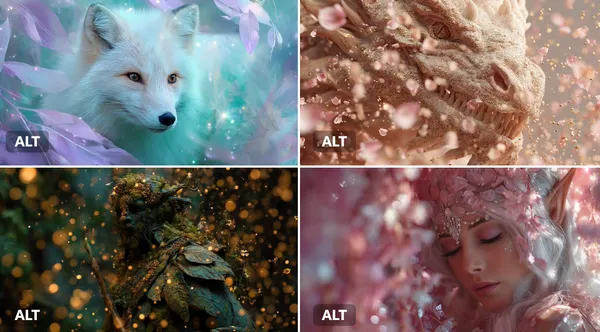
JECT] surrounded by an Enchanted Particle Bloom, with particles resembling magical flower petals or leaves. Employ soft, enchanting hues of [COLOR1] and [COLOR2] to create a sense of natural magic.
JECT] surrounded by an Enchanted Particle Bloom, with particles resembling magical flower petals or leaves. Employ soft, enchanting hues of [COLOR1] and [COLOR2] to create a sense of natural magic.
Explore Image Workflows
Explore the Nano Banana 2 workflow and compare it with the related image pages. The generator is the source of truth for current model access and settings. Use the prompt library to study published results and the model that created them.
Nano Banana 2 AI Image Generator
Write your Nano Banana 2 image brief around a subject, composition, lighting and intended style. Add a material or texture when it matters. For edits, state one precise change and explain which parts of the source should remain intact.
Write your Nano Banana 2 image brief around a subject, composition, lighting and intended style. Add a material or texture when it matters. For edits, state one precise change and explain which parts of the source should remain intact.
Explore Nano Banana 2Build Your Nano Banana 2 Image Brief
Choose only the resolution and aspect ratio shown for the selected model. Check framing, fine details and any text in the completed image. A larger output size does not guarantee a more accurate result.
Advanced AI Image Generation & Customization
Choose only the resolution and aspect ratio shown for the selected model. Check framing, fine details and any text in the completed image. A larger output size does not guarantee a more accurate result.
Write Precise Editing and Style Directions
Choose only the resolution and aspect ratio shown for the selected model. Check framing, fine details and any text in the completed image. A larger output size does not guarantee a more accurate result.
Describe the Changes and Details to Preserve
Explore the Nano Banana 2 workflow and compare it with the related image pages. The generator is the source of truth for current model access and settings. Use the prompt library to study published results and the model that created them.
Describe the Changes and Details to Preserve
Choose only the resolution and aspect ratio shown for the selected model. Check framing, fine details and any text in the completed image. A larger output size does not guarantee a more accurate result.
Review Usage Terms Before Sharing
Check the applicable model and platform terms before using a result commercially. You are responsible for the rights to uploaded images, identifiable people, logos and any other source material in your Nano Banana 2 image brief.
Keep Your Workflow Simple
Develop your Nano Banana 2 image brief around the result you need. Keep the main direction specific, check supported settings in the generator, and review the completed work before using it in your project.
A Clearer Creative Brief for Nano Banana 2
Diverse Styles & Effects for Every Vision
Develop your Nano Banana 2 image brief around the result you need. Keep the main direction specific, check supported settings in the generator, and review the completed work before using it in your project.
Write your Nano Banana 2 image brief around a subject, composition, lighting and intended style. Add a material or texture when it matters. For edits, state one precise change and explain which parts of the source should remain intact.
Versatile Nano Banana 2 AI Image Generator for Every Creator's Vision
Start your Nano Banana 2 image brief with a source image you have permission to use. Name the area to change and the colors, proportions or objects to preserve. Reference count and editing support depend on the selected model.
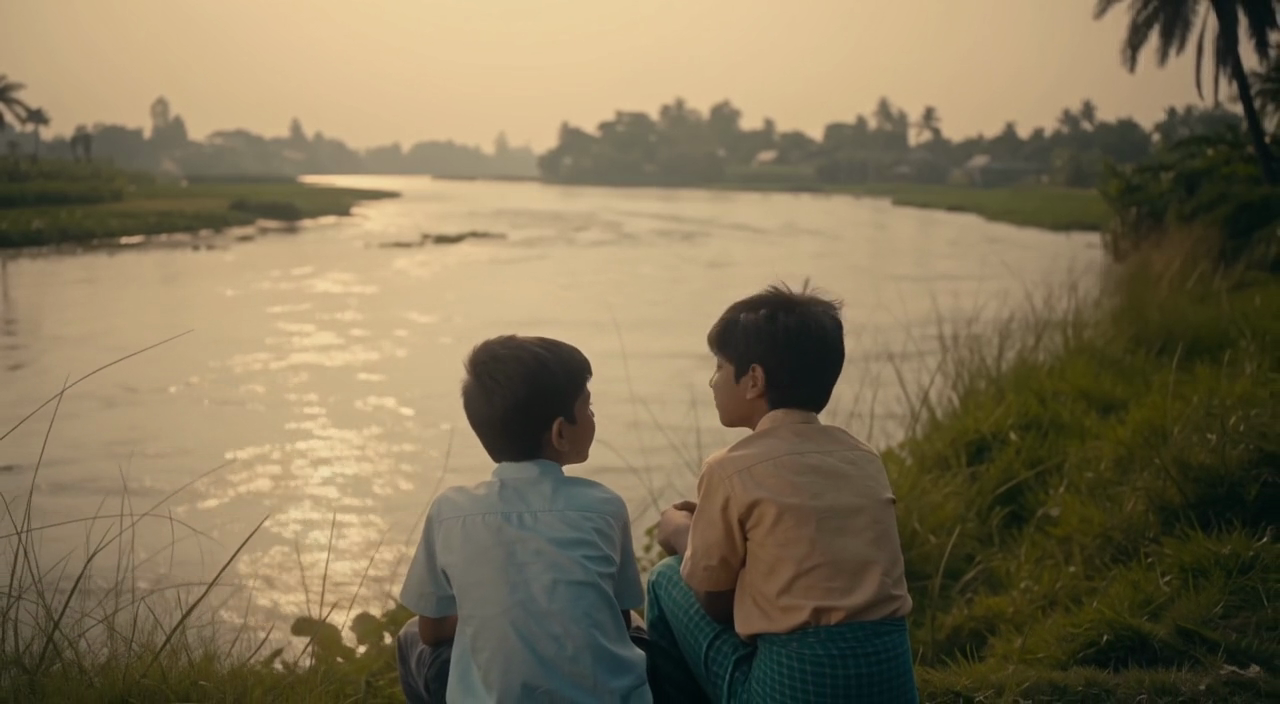
For Architects and Designers
Write your Nano Banana 2 image brief around a subject, composition, lighting and intended style. Add a material or texture when it matters. For edits, state one precise change and explain which parts of the source should remain intact.
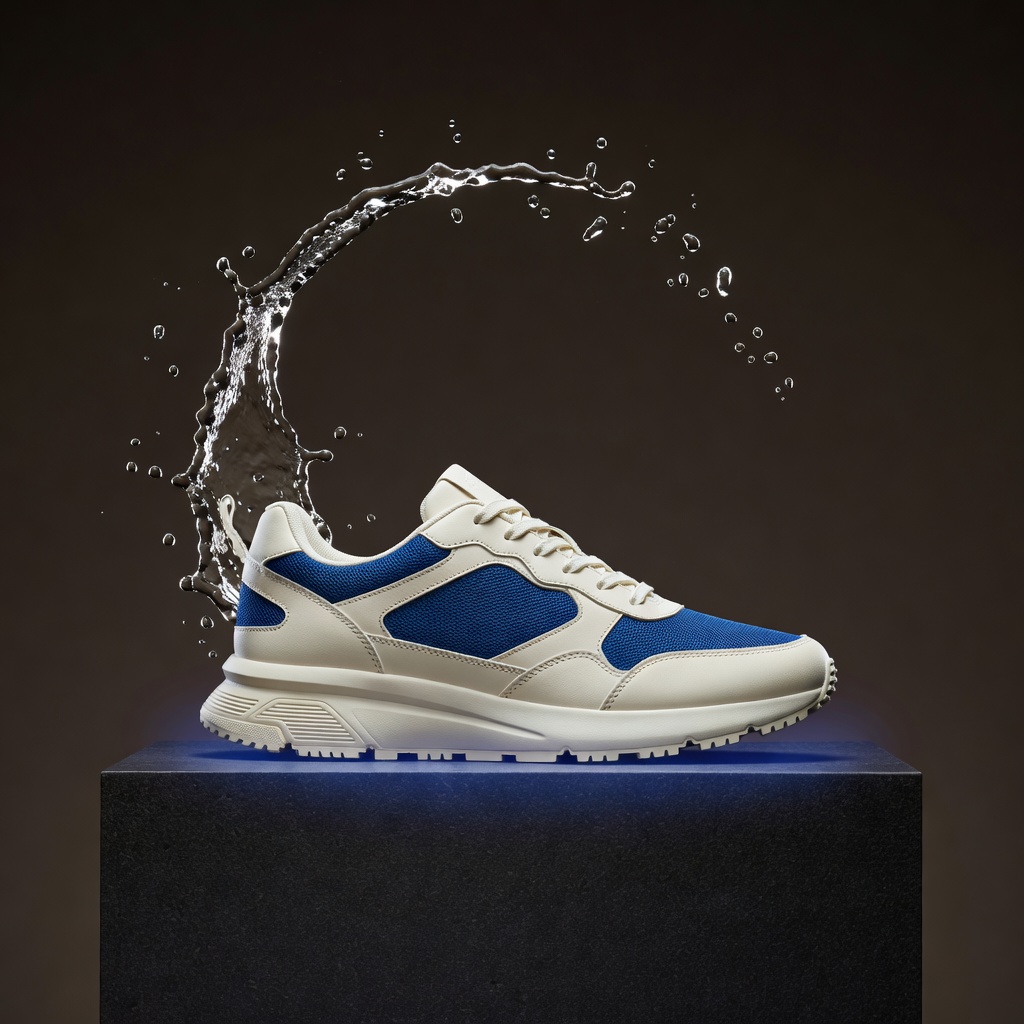
For E-Commerce Professionals
List the details that matter in your Nano Banana 2 image brief: identity, shape, colors, clothing and background. Use supported references where appropriate and compare every result; exact consistency is not guaranteed.

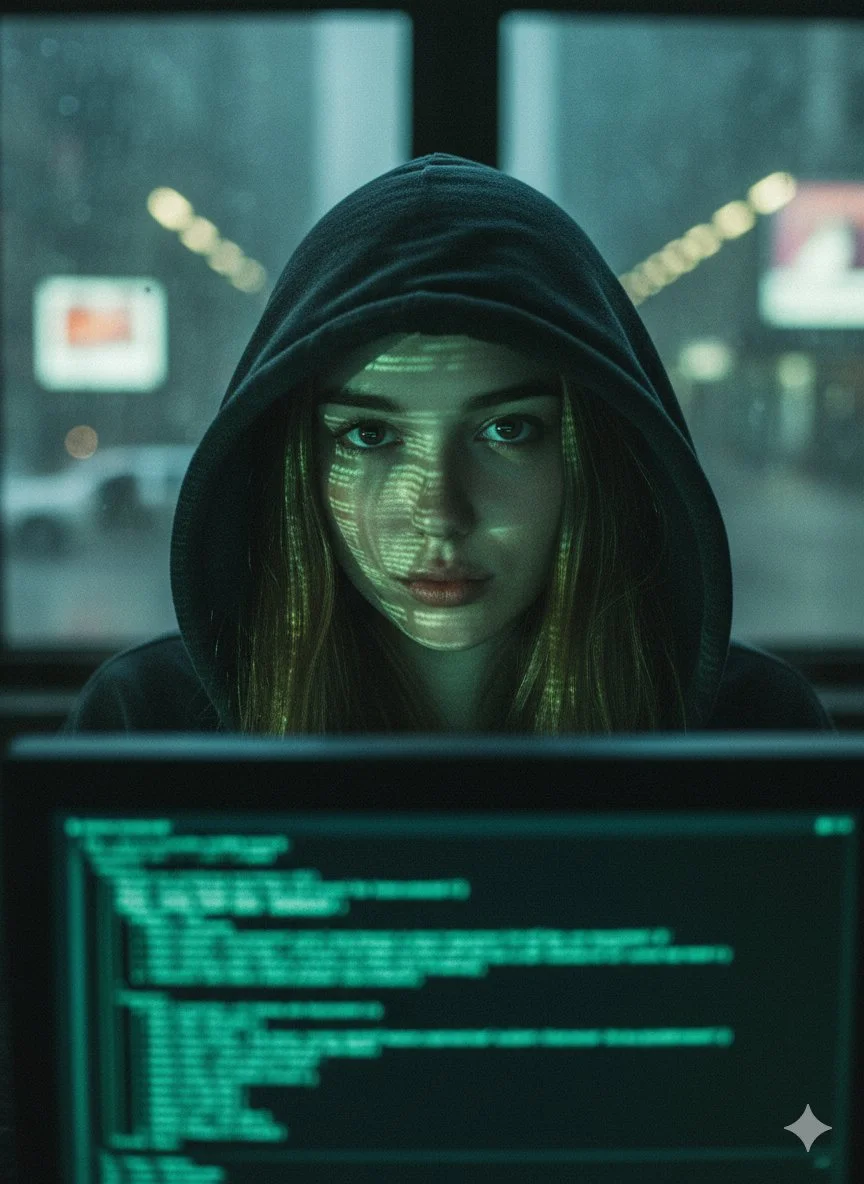
For Content Publishers
Choose only the resolution and aspect ratio shown for the selected model. Check framing, fine details and any text in the completed image. A larger output size does not guarantee a more accurate result.
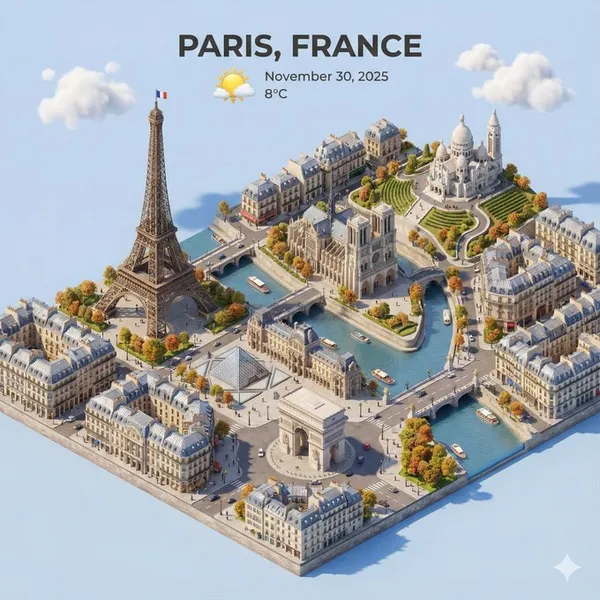
For Event Planners
Write your Nano Banana 2 image brief around a subject, composition, lighting and intended style. Add a material or texture when it matters. For edits, state one precise change and explain which parts of the source should remain intact.
From a Brief to a Reviewed Image: The Nano Banana 2 Workflow
Add Your Input
Start your Nano Banana 2 image brief with a source image you have permission to use. Name the area to change and the colors, proportions or objects to preserve. Reference count and editing support depend on the selected model.
Customize Your Options
The generator shows current model availability. When a model accepts requests, choose its supported settings and review the required credits before submitting. Review your selection and credit balance before generating.
Generate and Refine
Write your Nano Banana 2 image brief around a subject, composition, lighting and intended style. Add a material or texture when it matters. For edits, state one precise change and explain which parts of the source should remain intact.
Review and Download Completed Results
Start your Nano Banana 2 image brief with a source image you have permission to use. Name the area to change and the colors, proportions or objects to preserve. Reference count and editing support depend on the selected model.
Nano Banana 2 Image Ideas for Your Projects
Choose only the resolution and aspect ratio shown for the selected model. Check framing, fine details and any text in the completed image. A larger output size does not guarantee a more accurate result.
Digital Art & Illustration
Choose only the resolution and aspect ratio shown for the selected model. Check framing, fine details and any text in the completed image. A larger output size does not guarantee a more accurate result.
Marketing & E-Commerce Visuals
For a Nano Banana 2 product concept, specify the product shape, material, key detail and setting. Keep logos and claims accurate, allow room for your own typography, and review the result before using it in an advertisement.
Educational Content & Presentations
Use a Nano Banana 2 visual concept to support one teaching or presentation point. Check facts and labels yourself, and add final captions in your editing workflow rather than relying on generated text.
Game Development
List the details that matter in your Nano Banana 2 image brief: identity, shape, colors, clothing and background. Use supported references where appropriate and compare every result; exact consistency is not guaranteed.
Creative Notes for Your Nano Banana 2 Image Brief
Give the main subject one clear action. For a Nano Banana 2 concept, a precise brief is easier to assess than a list of competing effects.
Nano Banana 2 Image Workflow: Questions & Answers
This youdot page explains the Nano Banana 2 image workflow. It helps you write a focused brief and review the available inputs. Current access is shown in the generator; a model name on a guide does not mean it currently accepts requests.
Write your Nano Banana 2 image brief around a subject, composition, lighting and intended style. Add a material or texture when it matters. For edits, state one precise change and explain which parts of the source should remain intact.
Use only the input modes and controls offered by the selected model. Describe the intended image clearly and add supported references when useful. This page does not promise separate motion-brush, audio-upload, restoration or editing tools.
Check the applicable model and platform terms before using a result commercially. You are responsible for the rights to uploaded images, identifiable people, logos and any other source material in your Nano Banana 2 image brief.
The generator shows current model availability. When a model accepts requests, choose its supported settings and review the required credits before submitting. Review your selection and credit balance before generating.
Develop your Nano Banana 2 image brief around the result you need. Keep the main direction specific, check supported settings in the generator, and review the completed work before using it in your project.
You can request a refund within 10 days of purchase if you have unused credits from that purchase and provide a clear reason, subject to our Refund Policy. If eligible, an unused purchase can be fully refunded; a partly used purchase is refunded in proportion to its remaining unused credits. Fully used purchases and free or promotional credits are not refundable.
Credit validity depends on the pack, subscription or promotion that issued them. Review the purchase terms and expiration dates in Settings > Credits. A renewal or new purchase does not extend older credits. Use credits before their stated expiration; do not assume unused subscription credits roll over indefinitely.
Credits charged for a task that is confirmed as failed due to a system error are returned automatically. A task that is still processing has not yet been confirmed as failed. Check its status and your credit history before submitting again. If a confirmed failure still shows an unresolved charge, email support@youdot.app with the task ID.
AI results can vary, so a completed result that differs from your expectations is not automatically treated as a technical failure. Eligible completed image tasks can be submitted for credit refund review using the refund option where available; approval is required. For a video or another issue, contact support@youdot.app with the task ID and details. A credit refund returns credits, not money to your payment method.
Email support@youdot.app. For billing, include your account email and order ID; for generation, include the task ID, issue description and relevant screenshots. If you purchased as a guest, keep the original browser data and payment receipt so we can help locate the purchase.
Explore Your Next Nano Banana 2 Image Idea
Explore the Nano Banana 2 workflow and compare it with the related image pages. The generator is the source of truth for current model access and settings. Use the prompt library to study published results and the model that created them.
youdot.app · Updated
What's new on this page
- — Added editable example prompts and separate drafts for text and reference modes, with an action to restore the example.
- — Updated page copy and content.
- — Page content published.