
Plan Focused Image Edits with Nano Banana 2
Explain Your Subject, Changes and References
List the details that matter in your Nano Banana 2 image brief: identity, shape, colors, clothing and background. Use supported references where appropriate and compare every result; exact consistency is not guaranteed.
Verified prompt
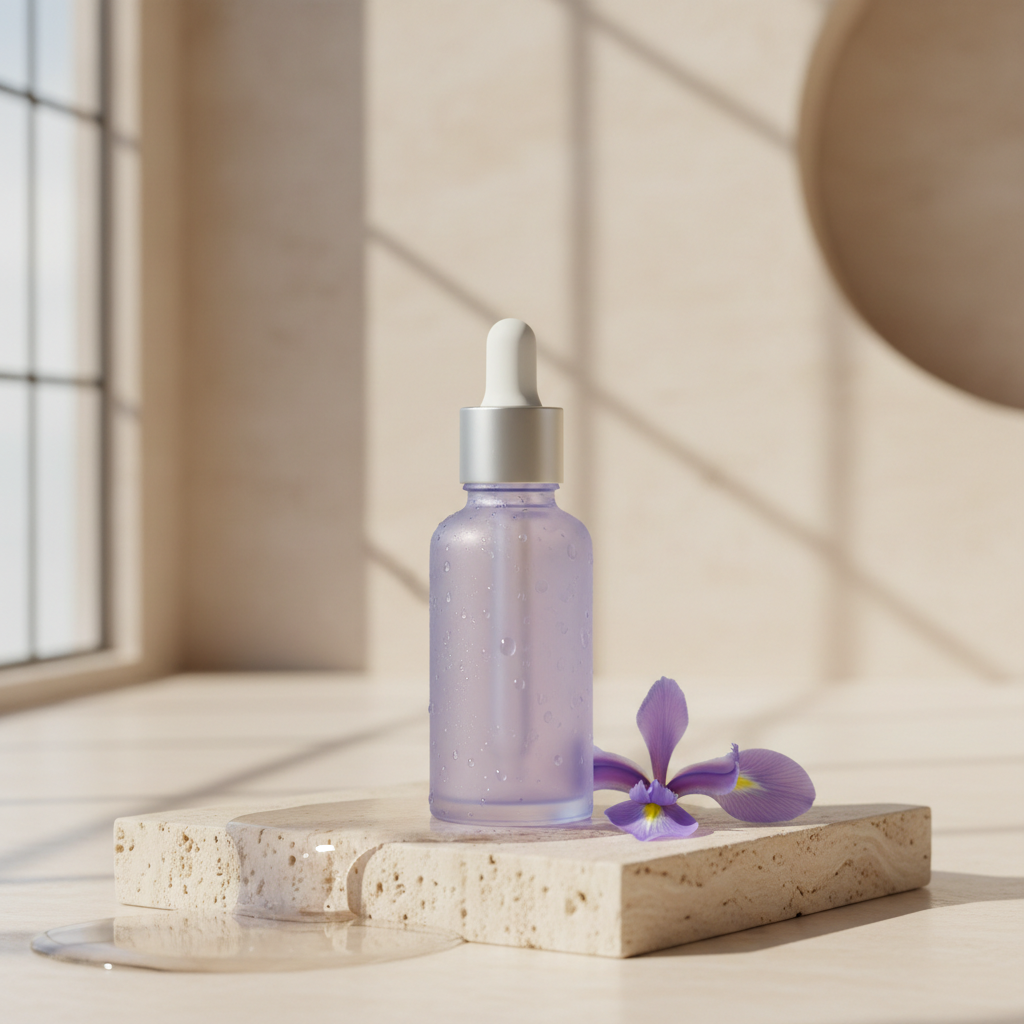
Premium e-commerce hero photograph for an original skincare product, designed for an Instagram campaign targeting US and European consumers. One unbranded frosted lavender serum bottle with a brushed silver dropper cap, upright on a pale travertine pedestal; one delicate iris flower and a small pool of water beside it. Vertical composition, product in the lower center, generous clean ivory negative space in the upper third for later advertising copy. Soft large-window side lighting with a subtle warm rim, realistic translucent glass and refraction, tiny condensation droplets, tactile stone texture, restrained lavender and warm cream palette, crisp premium editorial detail, elegant physically plausible shadows. Camera at bottle height, 85mm product photography look, bottle fully sharp against a softly blurred architectural studio. Exactly one bottle, no brand marks, no writing, no watermark, no people, no distorted cap or floating objects.
Premium e-commerce hero photograph for an original skincare product, designed for an Instagram campaign targeting US and European consumers. One unbranded frosted lavender serum bottle with a brushed silver dropper cap, upright on a pale travertine pedestal; one delicate iris flower and a small pool of water beside it. Vertical composition, product in the lower center, generous clean ivory negative space in the upper third for later advertising copy. Soft large-window side lighting with a subtle warm rim, realistic translucent glass and refraction, tiny condensation droplets, tactile stone texture, restrained lavender and warm cream palette, crisp premium editorial detail, elegant physically plausible shadows. Camera at bottle height, 85mm product photography look, bottle fully sharp against a softly blurred architectural studio. Exactly one bottle, no brand marks, no writing, no watermark, no people, no distorted cap or floating objects.
Verified prompt
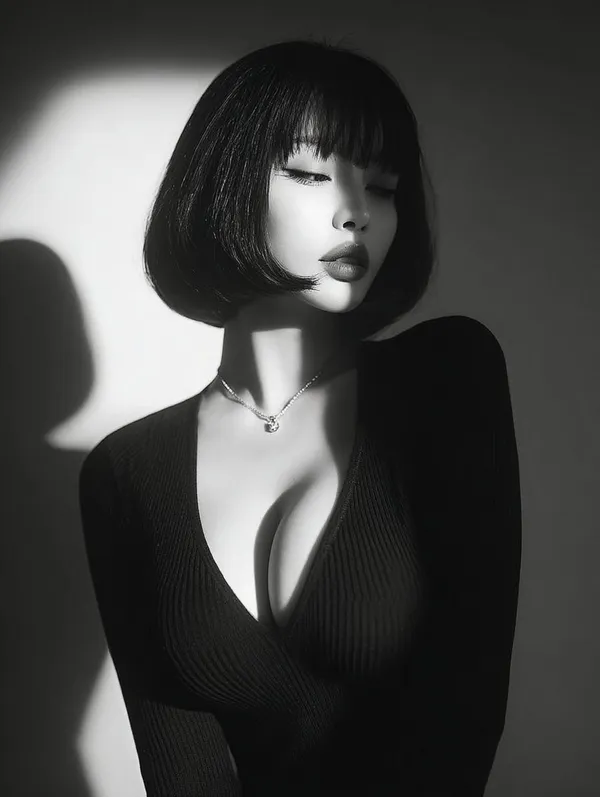
ptivating black and white close-up portrait of a beautiful young Asian woman with flawless skin, short bob haircut featuring straight blunt bangs framing her forehead, eyes gently closed with long lashes, subtle pouty lips, serene and introspective expression, wearing a form-fitting deep V-neck black ribbed sweater that accentuates her, a delicate thin necklace with a small pendant, dramatic side lighting from the left creating strong shadows and highlights on her face, neck, and shoulders, high contrast chiaroscuro style, minimalist studio background with soft gradient from light to dark, photorealistic, vintage film grain effect, high detail, emotional and mysterious atmosphere.
ptivating black and white close-up portrait of a beautiful young Asian woman with flawless skin, short bob haircut featuring straight blunt bangs framing her forehead, eyes gently closed with long lashes, subtle pouty lips, serene and introspective expression, wearing a form-fitting deep V-neck black ribbed sweater that accentuates her, a delicate thin necklace with a small pendant, dramatic side lighting from the left creating strong shadows and highlights on her face, neck, and shoulders, high contrast chiaroscuro style, minimalist studio background with soft gradient from light to dark, photorealistic, vintage film grain effect, high detail, emotional and mysterious atmosphere.
Verified prompt
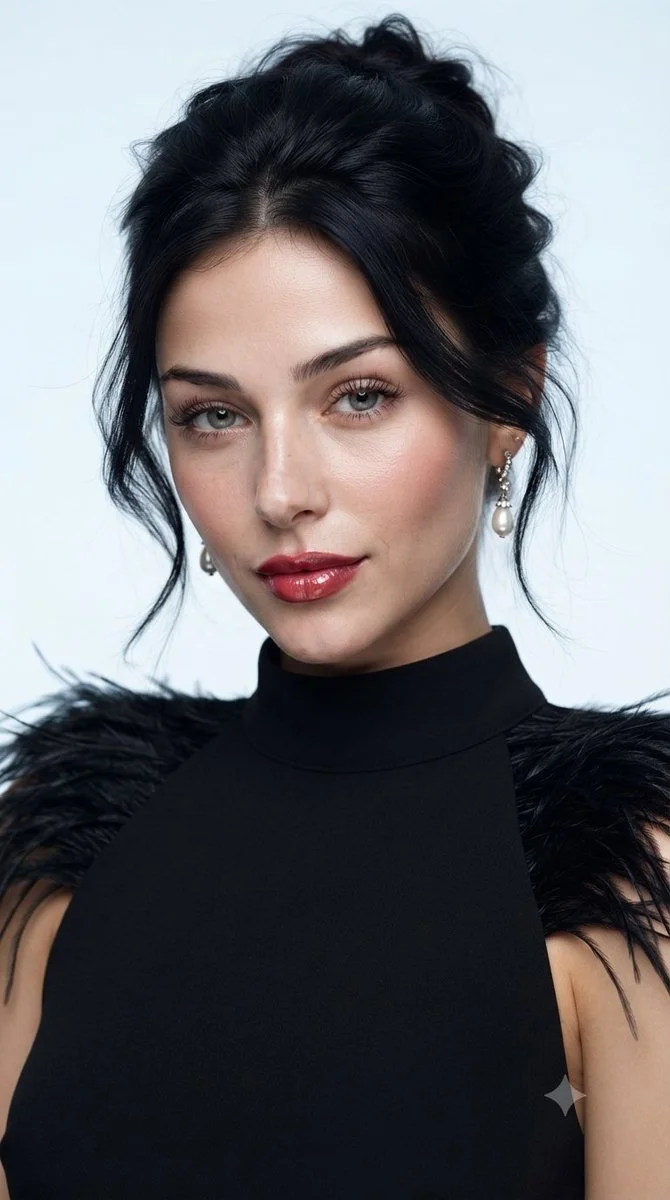
Create a polished studio beauty portrait of an adult woman wearing a sleeveless black high-neck dress with delicate feather trim at the shoulders. Frame her from the upper chest upward against a pale blue-gray background. Give her a relaxed dark updo with a few loose strands, subtle earrings, luminous skin, softly defined eyes and rich rose-colored lips. Use a broad, soft key light to keep facial transitions smooth while preserving fine skin texture. Emphasize poised expression, restrained styling and the contrast between the dark feathers and clean background. Aim for a realistic fashion-magazine photograph.
Create a polished studio beauty portrait of an adult woman wearing a sleeveless black high-neck dress with delicate feather trim at the shoulders. Frame her from the upper chest upward against a pale blue-gray background. Give her a relaxed dark updo with a few loose strands, subtle earrings, luminous skin, softly defined eyes and rich rose-colored lips. Use a broad, soft key light to keep facial transitions smooth while preserving fine skin texture. Emphasize poised expression, restrained styling and the contrast between the dark feathers and clean background. Aim for a realistic fashion-magazine photograph.
Verified prompt
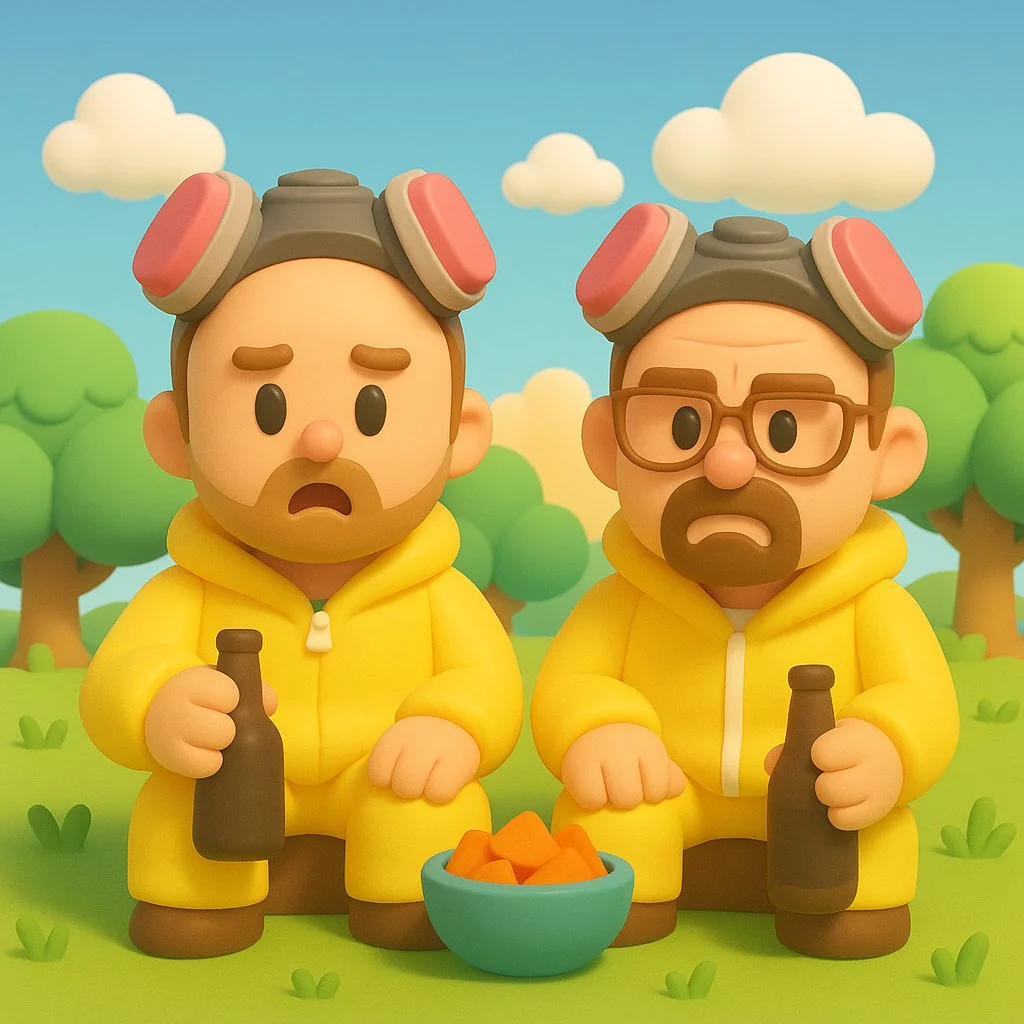
Transform this image into a Nintendo-inspired 3D cartoon style illustration. Use soft, rounded 3D shapes and clean, toy-like geometry to give the characters and objects a charming, handcrafted look. Characters should have exaggerated, childlike proportions (large heads, small limbs), with expressive, simplified faces and bright, colorful clothing — similar to designs seen in Zelda: Link’s Awakening, Animal Crossing, or Miitopia. Apply smooth, matte textures with no realistic detail — everything should look cheerful and slightly plastic, as if sculpted from soft clay or digital vinyl. The environment should be bright and whimsical, with stylized grass, puffy clouds, geometric trees, and soft lighting like a sunny afternoon. The overall tone should be lighthearted, clean, and family-friendly, like a frame from a Nintendo fantasy adventure game.
Transform this image into a Nintendo-inspired 3D cartoon style illustration. Use soft, rounded 3D shapes and clean, toy-like geometry to give the characters and objects a charming, handcrafted look. Characters should have exaggerated, childlike proportions (large heads, small limbs), with expressive, simplified faces and bright, colorful clothing — similar to designs seen in Zelda: Link’s Awakening, Animal Crossing, or Miitopia. Apply smooth, matte textures with no realistic detail — everything should look cheerful and slightly plastic, as if sculpted from soft clay or digital vinyl. The environment should be bright and whimsical, with stylized grass, puffy clouds, geometric trees, and soft lighting like a sunny afternoon. The overall tone should be lighthearted, clean, and family-friendly, like a frame from a Nintendo fantasy adventure game.
Verified prompt
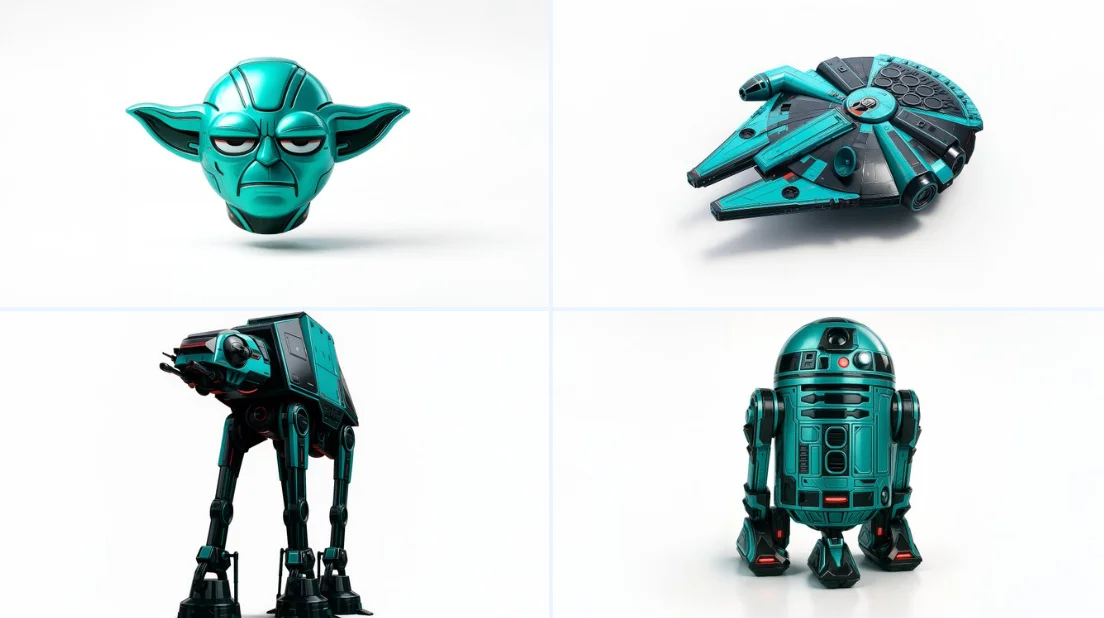
Retexture the image attached based on the json below { "style": "C4D hyper-realistic 3D render", "object_form": "detailed mechanical design", "geometry": { "shape": "sharp edges with smooth curves", "scale": "real-world proportion", "detailing": "high-poly mesh with intricate mechanical features" }, "material": { "base": "polished plastic and carbon fiber", "texture": "fine surface variation with specular maps", "finish": "high gloss with realistic reflections" }, "design_elements": { "decals": "subtle branding and panel lines", "surface_effects": "anodized gradients, emissive lighting elements", "aero_parts": "spoilers, splitters, and aggressive styling cues" }, "color_scheme": { "primary": "#0ae2c0", "secondary": "#111111", "accents": ["#ffffff", "#e00000"], "reflections": "real-world HDRI light environment", "background": "#ffffff" }, "lighting": { "type": "studio 3-point with HDRI", "intensity": "balanced with key fill and rim lights", "shadows": "soft, subtle contact shadow under object", "highlights": "strong specular reflections on curves" }, "rendering": { "engine": "Cinema 4D Redshift or Octane", "resolution": "ultra high-definition (4K+)", "focus": "object-centered with floating illusion", "background_blur": "none" }, "composition": { "layout": "centered in frame", "object_count": 1, "orientation": "three-quarter front view", "camera": "35mm lens, slightly elevated", "grounding": "floating mid-air with realistic soft shadow cast on white background" } }
Retexture the image attached based on the json below { "style": "C4D hyper-realistic 3D render", "object_form": "detailed mechanical design", "geometry": { "shape": "sharp edges with smooth curves", "scale": "real-world proportion", "detailing": "high-poly mesh with intricate mechanical features" }, "material": { "base": "polished plastic and carbon fiber", "texture": "fine surface variation with specular maps", "finish": "high gloss with realistic reflections" }, "design_elements": { "decals": "subtle branding and panel lines", "surface_effects": "anodized gradients, emissive lighting elements", "aero_parts": "spoilers, splitters, and aggressive styling cues" }, "color_scheme": { "primary": "#0ae2c0", "secondary": "#111111", "accents": ["#ffffff", "#e00000"], "reflections": "real-world HDRI light environment", "background": "#ffffff" }, "lighting": { "type": "studio 3-point with HDRI", "intensity": "balanced with key fill and rim lights", "shadows": "soft, subtle contact shadow under object", "highlights": "strong specular reflections on curves" }, "rendering": { "engine": "Cinema 4D Redshift or Octane", "resolution": "ultra high-definition (4K+)", "focus": "object-centered with floating illusion", "background_blur": "none" }, "composition": { "layout": "centered in frame", "object_count": 1, "orientation": "three-quarter front view", "camera": "35mm lens, slightly elevated", "grounding": "floating mid-air with realistic soft shadow cast on white background" } }
Verified prompt
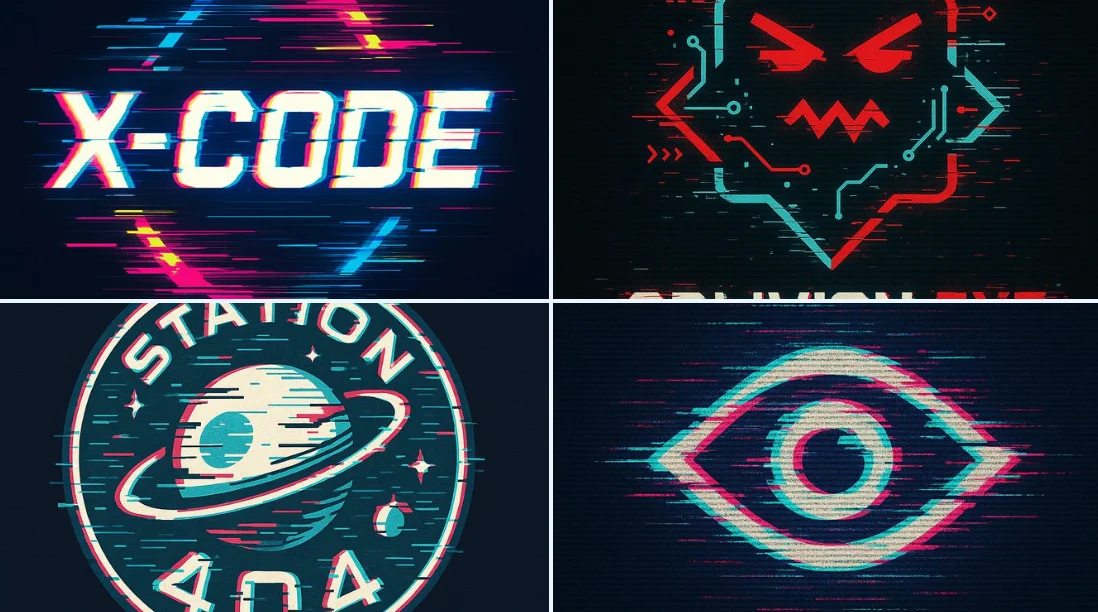
A bold vector logo design in glitch art style, featuring distorted typography with RGB color channel shifts, fragmented lines, misaligned edges, digital noise effects, and a cyberpunk aesthetic. The logo appears corrupted or hacked, as if captured from a malfunctioning screen. Use a black or dark background for contrast, neon or high-saturation color palette, and sharp angular forms.
A bold vector logo design in glitch art style, featuring distorted typography with RGB color channel shifts, fragmented lines, misaligned edges, digital noise effects, and a cyberpunk aesthetic. The logo appears corrupted or hacked, as if captured from a malfunctioning screen. Use a black or dark background for contrast, neon or high-saturation color palette, and sharp angular forms.
Verified prompt
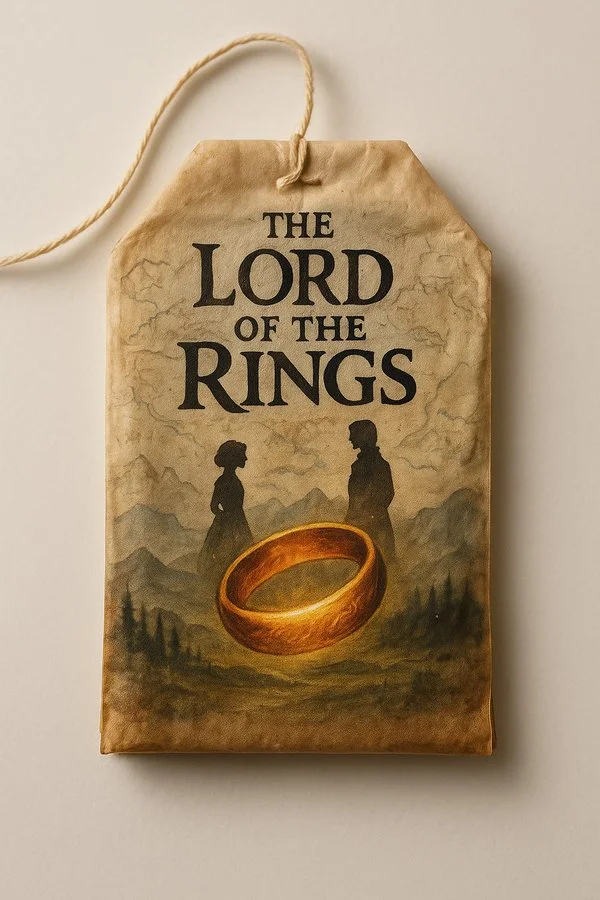
A single vintage tea bag lying on a clean white background, hand-painted with an intricate illustration resembling a book cover. The tea bag has delicate aged paper texture, soft warm lighting, and realistic details. On the painted design, leave a clear blank space labeled [BOOK] for the book title. Cinematic, high-resolution, vertical format 9:16.
A single vintage tea bag lying on a clean white background, hand-painted with an intricate illustration resembling a book cover. The tea bag has delicate aged paper texture, soft warm lighting, and realistic details. On the painted design, leave a clear blank space labeled [BOOK] for the book title. Cinematic, high-resolution, vertical format 9:16.
Verified prompt
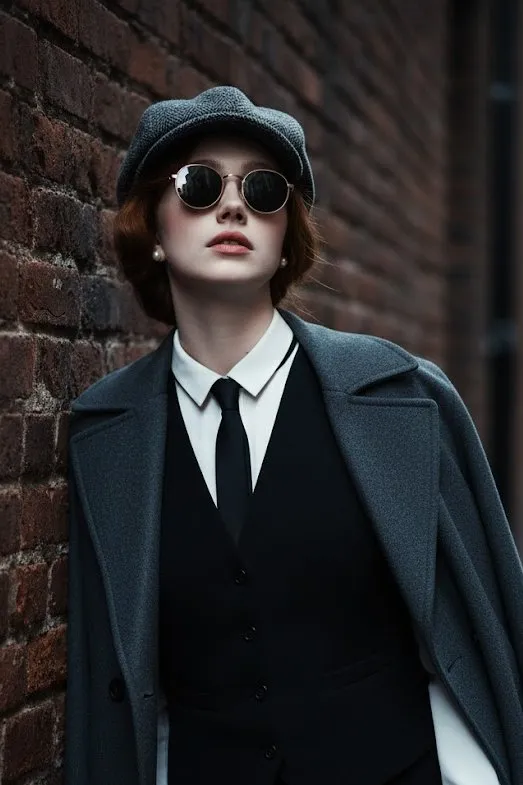
100% face above uploaded photo. A hyper-realistic, cinematic medium shot of a handsome man in his late 20s with black hair and black beard like uploaded photo, styled in the fashion of the 1920s. He wears a grey tweed newsboy cap, a black waistcoat over a crisp white shirt, a slim black tie, and black leather gloves. A heavy wool overcoat is draped over his shoulder. He leans against a weathered brick wall in a narrow, atmospheric alleyway, looking upwards with a cool, contemplative expression through his round sunglasses. The lighting is moody and dramatic, with cool tones and soft shadows creating a sense of depth and mystery. The photograph is ultra-detailed with sharp focus and a shallow depth of field.
100% face above uploaded photo. A hyper-realistic, cinematic medium shot of a handsome man in his late 20s with black hair and black beard like uploaded photo, styled in the fashion of the 1920s. He wears a grey tweed newsboy cap, a black waistcoat over a crisp white shirt, a slim black tie, and black leather gloves. A heavy wool overcoat is draped over his shoulder. He leans against a weathered brick wall in a narrow, atmospheric alleyway, looking upwards with a cool, contemplative expression through his round sunglasses. The lighting is moody and dramatic, with cool tones and soft shadows creating a sense of depth and mystery. The photograph is ultra-detailed with sharp focus and a shallow depth of field.
Verified prompt
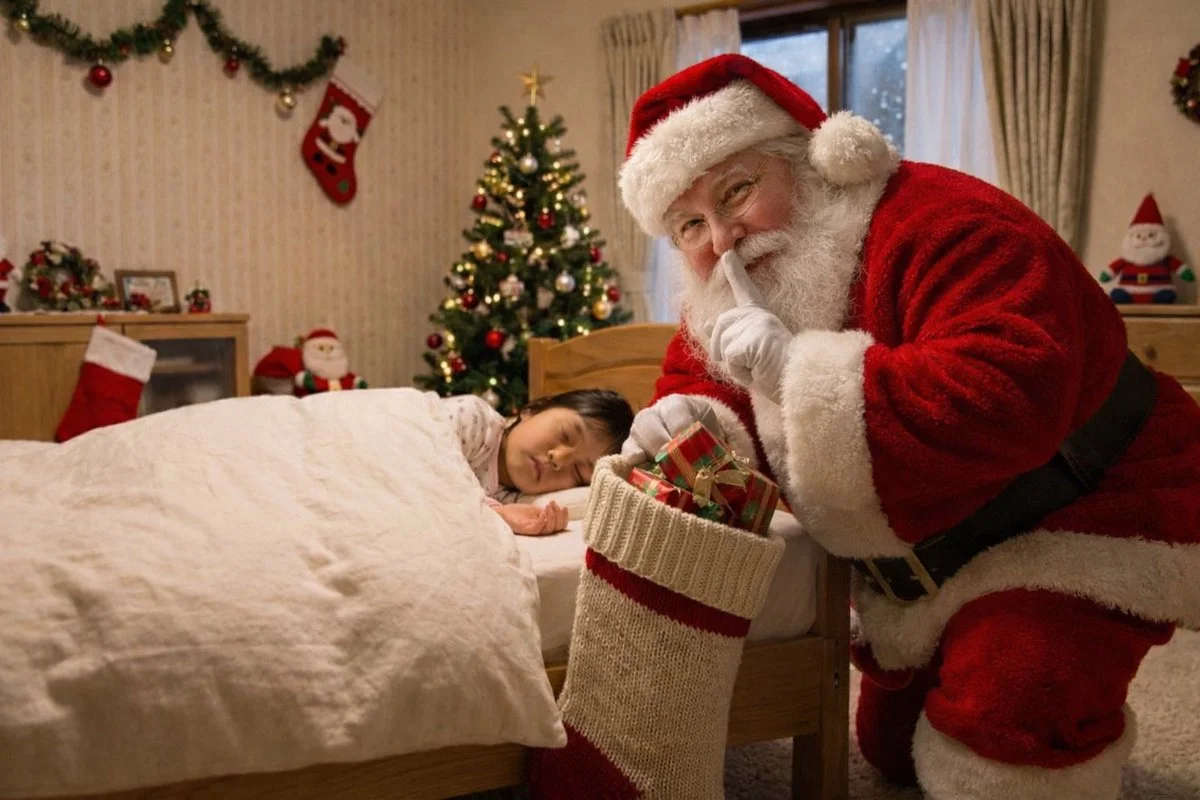
Add a real fat Santa Claus from Greenland putting presents into a big stocking without waking the child. Santa knows he's being photographed so add a 'shh' quiet gesture.
Add a real fat Santa Claus from Greenland putting presents into a big stocking without waking the child. Santa knows he's being photographed so add a 'shh' quiet gesture.
Verified prompt
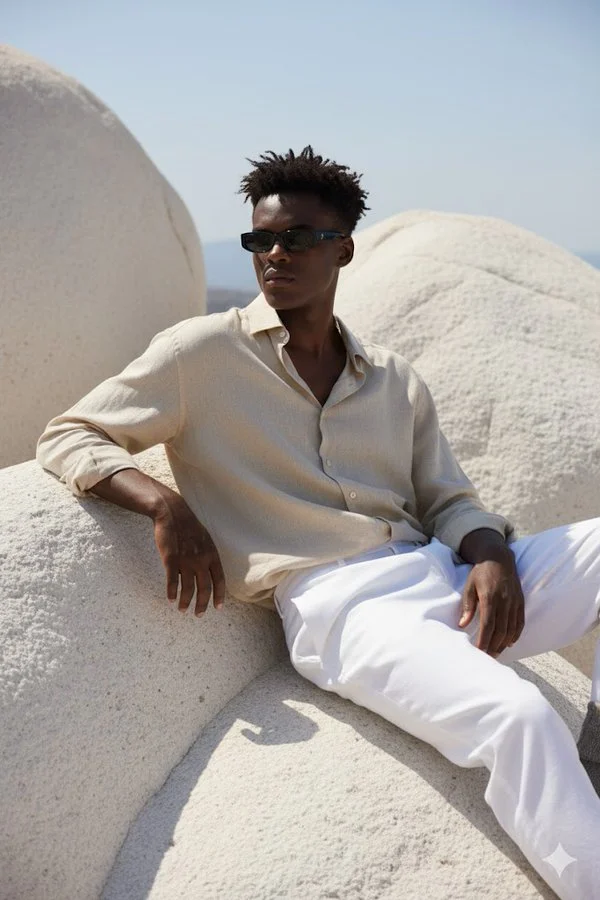
A hyper-realistic portrait of a young man sitting on large, smooth white rocky formations under natural sunlight. He is wearing a loose, slightly crumpled beige linen shirt with the top buttons open, paired with white trousers. His outfit gives a relaxed, Mediterranean vibe. He is leaning back, one arm resting on the rock, and the other hand on his knee, looking slightly to the side. He wears slim black rectangular sunglasses. His hairstyle is short, slightly messy, and the sunlight casts soft shadows across his outfit and the textured rocks. The overall atmosphere is calm, stylish, and Mediterranean-inspired. The face should match exactly with the reference photo.
A hyper-realistic portrait of a young man sitting on large, smooth white rocky formations under natural sunlight. He is wearing a loose, slightly crumpled beige linen shirt with the top buttons open, paired with white trousers. His outfit gives a relaxed, Mediterranean vibe. He is leaning back, one arm resting on the rock, and the other hand on his knee, looking slightly to the side. He wears slim black rectangular sunglasses. His hairstyle is short, slightly messy, and the sunlight casts soft shadows across his outfit and the textured rocks. The overall atmosphere is calm, stylish, and Mediterranean-inspired. The face should match exactly with the reference photo.
Verified prompt
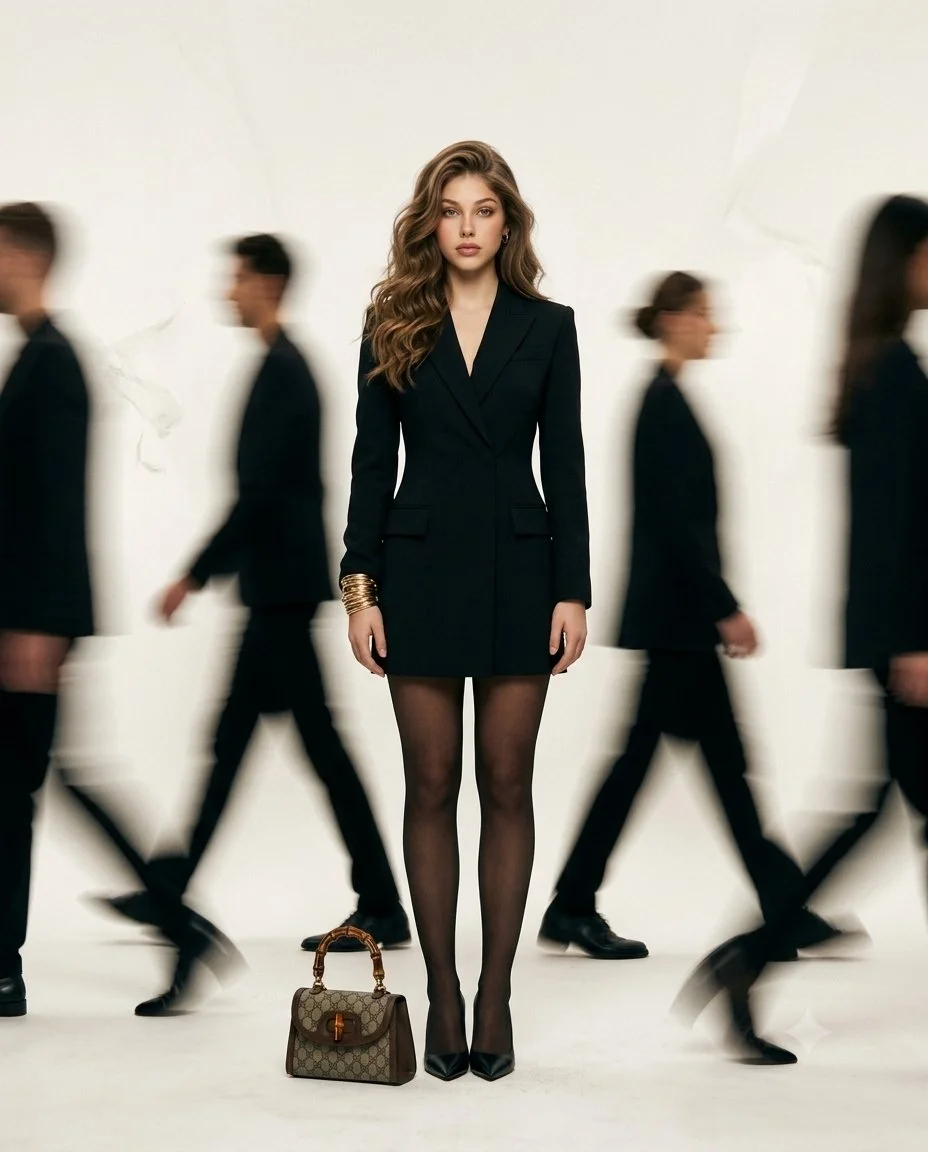
Create a high-fashion editorial image of an adult woman standing still in the center of a bright minimal space while people walk past around her. Dress the main figure in a tailored black outfit and keep her face, posture and clothing sharply focused. Render the passing figures as soft directional motion blur without obscuring the central subject. Use a calm expression, natural light and a pale neutral background. Keep the composition vertical and uncluttered, emphasizing the contrast between a still, clearly defined person and the movement of the surrounding crowd.
Create a high-fashion editorial image of an adult woman standing still in the center of a bright minimal space while people walk past around her. Dress the main figure in a tailored black outfit and keep her face, posture and clothing sharply focused. Render the passing figures as soft directional motion blur without obscuring the central subject. Use a calm expression, natural light and a pale neutral background. Keep the composition vertical and uncluttered, emphasizing the contrast between a still, clearly defined person and the movement of the surrounding crowd.
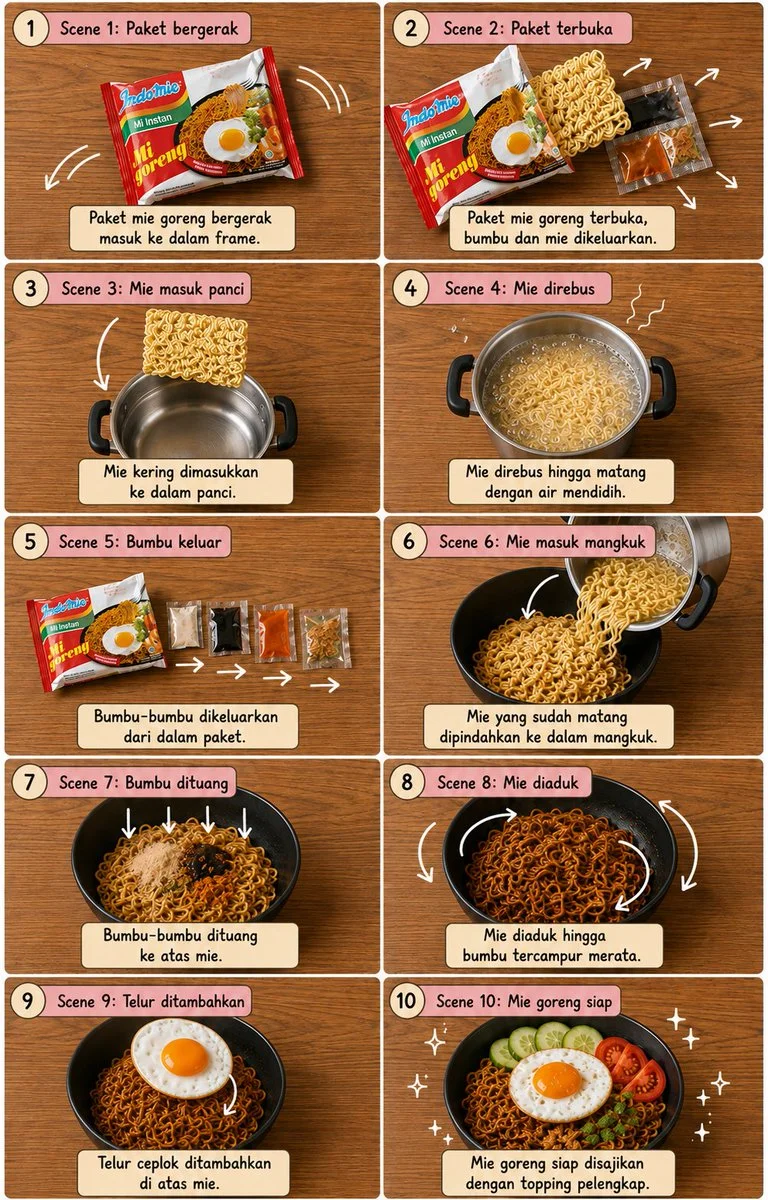
Verified prompt
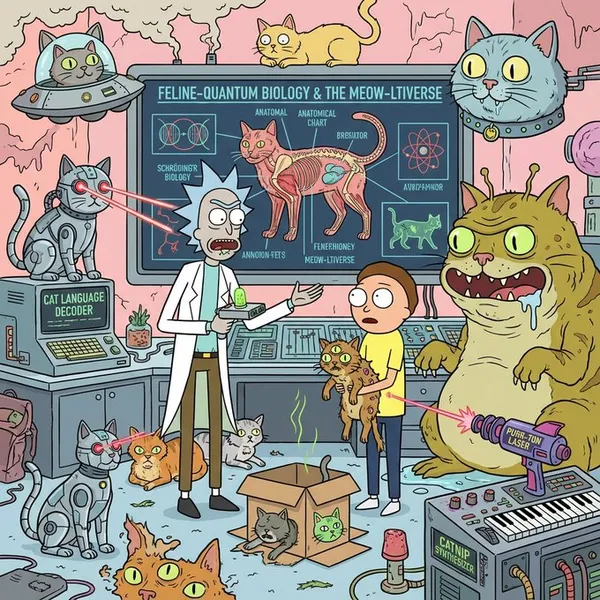
Vertical 4:5 10-panel 2x5 grid cooking storyboard on warm wood top-down. Thin white borders, dusty-pink headers, cream captions, numbered, handwritten type. Sequence: mie goreng packet, opens, noodles to silver pot, boil, seasoning sachets, cooked to black bowl, seasonings fall, mix, fried egg top, finished with garnishes. White curved arrows, motion lines, sparkles. Identical continuity, realistic food, warm light, clean cute editorial, sharp, balanced, no people no hands.
Vertical 4:5 10-panel 2x5 grid cooking storyboard on warm wood top-down. Thin white borders, dusty-pink headers, cream captions, numbered, handwritten type. Sequence: mie goreng packet, opens, noodles to silver pot, boil, seasoning sachets, cooked to black bowl, seasonings fall, mix, fried egg top, finished with garnishes. White curved arrows, motion lines, sparkles. Identical continuity, realistic food, warm light, clean cute editorial, sharp, balanced, no people no hands.
Nano Banana 2: Create and Edit with Natural Language
Develop your Nano Banana 2 image brief around the result you need. Keep the main direction specific, check supported settings in the generator, and review the completed work before using it in your project.
Choose only the resolution and aspect ratio shown for the selected model. Check framing, fine details and any text in the completed image. A larger output size does not guarantee a more accurate result.
Explore Nano Banana 2
From a Brief to a Reviewed Image: The Nano Banana 2 Workflow
Allow time to inspect each image result and refine your brief. Processing time varies by model, request and service load. Change one direction at a time so that you can judge which edit improves the result.
Enter prompt or upload image
Start your Nano Banana 2 image brief with a source image you have permission to use. Name the area to change and the colors, proportions or objects to preserve. Reference count and editing support depend on the selected model.
Review Availability, Settings and Credits
Allow time to inspect each image result and refine your brief. Processing time varies by model, request and service load. Change one direction at a time so that you can judge which edit improves the result.
Review and Download Completed Results
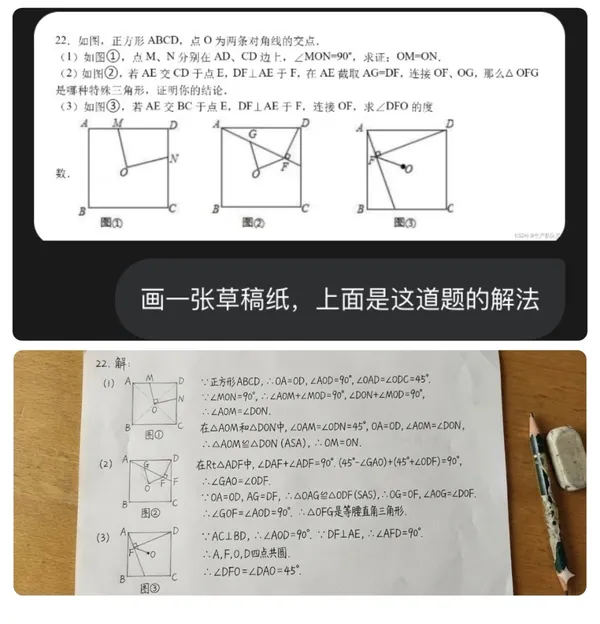
When a request completes, inspect the image in History and download the result you want to keep. Review the composition and any unintended details before sharing it with your team or publishing it.
Build Your Nano Banana 2 Image Brief
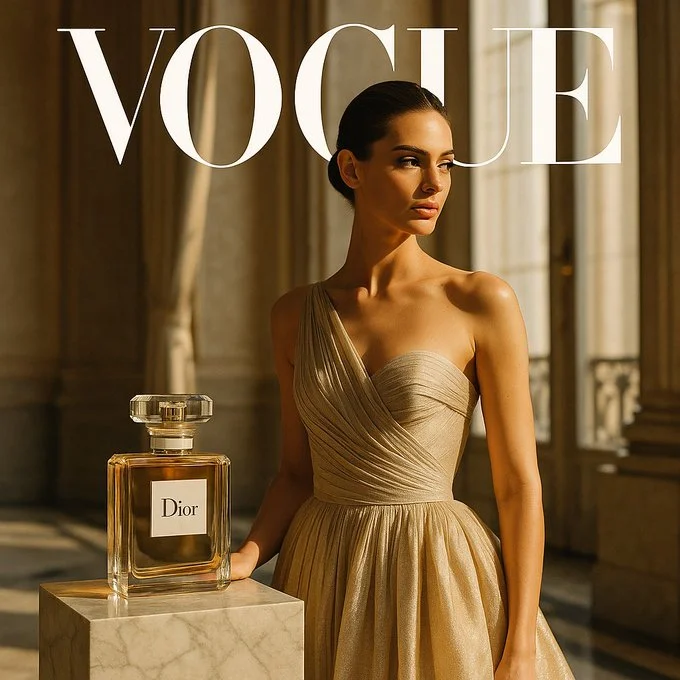
For a Nano Banana 2 product concept, specify the product shape, material, key detail and setting. Keep logos and claims accurate, allow room for your own typography, and review the result before using it in an advertisement.
Explain Your Subject, Changes and References
Start your Nano Banana 2 image brief with a source image you have permission to use. Name the area to change and the colors, proportions or objects to preserve. Reference count and editing support depend on the selected model.
Describe the Changes and Details to Preserve
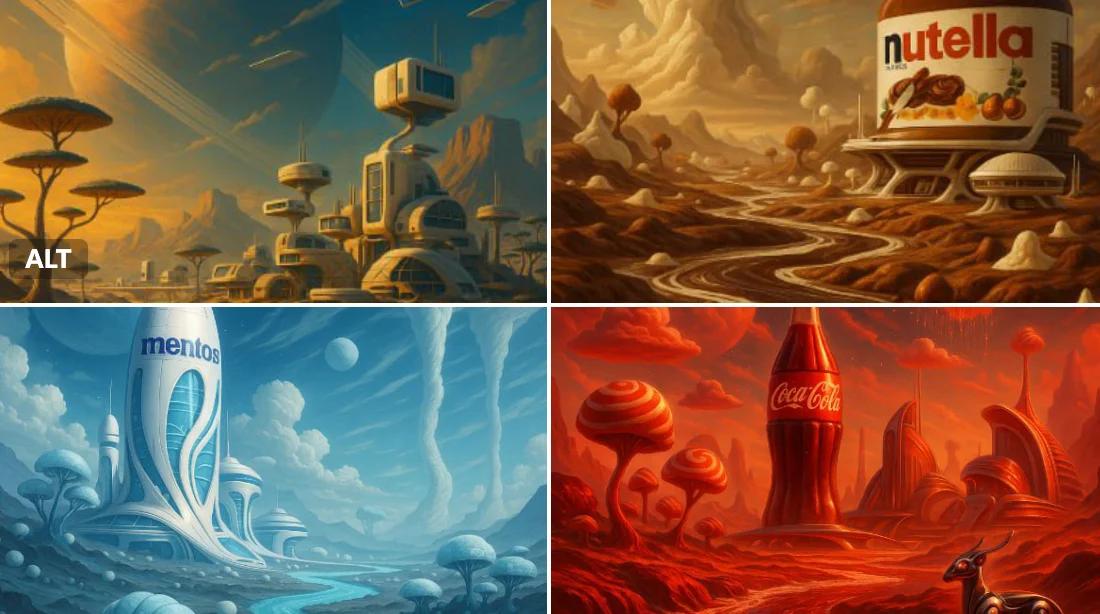
Write your Nano Banana 2 image brief around a subject, composition, lighting and intended style. Add a material or texture when it matters. For edits, state one precise change and explain which parts of the source should remain intact.
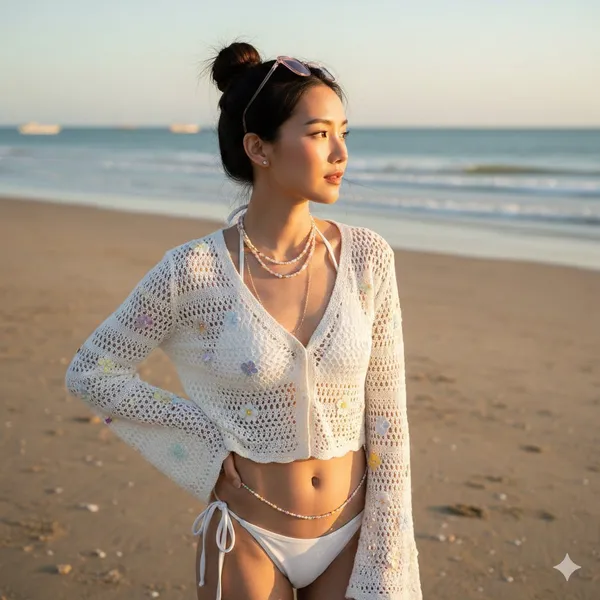
Check Details Across Every Result
Allow time to inspect each image result and refine your brief. Processing time varies by model, request and service load. Change one direction at a time so that you can judge which edit improves the result.
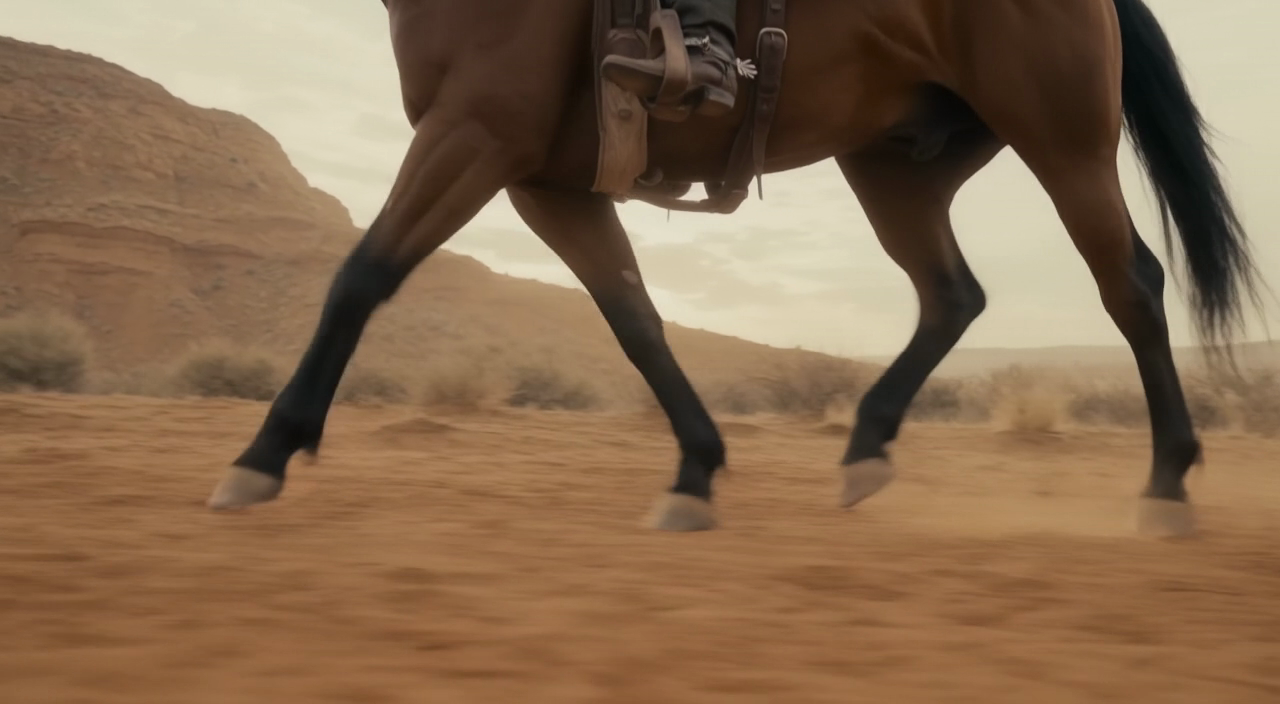
Explain Your Subject, Changes and References
List the details that matter in your Nano Banana 2 image brief: identity, shape, colors, clothing and background. Use supported references where appropriate and compare every result; exact consistency is not guaranteed.
A Clearer Creative Brief for Nano Banana 2
Allow time to inspect each image result and refine your brief. Processing time varies by model, request and service load. Change one direction at a time so that you can judge which edit improves the result.
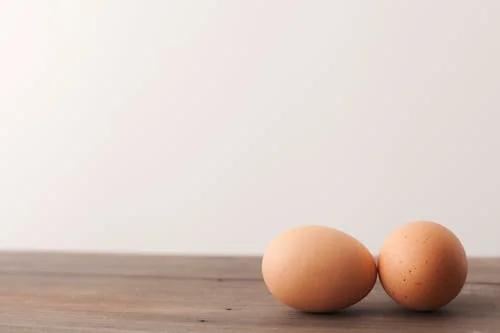
Explain Your Subject, Changes and References
Allow time to inspect each image result and refine your brief. Processing time varies by model, request and service load. Change one direction at a time so that you can judge which edit improves the result.
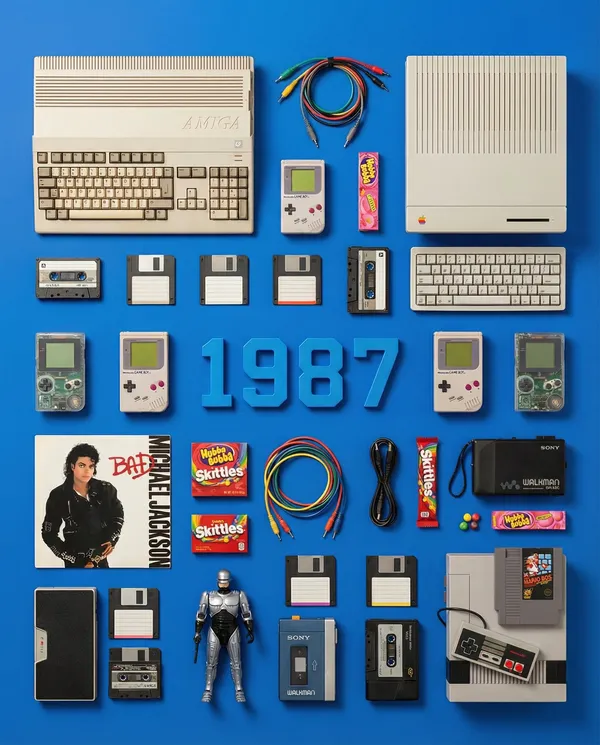
Social Media & Advertising
For a Nano Banana 2 product concept, specify the product shape, material, key detail and setting. Keep logos and claims accurate, allow room for your own typography, and review the result before using it in an advertisement.
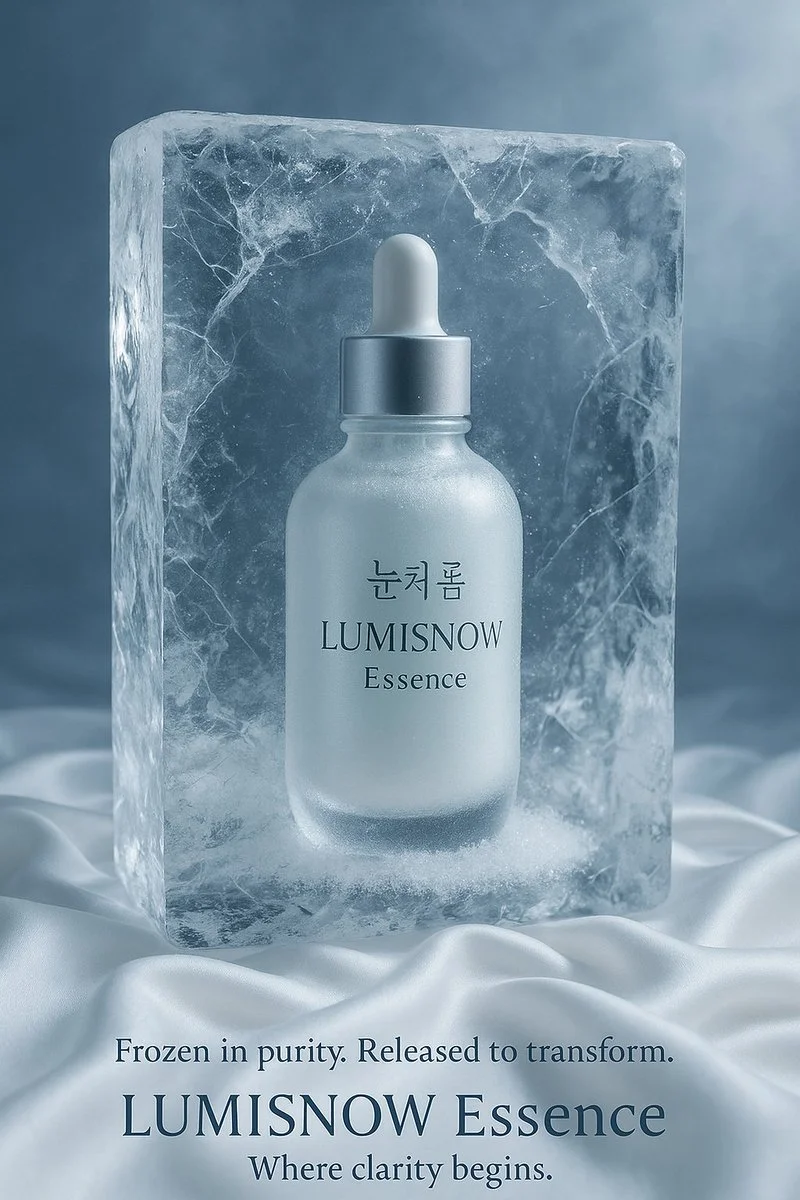
Check Details Across Every Result
List the details that matter in your Nano Banana 2 image brief: identity, shape, colors, clothing and background. Use supported references where appropriate and compare every result; exact consistency is not guaranteed.
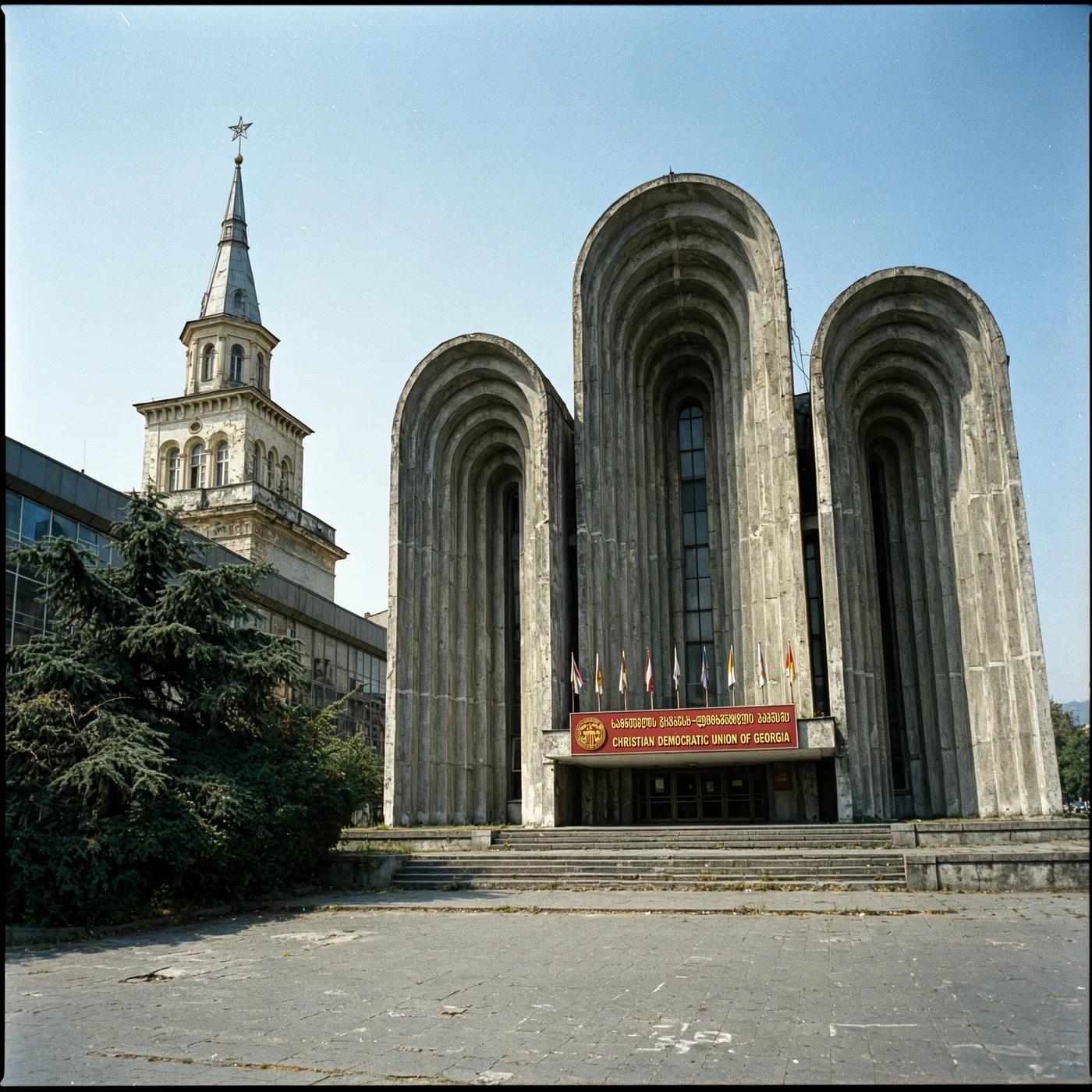
Efficient Production Workflow
For a Nano Banana 2 product concept, specify the product shape, material, key detail and setting. Keep logos and claims accurate, allow room for your own typography, and review the result before using it in an advertisement.
Creative Notes for Your Nano Banana 2 Image Brief
Give the main subject one clear action. For a Nano Banana 2 concept, a precise brief is easier to assess than a list of competing effects.
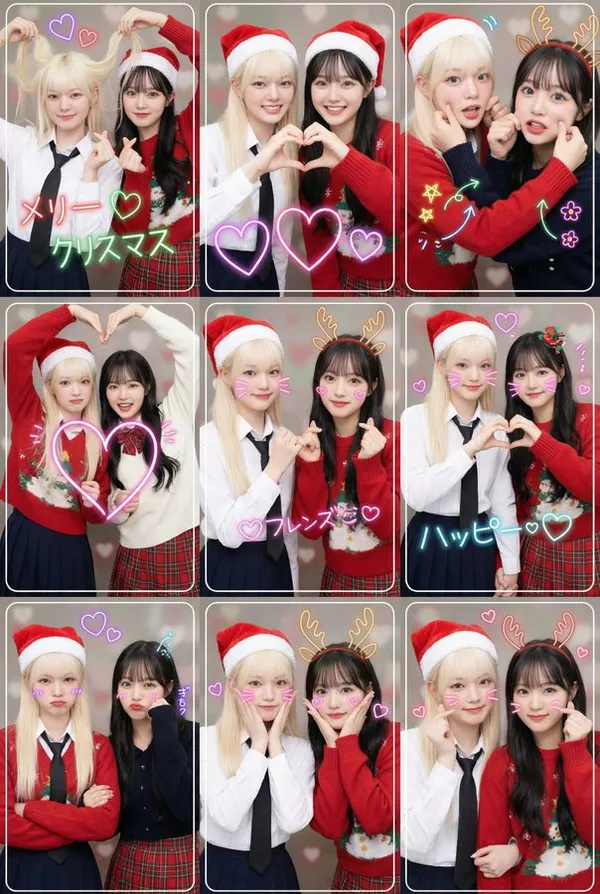
Nano Banana 2 Image Workflow: Questions & Answers
For a Nano Banana 2 product concept, specify the product shape, material, key detail and setting. Keep logos and claims accurate, allow room for your own typography, and review the result before using it in an advertisement.
This youdot page explains the Nano Banana 2 image workflow. It helps you write a focused brief and review the available inputs. Current access is shown in the generator; a model name on a guide does not mean it currently accepts requests.
Write your Nano Banana 2 image brief around a subject, composition, lighting and intended style. Add a material or texture when it matters. For edits, state one precise change and explain which parts of the source should remain intact.
Start your Nano Banana 2 image brief with a source image you have permission to use. Name the area to change and the colors, proportions or objects to preserve. Reference count and editing support depend on the selected model.
Develop your Nano Banana 2 image brief around the result you need. Keep the main direction specific, check supported settings in the generator, and review the completed work before using it in your project.
Use only the input modes and controls offered by the selected model. Describe the intended image clearly and add supported references when useful. This page does not promise separate motion-brush, audio-upload, restoration or editing tools.
List the details that matter in your Nano Banana 2 image brief: identity, shape, colors, clothing and background. Use supported references where appropriate and compare every result; exact consistency is not guaranteed.
For a Nano Banana 2 product concept, specify the product shape, material, key detail and setting. Keep logos and claims accurate, allow room for your own typography, and review the result before using it in an advertisement.
Choose only the resolution and aspect ratio shown for the selected model. Check framing, fine details and any text in the completed image. A larger output size does not guarantee a more accurate result.
You can request a refund within 10 days of purchase if you have unused credits from that purchase and provide a clear reason, subject to our Refund Policy. If eligible, an unused purchase can be fully refunded; a partly used purchase is refunded in proportion to its remaining unused credits. Fully used purchases and free or promotional credits are not refundable.
Credit validity depends on the pack, subscription or promotion that issued them. Review the purchase terms and expiration dates in Settings > Credits. A renewal or new purchase does not extend older credits. Use credits before their stated expiration; do not assume unused subscription credits roll over indefinitely.
Credits charged for a task that is confirmed as failed due to a system error are returned automatically. A task that is still processing has not yet been confirmed as failed. Check its status and your credit history before submitting again. If a confirmed failure still shows an unresolved charge, email support@youdot.app with the task ID.
AI results can vary, so a completed result that differs from your expectations is not automatically treated as a technical failure. Eligible completed image tasks can be submitted for credit refund review using the refund option where available; approval is required. For a video or another issue, contact support@youdot.app with the task ID and details. A credit refund returns credits, not money to your payment method.
Email support@youdot.app. For billing, include your account email and order ID; for generation, include the task ID, issue description and relevant screenshots. If you purchased as a guest, keep the original browser data and payment receipt so we can help locate the purchase.
Explore Your Next Nano Banana 2 Image Idea
Choose only the resolution and aspect ratio shown for the selected model. Check framing, fine details and any text in the completed image. A larger output size does not guarantee a more accurate result.
youdot.app · Updated
What's new on this page
- — Added editable example prompts and separate drafts for text and reference modes, with an action to restore the example.
- — Updated page copy and content.
- — Page content published.