
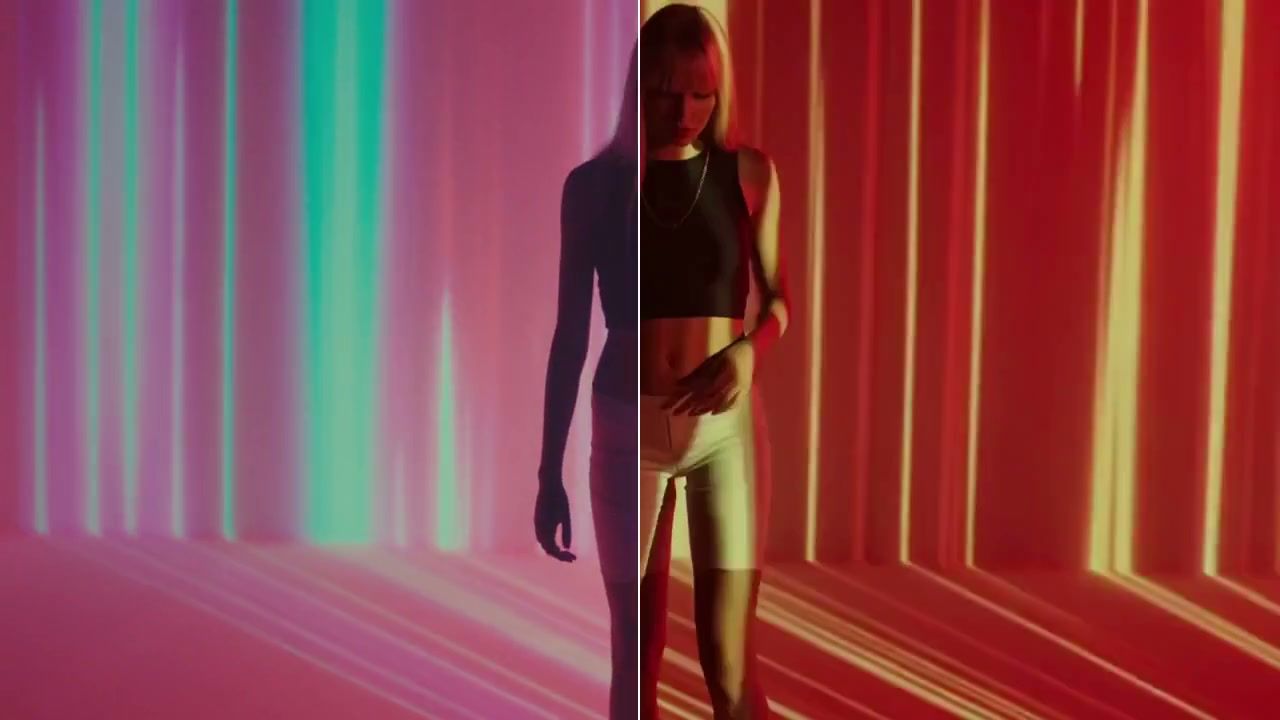
Verified prompt
Verified prompt
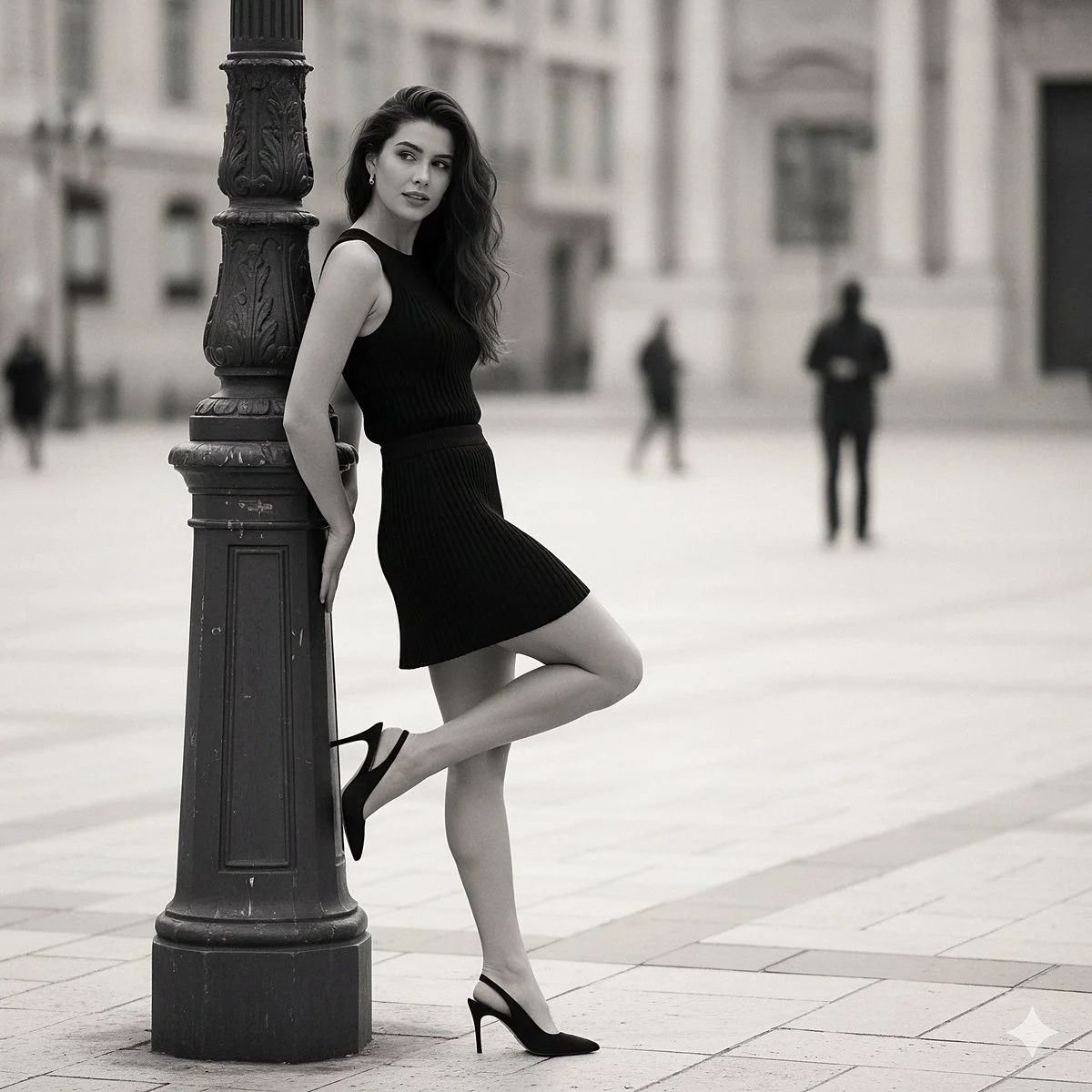
{ "prompt_title": "Effortless Chic Pose", "concept": "A hyperrealistic fashion photograph replicating a specific street style moment: a woman in a black knit set posing elegantly against a lamppost in a European city.", "scene_composition": { "shot_type": "Medium full-body shot", "camera_lens": "85mm f/1.4 lens", "perspective": "Eye-level, capturing the subject from the side.", "aspect_ratio": "2:3", "focus": "Sharp focus on the woman and her outfit. The background is beautifully blurred with creamy bokeh to isolate the subject." }, "environment": { "setting": "A European city square or wide pedestrian street during the day.", "background_details": "The background is softly blurred but shows classical architecture with light-colored stone buildings. A few indistinct figures are walking in the distance.", "ground": "Light-colored stone pavers or cobblestones.", "atmosphere": "Chic, relaxed, and sophisticated." }, "subject": { "primary": "A stylish young woman with long, wavy dark hair.", "appearance": "Her hair falls naturally over her shoulder. She has a gentle, soft expression and is looking slightly away from the camera.", "pose": "She is leaning with her back against a dark, ornate metal lamppost on the left side of the frame. Her right leg is bent and lifted behind her. " }, "outfit_and_details": { "top": "A form-fitting, sleeveless black top made of a visible ribbed knit fabric.", "bottom": "A matching black mini skirt, also made of the same ribbed knit material.", "shoes": "black slingback high heel" }, "style_and_aesthetics": { "realism": "Hyperrealistic, photorealistic, cinematic, 8K resolution, ultra-detailed.", "lighting": "Soft, diffused daylight, as if on an overcast day or in the shade, to prevent harsh shadows and create a flattering, even light on the subject.", "color_palette": "A monochrome and muted palette. Dominant blacks from the outfit and lamppost, contrasted with the light tones of the buildings and ground.", "details": "Emphasis on realistic material properties: the fine texture of the ribbed knit, the rough texture of the stone pavers, and the metallic finish of the lamppost." }, "quality_boosters": [ "masterpiece", "best quality", "insanely detailed", "sharp focus", "professional fashion photography", "street style", "editorial", "trending on Vogue" ], "negative_prompt": [ "cartoon, anime, 3D render, illustration, painting", "blurry, out of focus, low quality, jpeg artifacts", "harsh sunlight, strong shadows", "crowded street, distracting background", "deformed anatomy, bad hands, extra limbs", "text, watermark, signature" ] }
{ "prompt_title": "Effortless Chic Pose", "concept": "A hyperrealistic fashion photograph replicating a specific street style moment: a woman in a black knit set posing elegantly against a lamppost in a European city.", "scene_composition": { "shot_type": "Medium full-body shot", "camera_lens": "85mm f/1.4 lens", "perspective": "Eye-level, capturing the subject from the side.", "aspect_ratio": "2:3", "focus": "Sharp focus on the woman and her outfit. The background is beautifully blurred with creamy bokeh to isolate the subject." }, "environment": { "setting": "A European city square or wide pedestrian street during the day.", "background_details": "The background is softly blurred but shows classical architecture with light-colored stone buildings. A few indistinct figures are walking in the distance.", "ground": "Light-colored stone pavers or cobblestones.", "atmosphere": "Chic, relaxed, and sophisticated." }, "subject": { "primary": "A stylish young woman with long, wavy dark hair.", "appearance": "Her hair falls naturally over her shoulder. She has a gentle, soft expression and is looking slightly away from the camera.", "pose": "She is leaning with her back against a dark, ornate metal lamppost on the left side of the frame. Her right leg is bent and lifted behind her. " }, "outfit_and_details": { "top": "A form-fitting, sleeveless black top made of a visible ribbed knit fabric.", "bottom": "A matching black mini skirt, also made of the same ribbed knit material.", "shoes": "black slingback high heel" }, "style_and_aesthetics": { "realism": "Hyperrealistic, photorealistic, cinematic, 8K resolution, ultra-detailed.", "lighting": "Soft, diffused daylight, as if on an overcast day or in the shade, to prevent harsh shadows and create a flattering, even light on the subject.", "color_palette": "A monochrome and muted palette. Dominant blacks from the outfit and lamppost, contrasted with the light tones of the buildings and ground.", "details": "Emphasis on realistic material properties: the fine texture of the ribbed knit, the rough texture of the stone pavers, and the metallic finish of the lamppost." }, "quality_boosters": [ "masterpiece", "best quality", "insanely detailed", "sharp focus", "professional fashion photography", "street style", "editorial", "trending on Vogue" ], "negative_prompt": [ "cartoon, anime, 3D render, illustration, painting", "blurry, out of focus, low quality, jpeg artifacts", "harsh sunlight, strong shadows", "crowded street, distracting background", "deformed anatomy, bad hands, extra limbs", "text, watermark, signature" ] }
Verified prompt
Verified prompt
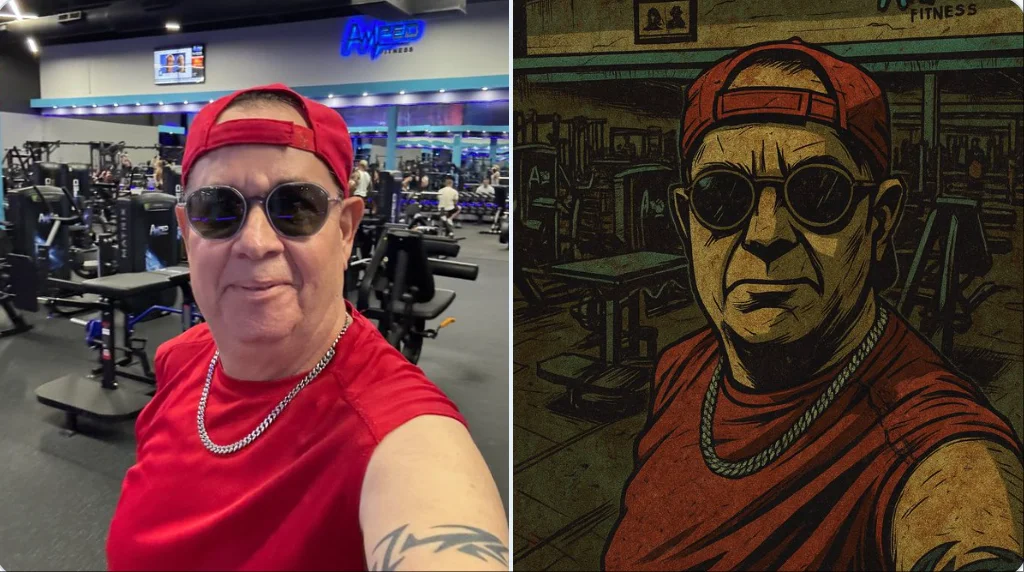
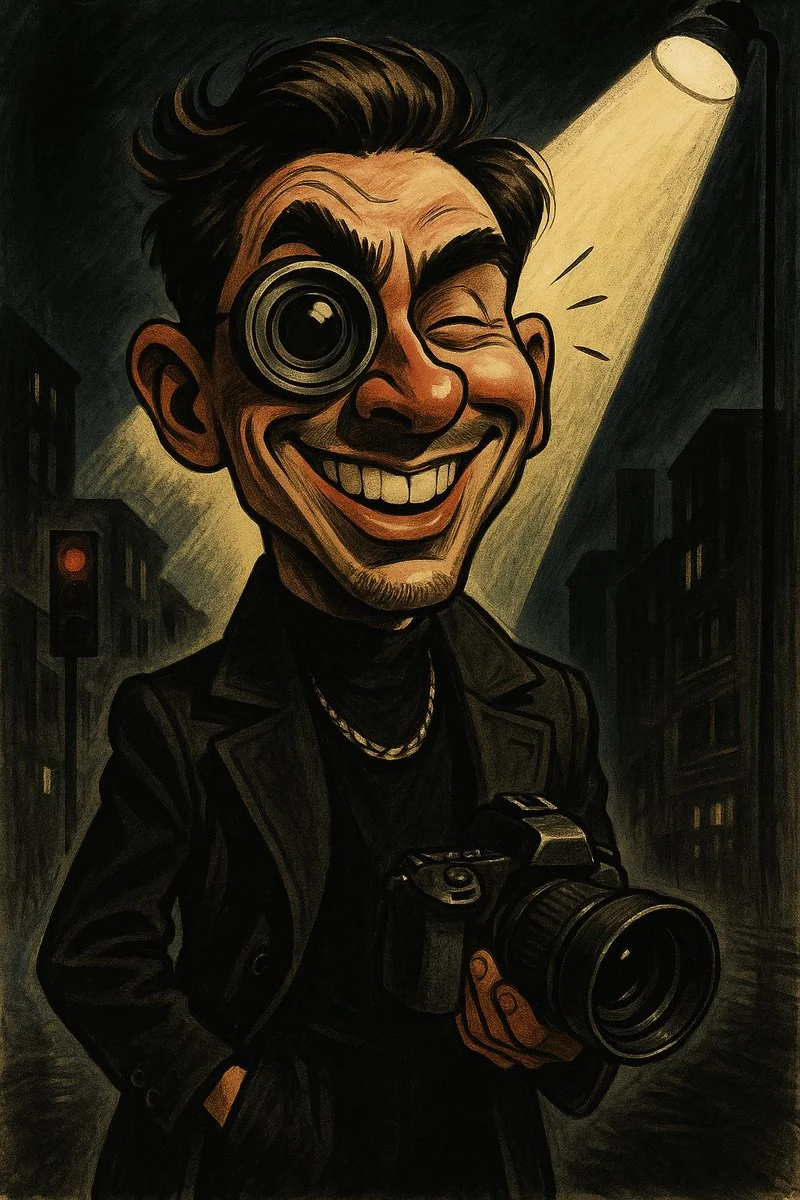
Restyle this image into a gritty Gorillaz-style illustration, bold thick black outlines, sharp angular edges, flat expressive lighting, stylized high-contrast shadows, dirty distressed surface textures, muted color palette: washed-out teals, olive greens, rusty reds, mustard yellows, dusty browns, raw grungy urban atmosphere, comic book flatness mixed with painterly grit, hand-drawn finish with faded gradients, graphic novel aesthetic with a rebellious, animated tone, dark stylish tone, full of attitude.
Restyle this image into a gritty Gorillaz-style illustration, bold thick black outlines, sharp angular edges, flat expressive lighting, stylized high-contrast shadows, dirty distressed surface textures, muted color palette: washed-out teals, olive greens, rusty reds, mustard yellows, dusty browns, raw grungy urban atmosphere, comic book flatness mixed with painterly grit, hand-drawn finish with faded gradients, graphic novel aesthetic with a rebellious, animated tone, dark stylish tone, full of attitude.
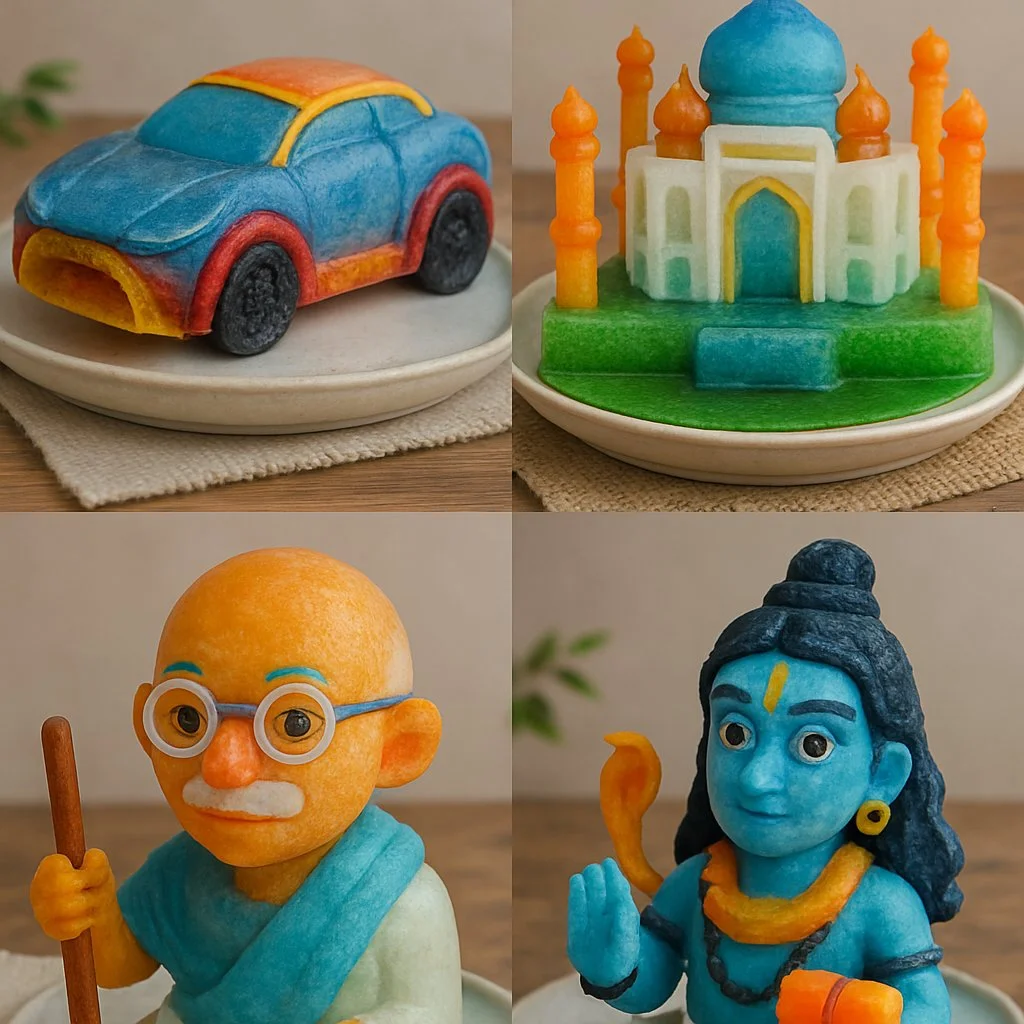
Verified prompt
A colorful handcrafted sculpture of [insert subject], made from semi-transparent ice blocks in custom shapes. Accents like icing, candy, yarn, or fruit skin enhance facial features, texture, or accessories. Placed on a ceramic plate over a leaf or decorative mat, with a clean, softly lit studio or natural tabletop background. Lighting highlights the glossy ice texture, blending food art, toy design, and photography into a playful, artistic composition.
A colorful handcrafted sculpture of [insert subject], made from semi-transparent ice blocks in custom shapes. Accents like icing, candy, yarn, or fruit skin enhance facial features, texture, or accessories. Placed on a ceramic plate over a leaf or decorative mat, with a clean, softly lit studio or natural tabletop background. Lighting highlights the glossy ice texture, blending food art, toy design, and photography into a playful, artistic composition.
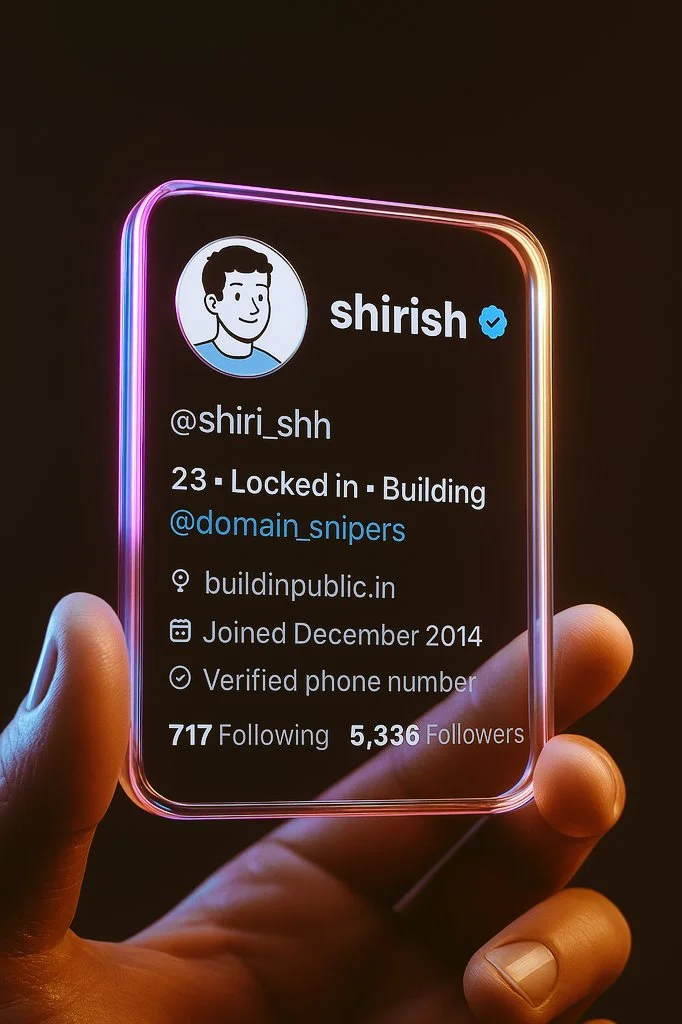
Verified prompt
Step 1: Take a screenshot of your Twitter profile. Step 2: Open ChatGPT Step 3: Paste your screenshot and this prompt below Create a hyper-realistic 3D render of a transparent twitter profile card, designed like a futuristic glass ID badge held gently between two fingers. The card should be rectangular with rounded corners, made of clear glossy glass or acrylic, with glowing neon edges in pink, purple, and orange gradient inspired by the twitter color palette. Display the following profile information on the card using modern, minimal sans-serif typography.
Step 1: Take a screenshot of your Twitter profile. Step 2: Open ChatGPT Step 3: Paste your screenshot and this prompt below Create a hyper-realistic 3D render of a transparent twitter profile card, designed like a futuristic glass ID badge held gently between two fingers. The card should be rectangular with rounded corners, made of clear glossy glass or acrylic, with glowing neon edges in pink, purple, and orange gradient inspired by the twitter color palette. Display the following profile information on the card using modern, minimal sans-serif typography.
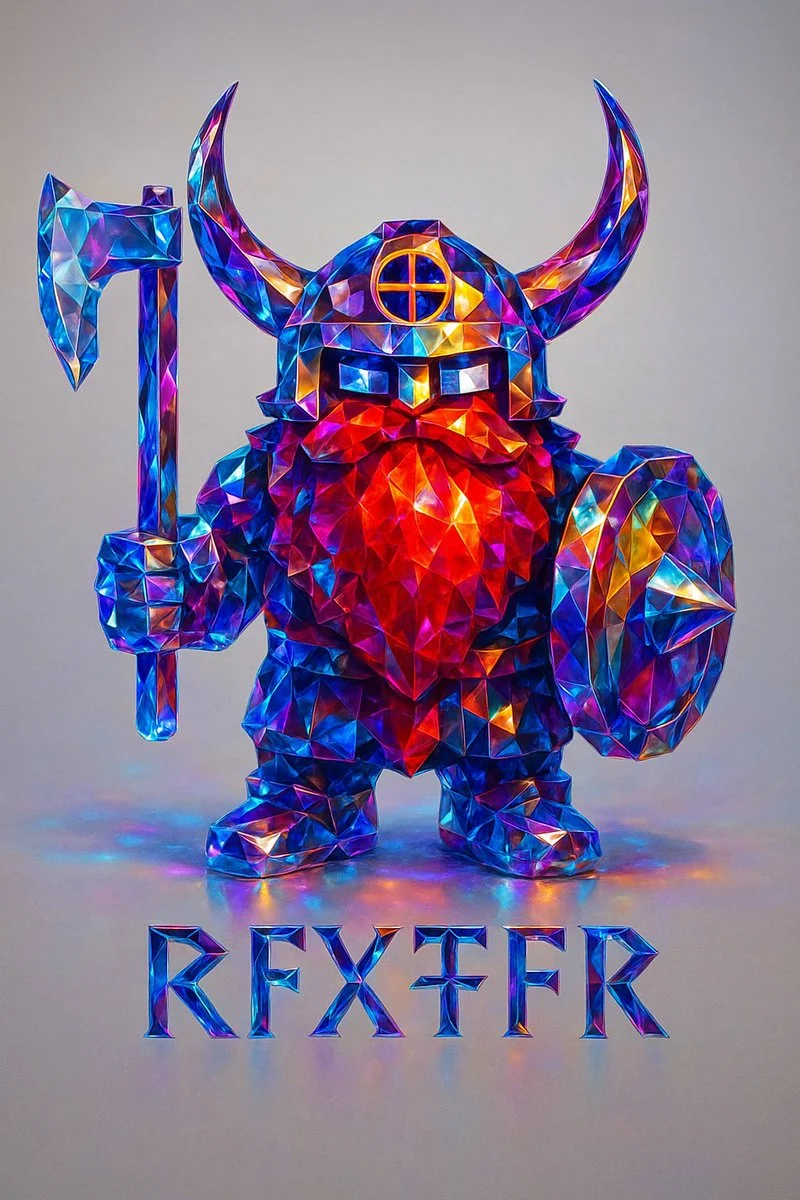
Verified prompt
Recreate this image using the parameters of the JSON provided. { "style_transfer": { "name": "Prismatic Crystal", "description": "Applies a highly realistic prismatic crystal style to any object, using precise light dispersion and photographic clarity. Ideal for adding a premium, gem-like finish to metallic or structured forms.", "style_attributes": { "surface_texture": "polished faceted crystal, sharp and clean edges, flawless transparency", "lighting": "soft studio lighting with clear specular highlights and smooth ambient shadows", "color_palette": ["sapphire blue", "electric cyan", "sunset amber", "violet", "magenta", "neutral white"], "material": "dense optical glass or cut gemstone with prismatic inner reflections", "effects": [ "realistic spectral dispersion", "micro-refractions along edges", "soft caustics on adjacent surfaces", "lens-sharp gloss finish", "subtle light blooming in high contrast areas" ], "contrast": "balanced with high edge definition and natural depth falloff" }, "application_method": { "blend_mode": "photographic overlay", "intensity": 1.0, "masking": "precise masking to preserve structure and cast shadows", "edge_enhancement": "controlled sharpening for facets only", "preserve_original_shape": true, "realism_priority": true, "depth_mapping": true, "chromatic_aberration_limit": "minimal" } } }
Recreate this image using the parameters of the JSON provided. { "style_transfer": { "name": "Prismatic Crystal", "description": "Applies a highly realistic prismatic crystal style to any object, using precise light dispersion and photographic clarity. Ideal for adding a premium, gem-like finish to metallic or structured forms.", "style_attributes": { "surface_texture": "polished faceted crystal, sharp and clean edges, flawless transparency", "lighting": "soft studio lighting with clear specular highlights and smooth ambient shadows", "color_palette": ["sapphire blue", "electric cyan", "sunset amber", "violet", "magenta", "neutral white"], "material": "dense optical glass or cut gemstone with prismatic inner reflections", "effects": [ "realistic spectral dispersion", "micro-refractions along edges", "soft caustics on adjacent surfaces", "lens-sharp gloss finish", "subtle light blooming in high contrast areas" ], "contrast": "balanced with high edge definition and natural depth falloff" }, "application_method": { "blend_mode": "photographic overlay", "intensity": 1.0, "masking": "precise masking to preserve structure and cast shadows", "edge_enhancement": "controlled sharpening for facets only", "preserve_original_shape": true, "realism_priority": true, "depth_mapping": true, "chromatic_aberration_limit": "minimal" } } }
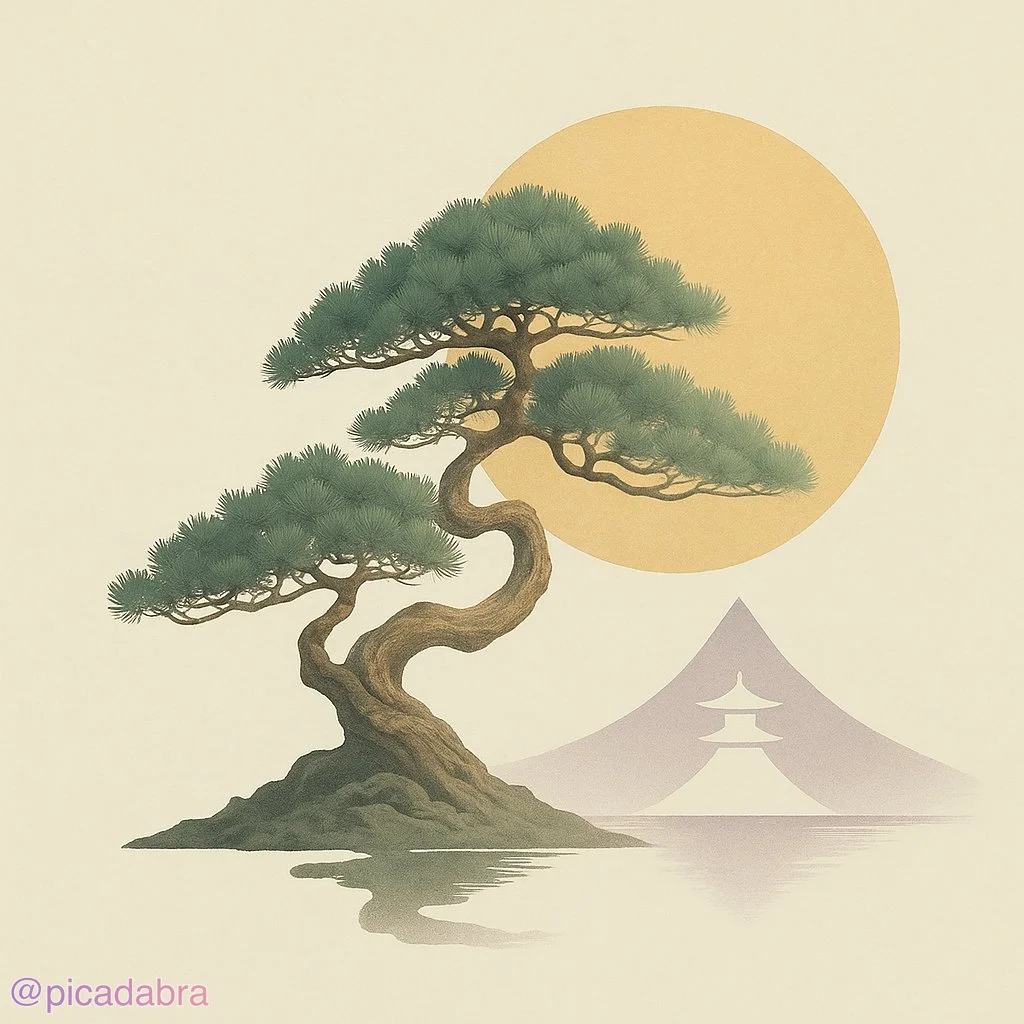
Verified prompt
[SUBJECT] illustrated in a Geometric Zen Tranquility style, where simplicity and balance are key. Utilize clean lines, basic shapes, and a serene color palette of [COLOR1] and [COLOR2] to evoke a sense of peace and harmony.
[SUBJECT] illustrated in a Geometric Zen Tranquility style, where simplicity and balance are key. Utilize clean lines, basic shapes, and a serene color palette of [COLOR1] and [COLOR2] to evoke a sense of peace and harmony.
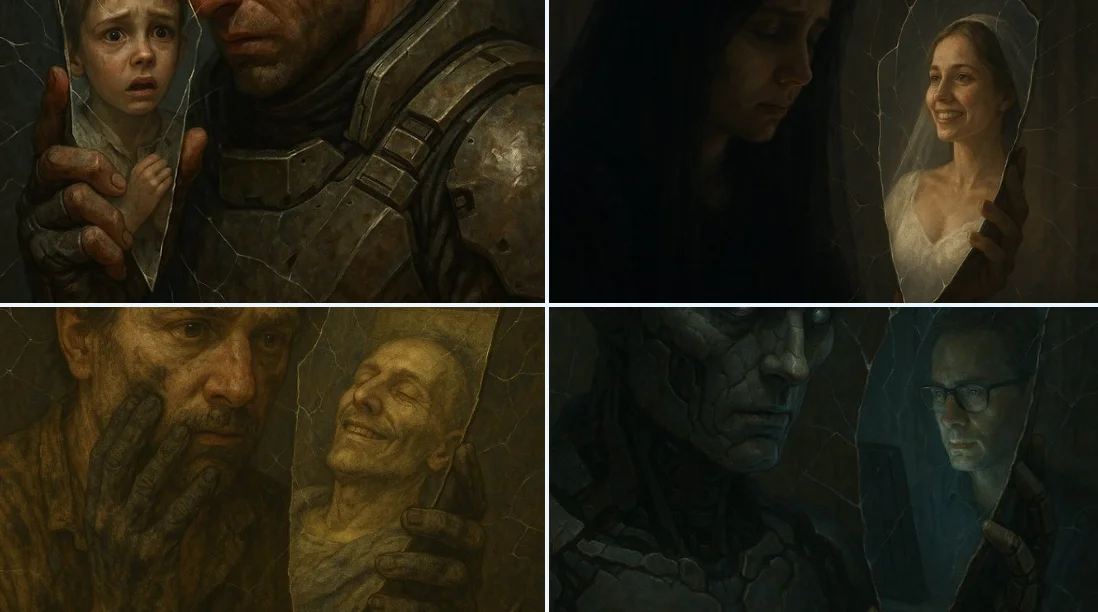
Verified prompt
A close-up of [SUBJECT 1] holding a mirror shard to their face. The shard reflects a completely different [SUBJECT 2]. Around them, small cracks spread through the air like fractures in invisible glass, warping the space itself.
A close-up of [SUBJECT 1] holding a mirror shard to their face. The shard reflects a completely different [SUBJECT 2]. Around them, small cracks spread through the air like fractures in invisible glass, warping the space itself.
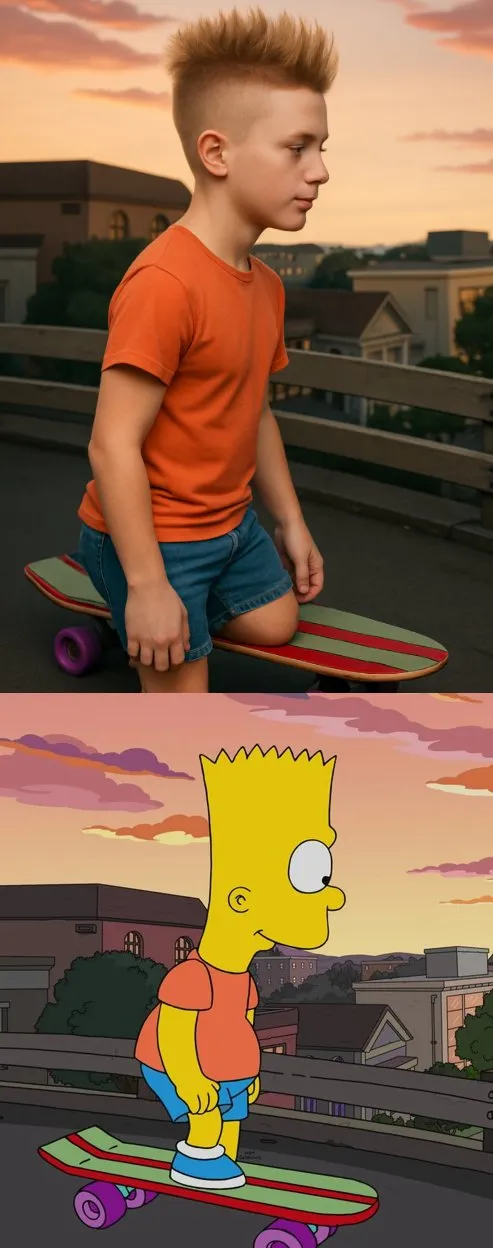
Verified prompt
sform the cartoon character from the reference image into a hyper-realistic human while maintaining their core attributes (clothing, hairstyle, facial expression, accessories, and proportions, age and so on). Create a photorealistic portrait
sform the cartoon character from the reference image into a hyper-realistic human while maintaining their core attributes (clothing, hairstyle, facial expression, accessories, and proportions, age and so on). Create a photorealistic portrait
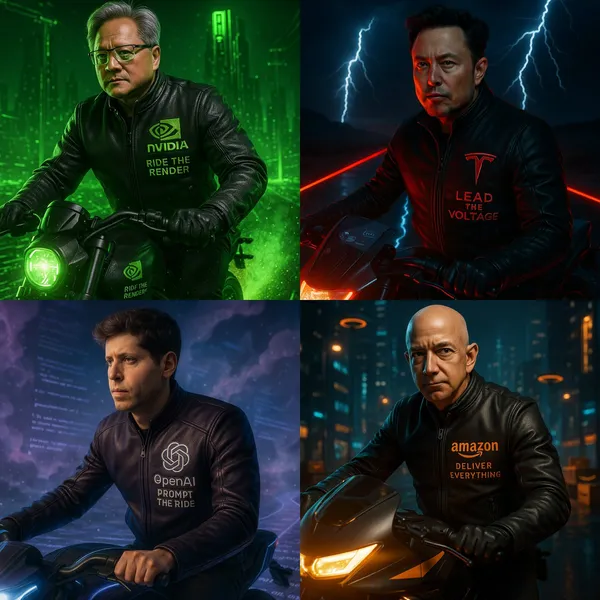
Verified prompt
nematic 1:1 scene featuring the iconic leader of [Brand Name] riding a futuristic electric motorcycle that reflects the brand’s identity. He wears a high-detail black or brand-colored carbon fiber leather jacket, with the [Brand Name] logo embroidered boldly on the chest and
nematic 1:1 scene featuring the iconic leader of [Brand Name] riding a futuristic electric motorcycle that reflects the brand’s identity. He wears a high-detail black or brand-colored carbon fiber leather jacket, with the [Brand Name] logo embroidered boldly on the chest and
Verified prompt
Explore Image Workflows
Explore the Nano Banana 2 workflow and compare it with the related image pages. The generator is the source of truth for current model access and settings. Use the prompt library to study published results and the model that created them.
Nano Banana 2 AI Image Generator
Write your Nano Banana 2 image brief around a subject, composition, lighting and intended style. Add a material or texture when it matters. For edits, state one precise change and explain which parts of the source should remain intact.
Write your Nano Banana 2 image brief around a subject, composition, lighting and intended style. Add a material or texture when it matters. For edits, state one precise change and explain which parts of the source should remain intact.
Explore Nano Banana 2Build Your Nano Banana 2 Image Brief
Choose only the resolution and aspect ratio shown for the selected model. Check framing, fine details and any text in the completed image. A larger output size does not guarantee a more accurate result.
Advanced AI Image Generation & Customization
Choose only the resolution and aspect ratio shown for the selected model. Check framing, fine details and any text in the completed image. A larger output size does not guarantee a more accurate result.
Write Precise Editing and Style Directions
Choose only the resolution and aspect ratio shown for the selected model. Check framing, fine details and any text in the completed image. A larger output size does not guarantee a more accurate result.
Describe the Changes and Details to Preserve
Explore the Nano Banana 2 workflow and compare it with the related image pages. The generator is the source of truth for current model access and settings. Use the prompt library to study published results and the model that created them.
Describe the Changes and Details to Preserve
Choose only the resolution and aspect ratio shown for the selected model. Check framing, fine details and any text in the completed image. A larger output size does not guarantee a more accurate result.
Review Usage Terms Before Sharing
Check the applicable model and platform terms before using a result commercially. You are responsible for the rights to uploaded images, identifiable people, logos and any other source material in your Nano Banana 2 image brief.
Keep Your Workflow Simple
Develop your Nano Banana 2 image brief around the result you need. Keep the main direction specific, check supported settings in the generator, and review the completed work before using it in your project.
A Clearer Creative Brief for Nano Banana 2
Diverse Styles & Effects for Every Vision
Develop your Nano Banana 2 image brief around the result you need. Keep the main direction specific, check supported settings in the generator, and review the completed work before using it in your project.
Write your Nano Banana 2 image brief around a subject, composition, lighting and intended style. Add a material or texture when it matters. For edits, state one precise change and explain which parts of the source should remain intact.
Versatile Nano Banana 2 AI Image Generator for Every Creator's Vision
Start your Nano Banana 2 image brief with a source image you have permission to use. Name the area to change and the colors, proportions or objects to preserve. Reference count and editing support depend on the selected model.
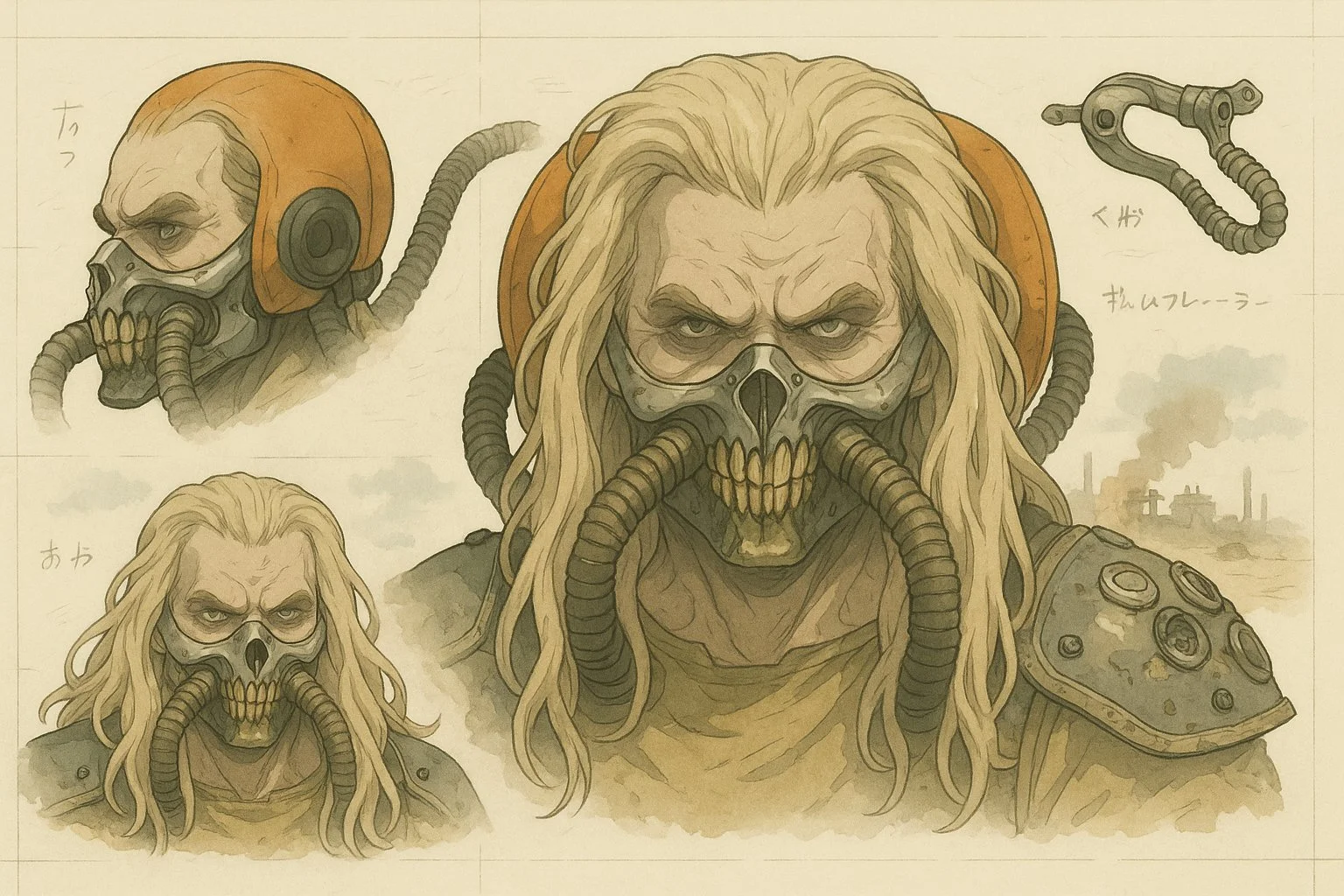
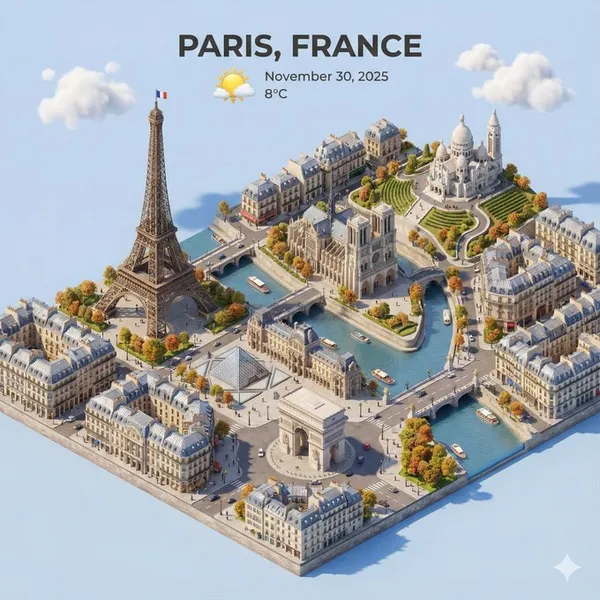
For Architects and Designers
Write your Nano Banana 2 image brief around a subject, composition, lighting and intended style. Add a material or texture when it matters. For edits, state one precise change and explain which parts of the source should remain intact.
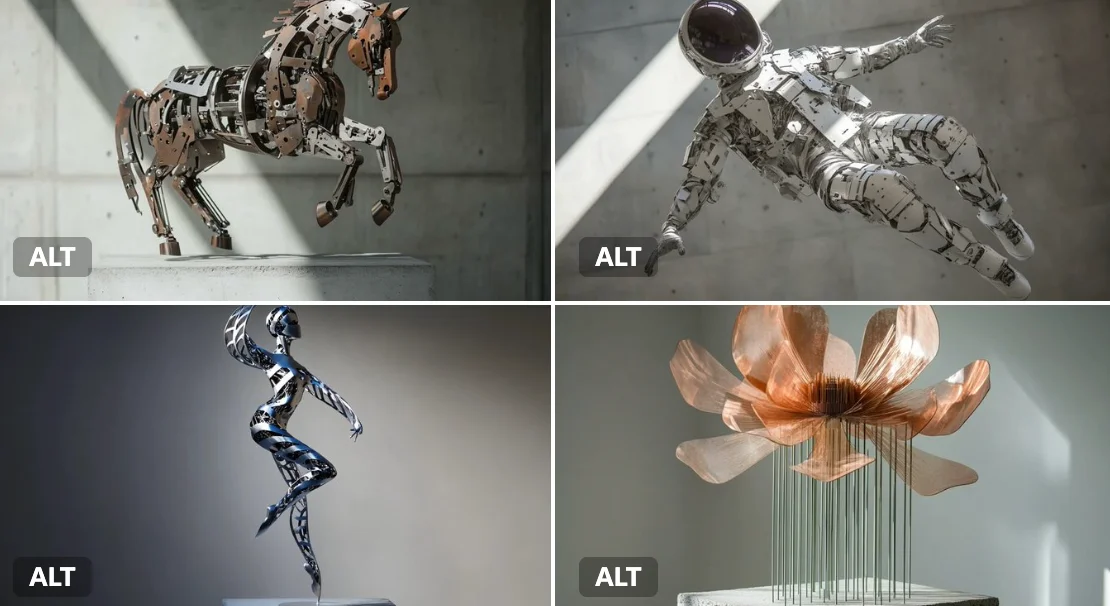
For E-Commerce Professionals
List the details that matter in your Nano Banana 2 image brief: identity, shape, colors, clothing and background. Use supported references where appropriate and compare every result; exact consistency is not guaranteed.

For Content Publishers
Choose only the resolution and aspect ratio shown for the selected model. Check framing, fine details and any text in the completed image. A larger output size does not guarantee a more accurate result.
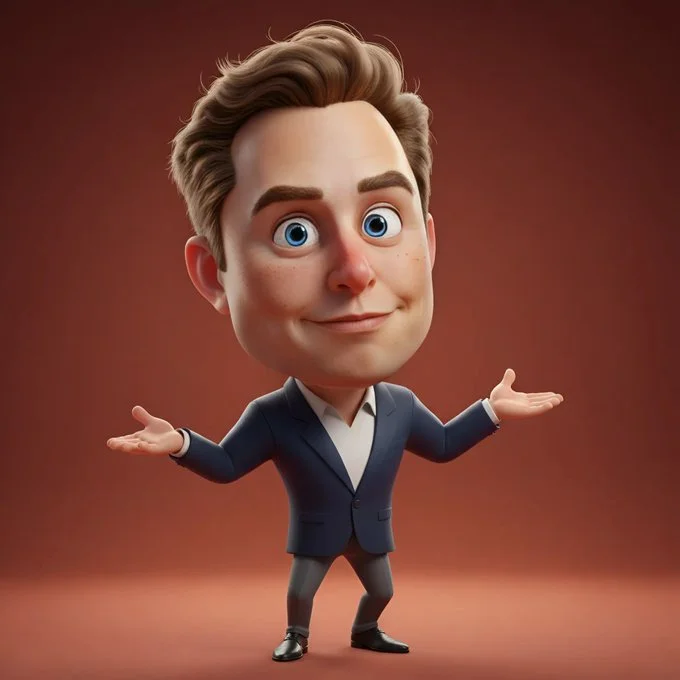
For Event Planners
Write your Nano Banana 2 image brief around a subject, composition, lighting and intended style. Add a material or texture when it matters. For edits, state one precise change and explain which parts of the source should remain intact.
From a Brief to a Reviewed Image: The Nano Banana 2 Workflow
Add Your Input
Start your Nano Banana 2 image brief with a source image you have permission to use. Name the area to change and the colors, proportions or objects to preserve. Reference count and editing support depend on the selected model.
Customize Your Options
The generator shows current model availability. When a model accepts requests, choose its supported settings and review the required credits before submitting. Review your selection and credit balance before generating.
Generate and Refine
Write your Nano Banana 2 image brief around a subject, composition, lighting and intended style. Add a material or texture when it matters. For edits, state one precise change and explain which parts of the source should remain intact.
Review and Download Completed Results
Start your Nano Banana 2 image brief with a source image you have permission to use. Name the area to change and the colors, proportions or objects to preserve. Reference count and editing support depend on the selected model.
Nano Banana 2 Image Ideas for Your Projects
Choose only the resolution and aspect ratio shown for the selected model. Check framing, fine details and any text in the completed image. A larger output size does not guarantee a more accurate result.
Digital Art & Illustration
Choose only the resolution and aspect ratio shown for the selected model. Check framing, fine details and any text in the completed image. A larger output size does not guarantee a more accurate result.
Marketing & E-Commerce Visuals
For a Nano Banana 2 product concept, specify the product shape, material, key detail and setting. Keep logos and claims accurate, allow room for your own typography, and review the result before using it in an advertisement.
Educational Content & Presentations
Use a Nano Banana 2 visual concept to support one teaching or presentation point. Check facts and labels yourself, and add final captions in your editing workflow rather than relying on generated text.
Game Development
List the details that matter in your Nano Banana 2 image brief: identity, shape, colors, clothing and background. Use supported references where appropriate and compare every result; exact consistency is not guaranteed.
Creative Notes for Your Nano Banana 2 Image Brief
Give the main subject one clear action. For a Nano Banana 2 concept, a precise brief is easier to assess than a list of competing effects.
Nano Banana 2 Image Workflow: Questions & Answers
This youdot page explains the Nano Banana 2 image workflow. It helps you write a focused brief and review the available inputs. Current access is shown in the generator; a model name on a guide does not mean it currently accepts requests.
Write your Nano Banana 2 image brief around a subject, composition, lighting and intended style. Add a material or texture when it matters. For edits, state one precise change and explain which parts of the source should remain intact.
Use only the input modes and controls offered by the selected model. Describe the intended image clearly and add supported references when useful. This page does not promise separate motion-brush, audio-upload, restoration or editing tools.
Check the applicable model and platform terms before using a result commercially. You are responsible for the rights to uploaded images, identifiable people, logos and any other source material in your Nano Banana 2 image brief.
The generator shows current model availability. When a model accepts requests, choose its supported settings and review the required credits before submitting. Review your selection and credit balance before generating.
Develop your Nano Banana 2 image brief around the result you need. Keep the main direction specific, check supported settings in the generator, and review the completed work before using it in your project.
You can request a refund within 10 days of purchase if you have unused credits from that purchase and provide a clear reason, subject to our Refund Policy. If eligible, an unused purchase can be fully refunded; a partly used purchase is refunded in proportion to its remaining unused credits. Fully used purchases and free or promotional credits are not refundable.
Credit validity depends on the pack, subscription or promotion that issued them. Review the purchase terms and expiration dates in Settings > Credits. A renewal or new purchase does not extend older credits. Use credits before their stated expiration; do not assume unused subscription credits roll over indefinitely.
Credits charged for a task that is confirmed as failed due to a system error are returned automatically. A task that is still processing has not yet been confirmed as failed. Check its status and your credit history before submitting again. If a confirmed failure still shows an unresolved charge, email support@youdot.app with the task ID.
AI results can vary, so a completed result that differs from your expectations is not automatically treated as a technical failure. Eligible completed image tasks can be submitted for credit refund review using the refund option where available; approval is required. For a video or another issue, contact support@youdot.app with the task ID and details. A credit refund returns credits, not money to your payment method.
Email support@youdot.app. For billing, include your account email and order ID; for generation, include the task ID, issue description and relevant screenshots. If you purchased as a guest, keep the original browser data and payment receipt so we can help locate the purchase.
Explore Your Next Nano Banana 2 Image Idea
Explore the Nano Banana 2 workflow and compare it with the related image pages. The generator is the source of truth for current model access and settings. Use the prompt library to study published results and the model that created them.
youdot.app · Updated
What's new on this page
- — Added editable example prompts and separate drafts for text and reference modes, with an action to restore the example.
- — Updated page copy and content.
- — Page content published.