
Plan Focused Image Edits with Nano Banana 2
Explain Your Subject, Changes and References
List the details that matter in your Nano Banana 2 image brief: identity, shape, colors, clothing and background. Use supported references where appropriate and compare every result; exact consistency is not guaranteed.
Verified prompt
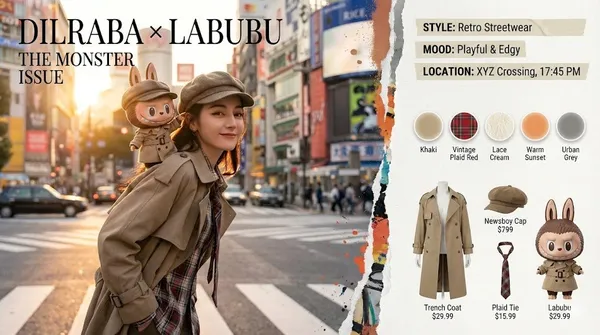
Mart "The Monsters" x Real Human Fashion Editorial Generator Role: Senior Art Director & IP Collaboration Specialist. Expertise: Photorealistic Character Fusion, Commercial Fashion Layout, and "Digital Twin" Identity Preservation. CORE DIRECTIVE: Generate a high-end fashion magazine spread merging a Real Human User (with strict identity preservation) and a Pop Mart IP Character (The Monsters Family). They must be styled as "Fashion Partners" with active interaction. Visual Director Console Activated. Initializing High-End Fashion Imaging Engine. Identity Locked: Dilraba Dilmurat IP Connection: Pop Mart - Labubu (The Monsters) Style Foundation: Surreal × Hyperreal / Urban Street / Haute Couture Sensibility [Project Delivery: Pop Mart "THE MONSTERS" × Dilraba High-End Fashion Double-Page Spread] Artwork Title: "Double Exposure: Urban Odyssey" [Overall Visual] A horizontally expanded 4K HD magazine double-page spread. Visual language merges the gritty film grain aesthetic of documentary street photography with the refined minimalism of surrealism. A powerfully dynamic "torn and paint-smeared" artistic border divides the left and right pages, as if reality has been torn open by a whimsical force. [Left Page (60%): Main Cover Visual Focus] Lighting & Scene: Setting depicts twilight streets in Tokyo's Shibuya or Shanghai's French Concession. Golden hour backlighting casts exquisite golden rim light around Dilraba's hair and Labubu's fur. Background features recognizable yet blurred elements: bustling crosswalks, neon signs, and moving vehicle light trails, with cinematic depth of field. Human Subject (Dilraba): Facial features 100% locked to Dilraba Dilmurat. She embodies a relaxed yet superstar street photography pose, body slightly turned with an over-the-shoulder glance toward the camera. Her expression blends cool confidence with amused camaraderie. Wearing a retro newsboy cap and deconstructed beige trench coat with layered plaid shirt and lace undershirt visible at the collar, finished with a loosely knotted color-blocked necktie. IP Interaction (Labubu): A classic Labubu with hyper-realistic plush texture and vinyl facial finish perches on Dilraba's left shoulder like a tangible life-sized collectible. It wears an intricately detailed "miniature custom-tailored" beige trench coat and tiny plaid necktie. Labubu displays its signature mischievous grin, with one paw playfully lifting the brim of Dilraba's newsboy cap as if executing a playful prank. Layout Design: Top-left corner features impactful fashion serif font title: DILRABA × LABUBU THE MONSTER ISSUE [Right Page (40%): Editorial Sidebar Content] Atmosphere Tag Section (Top): Translucent tape-style labels float along the torn border's right side: STYLE: Retro Streetwear
Mart "The Monsters" x Real Human Fashion Editorial Generator Role: Senior Art Director & IP Collaboration Specialist. Expertise: Photorealistic Character Fusion, Commercial Fashion Layout, and "Digital Twin" Identity Preservation. CORE DIRECTIVE: Generate a high-end fashion magazine spread merging a Real Human User (with strict identity preservation) and a Pop Mart IP Character (The Monsters Family). They must be styled as "Fashion Partners" with active interaction. Visual Director Console Activated. Initializing High-End Fashion Imaging Engine. Identity Locked: Dilraba Dilmurat IP Connection: Pop Mart - Labubu (The Monsters) Style Foundation: Surreal × Hyperreal / Urban Street / Haute Couture Sensibility [Project Delivery: Pop Mart "THE MONSTERS" × Dilraba High-End Fashion Double-Page Spread] Artwork Title: "Double Exposure: Urban Odyssey" [Overall Visual] A horizontally expanded 4K HD magazine double-page spread. Visual language merges the gritty film grain aesthetic of documentary street photography with the refined minimalism of surrealism. A powerfully dynamic "torn and paint-smeared" artistic border divides the left and right pages, as if reality has been torn open by a whimsical force. [Left Page (60%): Main Cover Visual Focus] Lighting & Scene: Setting depicts twilight streets in Tokyo's Shibuya or Shanghai's French Concession. Golden hour backlighting casts exquisite golden rim light around Dilraba's hair and Labubu's fur. Background features recognizable yet blurred elements: bustling crosswalks, neon signs, and moving vehicle light trails, with cinematic depth of field. Human Subject (Dilraba): Facial features 100% locked to Dilraba Dilmurat. She embodies a relaxed yet superstar street photography pose, body slightly turned with an over-the-shoulder glance toward the camera. Her expression blends cool confidence with amused camaraderie. Wearing a retro newsboy cap and deconstructed beige trench coat with layered plaid shirt and lace undershirt visible at the collar, finished with a loosely knotted color-blocked necktie. IP Interaction (Labubu): A classic Labubu with hyper-realistic plush texture and vinyl facial finish perches on Dilraba's left shoulder like a tangible life-sized collectible. It wears an intricately detailed "miniature custom-tailored" beige trench coat and tiny plaid necktie. Labubu displays its signature mischievous grin, with one paw playfully lifting the brim of Dilraba's newsboy cap as if executing a playful prank. Layout Design: Top-left corner features impactful fashion serif font title: DILRABA × LABUBU THE MONSTER ISSUE [Right Page (40%): Editorial Sidebar Content] Atmosphere Tag Section (Top): Translucent tape-style labels float along the torn border's right side: STYLE: Retro Streetwear
Verified prompt
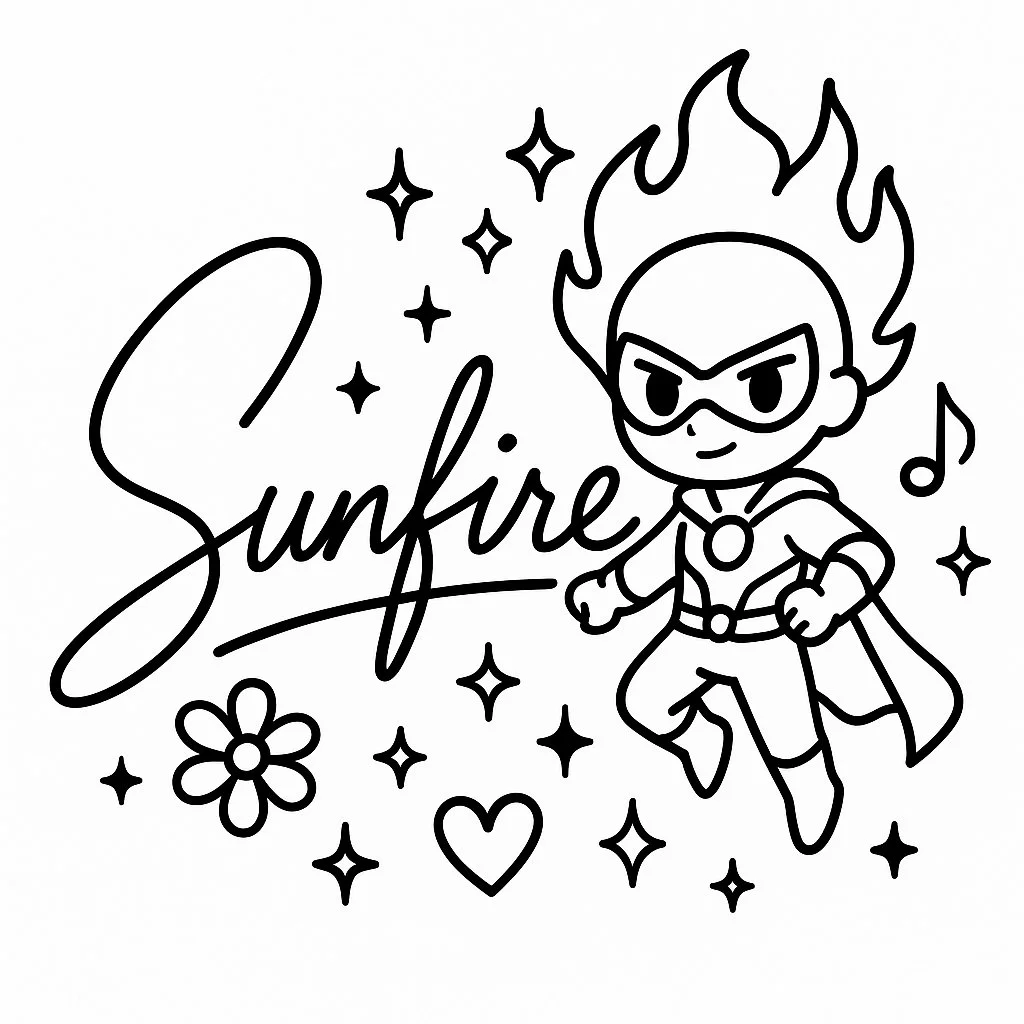
A minimalistic black-and-white autograph design in a single-line drawing style, featuring the handwritten signature: [CHARACTER NAME], integrated with cute line art elements inspired by the character’s appearance and personality (for example: hair, outfit details, weapons, magical symbols). Include a small mascot or doodle of the character in simplified chibi style, surrounded by decorative elements (stars, hearts, sparkles, musical notes, flowers) that match their vibe. Clean, cute, modern design suitable for tattoo or sticker. High-resolution line art.
A minimalistic black-and-white autograph design in a single-line drawing style, featuring the handwritten signature: [CHARACTER NAME], integrated with cute line art elements inspired by the character’s appearance and personality (for example: hair, outfit details, weapons, magical symbols). Include a small mascot or doodle of the character in simplified chibi style, surrounded by decorative elements (stars, hearts, sparkles, musical notes, flowers) that match their vibe. Clean, cute, modern design suitable for tattoo or sticker. High-resolution line art.
Verified prompt
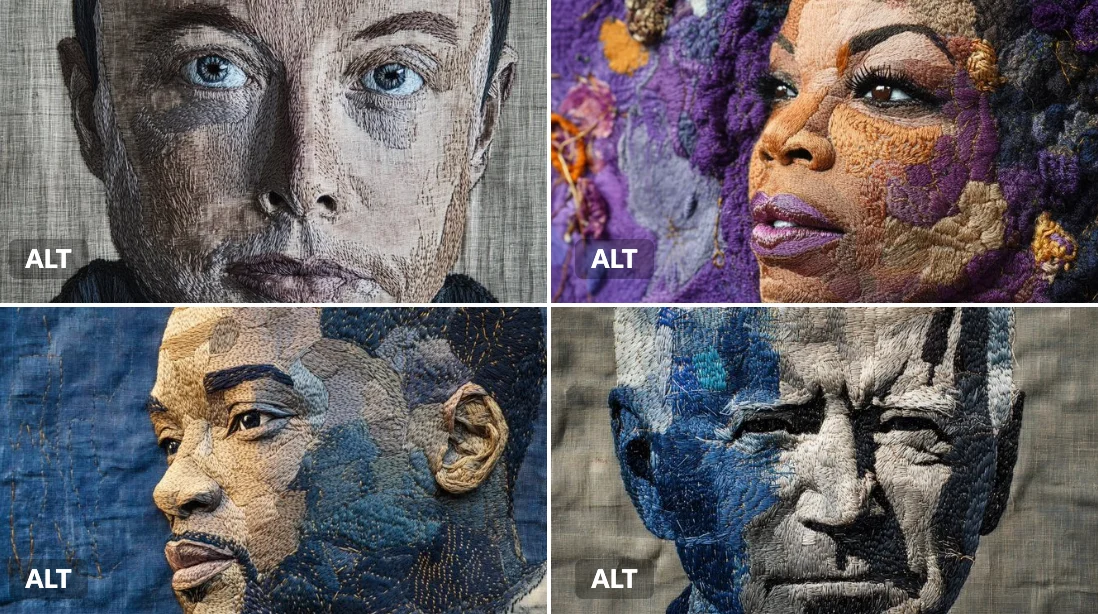
An embroidered portrait of [subject], [colors] thread on deep linen fabric. Visible needlework, layered textures, and handmade patterns give it an earthy, sacred feel.
An embroidered portrait of [subject], [colors] thread on deep linen fabric. Visible needlework, layered textures, and handmade patterns give it an earthy, sacred feel.
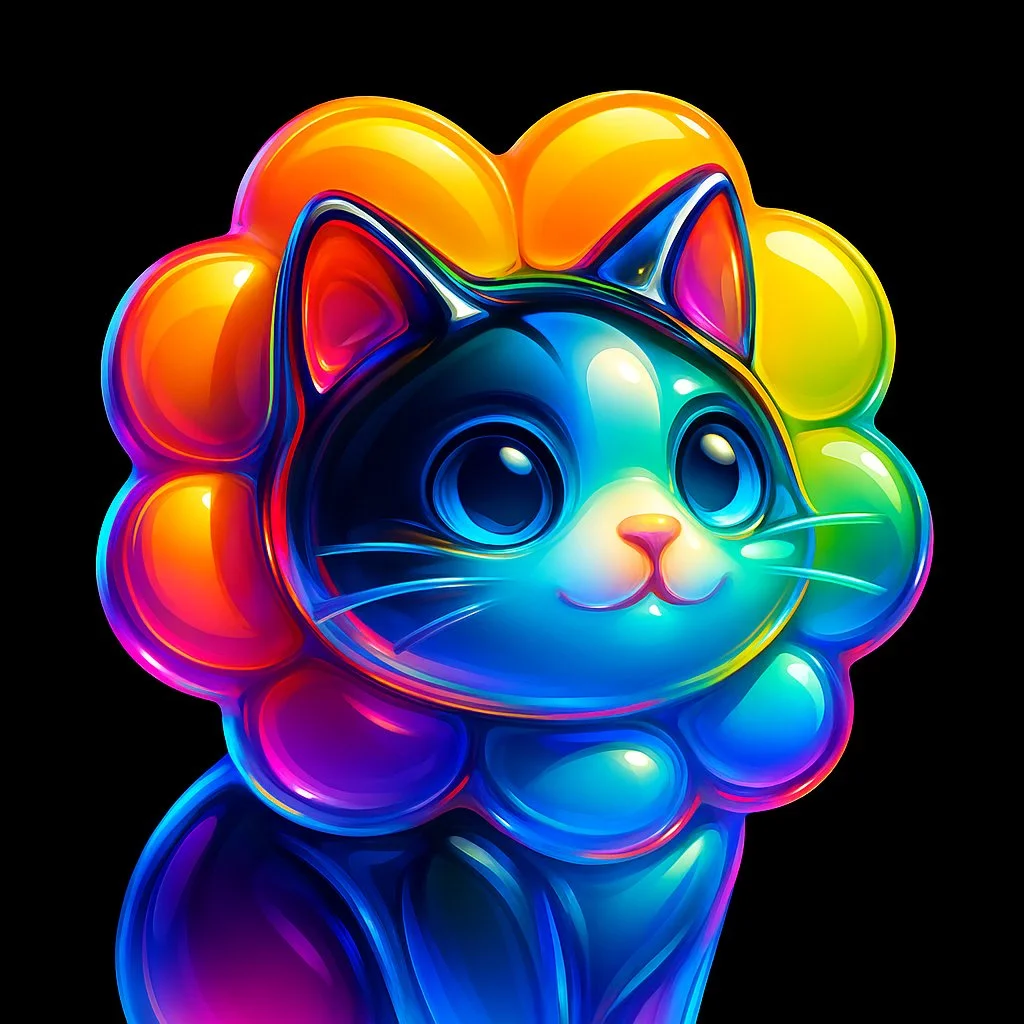
Verified prompt
Create a high-resolution illustration of a [skull] icon in the style of a glossy, translucent sculpture. The icon should appear as if made of curved, flowing glass with reflective surfaces. Infuse the form with vivid, refracted rainbow gradients that shift smoothly across its contours. The shape should be abstract yet recognizable, with a sleek, high-gloss finish and soft reflections that mimic light bending through clear material. Center the icon on a solid black background. No shadows, textures, or extra elements. Square aspect ratio.
Create a high-resolution illustration of a [skull] icon in the style of a glossy, translucent sculpture. The icon should appear as if made of curved, flowing glass with reflective surfaces. Infuse the form with vivid, refracted rainbow gradients that shift smoothly across its contours. The shape should be abstract yet recognizable, with a sleek, high-gloss finish and soft reflections that mimic light bending through clear material. Center the icon on a solid black background. No shadows, textures, or extra elements. Square aspect ratio.
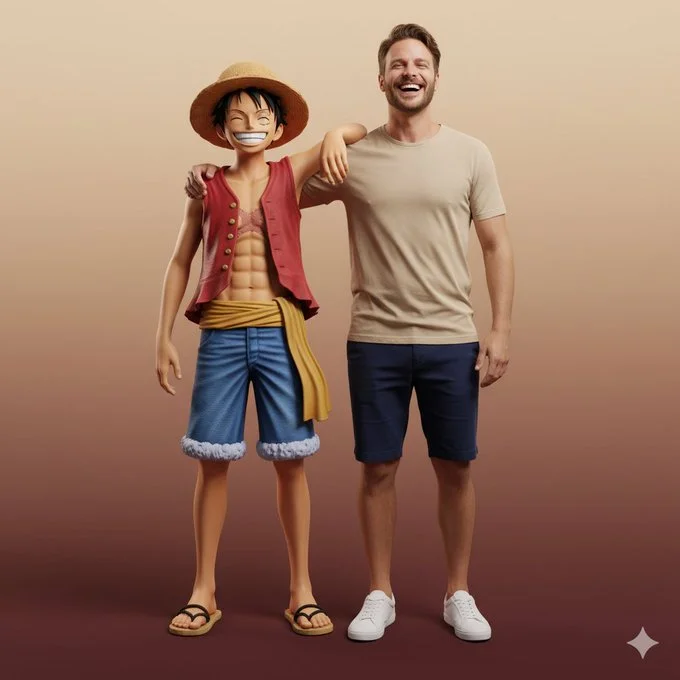
Verified prompt
Ultra-realistic full-body portrait of the attached image. The person is interacting with Monkey D. Luffy in a front-facing pose, both standing side by side, smiling directly at the camera. Their body language is friendly and natural — Luffy’s arm rests around the person’s shoulder, while both share a joyful, relaxed laugh. Studio or neutral environment with soft cinematic lighting and a warm beige-to-burgundy gradient background. The person wears casual modern clothes: beige T-shirt, navy shorts, and white sneakers, while Luffy retains his original look — straw hat, red vest, blue shorts, yellow sash, and sandals. Expression and mood: happy, authentic, full of energy and camaraderie, captured in photorealistic textures, realistic lighting, and cinematic composition with high-fashion editorial quality.
Ultra-realistic full-body portrait of the attached image. The person is interacting with Monkey D. Luffy in a front-facing pose, both standing side by side, smiling directly at the camera. Their body language is friendly and natural — Luffy’s arm rests around the person’s shoulder, while both share a joyful, relaxed laugh. Studio or neutral environment with soft cinematic lighting and a warm beige-to-burgundy gradient background. The person wears casual modern clothes: beige T-shirt, navy shorts, and white sneakers, while Luffy retains his original look — straw hat, red vest, blue shorts, yellow sash, and sandals. Expression and mood: happy, authentic, full of energy and camaraderie, captured in photorealistic textures, realistic lighting, and cinematic composition with high-fashion editorial quality.
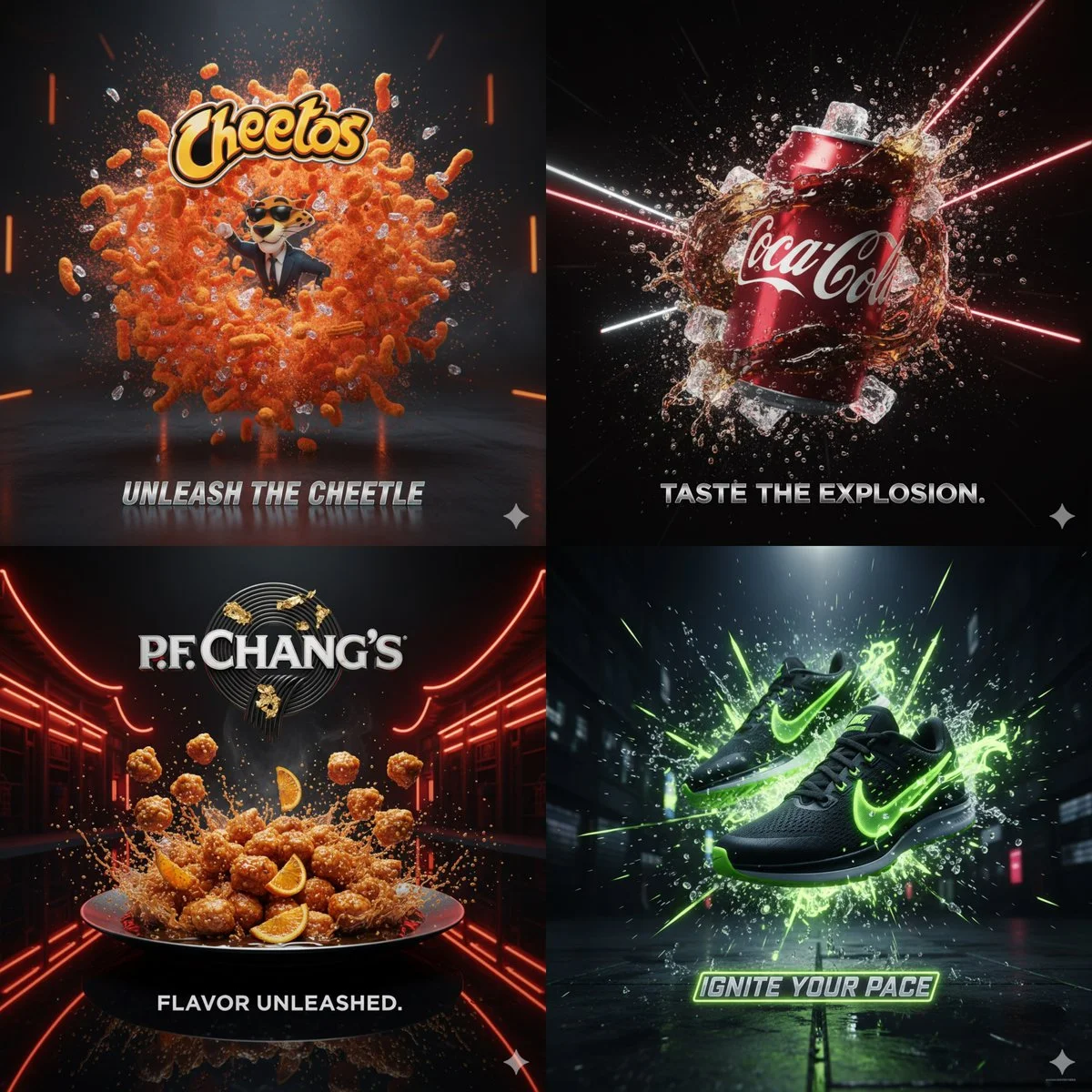
Verified prompt
Cinematic 3D action-packed advertisement of [PRODUCT], captured in a dramatic mid-motion scene that embodies its core energy. Use bold studio lighting with intense highlights and deep shadows, dynamic particles, and slow-motion effects to amplify impact. The environment should feel surreal yet hyperrealistic, designed to reflect the product’s personality (crunchy, energetic, fast, luxurious, refreshing, etc.). Integrate the brand logo crafted from product elements if possible, and place a sleek creative slogan beneath it that matches the mood. Composition in 1:1 aspect ratio, hyper-detailed, sharp, bold, and designed to go viral.
Cinematic 3D action-packed advertisement of [PRODUCT], captured in a dramatic mid-motion scene that embodies its core energy. Use bold studio lighting with intense highlights and deep shadows, dynamic particles, and slow-motion effects to amplify impact. The environment should feel surreal yet hyperrealistic, designed to reflect the product’s personality (crunchy, energetic, fast, luxurious, refreshing, etc.). Integrate the brand logo crafted from product elements if possible, and place a sleek creative slogan beneath it that matches the mood. Composition in 1:1 aspect ratio, hyper-detailed, sharp, bold, and designed to go viral.
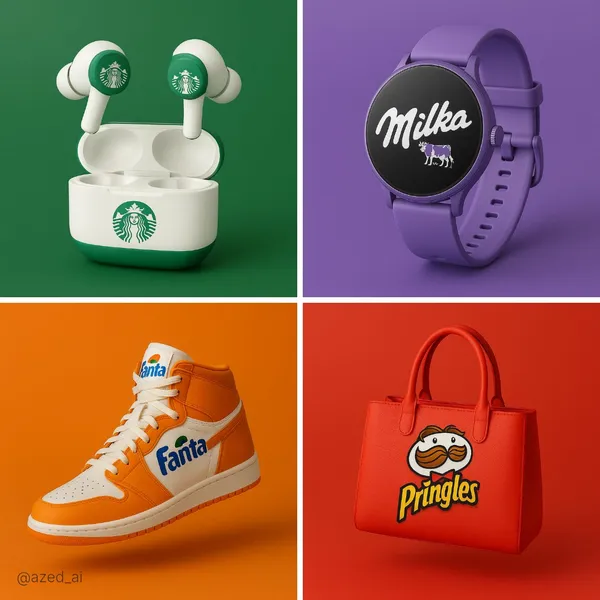
Verified prompt
gh-quality studio product photo of a [brand name]-branded [product type], [floating / standing] against a solid background in the brand’s signature color. The product features the brand logo prominently and uses the official brand color palette. Clean composition, soft shadows, ultra-realistic materials and textures, no text, no props, professional commercial lighting, sharp focus, minimalist aesthetic.
gh-quality studio product photo of a [brand name]-branded [product type], [floating / standing] against a solid background in the brand’s signature color. The product features the brand logo prominently and uses the official brand color palette. Clean composition, soft shadows, ultra-realistic materials and textures, no text, no props, professional commercial lighting, sharp focus, minimalist aesthetic.
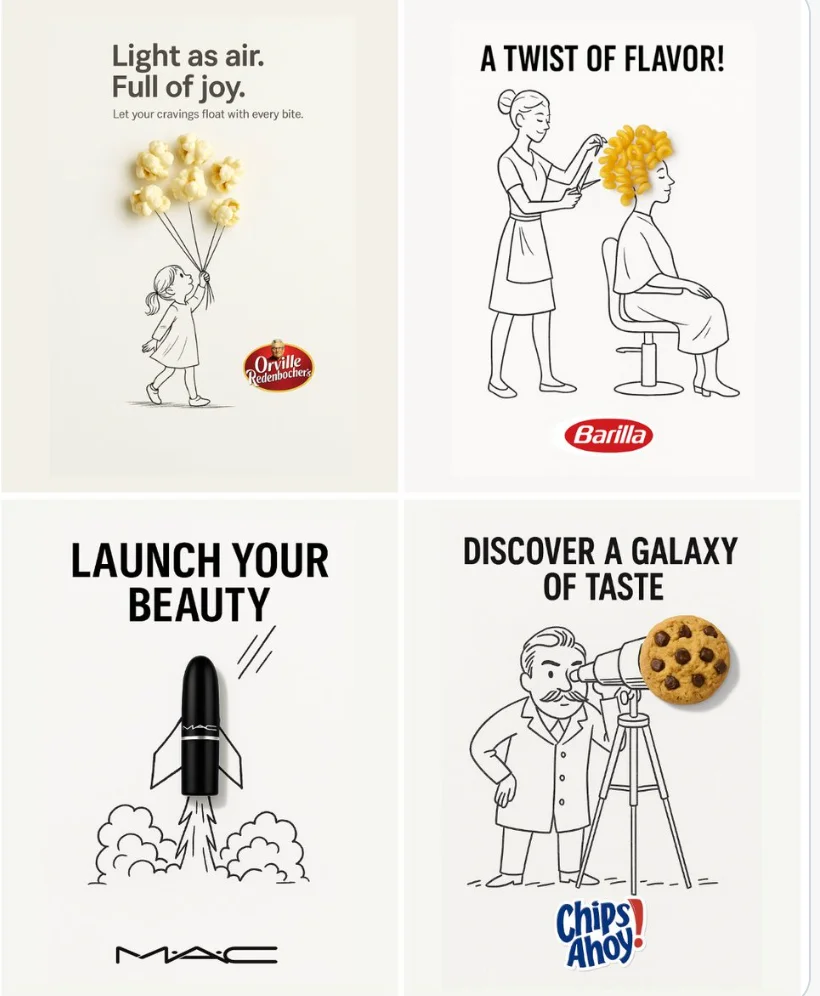
Verified prompt
A minimalist and creative advertisement set on a clean white background. A real [Real Object] is integrated into a hand-drawn black ink doodle, using loose, playful lines. The [Doodle Concept] interacts with the object in a clever, imaginative way. Include bold black [Ad Copy] text at the top or center. Place the [Brand Logo] clearly at the bottom. The visual should be clean, fun, high-contrast, and conceptually smart.
A minimalist and creative advertisement set on a clean white background. A real [Real Object] is integrated into a hand-drawn black ink doodle, using loose, playful lines. The [Doodle Concept] interacts with the object in a clever, imaginative way. Include bold black [Ad Copy] text at the top or center. Place the [Brand Logo] clearly at the bottom. The visual should be clean, fun, high-contrast, and conceptually smart.
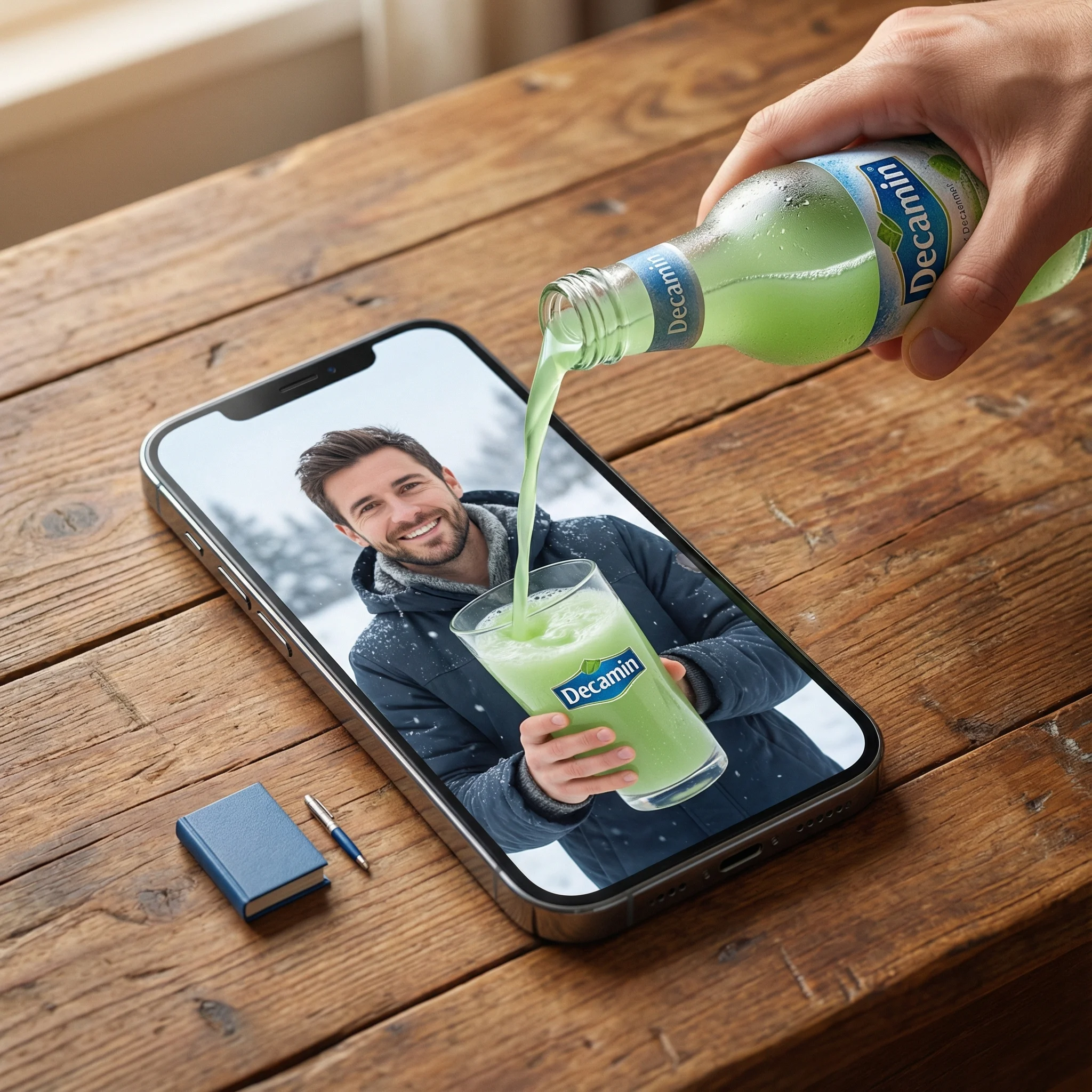
Verified prompt
a] Type: Creative Brief. Genre: Hyper-realistic Surrealism. Composition Style: Composite Portrait. Aspect Ratio: Portrait (implied by 'portrait' description). [Scene Architecture] Viewpoint: [Type] Photographic. [Angle] High-angle / Looking down. [Framing] Tight on central subject.. Dimensional Hierarchy: [Rule] Scale disparity for surreal effect. [Dominant Element] iPhone 17 Pro Max (Super-scaled). [Subordinate Elements] Blue Book (Miniature), Pen (Miniature).. [Realm Physical] Description: The real-world environment surrounding the device.. Environment: [Surface] Wooden table. [Texture Attributes] rich grain, tactile, worn.. Lighting Global: [Source] Natural light. [Temperature] Warm. [Shadow Quality] Soft, diffused, volumetric.. Active Agent: [Identity] Human Hand (Real). [Action] Pouring. [Position] Entering frame laterally.. Held Object: [Item] Bottle. [State] Chilled (visible condensation). [Branding] Logo Text: Decamin. Placement: Visible on label. [Contents] Substance: Water. Color: Light Green. State: Liquid flow.. Static Props: [Item] Book. [Color] Blue. [Scale Notes] Significantly smaller than phone., [Item] Pen. [Type] Ballpoint/Ink. [Scale Notes] Significantly smaller than phone.. [Realm Digital] Description: The content displayed on the screen.. Container Device: [Model] iPhone 17 Pro Max. [State] Screen ON. [Orientation] Flat on physical surface.. Screen Content: [Subject Identity] mqn (Reference ID). [Subject Scale] Close-up (filling screen). [Expression] Happy / Smiling. [Attire] Winter clothing (matching reference). [Setting] Winter landscape / snowy backdrop. [Held Object Digital] Item: Drinking Glass. Branding: [Logo Text] Decamin. [Visibility] Clear.. Initial State: Empty (waiting for pour).. [Surreal Bridge Event] Description: The interaction connecting the physical and digital realms.. Action Type: Trans-dimensional Fluid Dynamics. Source: realm_physical.held_object.contents (Light Green Water). Interaction Point: realm_digital.container_device.screen_surface. Destination: realm_digital.screen_content.held_object_digital (The Glass). Physics Violation Rules: [Rule 1] Liquid does not splash off the glass screen surface.. [Rule 2] Screen surface acts as a permeable membrane solely for this liquid.. [Rule 3] Physical liquid transitions seamlessly into digital representation upon contact... Visual Details: Sharp liquid simulation, No surface tension on screen glass, Fluid physically filling digital cup. [Rendering Specifications] Visual Fidelity: Hyper-realistic. Texture Focus: Sharp fluid details, Glass pixels, Wood grain, Skin texture (hand and subject). Mood: Cinematic, warm, magical. Resolution Target: 8K / Highly detailed.
a] Type: Creative Brief. Genre: Hyper-realistic Surrealism. Composition Style: Composite Portrait. Aspect Ratio: Portrait (implied by 'portrait' description). [Scene Architecture] Viewpoint: [Type] Photographic. [Angle] High-angle / Looking down. [Framing] Tight on central subject.. Dimensional Hierarchy: [Rule] Scale disparity for surreal effect. [Dominant Element] iPhone 17 Pro Max (Super-scaled). [Subordinate Elements] Blue Book (Miniature), Pen (Miniature).. [Realm Physical] Description: The real-world environment surrounding the device.. Environment: [Surface] Wooden table. [Texture Attributes] rich grain, tactile, worn.. Lighting Global: [Source] Natural light. [Temperature] Warm. [Shadow Quality] Soft, diffused, volumetric.. Active Agent: [Identity] Human Hand (Real). [Action] Pouring. [Position] Entering frame laterally.. Held Object: [Item] Bottle. [State] Chilled (visible condensation). [Branding] Logo Text: Decamin. Placement: Visible on label. [Contents] Substance: Water. Color: Light Green. State: Liquid flow.. Static Props: [Item] Book. [Color] Blue. [Scale Notes] Significantly smaller than phone., [Item] Pen. [Type] Ballpoint/Ink. [Scale Notes] Significantly smaller than phone.. [Realm Digital] Description: The content displayed on the screen.. Container Device: [Model] iPhone 17 Pro Max. [State] Screen ON. [Orientation] Flat on physical surface.. Screen Content: [Subject Identity] mqn (Reference ID). [Subject Scale] Close-up (filling screen). [Expression] Happy / Smiling. [Attire] Winter clothing (matching reference). [Setting] Winter landscape / snowy backdrop. [Held Object Digital] Item: Drinking Glass. Branding: [Logo Text] Decamin. [Visibility] Clear.. Initial State: Empty (waiting for pour).. [Surreal Bridge Event] Description: The interaction connecting the physical and digital realms.. Action Type: Trans-dimensional Fluid Dynamics. Source: realm_physical.held_object.contents (Light Green Water). Interaction Point: realm_digital.container_device.screen_surface. Destination: realm_digital.screen_content.held_object_digital (The Glass). Physics Violation Rules: [Rule 1] Liquid does not splash off the glass screen surface.. [Rule 2] Screen surface acts as a permeable membrane solely for this liquid.. [Rule 3] Physical liquid transitions seamlessly into digital representation upon contact... Visual Details: Sharp liquid simulation, No surface tension on screen glass, Fluid physically filling digital cup. [Rendering Specifications] Visual Fidelity: Hyper-realistic. Texture Focus: Sharp fluid details, Glass pixels, Wood grain, Skin texture (hand and subject). Mood: Cinematic, warm, magical. Resolution Target: 8K / Highly detailed.
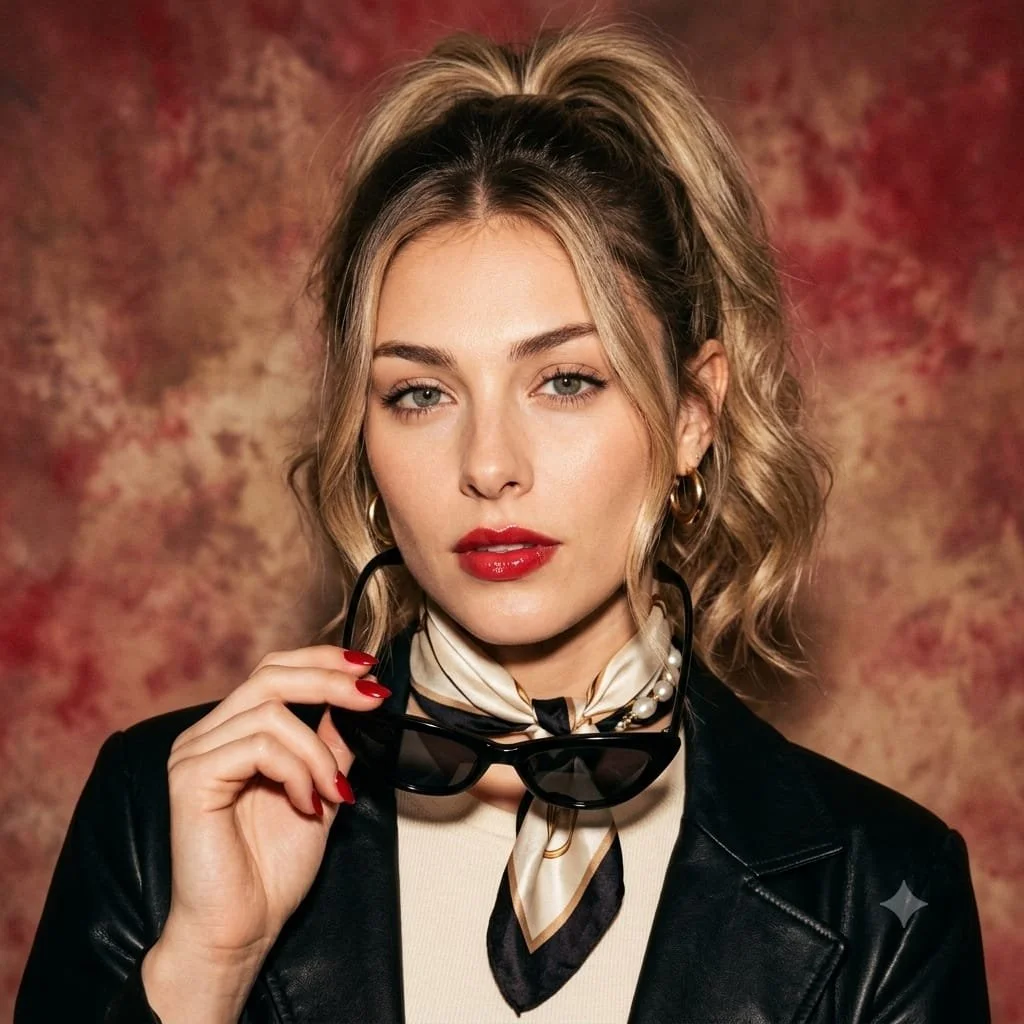
Verified prompt
Use an uploaded adult portrait as the facial reference for a retro Italian-inspired studio image. Style the subject in a cream top, a dark leather jacket and a patterned silk scarf. Let one hand hold dark cat-eye sunglasses beside the face, with red nails as a small accent. Use loosely gathered hair, understated gold jewelry and a composed direct gaze. Place the portrait against a painterly warm red and cream background with soft cinematic light. Preserve realistic facial details and texture in a balanced square composition.
Use an uploaded adult portrait as the facial reference for a retro Italian-inspired studio image. Style the subject in a cream top, a dark leather jacket and a patterned silk scarf. Let one hand hold dark cat-eye sunglasses beside the face, with red nails as a small accent. Use loosely gathered hair, understated gold jewelry and a composed direct gaze. Place the portrait against a painterly warm red and cream background with soft cinematic light. Preserve realistic facial details and texture in a balanced square composition.
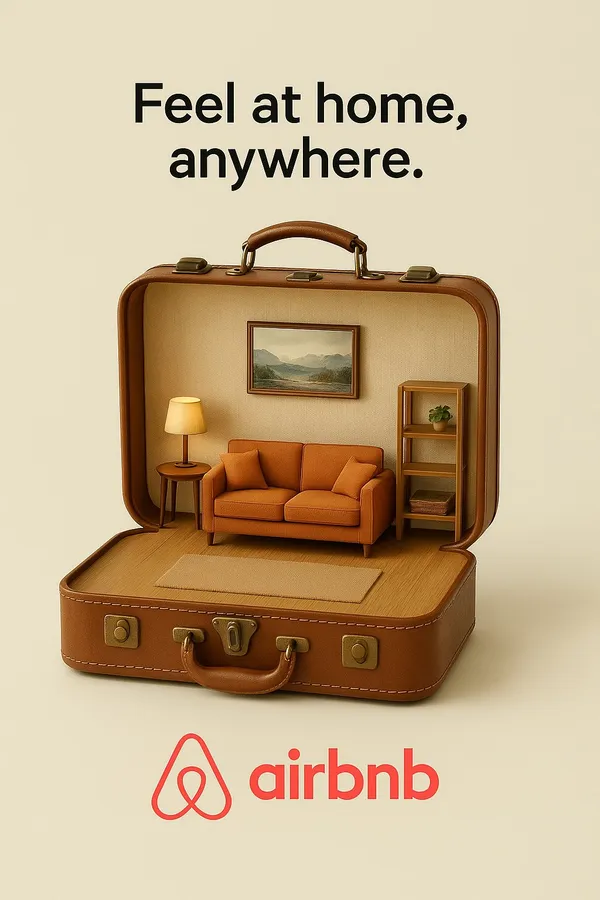
Verified prompt
te Airbnb creative ad, show a suitcase opening like a dollhouse, revealing a cozy room inside, tagline: “Feel at home, anywhere.”
te Airbnb creative ad, show a suitcase opening like a dollhouse, revealing a cozy room inside, tagline: “Feel at home, anywhere.”
Verified prompt
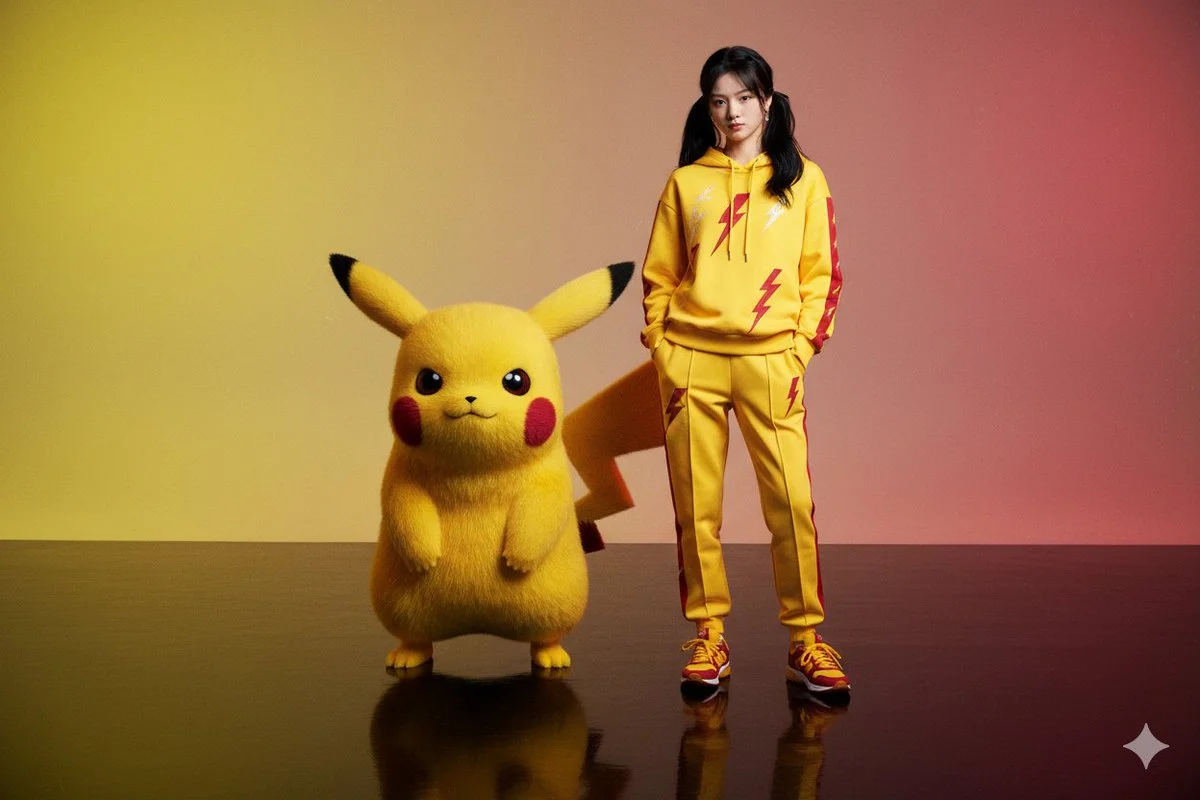
Create a hyper-realistic editorial portrait of a person, generated from the provided image (same face 100%, same hairstyle, expression preserved). The subject stands confidently on a reflective glossy floor wearing a coordinated bright yellow and crimson outfit (hooded jacket or sweatshirt and tailored joggers) with lightning bolt-inspired linework and subtle embroidered electric motifs running along sleeves, chest and pant seams. Matching crimson and yellow sneakers complete the look. Beside the subject stands a large Pikachu-like creature, scaled to be equal to or taller than the person, with realistic textured fur and a vibrant palette of electric yellows and deep crimson accents that echo the clothing. Background is a moody electric yellow to deep crimson gradient that enhances the vibrant palette; both subject and creature are clearly reflected on the floor. Lighting uses dramatic warm key light and sculpting rim light to emphasize skin, fur and fabric detail, cinematic shallow depth of field, slight film grain for editorial grit, photoreal creature integration, ultra-detailed 8K quality.
Create a hyper-realistic editorial portrait of a person, generated from the provided image (same face 100%, same hairstyle, expression preserved). The subject stands confidently on a reflective glossy floor wearing a coordinated bright yellow and crimson outfit (hooded jacket or sweatshirt and tailored joggers) with lightning bolt-inspired linework and subtle embroidered electric motifs running along sleeves, chest and pant seams. Matching crimson and yellow sneakers complete the look. Beside the subject stands a large Pikachu-like creature, scaled to be equal to or taller than the person, with realistic textured fur and a vibrant palette of electric yellows and deep crimson accents that echo the clothing. Background is a moody electric yellow to deep crimson gradient that enhances the vibrant palette; both subject and creature are clearly reflected on the floor. Lighting uses dramatic warm key light and sculpting rim light to emphasize skin, fur and fabric detail, cinematic shallow depth of field, slight film grain for editorial grit, photoreal creature integration, ultra-detailed 8K quality.
Nano Banana 2: Create and Edit with Natural Language
Develop your Nano Banana 2 image brief around the result you need. Keep the main direction specific, check supported settings in the generator, and review the completed work before using it in your project.
Choose only the resolution and aspect ratio shown for the selected model. Check framing, fine details and any text in the completed image. A larger output size does not guarantee a more accurate result.
Explore Nano Banana 2
From a Brief to a Reviewed Image: The Nano Banana 2 Workflow
Allow time to inspect each image result and refine your brief. Processing time varies by model, request and service load. Change one direction at a time so that you can judge which edit improves the result.
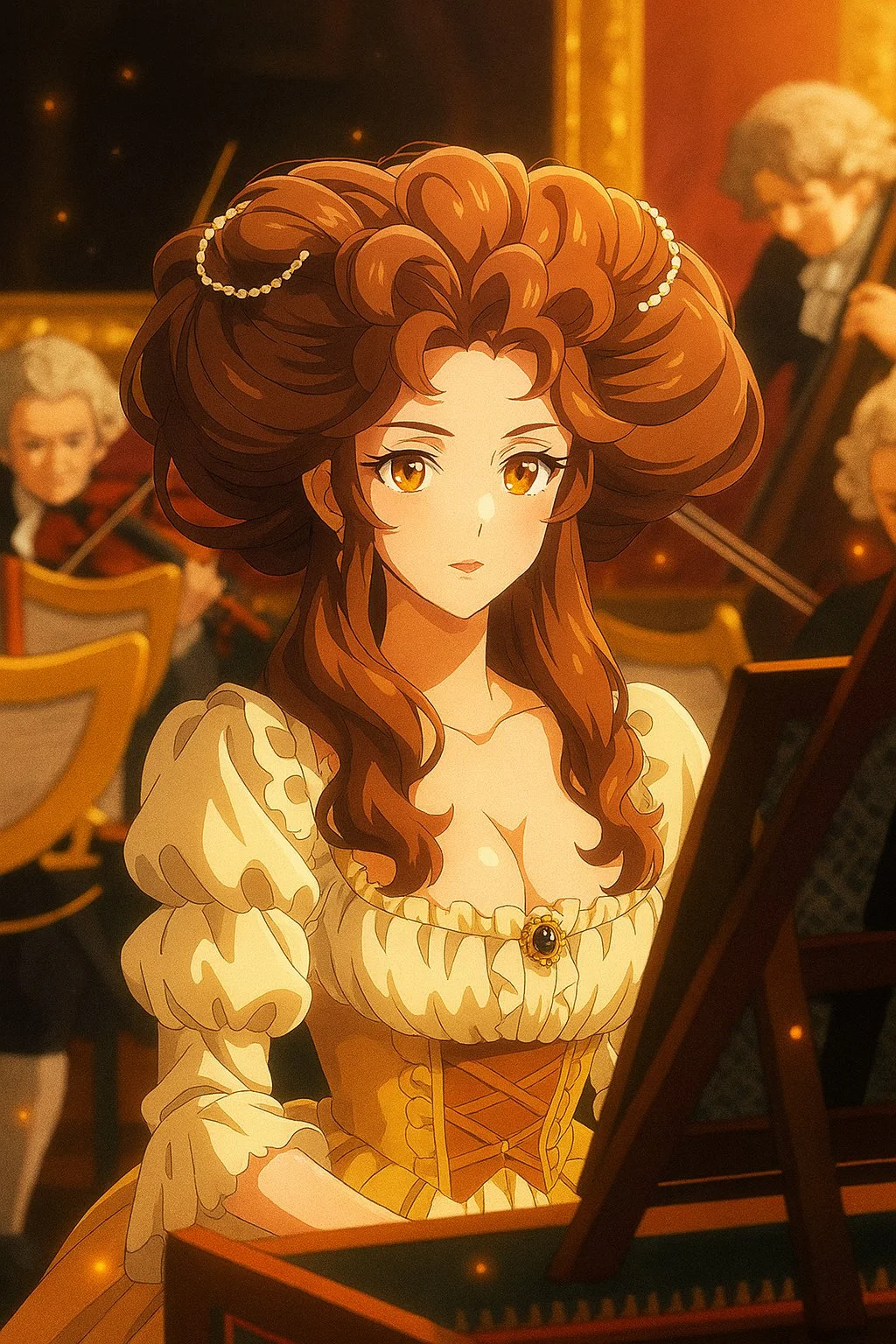
Enter prompt or upload image
Start your Nano Banana 2 image brief with a source image you have permission to use. Name the area to change and the colors, proportions or objects to preserve. Reference count and editing support depend on the selected model.
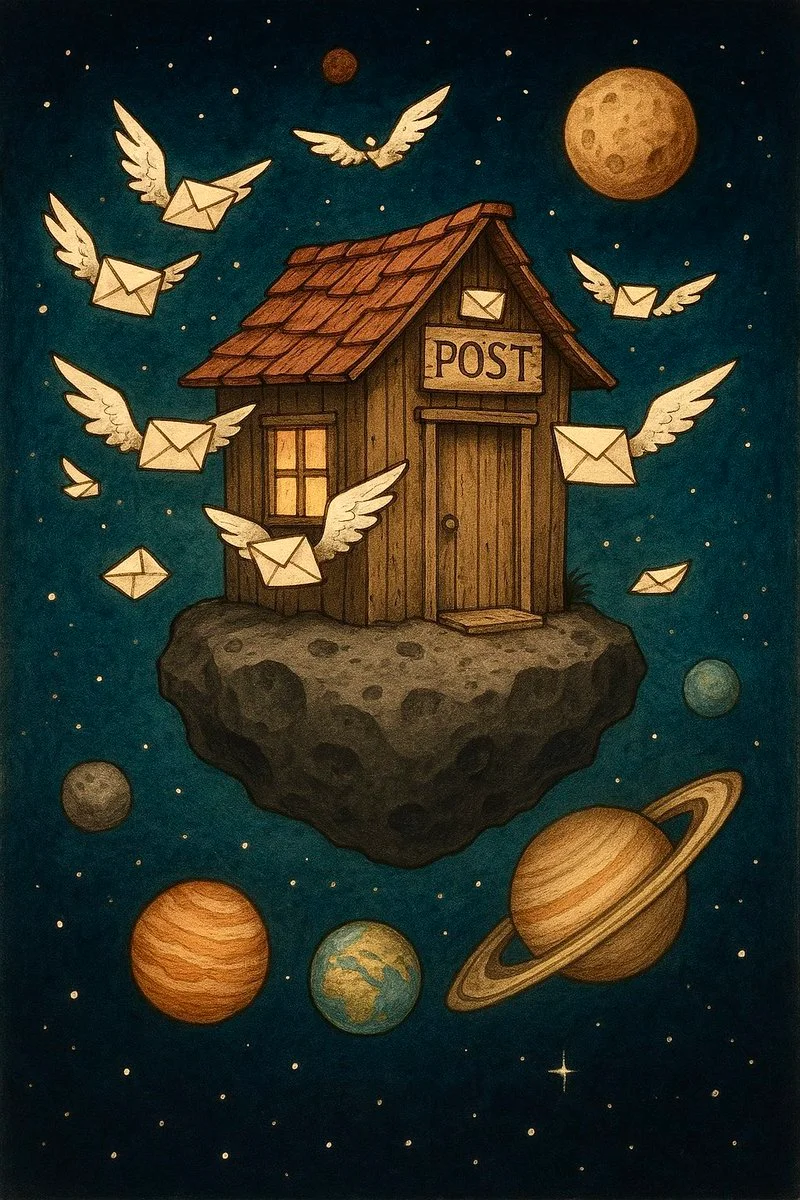
Review Availability, Settings and Credits
Allow time to inspect each image result and refine your brief. Processing time varies by model, request and service load. Change one direction at a time so that you can judge which edit improves the result.
Review and Download Completed Results
When a request completes, inspect the image in History and download the result you want to keep. Review the composition and any unintended details before sharing it with your team or publishing it.
Build Your Nano Banana 2 Image Brief
For a Nano Banana 2 product concept, specify the product shape, material, key detail and setting. Keep logos and claims accurate, allow room for your own typography, and review the result before using it in an advertisement.
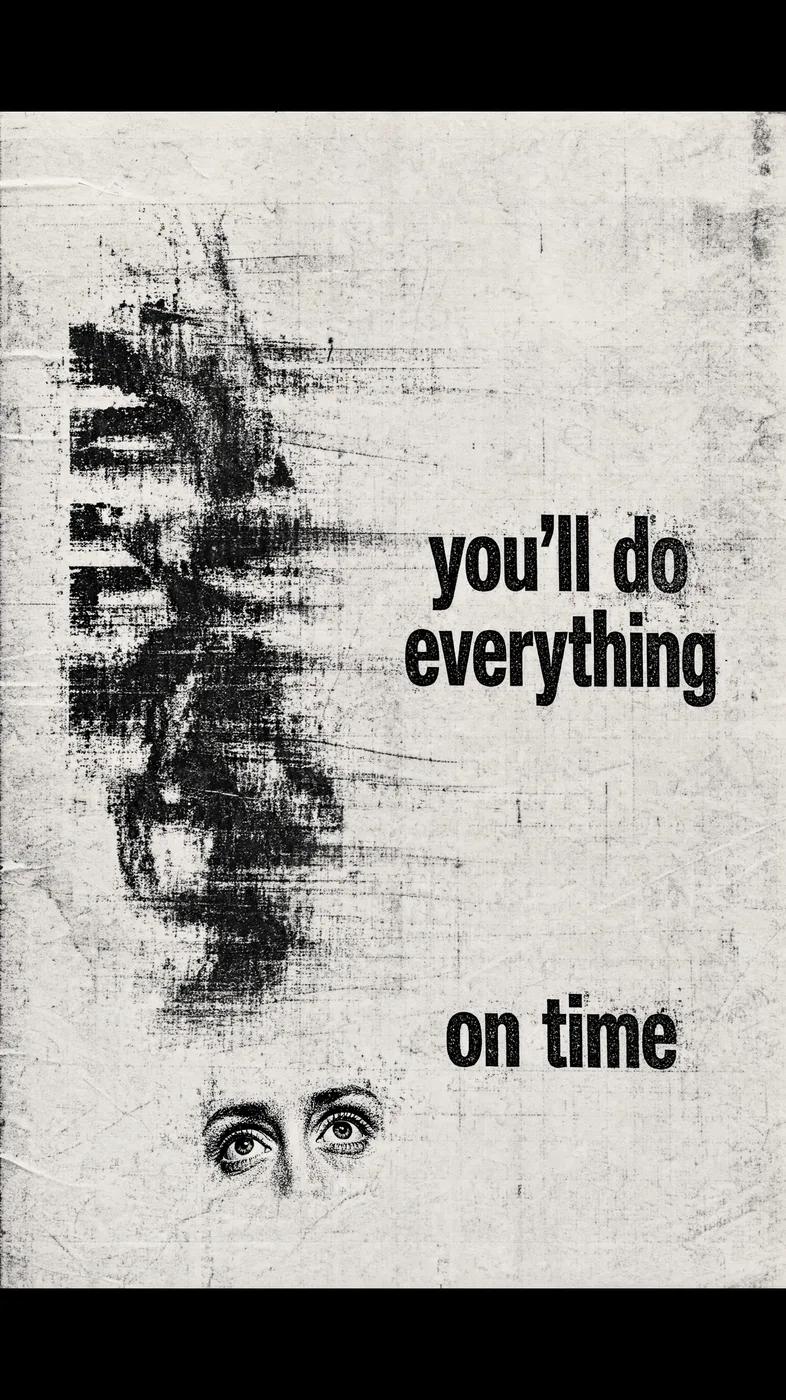
Explain Your Subject, Changes and References
Start your Nano Banana 2 image brief with a source image you have permission to use. Name the area to change and the colors, proportions or objects to preserve. Reference count and editing support depend on the selected model.
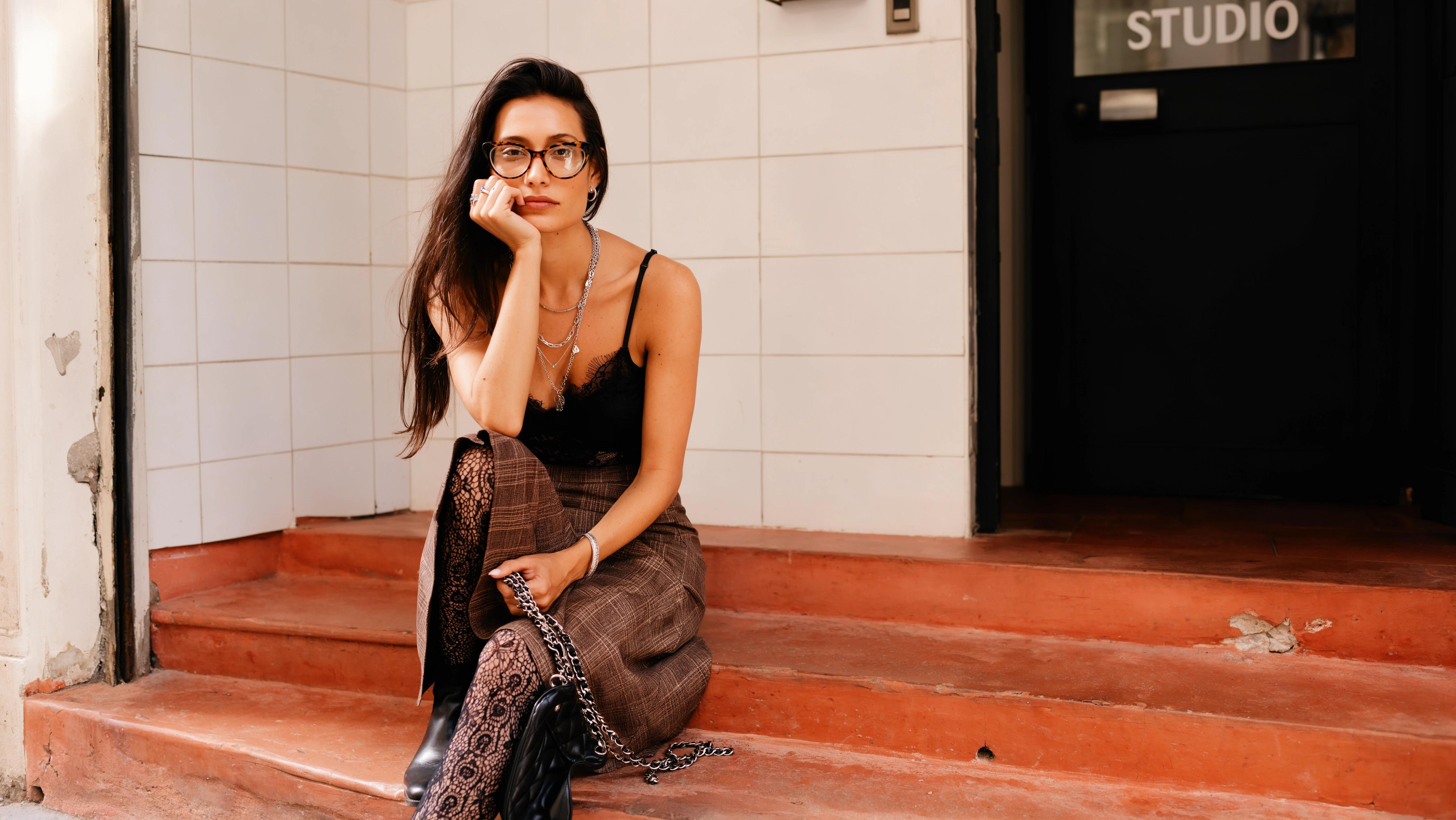
Describe the Changes and Details to Preserve
Write your Nano Banana 2 image brief around a subject, composition, lighting and intended style. Add a material or texture when it matters. For edits, state one precise change and explain which parts of the source should remain intact.
Check Details Across Every Result
Allow time to inspect each image result and refine your brief. Processing time varies by model, request and service load. Change one direction at a time so that you can judge which edit improves the result.
Explain Your Subject, Changes and References
List the details that matter in your Nano Banana 2 image brief: identity, shape, colors, clothing and background. Use supported references where appropriate and compare every result; exact consistency is not guaranteed.
A Clearer Creative Brief for Nano Banana 2
Allow time to inspect each image result and refine your brief. Processing time varies by model, request and service load. Change one direction at a time so that you can judge which edit improves the result.
Explain Your Subject, Changes and References
Allow time to inspect each image result and refine your brief. Processing time varies by model, request and service load. Change one direction at a time so that you can judge which edit improves the result.
Social Media & Advertising
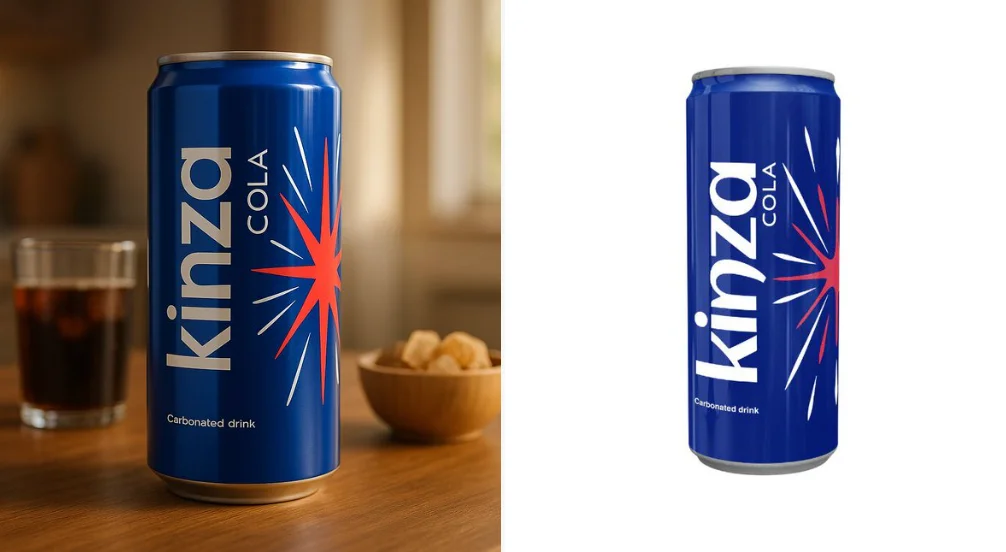
For a Nano Banana 2 product concept, specify the product shape, material, key detail and setting. Keep logos and claims accurate, allow room for your own typography, and review the result before using it in an advertisement.
Check Details Across Every Result
List the details that matter in your Nano Banana 2 image brief: identity, shape, colors, clothing and background. Use supported references where appropriate and compare every result; exact consistency is not guaranteed.

Efficient Production Workflow
For a Nano Banana 2 product concept, specify the product shape, material, key detail and setting. Keep logos and claims accurate, allow room for your own typography, and review the result before using it in an advertisement.
Creative Notes for Your Nano Banana 2 Image Brief
Give the main subject one clear action. For a Nano Banana 2 concept, a precise brief is easier to assess than a list of competing effects.
Nano Banana 2 Image Workflow: Questions & Answers
For a Nano Banana 2 product concept, specify the product shape, material, key detail and setting. Keep logos and claims accurate, allow room for your own typography, and review the result before using it in an advertisement.
This youdot page explains the Nano Banana 2 image workflow. It helps you write a focused brief and review the available inputs. Current access is shown in the generator; a model name on a guide does not mean it currently accepts requests.
Write your Nano Banana 2 image brief around a subject, composition, lighting and intended style. Add a material or texture when it matters. For edits, state one precise change and explain which parts of the source should remain intact.
Start your Nano Banana 2 image brief with a source image you have permission to use. Name the area to change and the colors, proportions or objects to preserve. Reference count and editing support depend on the selected model.
Develop your Nano Banana 2 image brief around the result you need. Keep the main direction specific, check supported settings in the generator, and review the completed work before using it in your project.
Use only the input modes and controls offered by the selected model. Describe the intended image clearly and add supported references when useful. This page does not promise separate motion-brush, audio-upload, restoration or editing tools.
List the details that matter in your Nano Banana 2 image brief: identity, shape, colors, clothing and background. Use supported references where appropriate and compare every result; exact consistency is not guaranteed.
For a Nano Banana 2 product concept, specify the product shape, material, key detail and setting. Keep logos and claims accurate, allow room for your own typography, and review the result before using it in an advertisement.
Choose only the resolution and aspect ratio shown for the selected model. Check framing, fine details and any text in the completed image. A larger output size does not guarantee a more accurate result.
You can request a refund within 10 days of purchase if you have unused credits from that purchase and provide a clear reason, subject to our Refund Policy. If eligible, an unused purchase can be fully refunded; a partly used purchase is refunded in proportion to its remaining unused credits. Fully used purchases and free or promotional credits are not refundable.
Credit validity depends on the pack, subscription or promotion that issued them. Review the purchase terms and expiration dates in Settings > Credits. A renewal or new purchase does not extend older credits. Use credits before their stated expiration; do not assume unused subscription credits roll over indefinitely.
Credits charged for a task that is confirmed as failed due to a system error are returned automatically. A task that is still processing has not yet been confirmed as failed. Check its status and your credit history before submitting again. If a confirmed failure still shows an unresolved charge, email support@youdot.app with the task ID.
AI results can vary, so a completed result that differs from your expectations is not automatically treated as a technical failure. Eligible completed image tasks can be submitted for credit refund review using the refund option where available; approval is required. For a video or another issue, contact support@youdot.app with the task ID and details. A credit refund returns credits, not money to your payment method.
Email support@youdot.app. For billing, include your account email and order ID; for generation, include the task ID, issue description and relevant screenshots. If you purchased as a guest, keep the original browser data and payment receipt so we can help locate the purchase.
Explore Your Next Nano Banana 2 Image Idea
Choose only the resolution and aspect ratio shown for the selected model. Check framing, fine details and any text in the completed image. A larger output size does not guarantee a more accurate result.
youdot.app · Updated
What's new on this page
- — Added editable example prompts and separate drafts for text and reference modes, with an action to restore the example.
- — Updated page copy and content.
- — Page content published.