
Plan Focused Image Edits with Nano Banana 2
Explain Your Subject, Changes and References
List the details that matter in your Nano Banana 2 image brief: identity, shape, colors, clothing and background. Use supported references where appropriate and compare every result; exact consistency is not guaranteed.
Verified prompt
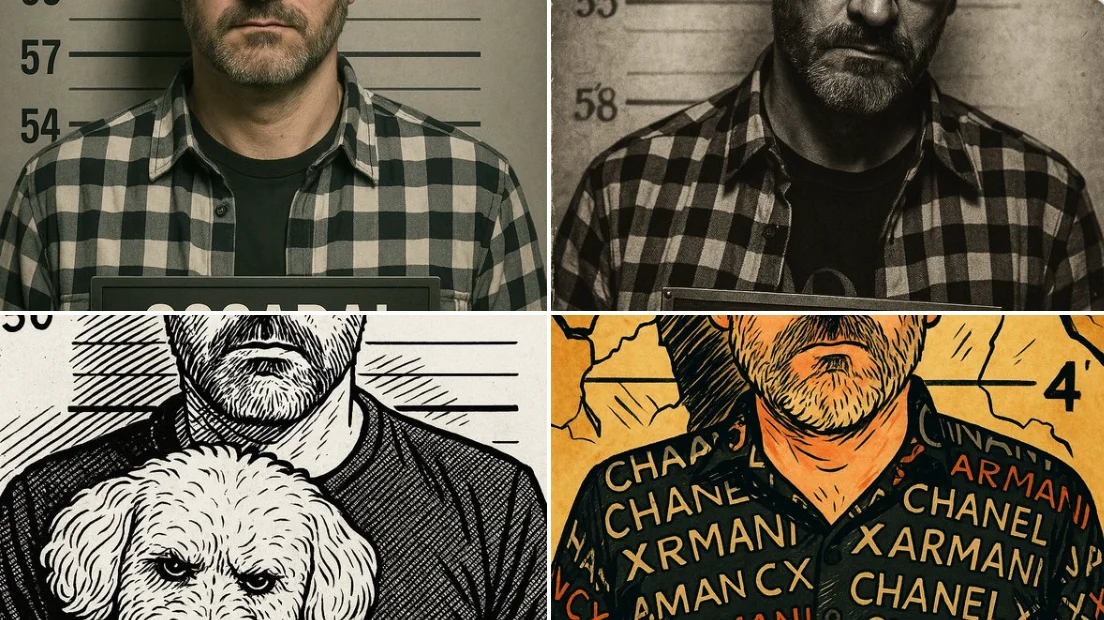
Transform this image into a realistic police mugshot. Add a gray background with height markings, harsh frontal lighting, and a nameplate with the person's name and a case number. The photo should look like an official FBI or police booking photo, vertical format (4:5), with a neutral expression and no accessories.
Transform this image into a realistic police mugshot. Add a gray background with height markings, harsh frontal lighting, and a nameplate with the person's name and a case number. The photo should look like an official FBI or police booking photo, vertical format (4:5), with a neutral expression and no accessories.
Verified prompt
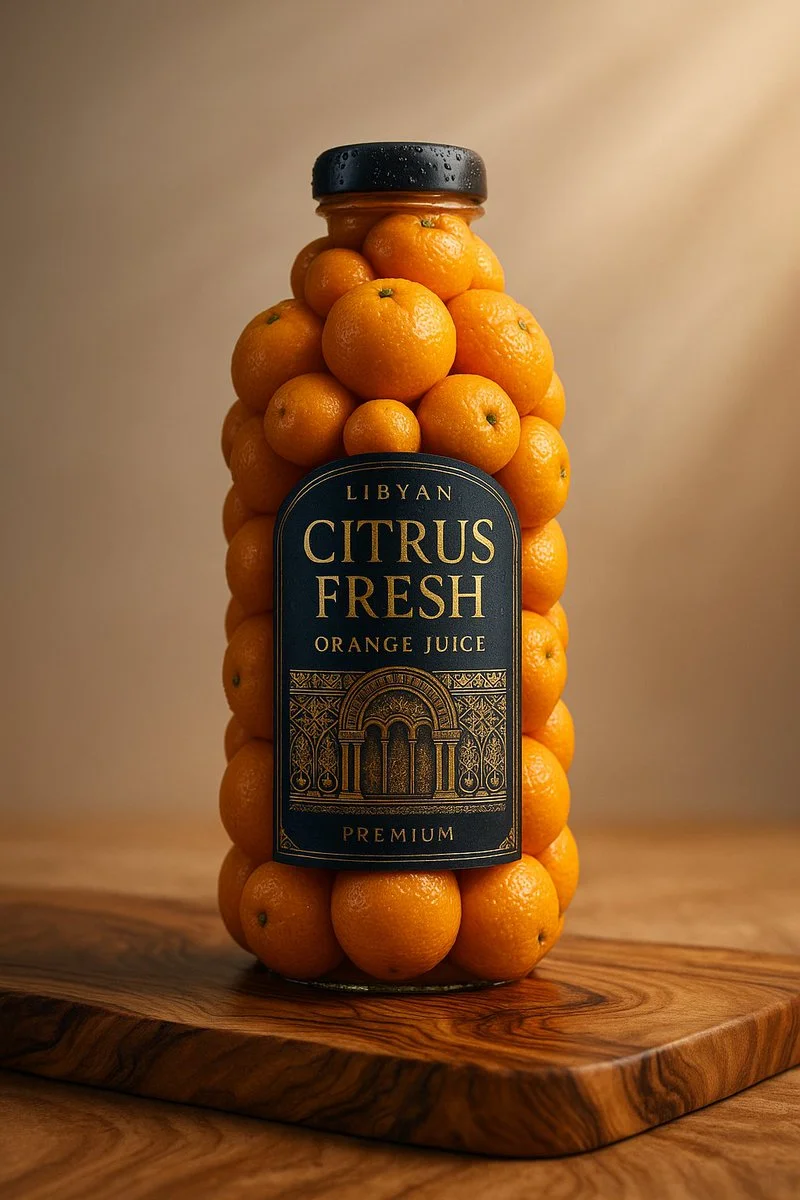
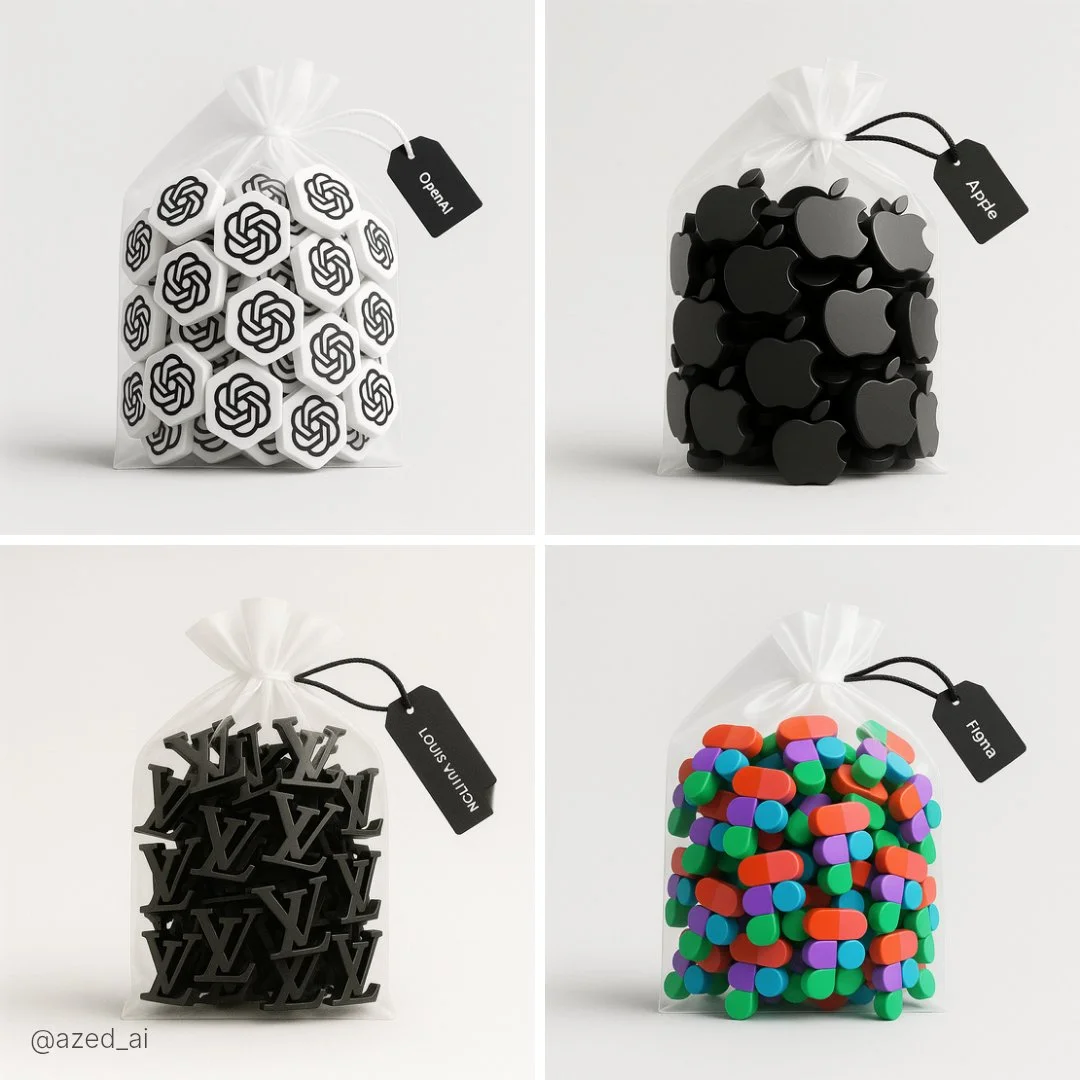
A realistic product photo of a [brand name] [bottle or jar] sculpted entirely from fresh [ingredient name], arranged perfectly to form the shape of the original packaging, including a detailed and accurate label on the front. The background is a clean, soft light gray with a natural wooden surface. Studio lighting, soft shadows, 1:1 square composition, professional product photography style, ultra-detailed textures, vibrant and glossy finish
A realistic product photo of a [brand name] [bottle or jar] sculpted entirely from fresh [ingredient name], arranged perfectly to form the shape of the original packaging, including a detailed and accurate label on the front. The background is a clean, soft light gray with a natural wooden surface. Studio lighting, soft shadows, 1:1 square composition, professional product photography style, ultra-detailed textures, vibrant and glossy finish
Verified prompt
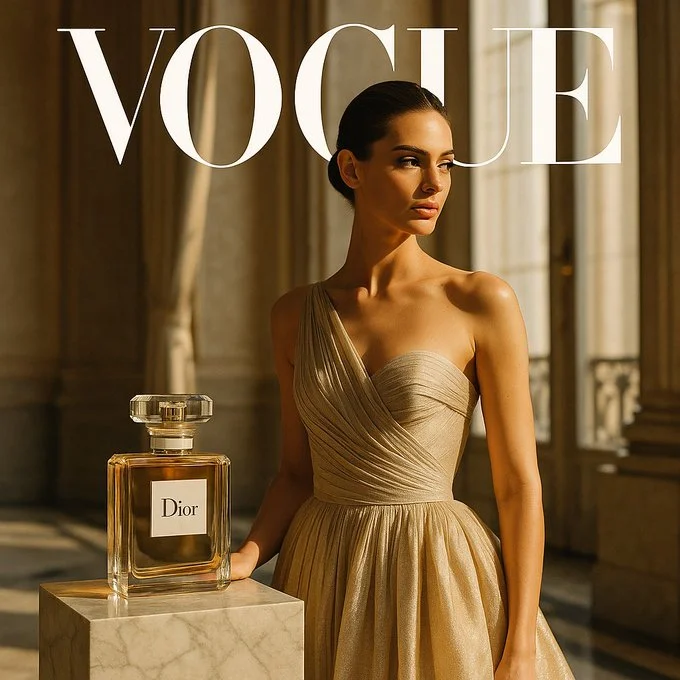
A hyper-realistic editorial concept for a collaboration between [BRAND] and [MAGAZINE BRAND]. Square 1:1 composition, shot in a sleek Parisian interior with marble floors and tall windows, golden afternoon light illuminating the scene. A single model in a couture gown poses gracefully beside a realistically sized [BRAND] perfume bottle with the [BRAND] logo clearly visible placed on a marble pedestal. Ultra-refined textures, cinematic realism, Vogue-style photography.
A hyper-realistic editorial concept for a collaboration between [BRAND] and [MAGAZINE BRAND]. Square 1:1 composition, shot in a sleek Parisian interior with marble floors and tall windows, golden afternoon light illuminating the scene. A single model in a couture gown poses gracefully beside a realistically sized [BRAND] perfume bottle with the [BRAND] logo clearly visible placed on a marble pedestal. Ultra-refined textures, cinematic realism, Vogue-style photography.
Verified prompt
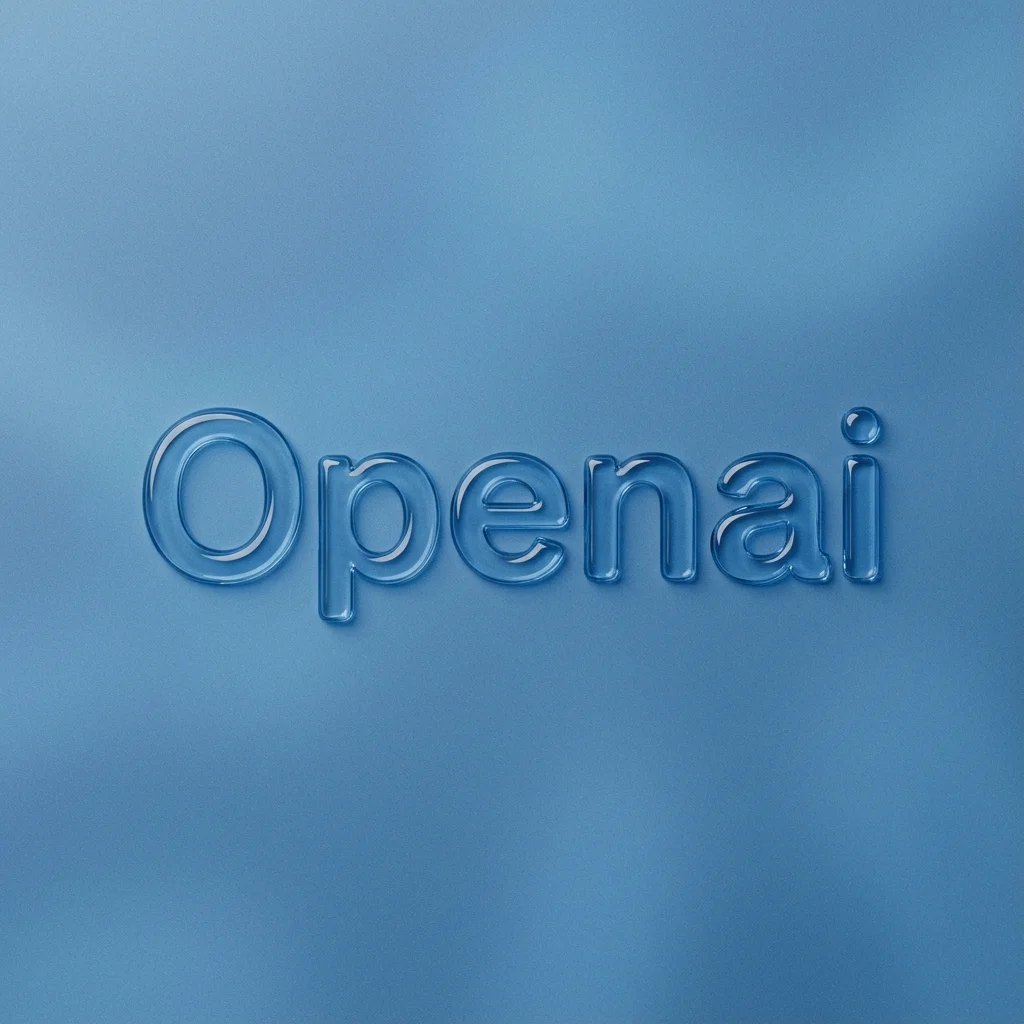
mbossed glossy contour render of center-aligned [BRAND] on a flat surface, perfectly centered composition with ample negative space surrounding the object for a premium minimalist aesthetic. Monochromatic [COLOR] palette with soft tonal gradients. The object is defined by a raised, smooth, liquid-like glass bezel or chrome rim, creating a blind emboss effect where the interior matches the background. Matte surface finish with fine film grain or noise texture overlay. Soft diffuse lighting, strong specular highlights on the rounded edges, top-down view.
mbossed glossy contour render of center-aligned [BRAND] on a flat surface, perfectly centered composition with ample negative space surrounding the object for a premium minimalist aesthetic. Monochromatic [COLOR] palette with soft tonal gradients. The object is defined by a raised, smooth, liquid-like glass bezel or chrome rim, creating a blind emboss effect where the interior matches the background. Matte surface finish with fine film grain or noise texture overlay. Soft diffuse lighting, strong specular highlights on the rounded edges, top-down view.
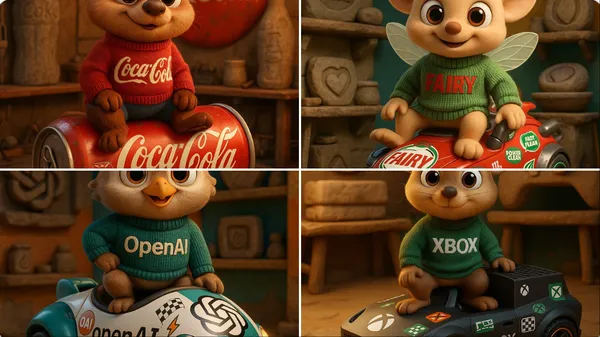
Verified prompt
gh-quality 3D cartoon animal character inspired by [Brand Name], with large round eyes and an innocent, friendly expression. The character wears a knitted sweater featuring the brand name in bold letters. It sits confidently atop a futuristic vehicle shaped like a product from the brand, fully inspired by the brand’s design language and covered in racing stickers and symbolic brand logos. The scene is set inside a maintenance workshop that showcases Stone Age-era versions of the brand's products. The background blends the brand’s visual identity colors. The design must be highly detailed, with Pixar-style lighting and realistic textures for the character, fabric, and vehicle. Format: full-body, in a dynamic pose, rendered in 4K CGI.
gh-quality 3D cartoon animal character inspired by [Brand Name], with large round eyes and an innocent, friendly expression. The character wears a knitted sweater featuring the brand name in bold letters. It sits confidently atop a futuristic vehicle shaped like a product from the brand, fully inspired by the brand’s design language and covered in racing stickers and symbolic brand logos. The scene is set inside a maintenance workshop that showcases Stone Age-era versions of the brand's products. The background blends the brand’s visual identity colors. The design must be highly detailed, with Pixar-style lighting and realistic textures for the character, fabric, and vehicle. Format: full-body, in a dynamic pose, rendered in 4K CGI.
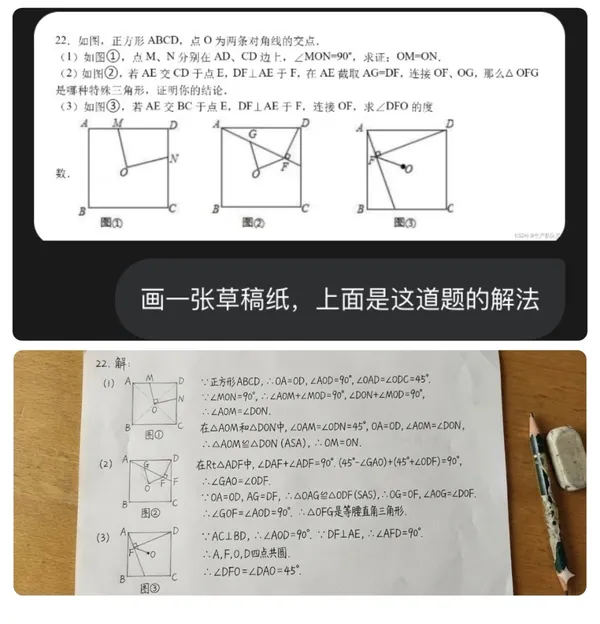
Verified prompt
a sheet of draft paper with the solution to this problem on it.
a sheet of draft paper with the solution to this problem on it.
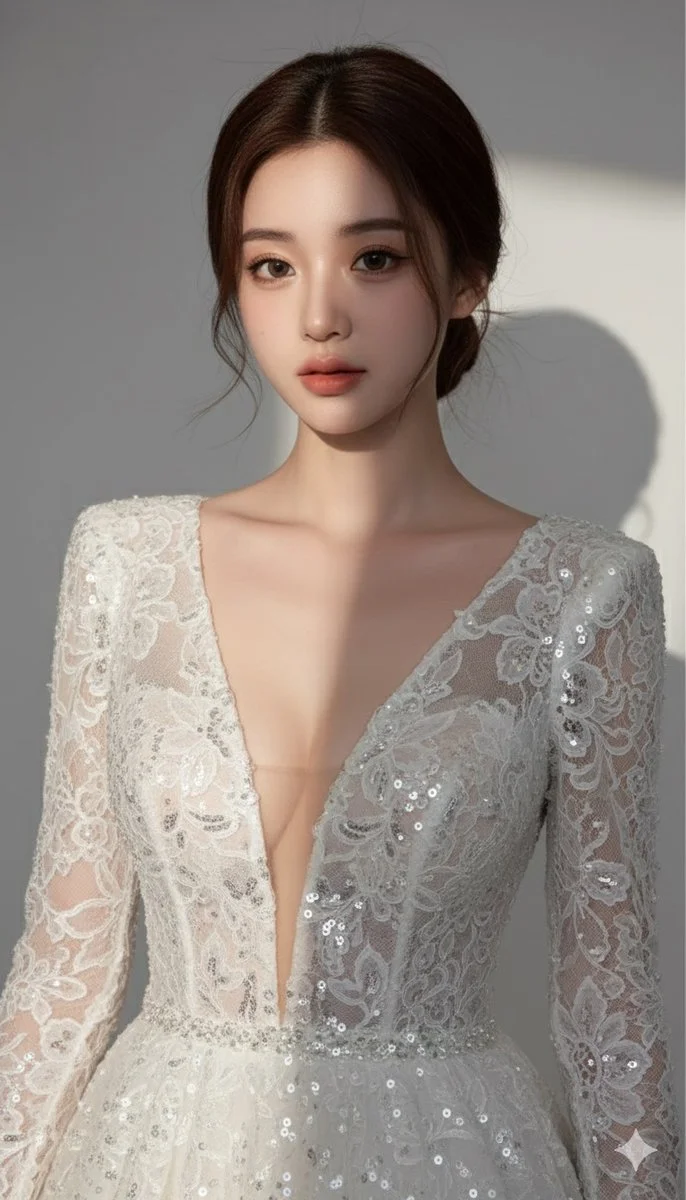
Verified prompt
Ultra-detailed, photorealistic portrait of a beautiful woman, high fashion editorial, deep white plunging V-neck lace sequined evening gown, elegant low bun updo, soft studio lighting, light grey background, dramatic shadowplay, hyperrealistic, 8K
Ultra-detailed, photorealistic portrait of a beautiful woman, high fashion editorial, deep white plunging V-neck lace sequined evening gown, elegant low bun updo, soft studio lighting, light grey background, dramatic shadowplay, hyperrealistic, 8K
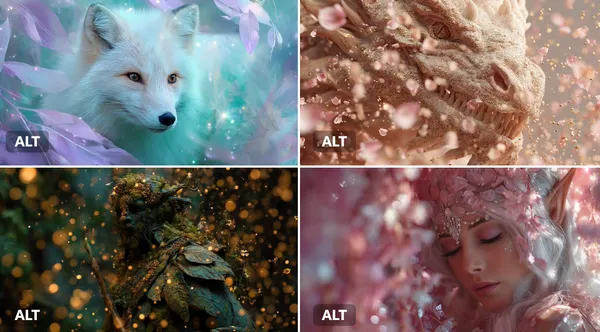
Verified prompt
JECT] surrounded by an Enchanted Particle Bloom, with particles resembling magical flower petals or leaves. Employ soft, enchanting hues of [COLOR1] and [COLOR2] to create a sense of natural magic.
JECT] surrounded by an Enchanted Particle Bloom, with particles resembling magical flower petals or leaves. Employ soft, enchanting hues of [COLOR1] and [COLOR2] to create a sense of natural magic.
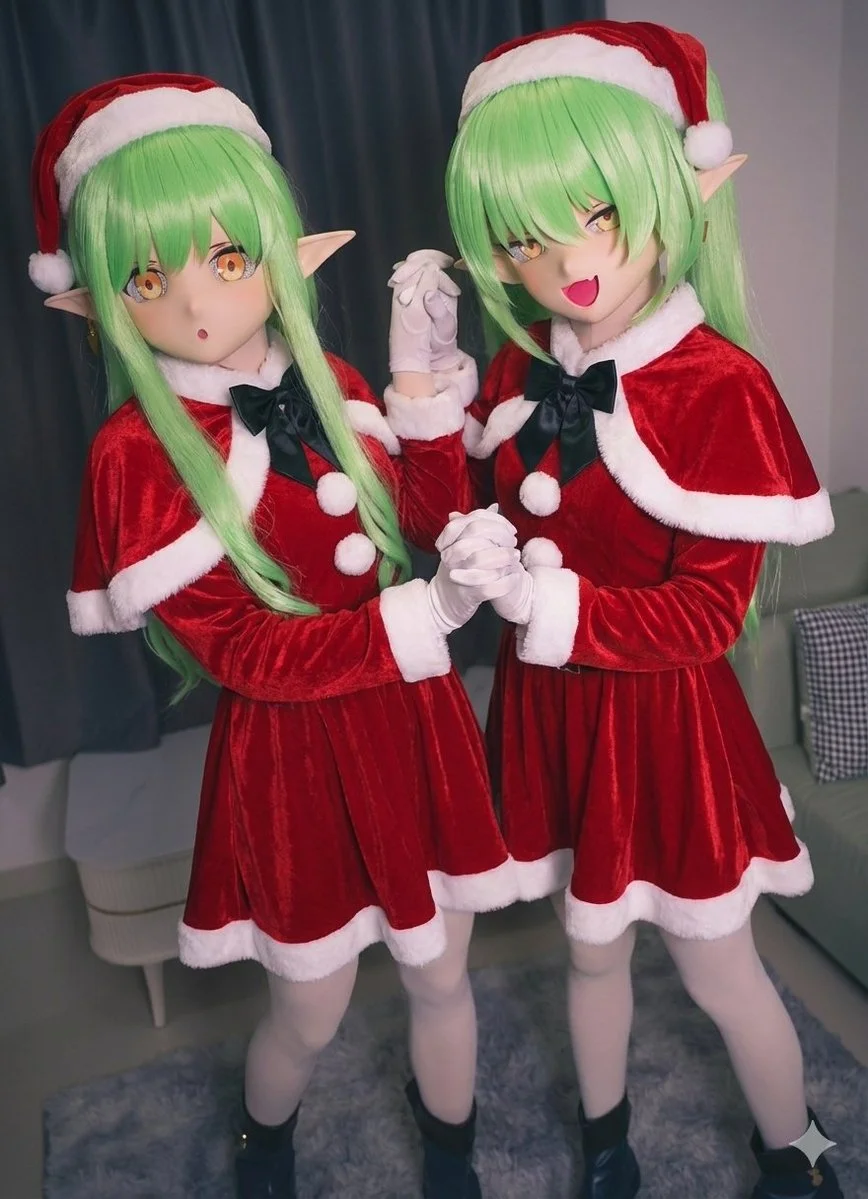
Verified prompt
Merry Christmas themed generation with kigurumi style, festive AI holiday scene
Merry Christmas themed generation with kigurumi style, festive AI holiday scene
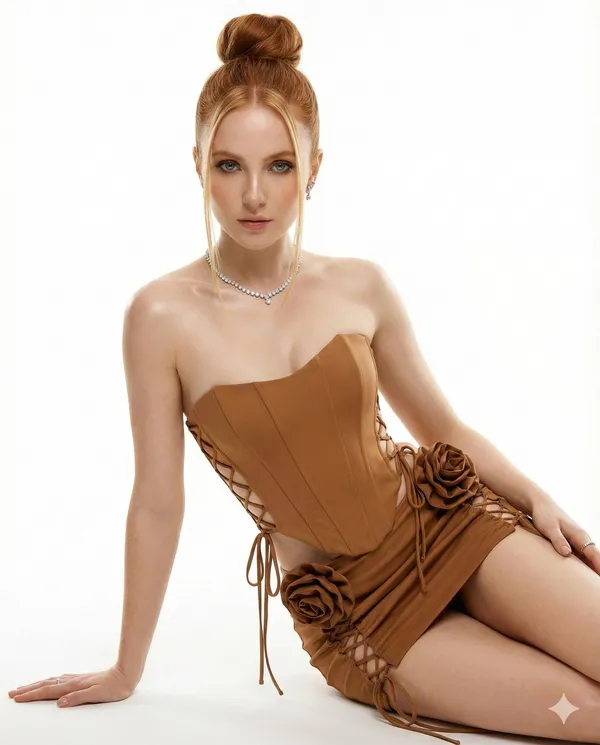
Verified prompt
Reference, Ear, Nose, Mouth. +++. Keep face 100% unchanged. Professional studio photography. Bright lights shining on model, realistic shadows, luster fascination. Clean bright white background. Healthy focus, succulent skin, luster. Clear clavicle, beautiful shoulder, tapered neck. Blond. Tall boxing bun in middle of head, heart-shaped. Two thin straight tresses, moisturizing texture. Looking straight at the camera. Seductive and alluring glint. Twinkle Petch Slash. One arm pushing the floor. Professional model posing, presenting torso luster. Caramel strapless top or corset, style reinforces shape. Matching very short skirt or corset-dress style. Cross-ties on front and sides. Large floral decoration made of hip-level brown cloth (adds volume and romantic feelings). Fancy diamond necklace. Tiny diamond earrings. Small ring
Reference, Ear, Nose, Mouth. +++. Keep face 100% unchanged. Professional studio photography. Bright lights shining on model, realistic shadows, luster fascination. Clean bright white background. Healthy focus, succulent skin, luster. Clear clavicle, beautiful shoulder, tapered neck. Blond. Tall boxing bun in middle of head, heart-shaped. Two thin straight tresses, moisturizing texture. Looking straight at the camera. Seductive and alluring glint. Twinkle Petch Slash. One arm pushing the floor. Professional model posing, presenting torso luster. Caramel strapless top or corset, style reinforces shape. Matching very short skirt or corset-dress style. Cross-ties on front and sides. Large floral decoration made of hip-level brown cloth (adds volume and romantic feelings). Fancy diamond necklace. Tiny diamond earrings. Small ring
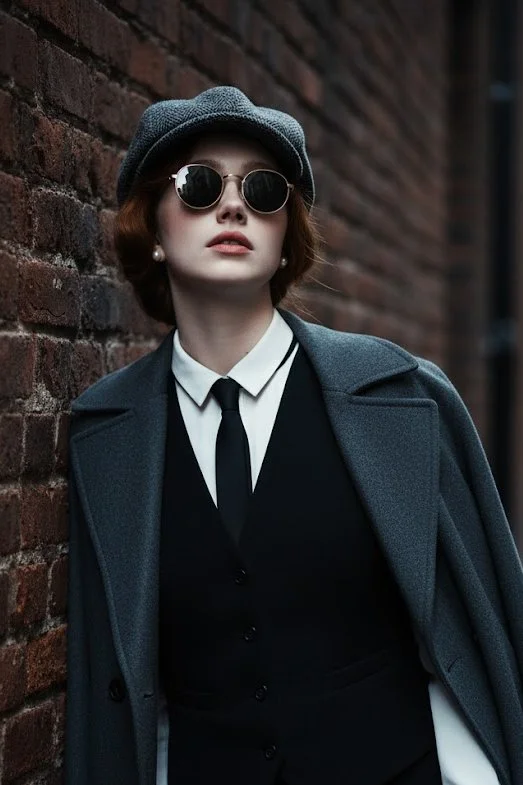
Verified prompt
Use 100% face above uploaded photo. A hyper-realistic, cinematic medium shot of a handsome man in his late 20s with black hair and black beard like uploaded photo, styled in the fashion of the 1920s. He wears a grey tweed newsboy cap, a black waistcoat over a crisp white shirt, a slim black tie, and black leather gloves. A heavy wool overcoat is draped over his shoulder. He leans against a weathered brick wall in a narrow, atmospheric alleyway, looking upwards with a cool, contemplative expression through his round sunglasses. The lighting is moody and dramatic, with cool tones and soft shadows creating a sense of depth and mystery. The photograph is ultra-detailed with sharp focus and a shallow depth of field.
Use 100% face above uploaded photo. A hyper-realistic, cinematic medium shot of a handsome man in his late 20s with black hair and black beard like uploaded photo, styled in the fashion of the 1920s. He wears a grey tweed newsboy cap, a black waistcoat over a crisp white shirt, a slim black tie, and black leather gloves. A heavy wool overcoat is draped over his shoulder. He leans against a weathered brick wall in a narrow, atmospheric alleyway, looking upwards with a cool, contemplative expression through his round sunglasses. The lighting is moody and dramatic, with cool tones and soft shadows creating a sense of depth and mystery. The photograph is ultra-detailed with sharp focus and a shallow depth of field.
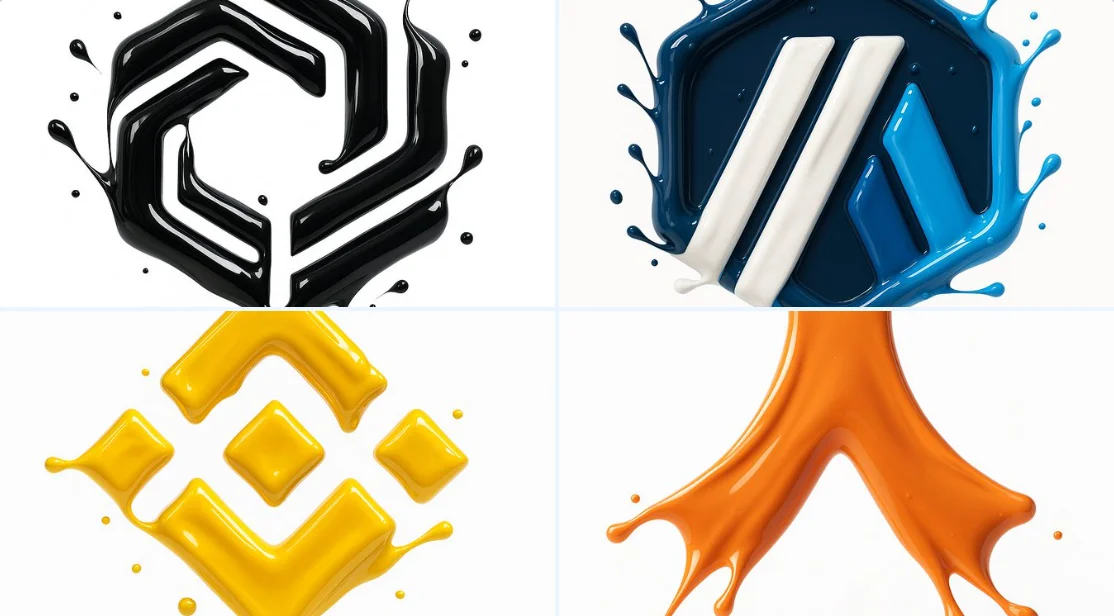
Verified prompt
make a hyper-realistic 3D render of the attached logo, formed by glossy liquid paint splashes. Paint sculpts the outline using the exact palette from the reference. Smooth, fluid high-gloss splashes catch highlights; logo floats on pure white.
make a hyper-realistic 3D render of the attached logo, formed by glossy liquid paint splashes. Paint sculpts the outline using the exact palette from the reference. Smooth, fluid high-gloss splashes catch highlights; logo floats on pure white.
Nano Banana 2: Create and Edit with Natural Language
Develop your Nano Banana 2 image brief around the result you need. Keep the main direction specific, check supported settings in the generator, and review the completed work before using it in your project.
Choose only the resolution and aspect ratio shown for the selected model. Check framing, fine details and any text in the completed image. A larger output size does not guarantee a more accurate result.
Explore Nano Banana 2
From a Brief to a Reviewed Image: The Nano Banana 2 Workflow
Allow time to inspect each image result and refine your brief. Processing time varies by model, request and service load. Change one direction at a time so that you can judge which edit improves the result.
Enter prompt or upload image
Start your Nano Banana 2 image brief with a source image you have permission to use. Name the area to change and the colors, proportions or objects to preserve. Reference count and editing support depend on the selected model.
Review Availability, Settings and Credits
Allow time to inspect each image result and refine your brief. Processing time varies by model, request and service load. Change one direction at a time so that you can judge which edit improves the result.
Review and Download Completed Results
When a request completes, inspect the image in History and download the result you want to keep. Review the composition and any unintended details before sharing it with your team or publishing it.
Build Your Nano Banana 2 Image Brief
For a Nano Banana 2 product concept, specify the product shape, material, key detail and setting. Keep logos and claims accurate, allow room for your own typography, and review the result before using it in an advertisement.
Explain Your Subject, Changes and References
Start your Nano Banana 2 image brief with a source image you have permission to use. Name the area to change and the colors, proportions or objects to preserve. Reference count and editing support depend on the selected model.
Describe the Changes and Details to Preserve
Write your Nano Banana 2 image brief around a subject, composition, lighting and intended style. Add a material or texture when it matters. For edits, state one precise change and explain which parts of the source should remain intact.
Check Details Across Every Result
Allow time to inspect each image result and refine your brief. Processing time varies by model, request and service load. Change one direction at a time so that you can judge which edit improves the result.

Explain Your Subject, Changes and References
List the details that matter in your Nano Banana 2 image brief: identity, shape, colors, clothing and background. Use supported references where appropriate and compare every result; exact consistency is not guaranteed.
A Clearer Creative Brief for Nano Banana 2
Allow time to inspect each image result and refine your brief. Processing time varies by model, request and service load. Change one direction at a time so that you can judge which edit improves the result.
Explain Your Subject, Changes and References
Allow time to inspect each image result and refine your brief. Processing time varies by model, request and service load. Change one direction at a time so that you can judge which edit improves the result.
Social Media & Advertising
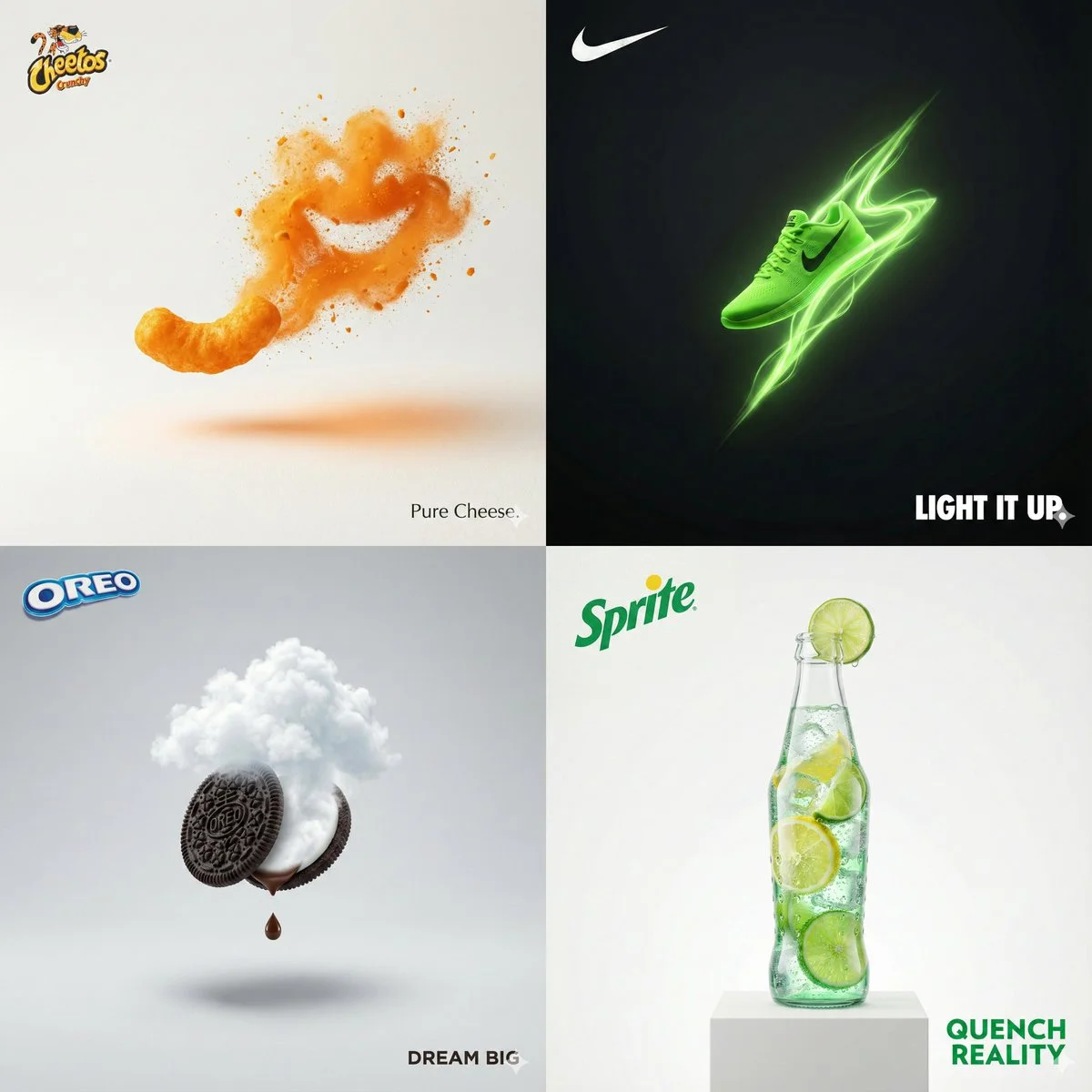
For a Nano Banana 2 product concept, specify the product shape, material, key detail and setting. Keep logos and claims accurate, allow room for your own typography, and review the result before using it in an advertisement.
Check Details Across Every Result
List the details that matter in your Nano Banana 2 image brief: identity, shape, colors, clothing and background. Use supported references where appropriate and compare every result; exact consistency is not guaranteed.
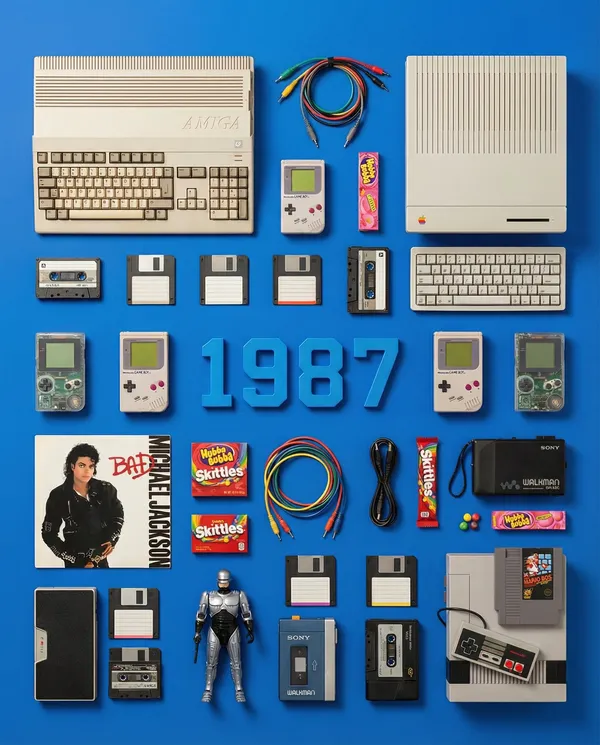
Efficient Production Workflow
For a Nano Banana 2 product concept, specify the product shape, material, key detail and setting. Keep logos and claims accurate, allow room for your own typography, and review the result before using it in an advertisement.
Creative Notes for Your Nano Banana 2 Image Brief
Give the main subject one clear action. For a Nano Banana 2 concept, a precise brief is easier to assess than a list of competing effects.
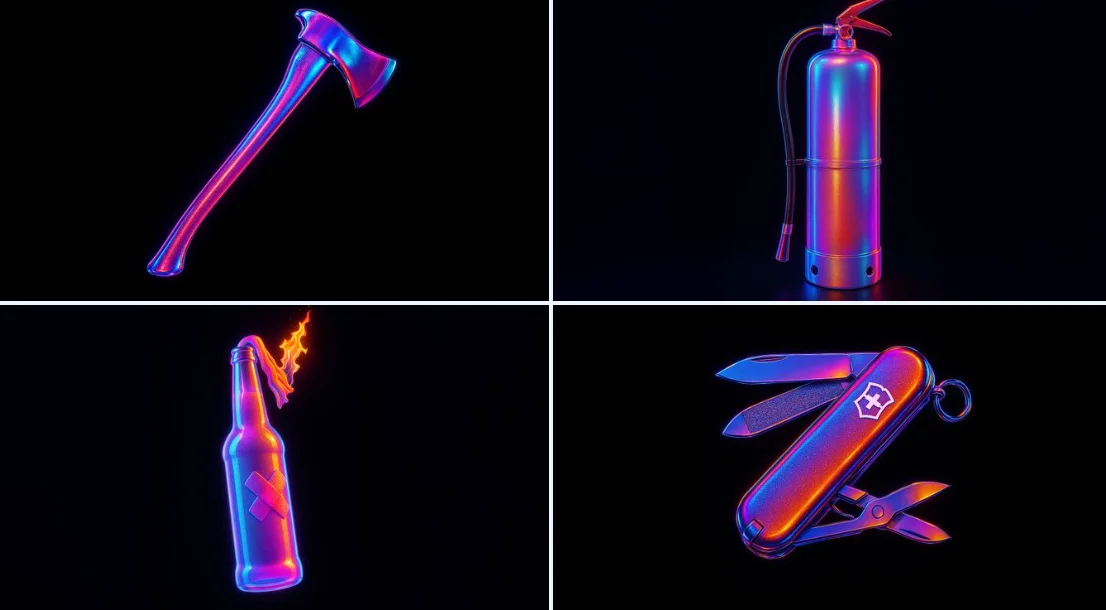
Nano Banana 2 Image Workflow: Questions & Answers
For a Nano Banana 2 product concept, specify the product shape, material, key detail and setting. Keep logos and claims accurate, allow room for your own typography, and review the result before using it in an advertisement.
This youdot page explains the Nano Banana 2 image workflow. It helps you write a focused brief and review the available inputs. Current access is shown in the generator; a model name on a guide does not mean it currently accepts requests.
Write your Nano Banana 2 image brief around a subject, composition, lighting and intended style. Add a material or texture when it matters. For edits, state one precise change and explain which parts of the source should remain intact.
Start your Nano Banana 2 image brief with a source image you have permission to use. Name the area to change and the colors, proportions or objects to preserve. Reference count and editing support depend on the selected model.
Develop your Nano Banana 2 image brief around the result you need. Keep the main direction specific, check supported settings in the generator, and review the completed work before using it in your project.
Use only the input modes and controls offered by the selected model. Describe the intended image clearly and add supported references when useful. This page does not promise separate motion-brush, audio-upload, restoration or editing tools.
List the details that matter in your Nano Banana 2 image brief: identity, shape, colors, clothing and background. Use supported references where appropriate and compare every result; exact consistency is not guaranteed.
For a Nano Banana 2 product concept, specify the product shape, material, key detail and setting. Keep logos and claims accurate, allow room for your own typography, and review the result before using it in an advertisement.
Choose only the resolution and aspect ratio shown for the selected model. Check framing, fine details and any text in the completed image. A larger output size does not guarantee a more accurate result.
You can request a refund within 10 days of purchase if you have unused credits from that purchase and provide a clear reason, subject to our Refund Policy. If eligible, an unused purchase can be fully refunded; a partly used purchase is refunded in proportion to its remaining unused credits. Fully used purchases and free or promotional credits are not refundable.
Credit validity depends on the pack, subscription or promotion that issued them. Review the purchase terms and expiration dates in Settings > Credits. A renewal or new purchase does not extend older credits. Use credits before their stated expiration; do not assume unused subscription credits roll over indefinitely.
Credits charged for a task that is confirmed as failed due to a system error are returned automatically. A task that is still processing has not yet been confirmed as failed. Check its status and your credit history before submitting again. If a confirmed failure still shows an unresolved charge, email support@youdot.app with the task ID.
AI results can vary, so a completed result that differs from your expectations is not automatically treated as a technical failure. Eligible completed image tasks can be submitted for credit refund review using the refund option where available; approval is required. For a video or another issue, contact support@youdot.app with the task ID and details. A credit refund returns credits, not money to your payment method.
Email support@youdot.app. For billing, include your account email and order ID; for generation, include the task ID, issue description and relevant screenshots. If you purchased as a guest, keep the original browser data and payment receipt so we can help locate the purchase.
Explore Your Next Nano Banana 2 Image Idea
Choose only the resolution and aspect ratio shown for the selected model. Check framing, fine details and any text in the completed image. A larger output size does not guarantee a more accurate result.
youdot.app · Updated
What's new on this page
- — Added editable example prompts and separate drafts for text and reference modes, with an action to restore the example.
- — Updated page copy and content.
- — Page content published.