
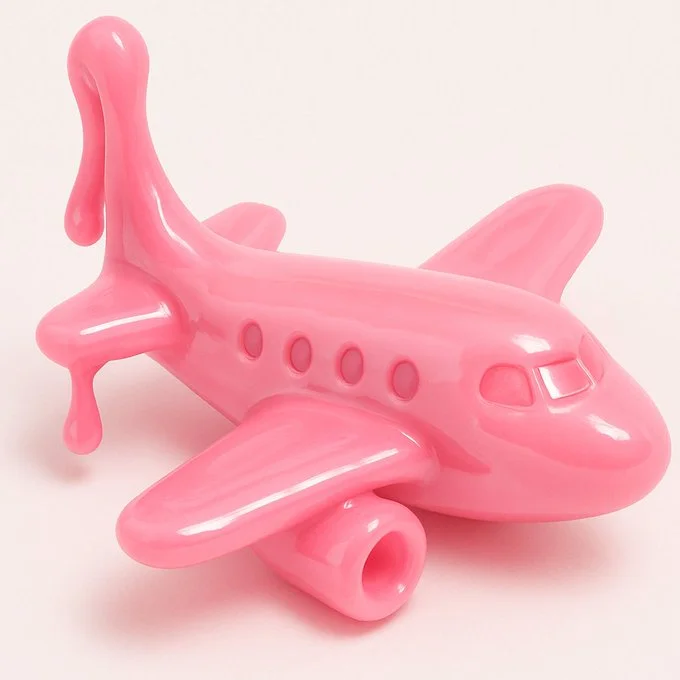
Verified prompt
{ "style": "Realistic 3D render", "material": "Glossy slime-like material", "texture": ["smooth", "soft", "stretchy", "shiny"], "color": "VARIABLE", "object_type": "VARIABLE", "background": "plain white", "lighting": "soft studio lighting", "details": { "focus": "single object centered", "shadows": "soft and subtle", "reflection": "light highlights on surface", "depth": "shallow depth of field" }, "format": "close-up or three-quarter view", "mood": "playful, clean, toy-like", "prompt_template": "A {color} {object_type} made of glossy slime material, soft and stretchy texture, realistic 3D look, set against a plain white background, soft lighting and smooth highlights" }
{ "style": "Realistic 3D render", "material": "Glossy slime-like material", "texture": ["smooth", "soft", "stretchy", "shiny"], "color": "VARIABLE", "object_type": "VARIABLE", "background": "plain white", "lighting": "soft studio lighting", "details": { "focus": "single object centered", "shadows": "soft and subtle", "reflection": "light highlights on surface", "depth": "shallow depth of field" }, "format": "close-up or three-quarter view", "mood": "playful, clean, toy-like", "prompt_template": "A {color} {object_type} made of glossy slime material, soft and stretchy texture, realistic 3D look, set against a plain white background, soft lighting and smooth highlights" }
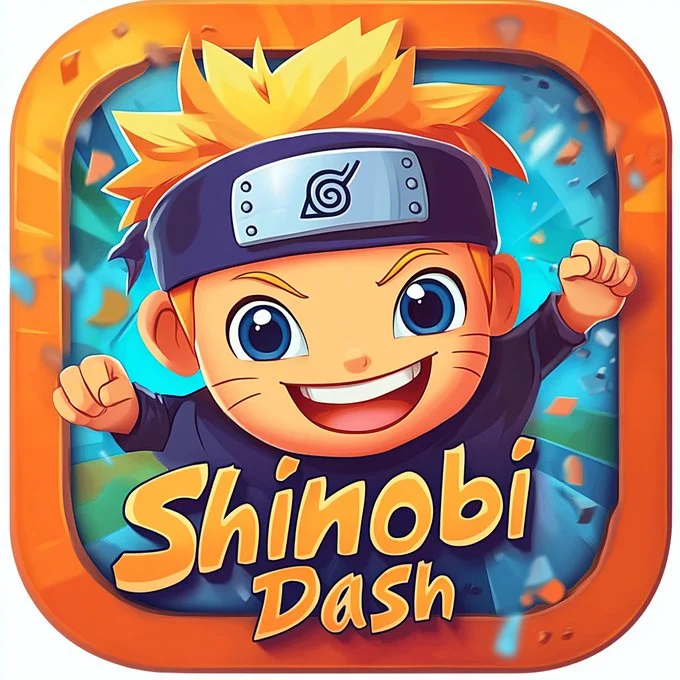
Verified prompt
Colorful, cartoon-style app icon design for a [type of app: game, movie, food, sport, etc.] logo with the text ["App Name"] and [character, symbol, or cute object + short description of its pose or action] on the front of a square button, set against a [background color / theme] with simple details. High-resolution game art and graphics for a mobile app, Pixar style, realistic.
Colorful, cartoon-style app icon design for a [type of app: game, movie, food, sport, etc.] logo with the text ["App Name"] and [character, symbol, or cute object + short description of its pose or action] on the front of a square button, set against a [background color / theme] with simple details. High-resolution game art and graphics for a mobile app, Pixar style, realistic.
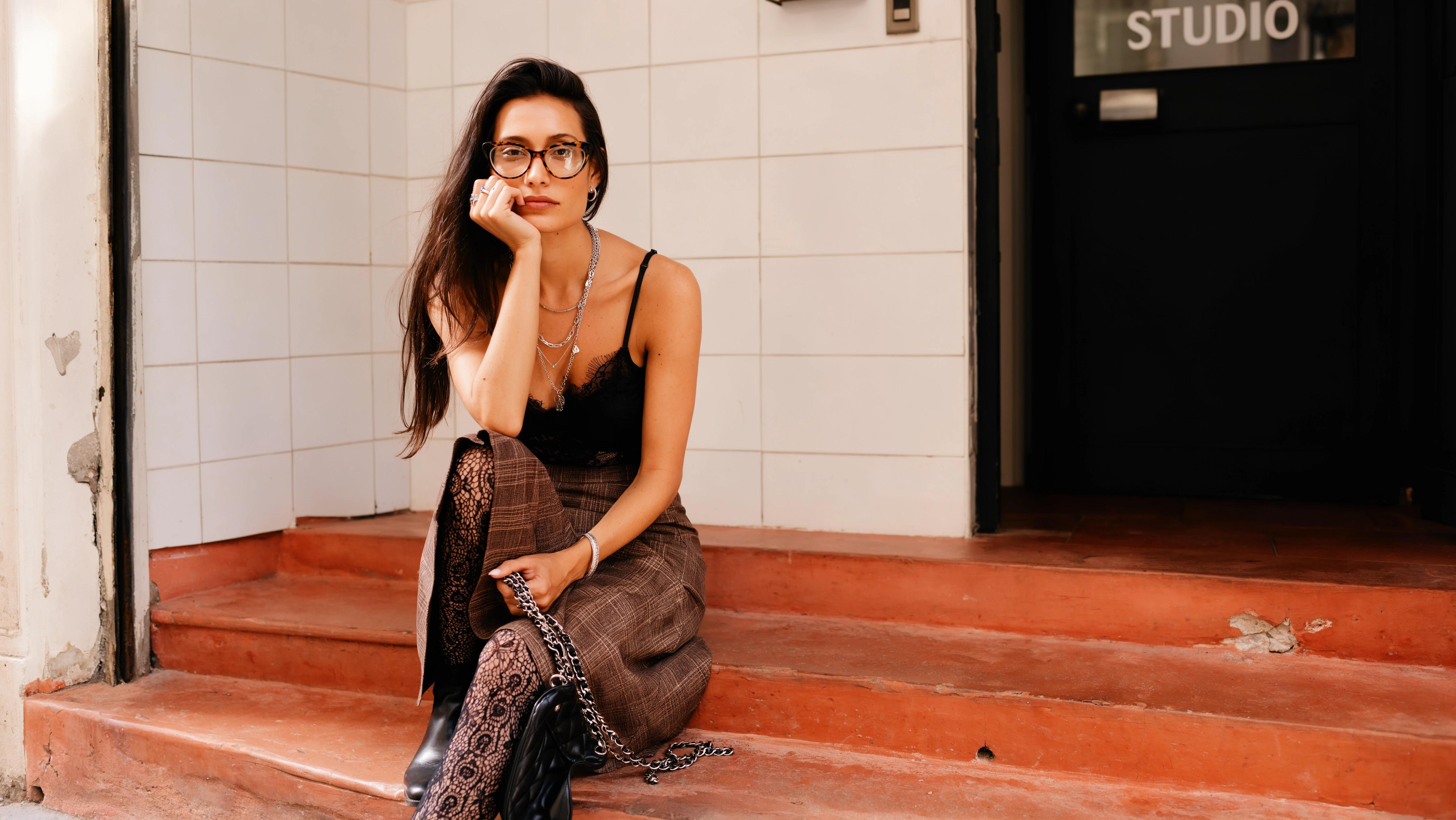
Verified prompt
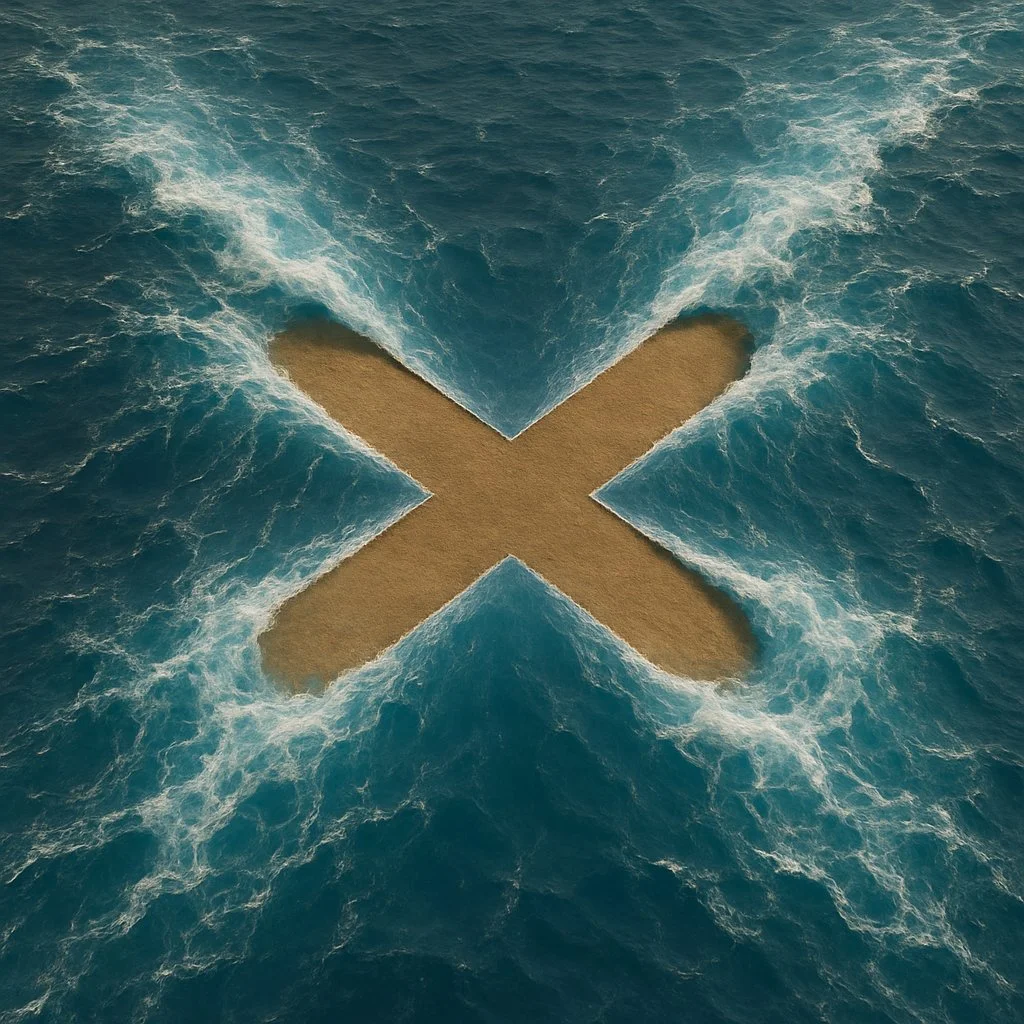
Verified prompt
Create a hyper-realistic image where [SHAPE] shape is formed by the magical parting of [wavy] blue ocean, with the [SHAPE] shape being a [COLOUR] empty land. The top view should show the water being pushed aside by an unseen force, creating the [SHAPE] with an ultra-thin line. The stark [COLOR] color of the [SHAPE] interior should contrast with the vibrant blue water around it, emphasizing the supernatural effect as if the water is being parted to reveal the [SHAPE] shape distinctly.
Create a hyper-realistic image where [SHAPE] shape is formed by the magical parting of [wavy] blue ocean, with the [SHAPE] shape being a [COLOUR] empty land. The top view should show the water being pushed aside by an unseen force, creating the [SHAPE] with an ultra-thin line. The stark [COLOR] color of the [SHAPE] interior should contrast with the vibrant blue water around it, emphasizing the supernatural effect as if the water is being parted to reveal the [SHAPE] shape distinctly.
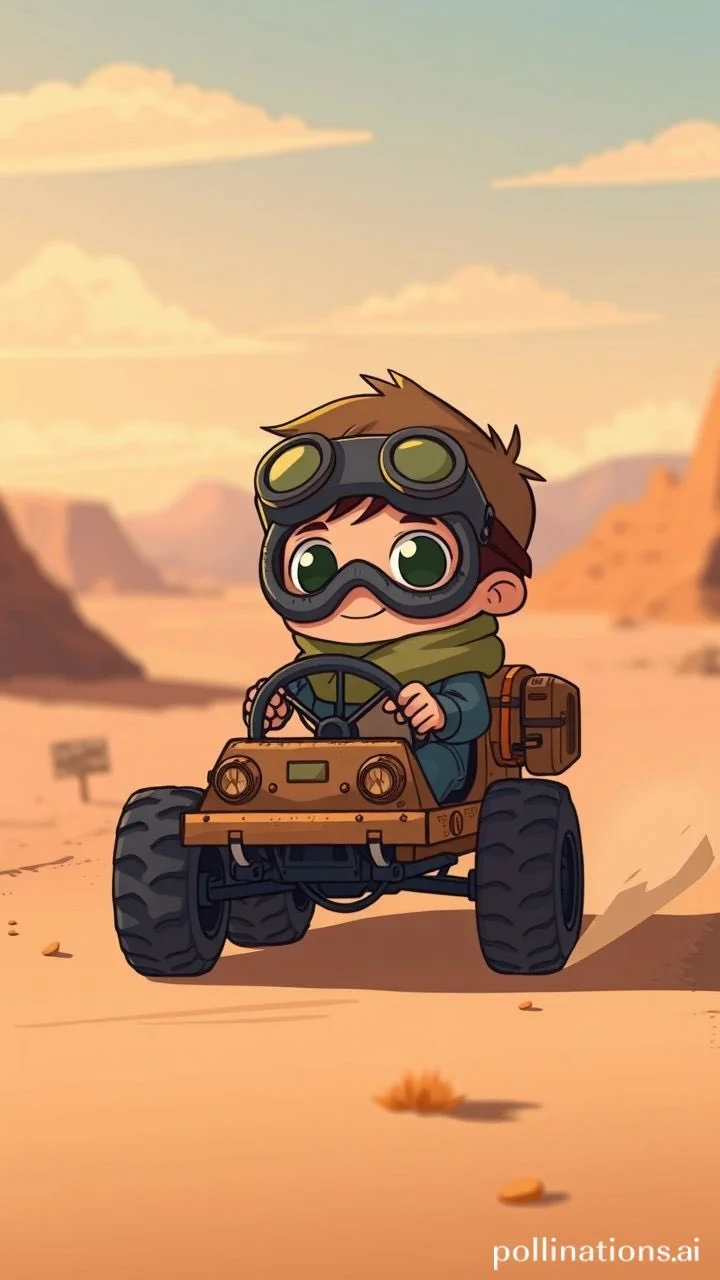
Verified prompt
a young cartoon boy with big goggles and scarf driving a tiny makeshift vehicle in the desert, cute post-apocalyptic vibe, indie animation style, soft colors, emotional and adventurous --ar 3:4 --raw --p
a young cartoon boy with big goggles and scarf driving a tiny makeshift vehicle in the desert, cute post-apocalyptic vibe, indie animation style, soft colors, emotional and adventurous --ar 3:4 --raw --p
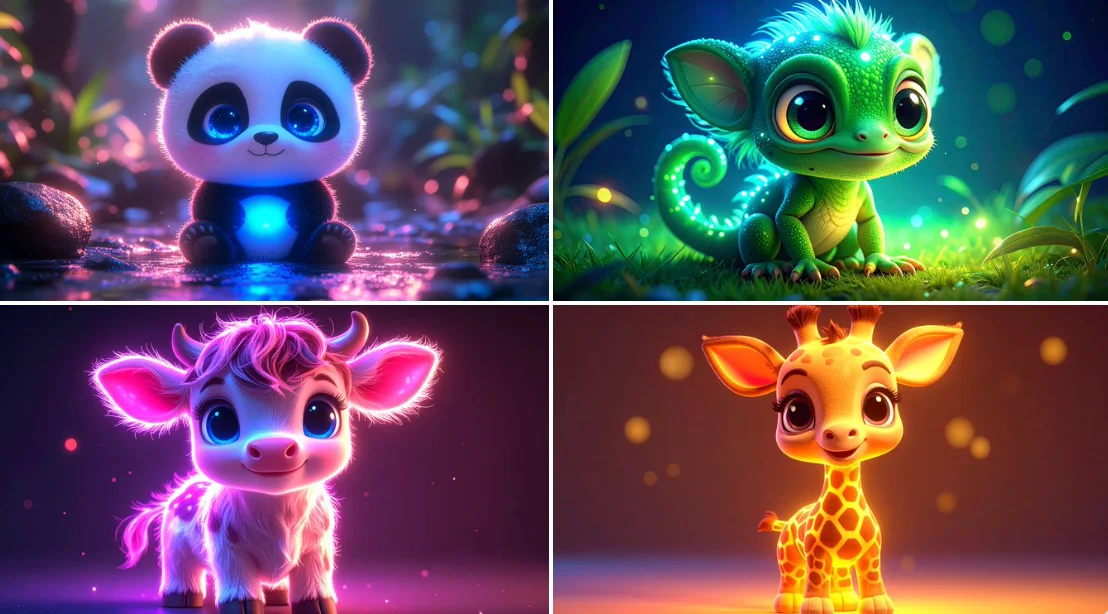
Verified prompt
bioluminescent cute [ANIMAL], kawaii, chibi, [COLOR] neon backlit, 3d cartoon, big cute bright eyes, high definition
bioluminescent cute [ANIMAL], kawaii, chibi, [COLOR] neon backlit, 3d cartoon, big cute bright eyes, high definition
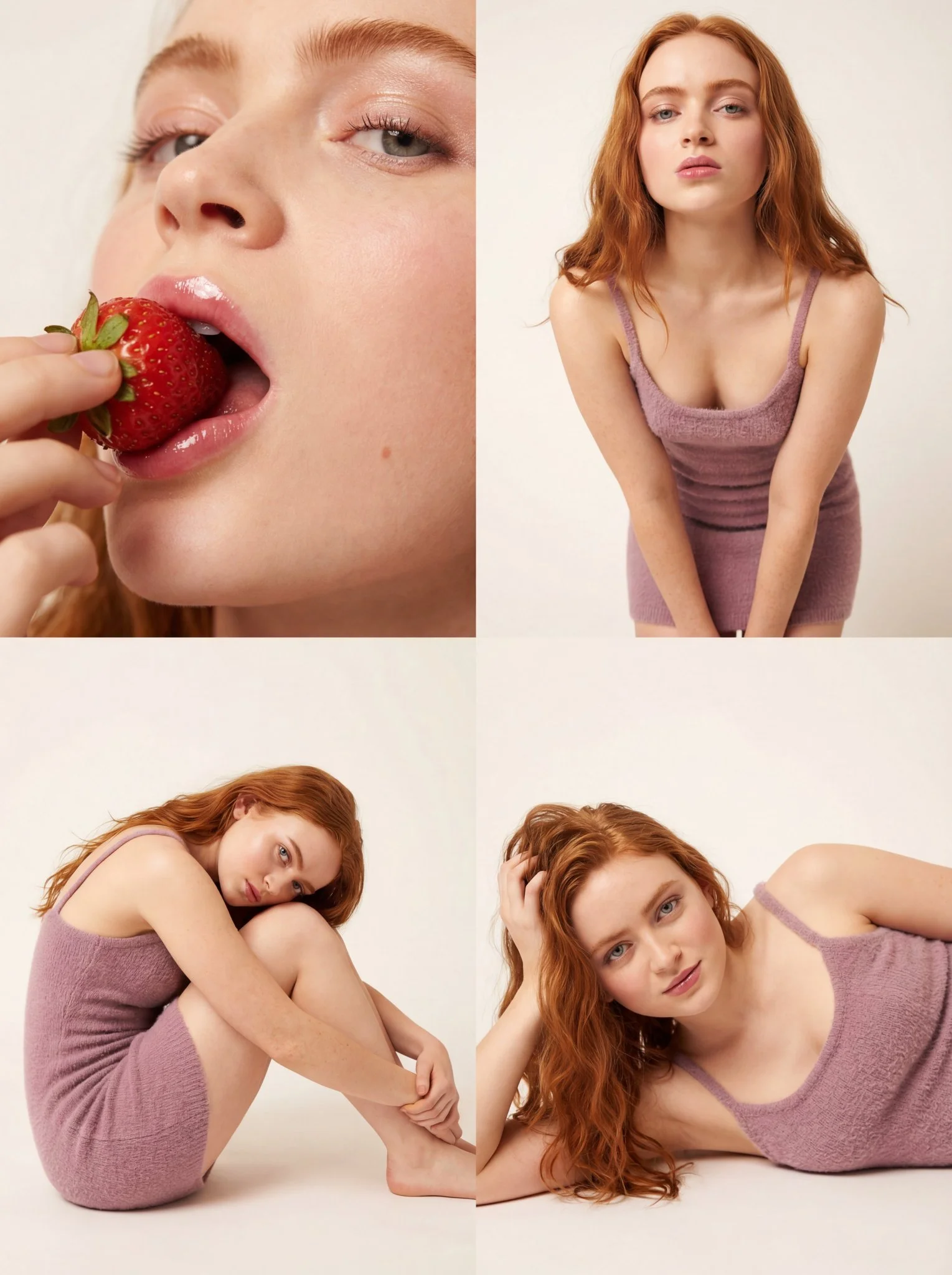
Verified prompt
Ultra-photorealistic 8k texture quality with ray-traced studio lighting. Long loosely wavy voluminous hair with natural individual strands. Hyper-realistic porous skin with dewy glass-skin effect, heavy blush on cheeks, high-gloss plump natural pink lips, clean defined lashes. Mini dress bodycon/tight fit in soft textured knit/boucle fabric, soft mauve or neutral taupe color with spaghetti straps. Seamless paper soft off-white/beige studio background. Large diffuse softbox front-left key light with reflector fill right. 4-panel collage: Top-Left extreme close-up eating strawberry with moisture on surface and gloss reflection on lips; Top-Right medium shot thigh-up leaning forward with direct gaze; Bottom-Left full body seated side profile knees to chest; Bottom-Right close-up candid relaxed expression. 1:1 aspect ratio.
Ultra-photorealistic 8k texture quality with ray-traced studio lighting. Long loosely wavy voluminous hair with natural individual strands. Hyper-realistic porous skin with dewy glass-skin effect, heavy blush on cheeks, high-gloss plump natural pink lips, clean defined lashes. Mini dress bodycon/tight fit in soft textured knit/boucle fabric, soft mauve or neutral taupe color with spaghetti straps. Seamless paper soft off-white/beige studio background. Large diffuse softbox front-left key light with reflector fill right. 4-panel collage: Top-Left extreme close-up eating strawberry with moisture on surface and gloss reflection on lips; Top-Right medium shot thigh-up leaning forward with direct gaze; Bottom-Left full body seated side profile knees to chest; Bottom-Right close-up candid relaxed expression. 1:1 aspect ratio.
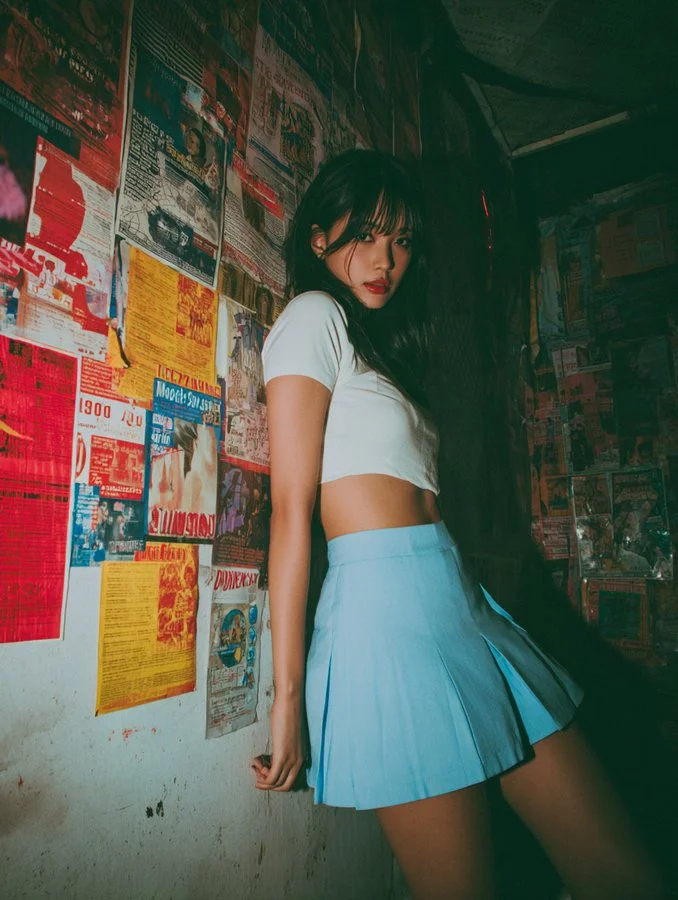
Verified prompt
The image features a subject with long, dark hair, dressed in a short-sleeved, cropped white top and a high-waisted, pleated blue mini skirt that ends well above mid-thigh, fitting snugly to accentuate the figure. The subject is captured in a slightly turned pose, leaning forward with one hand resting on a wall covered in a dense collage of overlapping posters, flyers, and advertisements in various colors such as red, yellow, blue, and white, with text in multiple languages, suggesting an urban or vintage environment. The wall appears worn, with visible creases and minor damage, adding to the nostalgic ambiance. The subject's facial expression, partially visible from a side angle, conveys a subtle mix of curiosity and playfulness. The lighting is dim with a warm tone, casting soft shadows that enhance the mood. The composition employs a low-angle perspective, drawing attention to the subject's lower body and the skirt's height, with a sharp focus on the subject against a slightly blurred background. The overall mood is provocative yet nostalgic, blending modern attire with a retro aesthetic. Technically, the image exhibits a deliberate soft-focus effect, contributing to a hazy, dreamlike quality that softens details and edges. Additionally, noticeable grain and noise texture are present, enhancing the vintage aesthetic and adding a tactile, gritty feel to the photograph. The resolution remains moderate, typical of digital photography, with a slightly desaturated color profile featuring a vintage filter effect. The aspect ratio is vertical, approximately 4:5, supporting the focused framing of the subject.
The image features a subject with long, dark hair, dressed in a short-sleeved, cropped white top and a high-waisted, pleated blue mini skirt that ends well above mid-thigh, fitting snugly to accentuate the figure. The subject is captured in a slightly turned pose, leaning forward with one hand resting on a wall covered in a dense collage of overlapping posters, flyers, and advertisements in various colors such as red, yellow, blue, and white, with text in multiple languages, suggesting an urban or vintage environment. The wall appears worn, with visible creases and minor damage, adding to the nostalgic ambiance. The subject's facial expression, partially visible from a side angle, conveys a subtle mix of curiosity and playfulness. The lighting is dim with a warm tone, casting soft shadows that enhance the mood. The composition employs a low-angle perspective, drawing attention to the subject's lower body and the skirt's height, with a sharp focus on the subject against a slightly blurred background. The overall mood is provocative yet nostalgic, blending modern attire with a retro aesthetic. Technically, the image exhibits a deliberate soft-focus effect, contributing to a hazy, dreamlike quality that softens details and edges. Additionally, noticeable grain and noise texture are present, enhancing the vintage aesthetic and adding a tactile, gritty feel to the photograph. The resolution remains moderate, typical of digital photography, with a slightly desaturated color profile featuring a vintage filter effect. The aspect ratio is vertical, approximately 4:5, supporting the focused framing of the subject.
Verified prompt
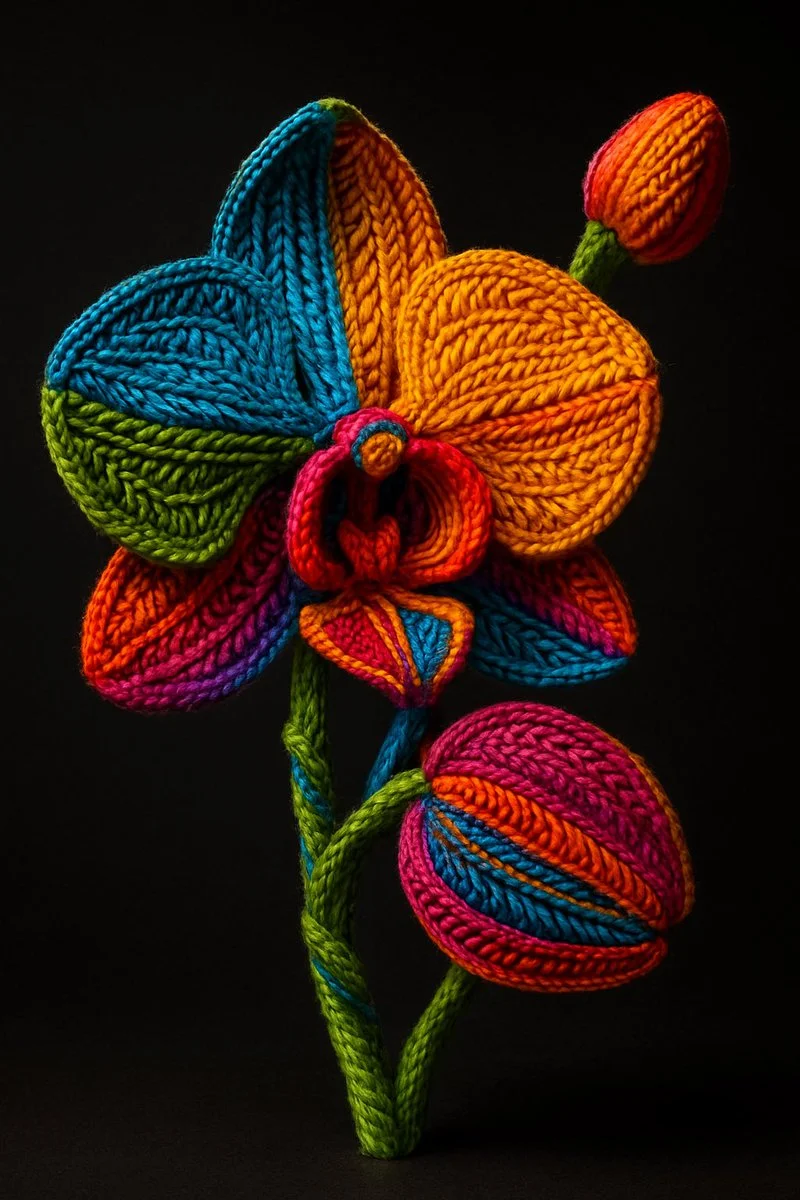
Verified prompt
A hyper-realistic, artistic rendering of a [OBJECT] entirely wrapped in colorful, tightly woven yarn and embroidery threads. The surface is covered in intricate, detailed textile patterns—knit, braided, and woven in a variety of textures. Each section of the [OBJECT] is segmented with vivid, high-saturation colors including electric blue, bright orange, vivid green, magenta, and golden yellow. The yarn follows the contours of the [OBJECT], highlighting its shape with layered embroidery. The scene is lit dramatically, with a soft spotlight casting shadows to emphasize the 3D depth and tactile surface. The background is a solid, dark gradient to draw full focus to the texture and color. The style is a blend of surrealism and fiber art, showcasing extreme detail and depth
A hyper-realistic, artistic rendering of a [OBJECT] entirely wrapped in colorful, tightly woven yarn and embroidery threads. The surface is covered in intricate, detailed textile patterns—knit, braided, and woven in a variety of textures. Each section of the [OBJECT] is segmented with vivid, high-saturation colors including electric blue, bright orange, vivid green, magenta, and golden yellow. The yarn follows the contours of the [OBJECT], highlighting its shape with layered embroidery. The scene is lit dramatically, with a soft spotlight casting shadows to emphasize the 3D depth and tactile surface. The background is a solid, dark gradient to draw full focus to the texture and color. The style is a blend of surrealism and fiber art, showcasing extreme detail and depth
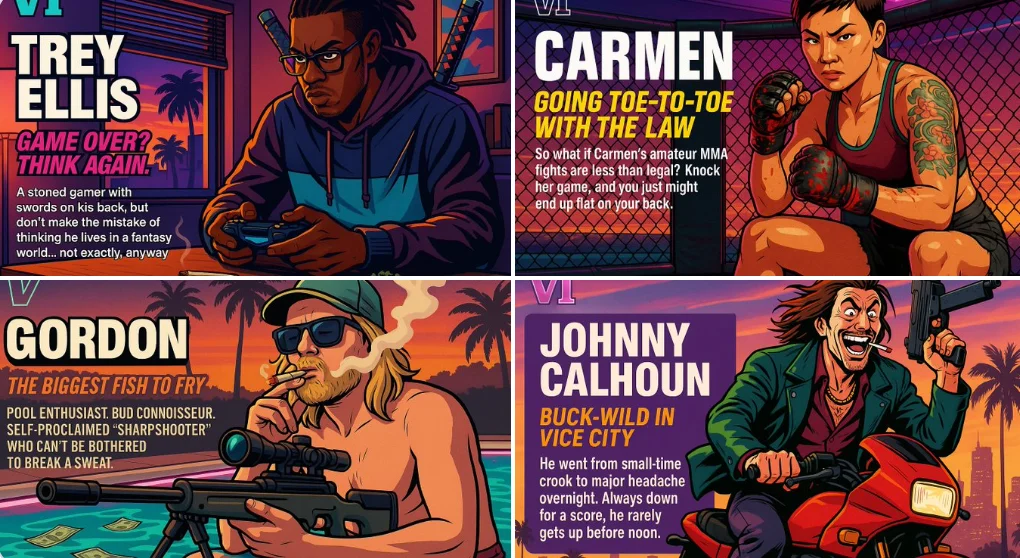
Verified prompt
Act as a creative director at Rockstar Games. Create a fictional GTA VI character sheet in the exact same style as the official GTA VI promotional images. The layout must be: A horizontal character sheet, with the character on the right, in a dynamic pose that reflects their personality. On the left, include the following structured text: A small "VI" logo at the top left (mention it visually). The character’s name in big bold text. A catchy slogan or tagline right below in a different bright color. A short backstory (3–5 lines) written in an ironic, street-smart, or playful tone — just like Rockstar’s tone of voice. Use the vibrant Vice City aesthetic with sunset lighting, neon accents, and cel-shaded comic style. The character’s clothing, action, and environment must reflect their archetype and background. Let me customize the following variables: Archetype: {your choice} Gender: {your choice} Skin tone: {your choice} Hairstyle: {your choice} Emotion : {your choice} Outfit: {your choice} Weapon or action: {your choice} Background details: {your choice} Generate a fictive name in tittle and a description in english Format the final result like a finished in-game asset reveal. The vibe should be over-the-top, stylish, and full of personality — as if part of the real GTA VI world. (if the "Your choice" sections are not filled with personalized information, it's up to you to generate it randomly by yourself) generate the visual directly from now on
Act as a creative director at Rockstar Games. Create a fictional GTA VI character sheet in the exact same style as the official GTA VI promotional images. The layout must be: A horizontal character sheet, with the character on the right, in a dynamic pose that reflects their personality. On the left, include the following structured text: A small "VI" logo at the top left (mention it visually). The character’s name in big bold text. A catchy slogan or tagline right below in a different bright color. A short backstory (3–5 lines) written in an ironic, street-smart, or playful tone — just like Rockstar’s tone of voice. Use the vibrant Vice City aesthetic with sunset lighting, neon accents, and cel-shaded comic style. The character’s clothing, action, and environment must reflect their archetype and background. Let me customize the following variables: Archetype: {your choice} Gender: {your choice} Skin tone: {your choice} Hairstyle: {your choice} Emotion : {your choice} Outfit: {your choice} Weapon or action: {your choice} Background details: {your choice} Generate a fictive name in tittle and a description in english Format the final result like a finished in-game asset reveal. The vibe should be over-the-top, stylish, and full of personality — as if part of the real GTA VI world. (if the "Your choice" sections are not filled with personalized information, it's up to you to generate it randomly by yourself) generate the visual directly from now on
Verified prompt
Explore Image Workflows
Explore the Nano Banana 2 workflow and compare it with the related image pages. The generator is the source of truth for current model access and settings. Use the prompt library to study published results and the model that created them.
Nano Banana 2 AI Image Generator
Write your Nano Banana 2 image brief around a subject, composition, lighting and intended style. Add a material or texture when it matters. For edits, state one precise change and explain which parts of the source should remain intact.
Write your Nano Banana 2 image brief around a subject, composition, lighting and intended style. Add a material or texture when it matters. For edits, state one precise change and explain which parts of the source should remain intact.
Explore Nano Banana 2Build Your Nano Banana 2 Image Brief
Choose only the resolution and aspect ratio shown for the selected model. Check framing, fine details and any text in the completed image. A larger output size does not guarantee a more accurate result.
Advanced AI Image Generation & Customization
Choose only the resolution and aspect ratio shown for the selected model. Check framing, fine details and any text in the completed image. A larger output size does not guarantee a more accurate result.
Write Precise Editing and Style Directions
Choose only the resolution and aspect ratio shown for the selected model. Check framing, fine details and any text in the completed image. A larger output size does not guarantee a more accurate result.
Describe the Changes and Details to Preserve
Explore the Nano Banana 2 workflow and compare it with the related image pages. The generator is the source of truth for current model access and settings. Use the prompt library to study published results and the model that created them.
Describe the Changes and Details to Preserve
Choose only the resolution and aspect ratio shown for the selected model. Check framing, fine details and any text in the completed image. A larger output size does not guarantee a more accurate result.
Review Usage Terms Before Sharing
Check the applicable model and platform terms before using a result commercially. You are responsible for the rights to uploaded images, identifiable people, logos and any other source material in your Nano Banana 2 image brief.
Keep Your Workflow Simple
Develop your Nano Banana 2 image brief around the result you need. Keep the main direction specific, check supported settings in the generator, and review the completed work before using it in your project.
A Clearer Creative Brief for Nano Banana 2
Diverse Styles & Effects for Every Vision
Develop your Nano Banana 2 image brief around the result you need. Keep the main direction specific, check supported settings in the generator, and review the completed work before using it in your project.
Write your Nano Banana 2 image brief around a subject, composition, lighting and intended style. Add a material or texture when it matters. For edits, state one precise change and explain which parts of the source should remain intact.
Versatile Nano Banana 2 AI Image Generator for Every Creator's Vision
Start your Nano Banana 2 image brief with a source image you have permission to use. Name the area to change and the colors, proportions or objects to preserve. Reference count and editing support depend on the selected model.
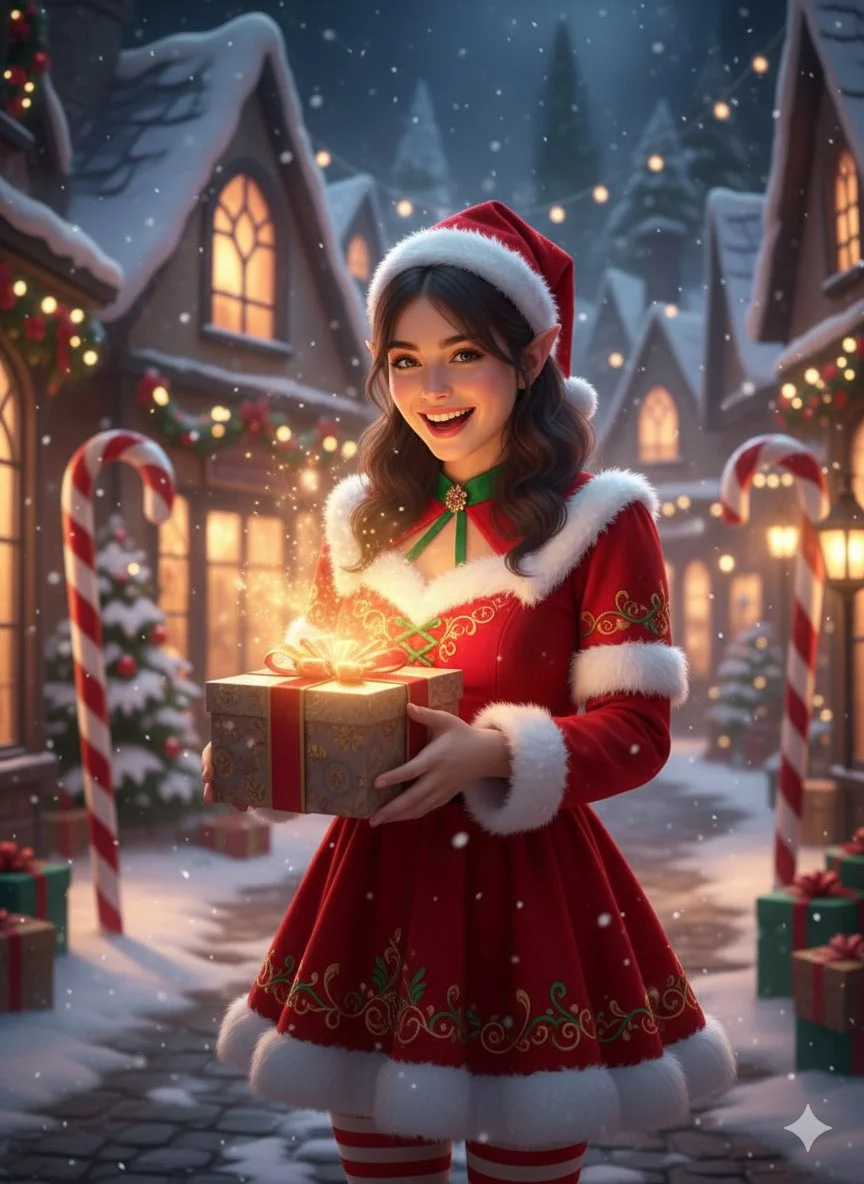
For Architects and Designers
Write your Nano Banana 2 image brief around a subject, composition, lighting and intended style. Add a material or texture when it matters. For edits, state one precise change and explain which parts of the source should remain intact.
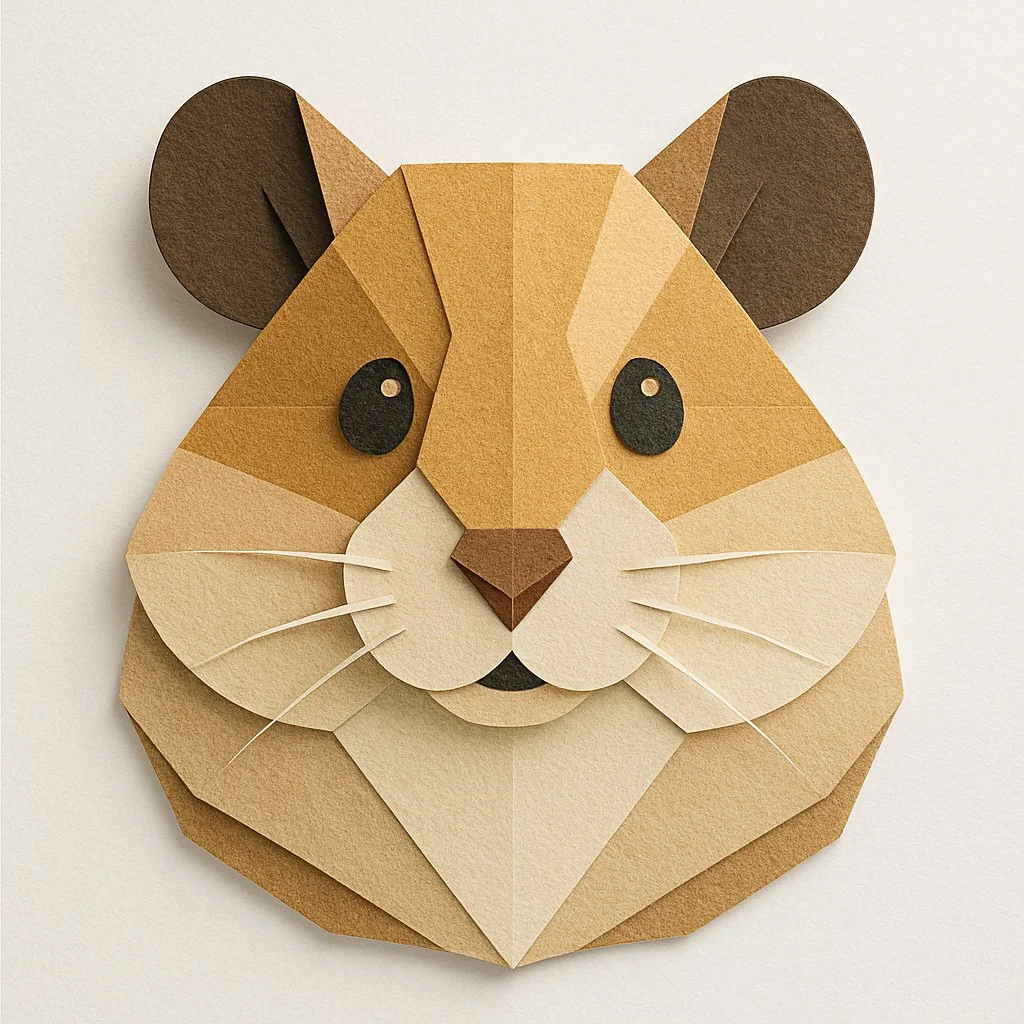
For E-Commerce Professionals
List the details that matter in your Nano Banana 2 image brief: identity, shape, colors, clothing and background. Use supported references where appropriate and compare every result; exact consistency is not guaranteed.
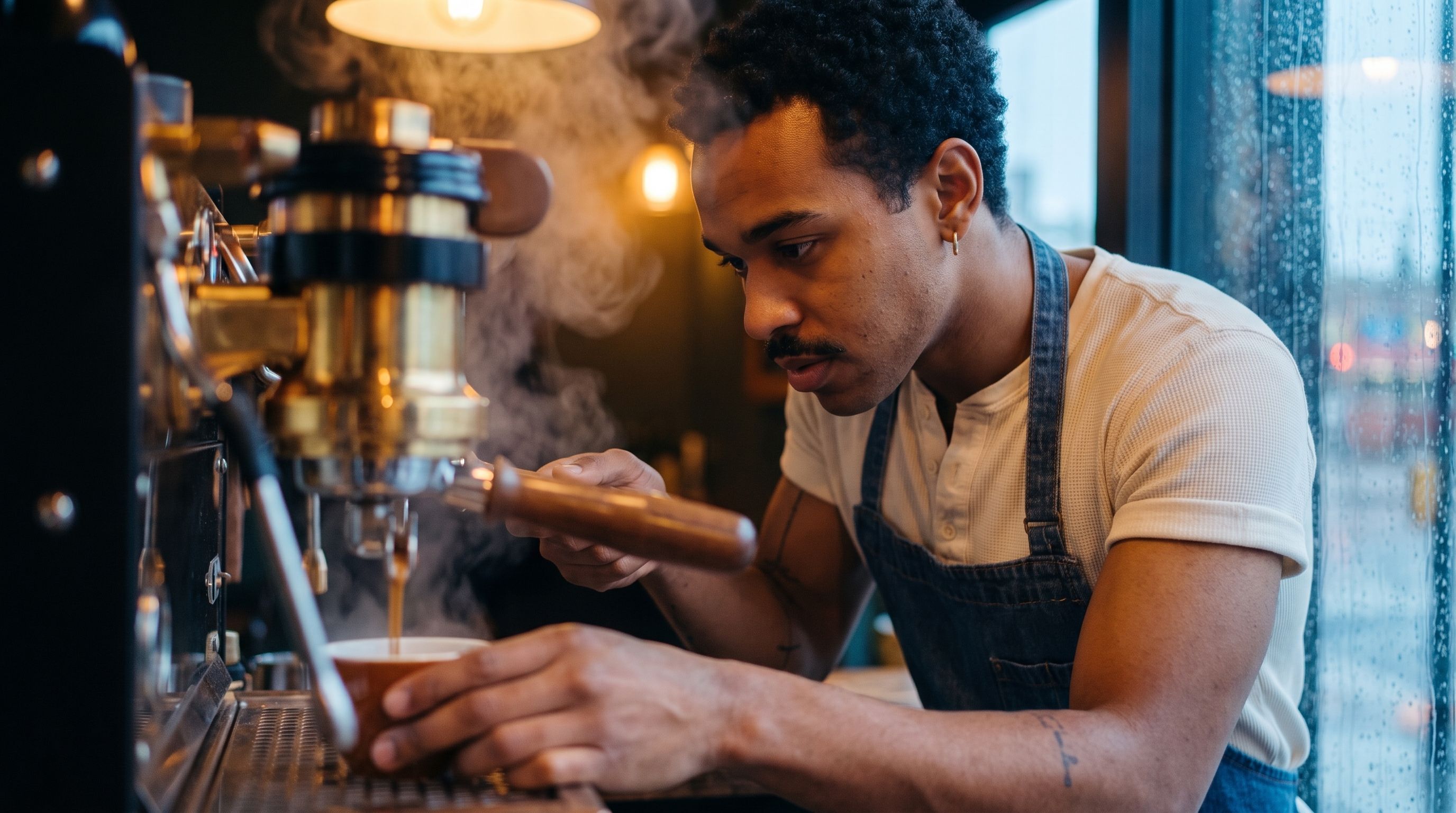
For Content Publishers
Choose only the resolution and aspect ratio shown for the selected model. Check framing, fine details and any text in the completed image. A larger output size does not guarantee a more accurate result.
For Event Planners
Write your Nano Banana 2 image brief around a subject, composition, lighting and intended style. Add a material or texture when it matters. For edits, state one precise change and explain which parts of the source should remain intact.
From a Brief to a Reviewed Image: The Nano Banana 2 Workflow
Add Your Input
Start your Nano Banana 2 image brief with a source image you have permission to use. Name the area to change and the colors, proportions or objects to preserve. Reference count and editing support depend on the selected model.
Customize Your Options
The generator shows current model availability. When a model accepts requests, choose its supported settings and review the required credits before submitting. Review your selection and credit balance before generating.
Generate and Refine
Write your Nano Banana 2 image brief around a subject, composition, lighting and intended style. Add a material or texture when it matters. For edits, state one precise change and explain which parts of the source should remain intact.
Review and Download Completed Results
Start your Nano Banana 2 image brief with a source image you have permission to use. Name the area to change and the colors, proportions or objects to preserve. Reference count and editing support depend on the selected model.
Nano Banana 2 Image Ideas for Your Projects
Choose only the resolution and aspect ratio shown for the selected model. Check framing, fine details and any text in the completed image. A larger output size does not guarantee a more accurate result.
Digital Art & Illustration
Choose only the resolution and aspect ratio shown for the selected model. Check framing, fine details and any text in the completed image. A larger output size does not guarantee a more accurate result.
Marketing & E-Commerce Visuals
For a Nano Banana 2 product concept, specify the product shape, material, key detail and setting. Keep logos and claims accurate, allow room for your own typography, and review the result before using it in an advertisement.
Educational Content & Presentations
Use a Nano Banana 2 visual concept to support one teaching or presentation point. Check facts and labels yourself, and add final captions in your editing workflow rather than relying on generated text.
Game Development
List the details that matter in your Nano Banana 2 image brief: identity, shape, colors, clothing and background. Use supported references where appropriate and compare every result; exact consistency is not guaranteed.
Creative Notes for Your Nano Banana 2 Image Brief
Give the main subject one clear action. For a Nano Banana 2 concept, a precise brief is easier to assess than a list of competing effects.
Nano Banana 2 Image Workflow: Questions & Answers
This youdot page explains the Nano Banana 2 image workflow. It helps you write a focused brief and review the available inputs. Current access is shown in the generator; a model name on a guide does not mean it currently accepts requests.
Write your Nano Banana 2 image brief around a subject, composition, lighting and intended style. Add a material or texture when it matters. For edits, state one precise change and explain which parts of the source should remain intact.
Use only the input modes and controls offered by the selected model. Describe the intended image clearly and add supported references when useful. This page does not promise separate motion-brush, audio-upload, restoration or editing tools.
Check the applicable model and platform terms before using a result commercially. You are responsible for the rights to uploaded images, identifiable people, logos and any other source material in your Nano Banana 2 image brief.
The generator shows current model availability. When a model accepts requests, choose its supported settings and review the required credits before submitting. Review your selection and credit balance before generating.
Develop your Nano Banana 2 image brief around the result you need. Keep the main direction specific, check supported settings in the generator, and review the completed work before using it in your project.
You can request a refund within 10 days of purchase if you have unused credits from that purchase and provide a clear reason, subject to our Refund Policy. If eligible, an unused purchase can be fully refunded; a partly used purchase is refunded in proportion to its remaining unused credits. Fully used purchases and free or promotional credits are not refundable.
Credit validity depends on the pack, subscription or promotion that issued them. Review the purchase terms and expiration dates in Settings > Credits. A renewal or new purchase does not extend older credits. Use credits before their stated expiration; do not assume unused subscription credits roll over indefinitely.
Credits charged for a task that is confirmed as failed due to a system error are returned automatically. A task that is still processing has not yet been confirmed as failed. Check its status and your credit history before submitting again. If a confirmed failure still shows an unresolved charge, email support@youdot.app with the task ID.
AI results can vary, so a completed result that differs from your expectations is not automatically treated as a technical failure. Eligible completed image tasks can be submitted for credit refund review using the refund option where available; approval is required. For a video or another issue, contact support@youdot.app with the task ID and details. A credit refund returns credits, not money to your payment method.
Email support@youdot.app. For billing, include your account email and order ID; for generation, include the task ID, issue description and relevant screenshots. If you purchased as a guest, keep the original browser data and payment receipt so we can help locate the purchase.
Explore Your Next Nano Banana 2 Image Idea
Explore the Nano Banana 2 workflow and compare it with the related image pages. The generator is the source of truth for current model access and settings. Use the prompt library to study published results and the model that created them.
youdot.app · Updated
What's new on this page
- — Added editable example prompts and separate drafts for text and reference modes, with an action to restore the example.
- — Updated page copy and content.
- — Page content published.