
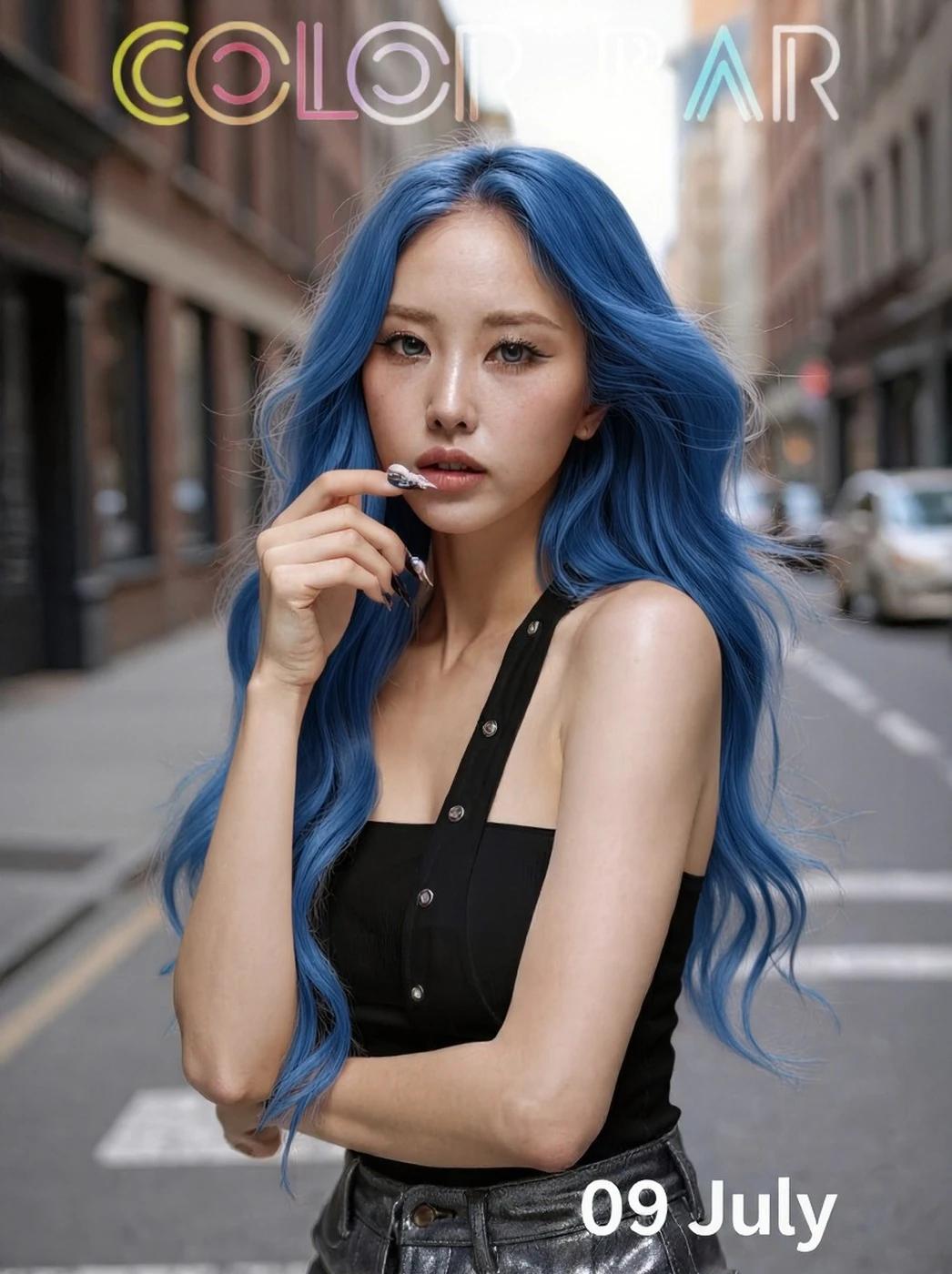
Verified prompt
Verified prompt
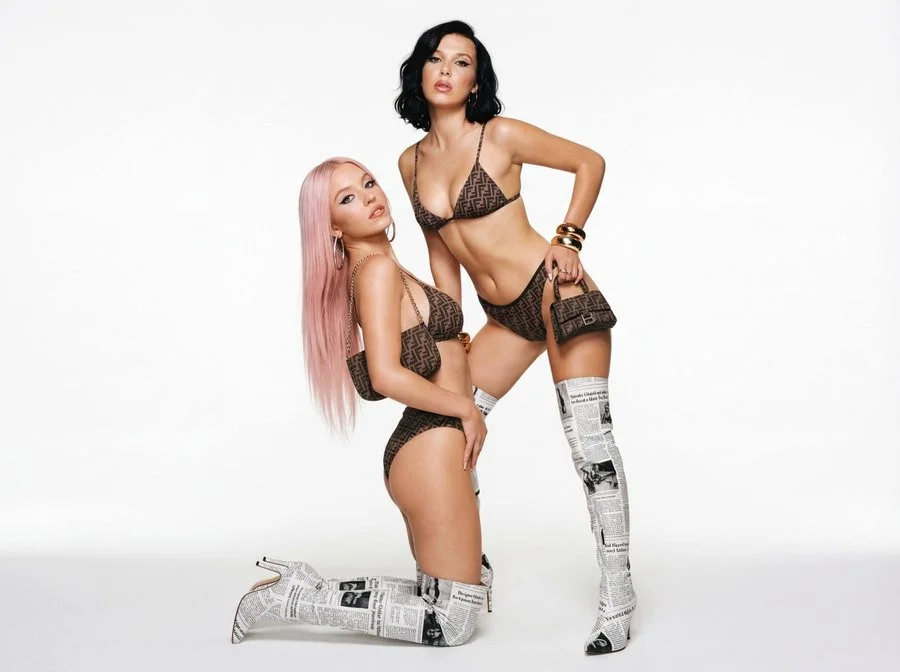
Full body dual shot, 50mm lens, static angle, high fashion composition. Static studio setup with light vintage fashion grain, mimicking early 2000s campaigns. Two female fashion models in bold editorial poses. One kneeling with long platinum pink hair, the other behind her with short black hair. Both wear mini Dior-style outfits and newspaper-printed thigh-high boots. Designer print bikinis, newspaper-print thigh-high boots, large statement accessories, small shoulder bags. Bold eyeliner, overlined lips, high-gloss highlight on cheeks. Model 1: platinum pink straight, long; model 2: short black wavy bob. Studio with white seamless backdrop. Clean background, shadow below subjects from soft directional lighting. Flat studio light, front-lit with soft diffused fill, subtle shadows for contour. High-gloss, bold, provocative fashion magazine look. Desaturated whites, chrome, denim blue, muted skin tones, with pops of print.
Full body dual shot, 50mm lens, static angle, high fashion composition. Static studio setup with light vintage fashion grain, mimicking early 2000s campaigns. Two female fashion models in bold editorial poses. One kneeling with long platinum pink hair, the other behind her with short black hair. Both wear mini Dior-style outfits and newspaper-printed thigh-high boots. Designer print bikinis, newspaper-print thigh-high boots, large statement accessories, small shoulder bags. Bold eyeliner, overlined lips, high-gloss highlight on cheeks. Model 1: platinum pink straight, long; model 2: short black wavy bob. Studio with white seamless backdrop. Clean background, shadow below subjects from soft directional lighting. Flat studio light, front-lit with soft diffused fill, subtle shadows for contour. High-gloss, bold, provocative fashion magazine look. Desaturated whites, chrome, denim blue, muted skin tones, with pops of print.
Verified prompt
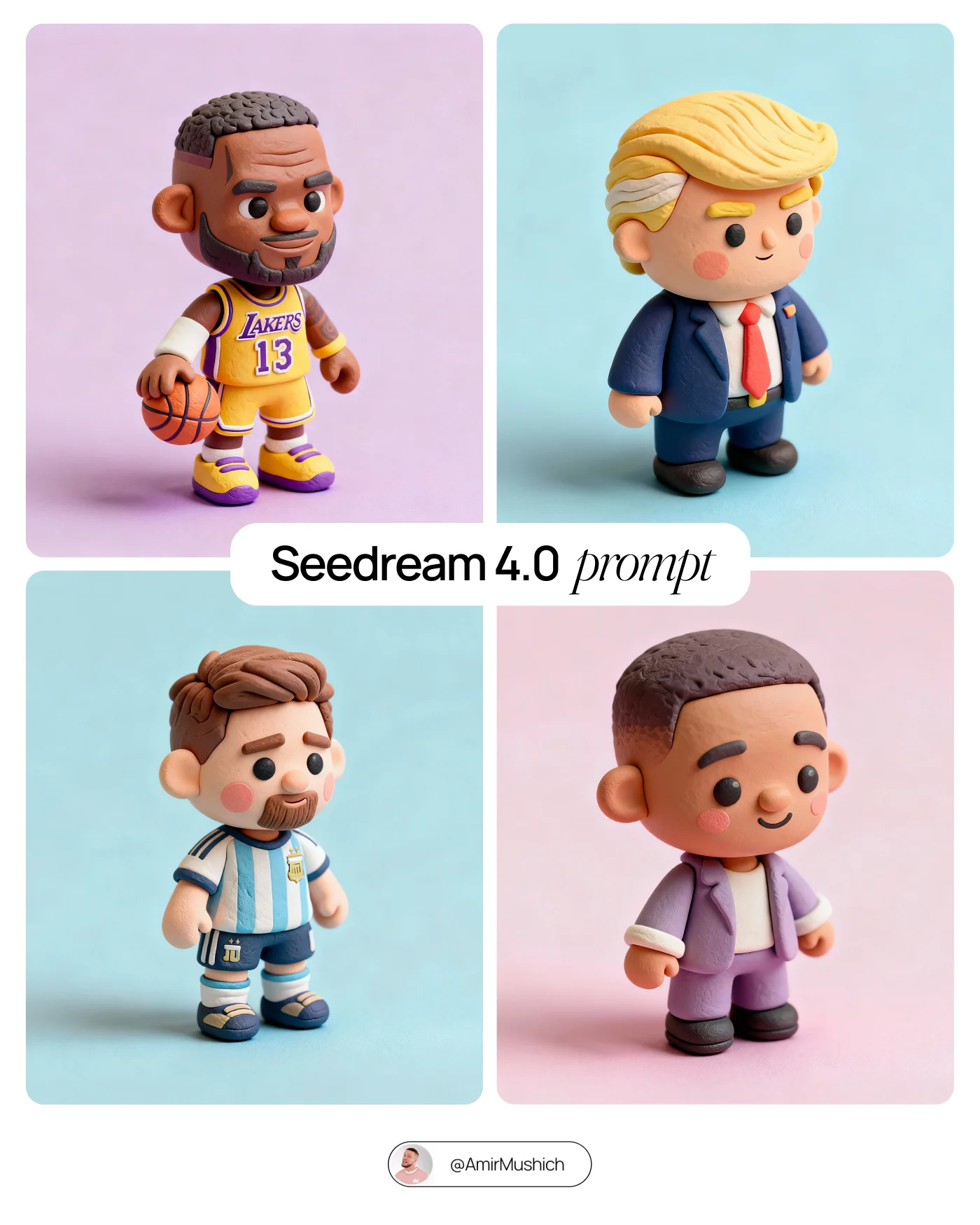
Tiny cute isometric [CHARACTER or PRODUCT], soft lighting, soft pastel colors, 3d icon clay render, substance 3d, pastel background
Tiny cute isometric [CHARACTER or PRODUCT], soft lighting, soft pastel colors, 3d icon clay render, substance 3d, pastel background
Verified prompt
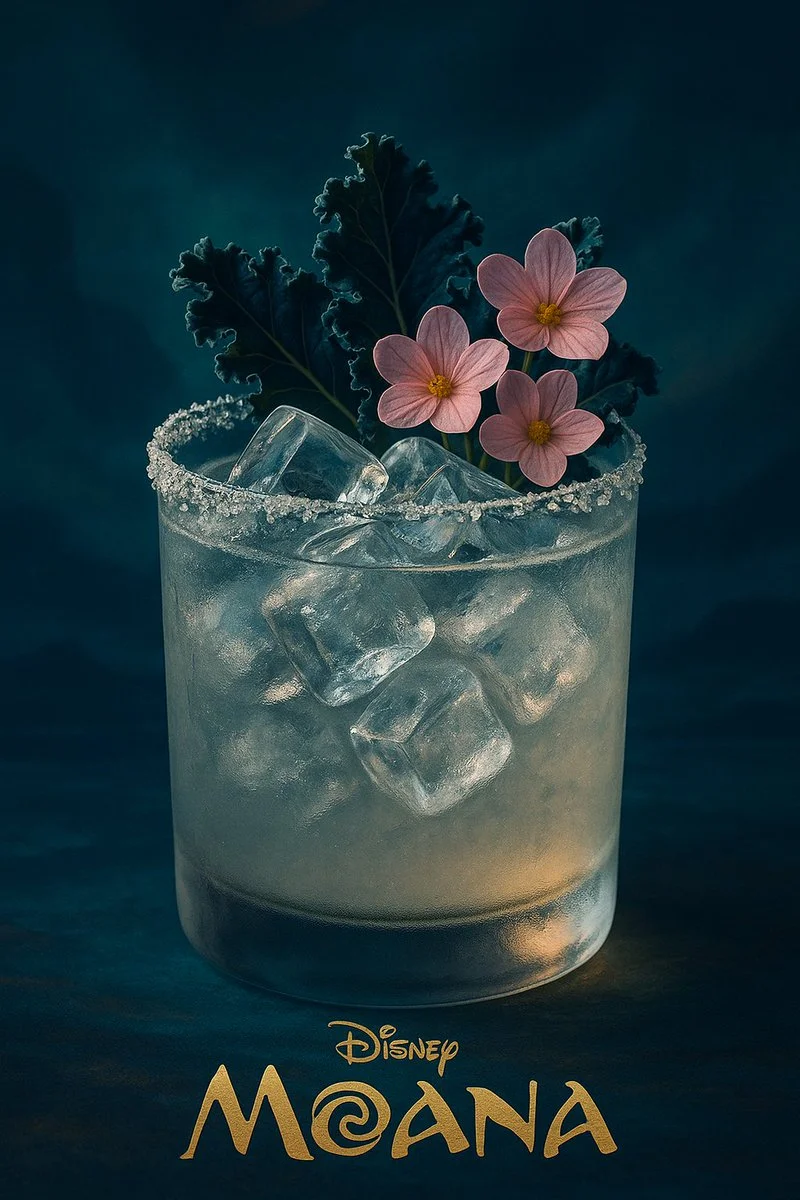
A realistic, high-end cocktail in a frosted glass with a sparkling salt rim, filled with crystal-clear ice cubes. The drink is garnished with deep-blue kale leaves and delicate pastel-pink edible flowers. The lighting is moody and cinematic, with soft highlights on the glass. The entire visual style — color palette, lighting, background, and atmosphere — is inspired by the animated film 【MOVIE_TITLE】 by Disney, subtly reflecting its visual tone and mood. At the bottom of the image, in elegant golden serif text, it says: “Disney — 【MOVIE_TITLE】”. Vertical 9:16, ultra-detailed, photographic realism with artistic direction based on the film’s world.
A realistic, high-end cocktail in a frosted glass with a sparkling salt rim, filled with crystal-clear ice cubes. The drink is garnished with deep-blue kale leaves and delicate pastel-pink edible flowers. The lighting is moody and cinematic, with soft highlights on the glass. The entire visual style — color palette, lighting, background, and atmosphere — is inspired by the animated film 【MOVIE_TITLE】 by Disney, subtly reflecting its visual tone and mood. At the bottom of the image, in elegant golden serif text, it says: “Disney — 【MOVIE_TITLE】”. Vertical 9:16, ultra-detailed, photographic realism with artistic direction based on the film’s world.
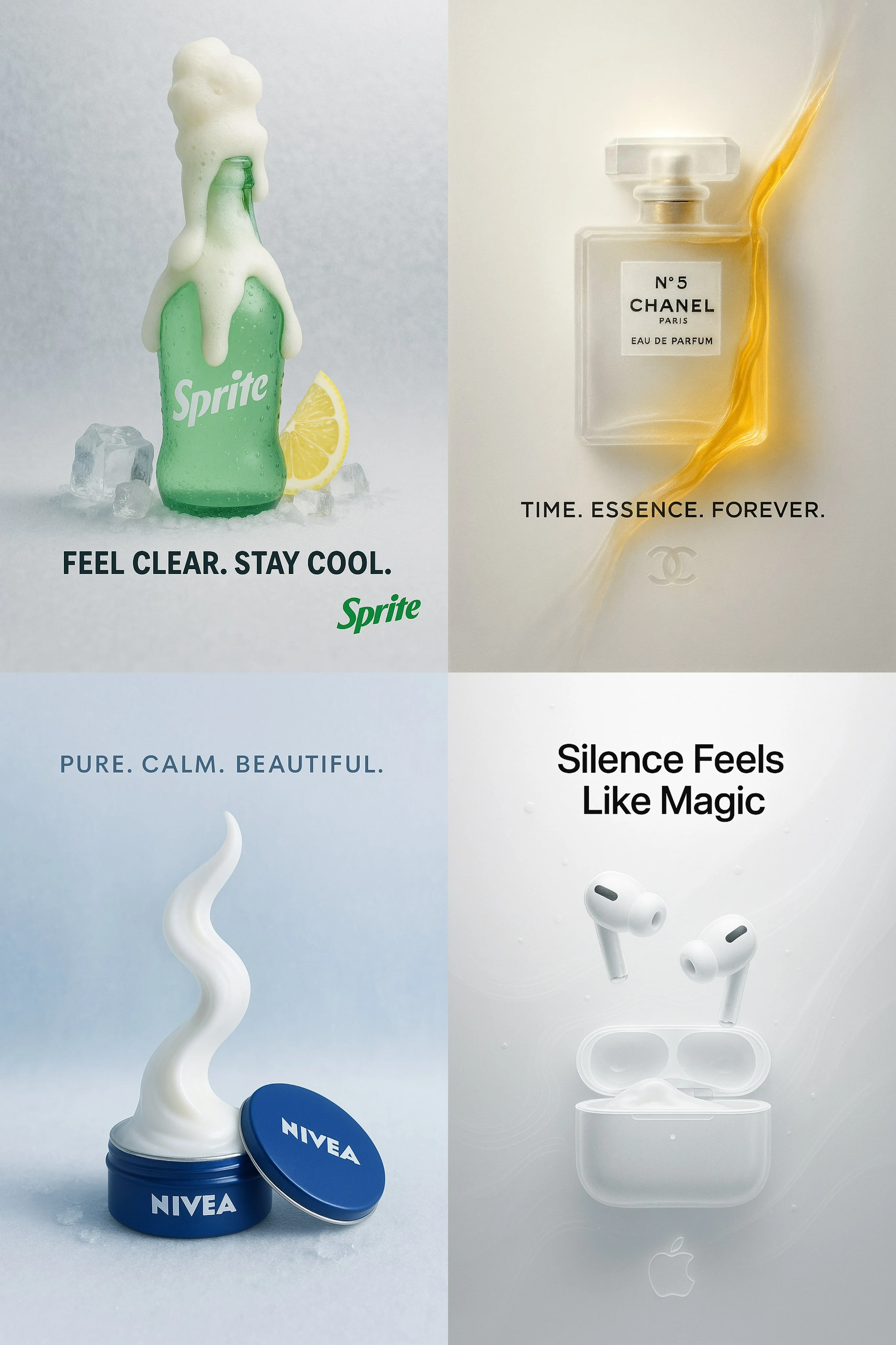
Verified prompt
[Product by Brand] in a surreal, minimalist paper-glass style advertisement. The product is centered, crafted from translucent frosted glass-paper, placed against a clean white or softly tinted background. Soft cinematic lighting creates gentle contrast and ambient shadows. A single brand color subtly interacts with the scene through glow, mist, liquid, or foam. Include a bold, elegant 4-word slogan near the product. The brand logo appears subtly etched, glowing, or printed in a refined manner. Vertical or square aspect ratio, ultra-detailed, poster-quality, visually soothing and conceptually refined.
[Product by Brand] in a surreal, minimalist paper-glass style advertisement. The product is centered, crafted from translucent frosted glass-paper, placed against a clean white or softly tinted background. Soft cinematic lighting creates gentle contrast and ambient shadows. A single brand color subtly interacts with the scene through glow, mist, liquid, or foam. Include a bold, elegant 4-word slogan near the product. The brand logo appears subtly etched, glowing, or printed in a refined manner. Vertical or square aspect ratio, ultra-detailed, poster-quality, visually soothing and conceptually refined.
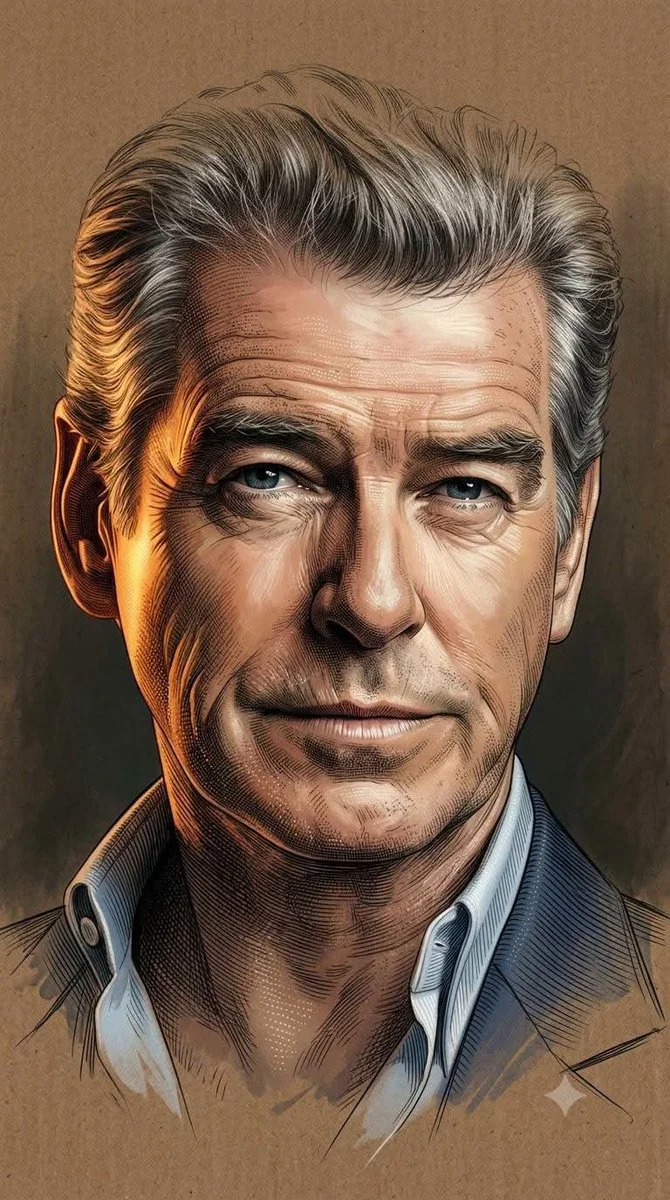
Verified prompt
Using an uploaded portrait as the subject reference, blend soft semi-realistic digital painting with highly detailed engraving illustration using painterly softness, ultra-fine crosshatching, and dotting. Apply cinematic warm golden-orange lighting on one side against cool shadows and chiaroscuro. Render skin and textures via luminous digital shading fused with dense engraving lines for gradients and intricate work. Preserve glossy eye highlights. Integrate soft brush strokes with contour lines and micro-etching. Fade head top and lower body into incomplete sketch dissolving into background. Use textured brown cardboard with matte grain merging into dark studio depth. Minimal elegant composition, warm muted palette, high contrast, museum-quality 8K finish. Aspect 9:16.
Using an uploaded portrait as the subject reference, blend soft semi-realistic digital painting with highly detailed engraving illustration using painterly softness, ultra-fine crosshatching, and dotting. Apply cinematic warm golden-orange lighting on one side against cool shadows and chiaroscuro. Render skin and textures via luminous digital shading fused with dense engraving lines for gradients and intricate work. Preserve glossy eye highlights. Integrate soft brush strokes with contour lines and micro-etching. Fade head top and lower body into incomplete sketch dissolving into background. Use textured brown cardboard with matte grain merging into dark studio depth. Minimal elegant composition, warm muted palette, high contrast, museum-quality 8K finish. Aspect 9:16.
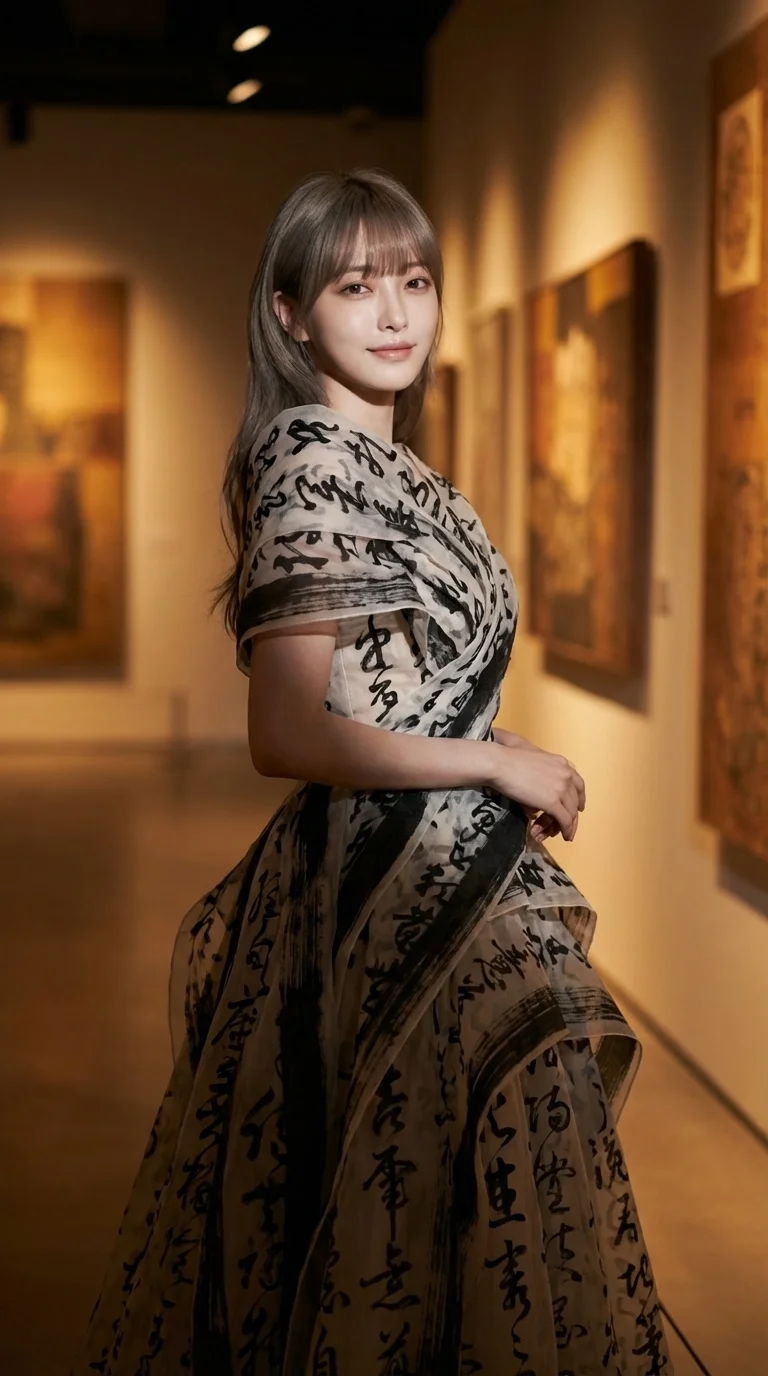
Verified prompt
Art-couture cinematic portrait. Female subject standing slightly angled with soft intelligent smile expression. Flowing gown constructed from layered calligraphy-like fabric strokes. Warm-toned gallery environment with spot lighting and textured shadows.
Art-couture cinematic portrait. Female subject standing slightly angled with soft intelligent smile expression. Flowing gown constructed from layered calligraphy-like fabric strokes. Warm-toned gallery environment with spot lighting and textured shadows.
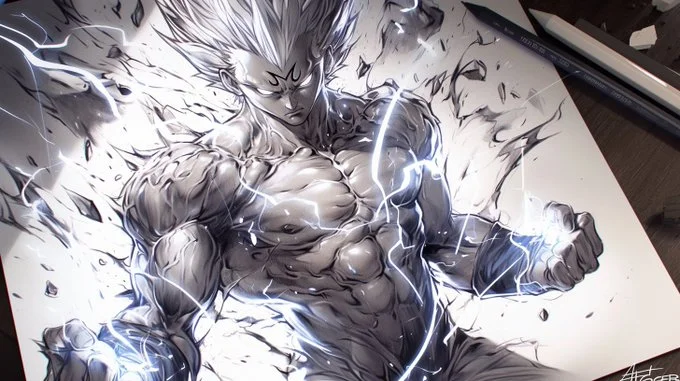
Verified prompt
A pencil drawing of [Your character], with detailed lines and shading on white paper, capturing the energy and strength in his muscular body [with element effects] around the character, in a dynamic pose, tattoo design on paper, manga art style, dark background, high contrast, strong shadows, light and shadow effects, black ink drawing, dynamic pose
A pencil drawing of [Your character], with detailed lines and shading on white paper, capturing the energy and strength in his muscular body [with element effects] around the character, in a dynamic pose, tattoo design on paper, manga art style, dark background, high contrast, strong shadows, light and shadow effects, black ink drawing, dynamic pose
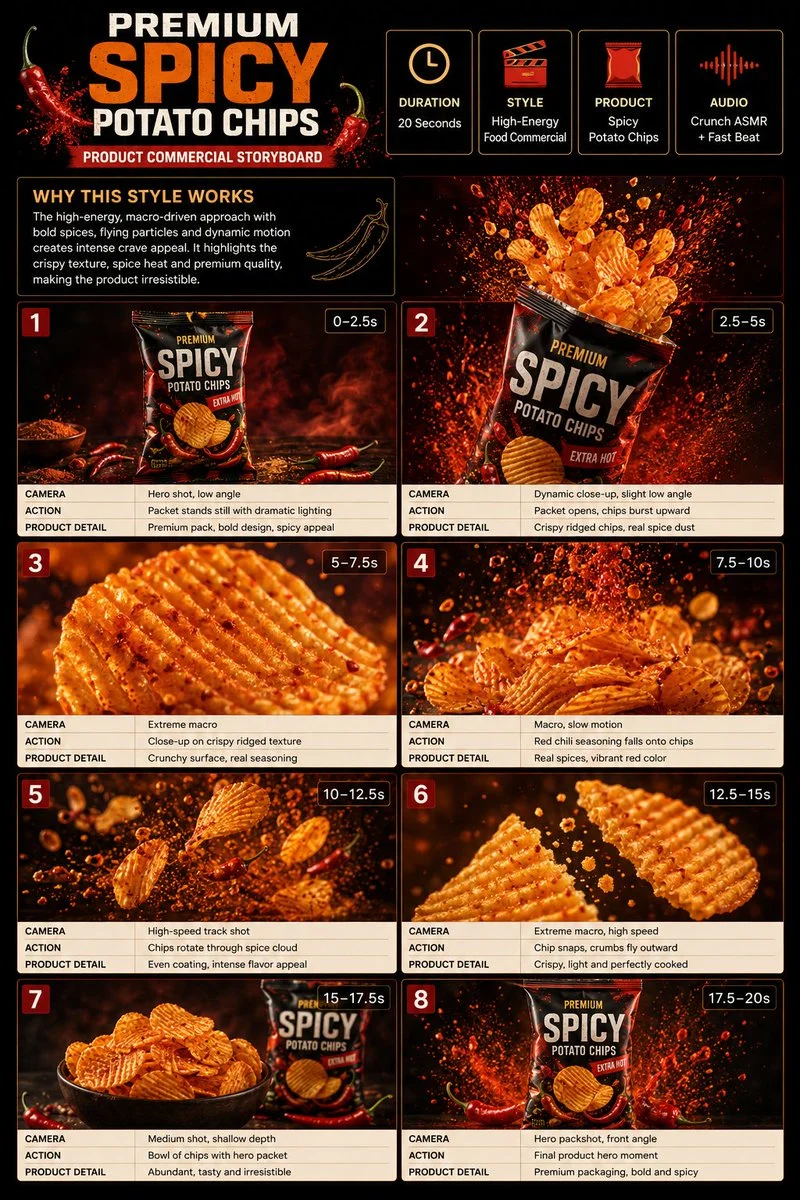
Verified prompt
Premium 3:4 storyboard for 20s high-energy spicy potato chips commercial. Header: duration, snack style, chips product, crunch ASMR, red-orange-cream palette. Eight panels: packet dark surface, bursting open, extreme ridged macro, chili seasoning slow-mo, rotating spice cloud, snap crumbs, bowl beside packet, final packshot splash. Extreme macro, high-speed, slow-mo, dynamic push-in. Ultra-realistic crispy, seasoning particles, dramatic lighting, 8K, product hero.
Premium 3:4 storyboard for 20s high-energy spicy potato chips commercial. Header: duration, snack style, chips product, crunch ASMR, red-orange-cream palette. Eight panels: packet dark surface, bursting open, extreme ridged macro, chili seasoning slow-mo, rotating spice cloud, snap crumbs, bowl beside packet, final packshot splash. Extreme macro, high-speed, slow-mo, dynamic push-in. Ultra-realistic crispy, seasoning particles, dramatic lighting, 8K, product hero.
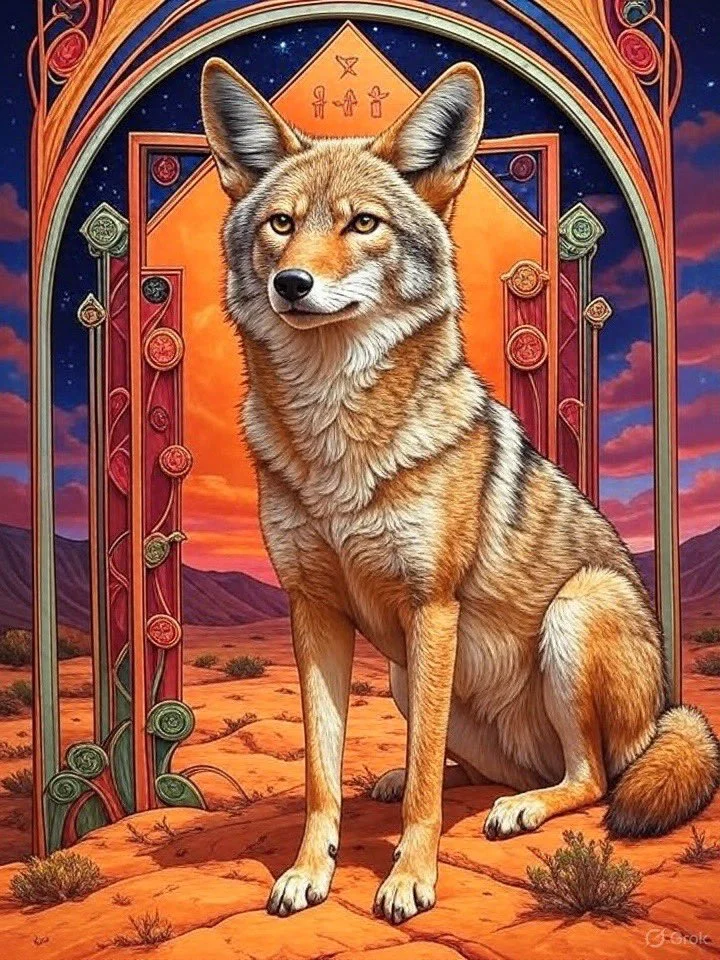
Verified prompt
A bison in the center of an array of colorful geometric shapes, surrounded by symbols representing different aspects like family and home. The artwork features warm colors in an oil painting style, with an Art Nouveau illustration showcasing ornate details and colorful patterns. The scene also includes a night sky and desert landscapes. The artwork should have a rich texture and a three-dimensional effect with intricate detailing.
A bison in the center of an array of colorful geometric shapes, surrounded by symbols representing different aspects like family and home. The artwork features warm colors in an oil painting style, with an Art Nouveau illustration showcasing ornate details and colorful patterns. The scene also includes a night sky and desert landscapes. The artwork should have a rich texture and a three-dimensional effect with intricate detailing.
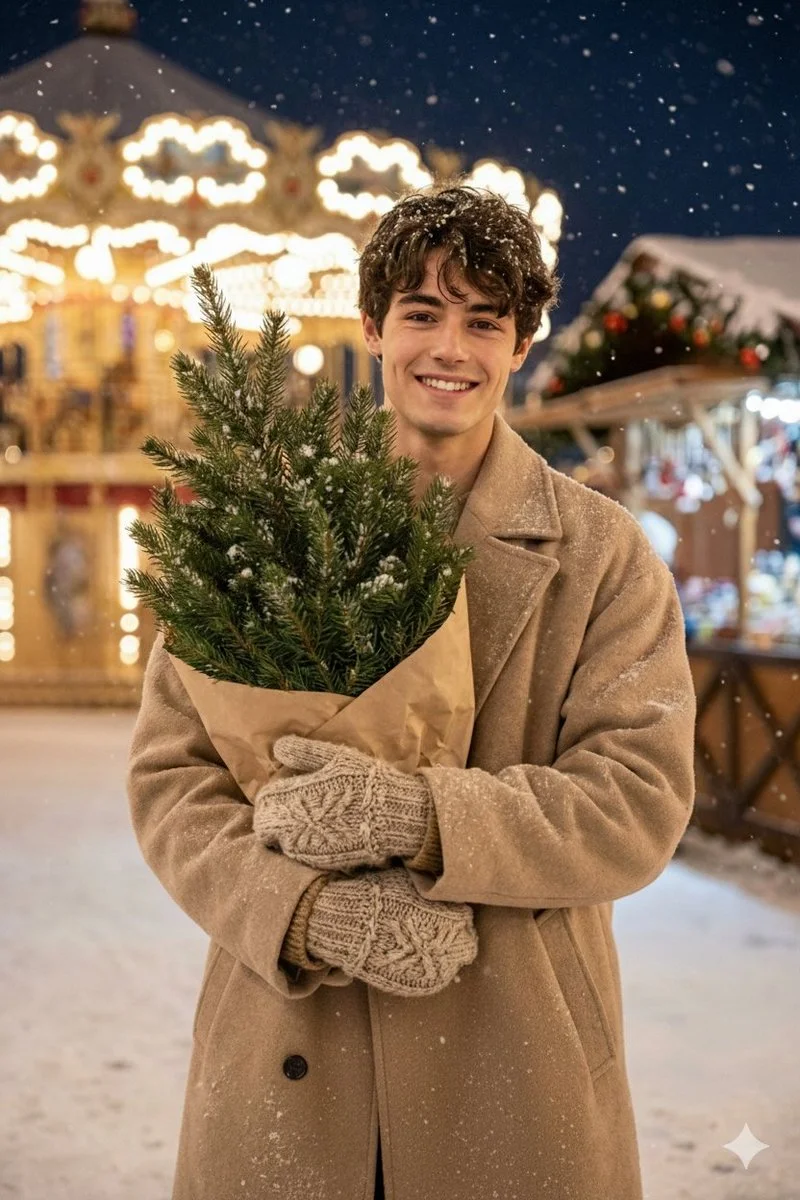
Verified prompt
Hyper-realistic 8K editorial frame. Rustic festive village atmosphere with carousel lights behind. Nikon D5600. Man holding a small wrapped Christmas tree in kraft paper. Snow falling softly. Outfit: beige oversized coat, knitted mittens, winter boots. Emotion: happy, natural candid smile. Highly detailed textures: snow crystals, knitted fibers, tree needles. Use the face from the uploaded photo.
Hyper-realistic 8K editorial frame. Rustic festive village atmosphere with carousel lights behind. Nikon D5600. Man holding a small wrapped Christmas tree in kraft paper. Snow falling softly. Outfit: beige oversized coat, knitted mittens, winter boots. Emotion: happy, natural candid smile. Highly detailed textures: snow crystals, knitted fibers, tree needles. Use the face from the uploaded photo.
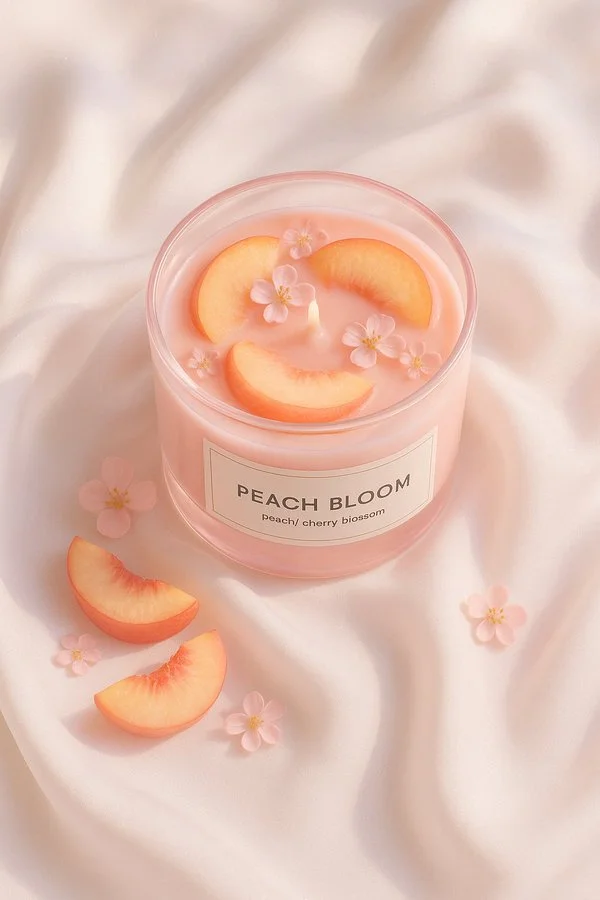
Verified prompt
A minimal still life of a round glass candle filled with [fruit], labeled “[SCENT NAME]”, placed on elegant white silk fabric. The candle glass is [glass color], and the wax matches the fruit color. The scene is softly lit by natural daylight with subtle shadows and smooth highlights. Hyperrealistic texture, clean aesthetic, top-down view, styled like high-end product photography.
A minimal still life of a round glass candle filled with [fruit], labeled “[SCENT NAME]”, placed on elegant white silk fabric. The candle glass is [glass color], and the wax matches the fruit color. The scene is softly lit by natural daylight with subtle shadows and smooth highlights. Hyperrealistic texture, clean aesthetic, top-down view, styled like high-end product photography.
Explore Image Workflows
Explore the Nano Banana 2 workflow and compare it with the related image pages. The generator is the source of truth for current model access and settings. Use the prompt library to study published results and the model that created them.
Nano Banana 2 AI Image Generator
Write your Nano Banana 2 image brief around a subject, composition, lighting and intended style. Add a material or texture when it matters. For edits, state one precise change and explain which parts of the source should remain intact.
Write your Nano Banana 2 image brief around a subject, composition, lighting and intended style. Add a material or texture when it matters. For edits, state one precise change and explain which parts of the source should remain intact.
Explore Nano Banana 2Build Your Nano Banana 2 Image Brief
Choose only the resolution and aspect ratio shown for the selected model. Check framing, fine details and any text in the completed image. A larger output size does not guarantee a more accurate result.
Advanced AI Image Generation & Customization
Choose only the resolution and aspect ratio shown for the selected model. Check framing, fine details and any text in the completed image. A larger output size does not guarantee a more accurate result.
Write Precise Editing and Style Directions
Choose only the resolution and aspect ratio shown for the selected model. Check framing, fine details and any text in the completed image. A larger output size does not guarantee a more accurate result.
Describe the Changes and Details to Preserve
Explore the Nano Banana 2 workflow and compare it with the related image pages. The generator is the source of truth for current model access and settings. Use the prompt library to study published results and the model that created them.
Describe the Changes and Details to Preserve
Choose only the resolution and aspect ratio shown for the selected model. Check framing, fine details and any text in the completed image. A larger output size does not guarantee a more accurate result.
Review Usage Terms Before Sharing
Check the applicable model and platform terms before using a result commercially. You are responsible for the rights to uploaded images, identifiable people, logos and any other source material in your Nano Banana 2 image brief.
Keep Your Workflow Simple
Develop your Nano Banana 2 image brief around the result you need. Keep the main direction specific, check supported settings in the generator, and review the completed work before using it in your project.
A Clearer Creative Brief for Nano Banana 2
Diverse Styles & Effects for Every Vision
Develop your Nano Banana 2 image brief around the result you need. Keep the main direction specific, check supported settings in the generator, and review the completed work before using it in your project.
Write your Nano Banana 2 image brief around a subject, composition, lighting and intended style. Add a material or texture when it matters. For edits, state one precise change and explain which parts of the source should remain intact.
Versatile Nano Banana 2 AI Image Generator for Every Creator's Vision
Start your Nano Banana 2 image brief with a source image you have permission to use. Name the area to change and the colors, proportions or objects to preserve. Reference count and editing support depend on the selected model.
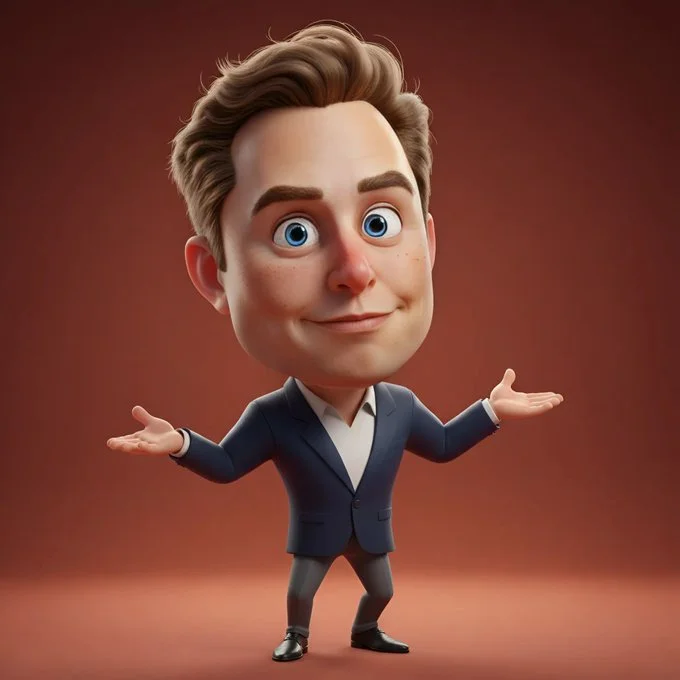
For Architects and Designers
Write your Nano Banana 2 image brief around a subject, composition, lighting and intended style. Add a material or texture when it matters. For edits, state one precise change and explain which parts of the source should remain intact.
For E-Commerce Professionals
List the details that matter in your Nano Banana 2 image brief: identity, shape, colors, clothing and background. Use supported references where appropriate and compare every result; exact consistency is not guaranteed.
For Content Publishers
Choose only the resolution and aspect ratio shown for the selected model. Check framing, fine details and any text in the completed image. A larger output size does not guarantee a more accurate result.
For Event Planners
Write your Nano Banana 2 image brief around a subject, composition, lighting and intended style. Add a material or texture when it matters. For edits, state one precise change and explain which parts of the source should remain intact.
From a Brief to a Reviewed Image: The Nano Banana 2 Workflow
Add Your Input
Start your Nano Banana 2 image brief with a source image you have permission to use. Name the area to change and the colors, proportions or objects to preserve. Reference count and editing support depend on the selected model.
Customize Your Options
The generator shows current model availability. When a model accepts requests, choose its supported settings and review the required credits before submitting. Review your selection and credit balance before generating.
Generate and Refine
Write your Nano Banana 2 image brief around a subject, composition, lighting and intended style. Add a material or texture when it matters. For edits, state one precise change and explain which parts of the source should remain intact.
Review and Download Completed Results
Start your Nano Banana 2 image brief with a source image you have permission to use. Name the area to change and the colors, proportions or objects to preserve. Reference count and editing support depend on the selected model.
Nano Banana 2 Image Ideas for Your Projects
Choose only the resolution and aspect ratio shown for the selected model. Check framing, fine details and any text in the completed image. A larger output size does not guarantee a more accurate result.
Digital Art & Illustration
Choose only the resolution and aspect ratio shown for the selected model. Check framing, fine details and any text in the completed image. A larger output size does not guarantee a more accurate result.
Marketing & E-Commerce Visuals
For a Nano Banana 2 product concept, specify the product shape, material, key detail and setting. Keep logos and claims accurate, allow room for your own typography, and review the result before using it in an advertisement.
Educational Content & Presentations
Use a Nano Banana 2 visual concept to support one teaching or presentation point. Check facts and labels yourself, and add final captions in your editing workflow rather than relying on generated text.
Game Development
List the details that matter in your Nano Banana 2 image brief: identity, shape, colors, clothing and background. Use supported references where appropriate and compare every result; exact consistency is not guaranteed.
Creative Notes for Your Nano Banana 2 Image Brief
Give the main subject one clear action. For a Nano Banana 2 concept, a precise brief is easier to assess than a list of competing effects.
Nano Banana 2 Image Workflow: Questions & Answers
This youdot page explains the Nano Banana 2 image workflow. It helps you write a focused brief and review the available inputs. Current access is shown in the generator; a model name on a guide does not mean it currently accepts requests.
Write your Nano Banana 2 image brief around a subject, composition, lighting and intended style. Add a material or texture when it matters. For edits, state one precise change and explain which parts of the source should remain intact.
Use only the input modes and controls offered by the selected model. Describe the intended image clearly and add supported references when useful. This page does not promise separate motion-brush, audio-upload, restoration or editing tools.
Check the applicable model and platform terms before using a result commercially. You are responsible for the rights to uploaded images, identifiable people, logos and any other source material in your Nano Banana 2 image brief.
The generator shows current model availability. When a model accepts requests, choose its supported settings and review the required credits before submitting. Review your selection and credit balance before generating.
Develop your Nano Banana 2 image brief around the result you need. Keep the main direction specific, check supported settings in the generator, and review the completed work before using it in your project.
You can request a refund within 10 days of purchase if you have unused credits from that purchase and provide a clear reason, subject to our Refund Policy. If eligible, an unused purchase can be fully refunded; a partly used purchase is refunded in proportion to its remaining unused credits. Fully used purchases and free or promotional credits are not refundable.
Credit validity depends on the pack, subscription or promotion that issued them. Review the purchase terms and expiration dates in Settings > Credits. A renewal or new purchase does not extend older credits. Use credits before their stated expiration; do not assume unused subscription credits roll over indefinitely.
Credits charged for a task that is confirmed as failed due to a system error are returned automatically. A task that is still processing has not yet been confirmed as failed. Check its status and your credit history before submitting again. If a confirmed failure still shows an unresolved charge, email support@youdot.app with the task ID.
AI results can vary, so a completed result that differs from your expectations is not automatically treated as a technical failure. Eligible completed image tasks can be submitted for credit refund review using the refund option where available; approval is required. For a video or another issue, contact support@youdot.app with the task ID and details. A credit refund returns credits, not money to your payment method.
Email support@youdot.app. For billing, include your account email and order ID; for generation, include the task ID, issue description and relevant screenshots. If you purchased as a guest, keep the original browser data and payment receipt so we can help locate the purchase.
Explore Your Next Nano Banana 2 Image Idea
Explore the Nano Banana 2 workflow and compare it with the related image pages. The generator is the source of truth for current model access and settings. Use the prompt library to study published results and the model that created them.
youdot.app · Updated
What's new on this page
- — Added editable example prompts and separate drafts for text and reference modes, with an action to restore the example.
- — Updated page copy and content.
- — Page content published.