
Plan Focused Image Edits with Nano Banana 2
Explain Your Subject, Changes and References
List the details that matter in your Nano Banana 2 image brief: identity, shape, colors, clothing and background. Use supported references where appropriate and compare every result; exact consistency is not guaranteed.
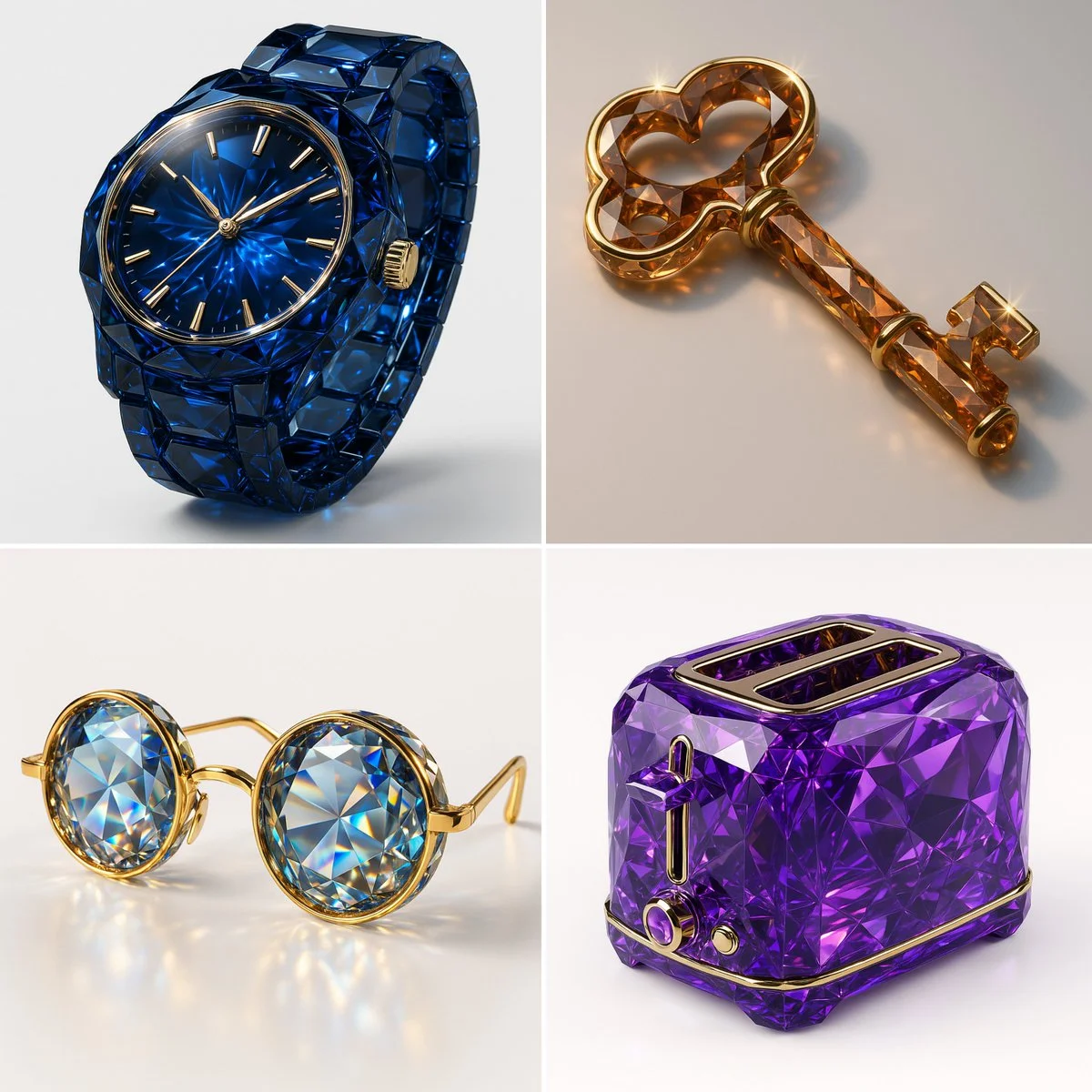
Verified prompt
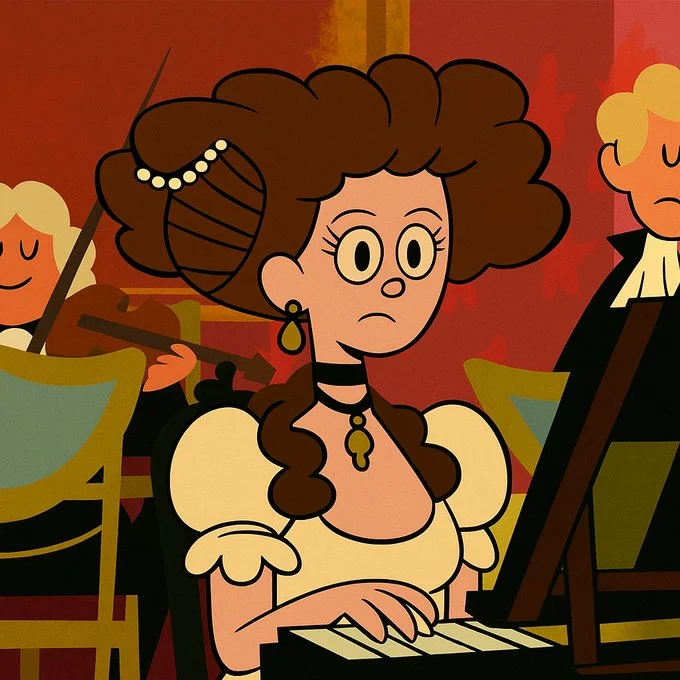
Transform this image into the Foster’s Home for Imaginary Friends cartoon style. Use bold outlines, flat shapes, and vivid solid colors. Characters should have simplified, playful designs with exaggerated expressions and unique silhouettes. Keep the background minimal or stylized with flat patterns or textures. The result should look like a frame from a 2000s Cartoon Network show with whimsical, graphic charm.
Transform this image into the Foster’s Home for Imaginary Friends cartoon style. Use bold outlines, flat shapes, and vivid solid colors. Characters should have simplified, playful designs with exaggerated expressions and unique silhouettes. Keep the background minimal or stylized with flat patterns or textures. The result should look like a frame from a 2000s Cartoon Network show with whimsical, graphic charm.
Verified prompt
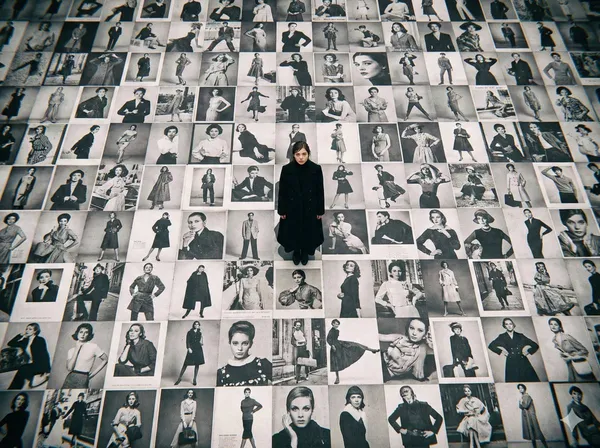
high-resolution bird's-eye view photograph was taken with a LOMO Ic-a. The ground is covered with countless black-and-white billboard advertisements of beautiful fashion models, and standing on top of the advertisements is an incredibly beautiful Japanese film actress wearing a long black coat.
high-resolution bird's-eye view photograph was taken with a LOMO Ic-a. The ground is covered with countless black-and-white billboard advertisements of beautiful fashion models, and standing on top of the advertisements is an incredibly beautiful Japanese film actress wearing a long black coat.
Verified prompt
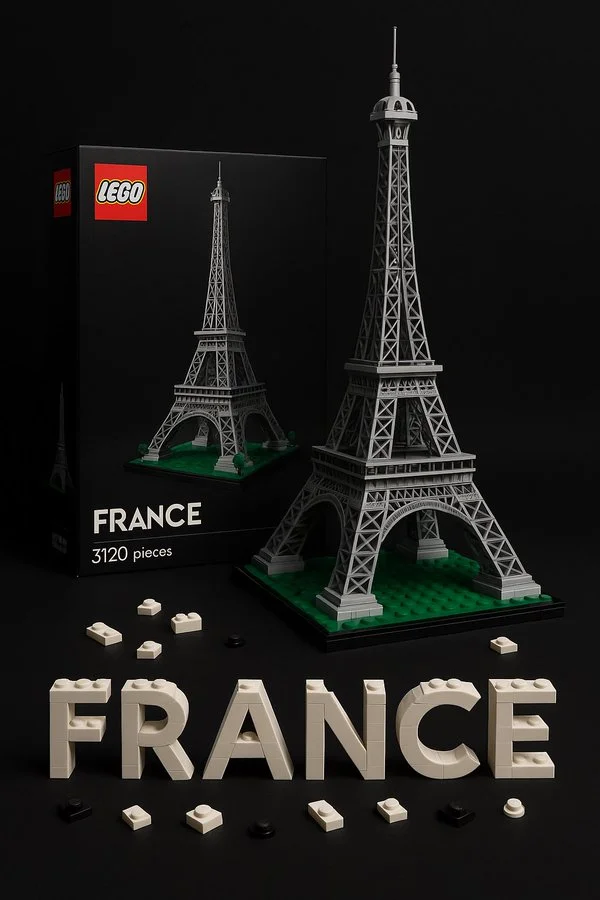
a realistic LEGO-style set featuring [COUNTRY]’s national treasure: [ITEM]. Photorealistic packaging with LEGO branding, box art showing the built model, the model assembled from LEGO bricks in authentic colors and details. Studio product photography with soft shadows and clear lighting, highly detailed, professional commercial render. Include box and bricks in the scene, focus on realism and LEGO-like style. 9:16.
a realistic LEGO-style set featuring [COUNTRY]’s national treasure: [ITEM]. Photorealistic packaging with LEGO branding, box art showing the built model, the model assembled from LEGO bricks in authentic colors and details. Studio product photography with soft shadows and clear lighting, highly detailed, professional commercial render. Include box and bricks in the scene, focus on realism and LEGO-like style. 9:16.
Verified prompt
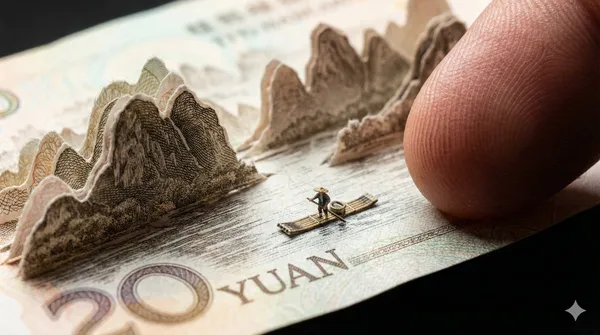
ect: Genuine Chinese 20 Yuan Banknote (Guilin Landscape edition). Macro Material Analysis: The object must be rendered with the exact physical properties of real currency paper—matte cotton-fiber rag paper, NOT glossy cardboard. Paper Engineering: The karst mountain scenery is delicately cut and lifted. - Critical Thickness: The cut-out paper layers must appear razor-thin (0.1mm), fragile, and slightly translucent against the light. Edges should show microscopic fibrous tearing, not clean thick cuts. - Printing Texture: The mountains are NOT solid colors. They must be composed of microscopic engraved lines (intaglio printing) and guilloche patterns. The ink should look slightly raised on the paper surface. Scene Context: A realistic tiny bamboo raft floats on the flat printed water. Scale Reference: A giant, realistic human finger with distinct skin texture presses the edge of the bill. The finger is huge compared to the tiny raft, emphasizing the miniature scale. Photography: Macro lens, high contrast lighting to show the texture of the paper fibers. Shallow depth of field. Negative prompt: glossy paper, thick cardboard, plastic texture, toy money, monopoly money, solid color blocks, blurred printing, low resolution, cartoon, thick edges Aspect ratio: 16:9
ect: Genuine Chinese 20 Yuan Banknote (Guilin Landscape edition). Macro Material Analysis: The object must be rendered with the exact physical properties of real currency paper—matte cotton-fiber rag paper, NOT glossy cardboard. Paper Engineering: The karst mountain scenery is delicately cut and lifted. - Critical Thickness: The cut-out paper layers must appear razor-thin (0.1mm), fragile, and slightly translucent against the light. Edges should show microscopic fibrous tearing, not clean thick cuts. - Printing Texture: The mountains are NOT solid colors. They must be composed of microscopic engraved lines (intaglio printing) and guilloche patterns. The ink should look slightly raised on the paper surface. Scene Context: A realistic tiny bamboo raft floats on the flat printed water. Scale Reference: A giant, realistic human finger with distinct skin texture presses the edge of the bill. The finger is huge compared to the tiny raft, emphasizing the miniature scale. Photography: Macro lens, high contrast lighting to show the texture of the paper fibers. Shallow depth of field. Negative prompt: glossy paper, thick cardboard, plastic texture, toy money, monopoly money, solid color blocks, blurred printing, low resolution, cartoon, thick edges Aspect ratio: 16:9
Verified prompt
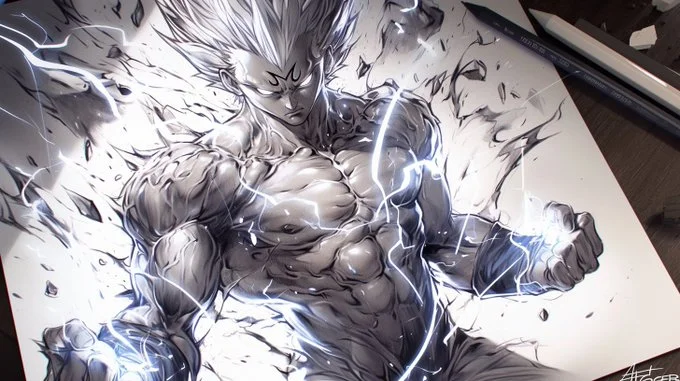
A pencil drawing of [Your character], with detailed lines and shading on white paper, capturing the energy and strength in his muscular body [with element effects] around the character, in a dynamic pose, tattoo design on paper, manga art style, dark background, high contrast, strong shadows, light and shadow effects, black ink drawing, dynamic pose
A pencil drawing of [Your character], with detailed lines and shading on white paper, capturing the energy and strength in his muscular body [with element effects] around the character, in a dynamic pose, tattoo design on paper, manga art style, dark background, high contrast, strong shadows, light and shadow effects, black ink drawing, dynamic pose
Verified prompt
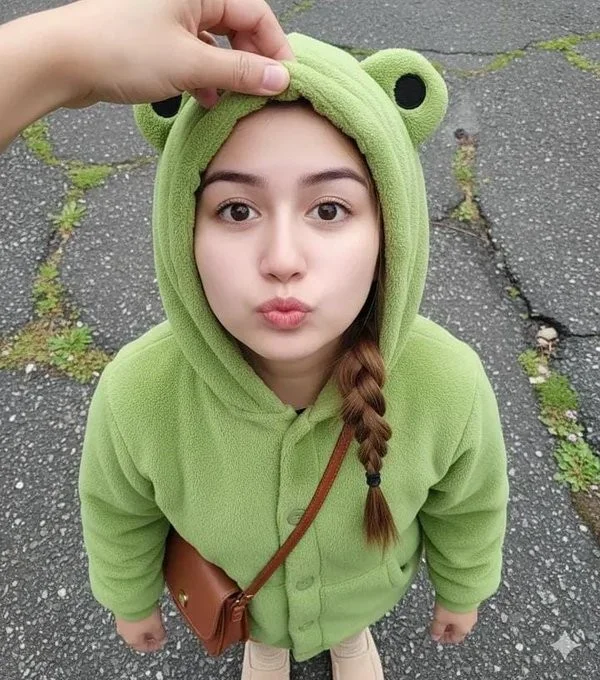
Close-up shot. Using a reference photo, maintaining 100% facial similarity, create an ultra-high-resolution photorealistic portrait of a young woman with chibi proportions, shot from an extreme high/above angle, gazing intently upwards at the camera from above her head with a cute pouting expression and round, chubby cheeks. Her face is turned slightly to the side. Blend her facial features to look chibi yet realistic—a round, youthful face, soft, baby-like cheeks, a small, delicate nose, and large, sweet, warm brown eyes with a soft sparkle. Her expression is innocent, curious, and very kawaii. She wears a cute pastel green dinosaur onesie with a hoodie. Location: Inside a modern elevator, clean metal walls with symmetrical vertical lines. Lighting: Soft and diffused indoor light, flattering, even, and dreamy—no harsh shadows. DSLR-quality realism, shallow depth of field, ultra-sharp facial focus. Mood: Sweet, warm, innocent, super adorable, and heart-melting.
Close-up shot. Using a reference photo, maintaining 100% facial similarity, create an ultra-high-resolution photorealistic portrait of a young woman with chibi proportions, shot from an extreme high/above angle, gazing intently upwards at the camera from above her head with a cute pouting expression and round, chubby cheeks. Her face is turned slightly to the side. Blend her facial features to look chibi yet realistic—a round, youthful face, soft, baby-like cheeks, a small, delicate nose, and large, sweet, warm brown eyes with a soft sparkle. Her expression is innocent, curious, and very kawaii. She wears a cute pastel green dinosaur onesie with a hoodie. Location: Inside a modern elevator, clean metal walls with symmetrical vertical lines. Lighting: Soft and diffused indoor light, flattering, even, and dreamy—no harsh shadows. DSLR-quality realism, shallow depth of field, ultra-sharp facial focus. Mood: Sweet, warm, innocent, super adorable, and heart-melting.
Verified prompt
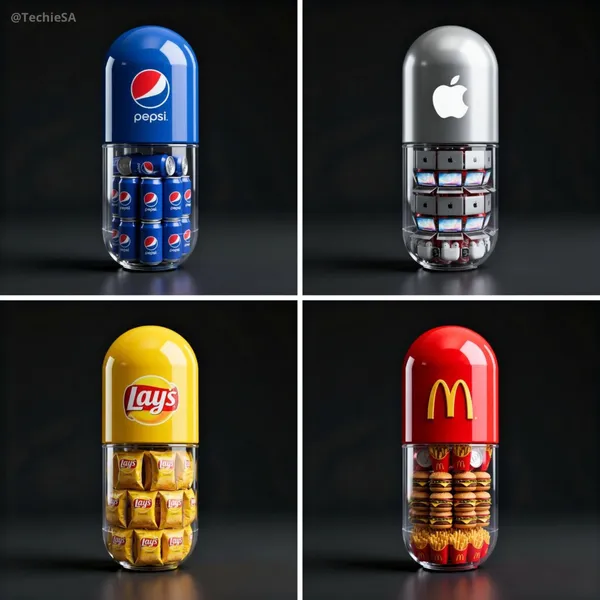
te a hyper-realistic 3D render of a large capsule-shaped container. The top half is solid and glossy in the brand’s signature color, featuring the official [BRAND] logo prominently. The bottom half is transparent, revealing multiple miniature famous products of this brand, [PRODUCT], neatly packed inside. Set against a dark background with cinematic lighting and soft reflections to create a premium, surreal advertising aesthetic. Ultra-detailed, professional product render style. 1080x1080 dimension
te a hyper-realistic 3D render of a large capsule-shaped container. The top half is solid and glossy in the brand’s signature color, featuring the official [BRAND] logo prominently. The bottom half is transparent, revealing multiple miniature famous products of this brand, [PRODUCT], neatly packed inside. Set against a dark background with cinematic lighting and soft reflections to create a premium, surreal advertising aesthetic. Ultra-detailed, professional product render style. 1080x1080 dimension
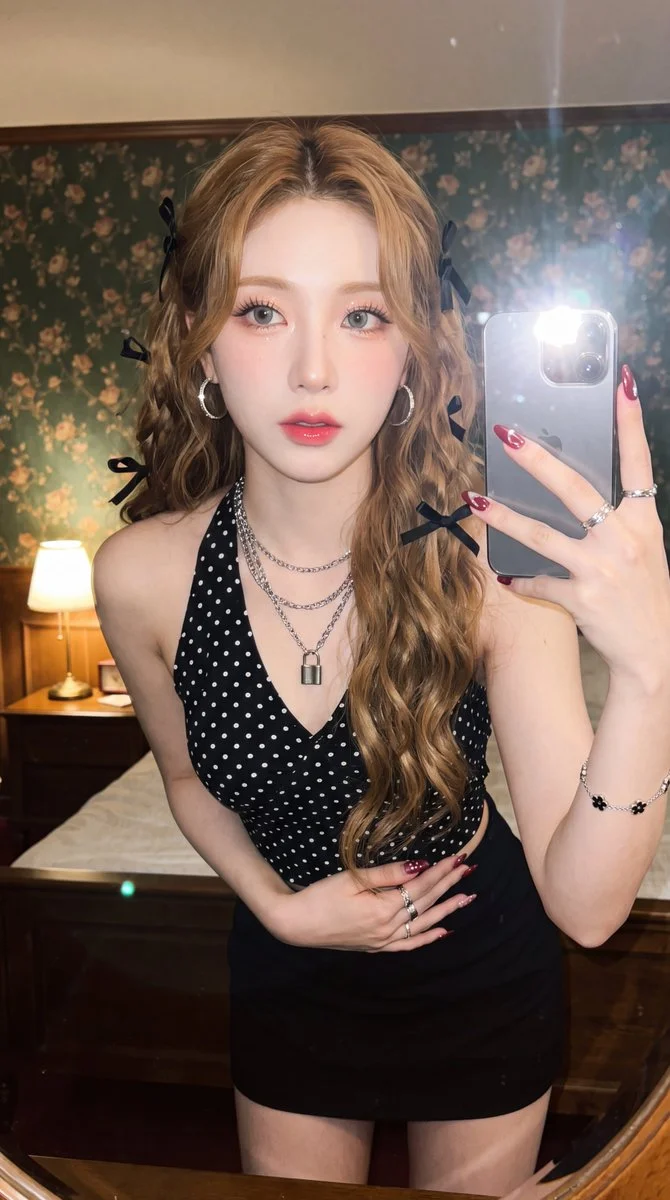
Verified prompt
Edit this photo without changing the face into an ultra-realistic mirror selfie of a beautiful young woman with bright porcelain fair skin, glowing complexion, light grey-green contacts, peach shimmer glitter eyeshadow, winged liner, voluminous lashes, pink blush, glossy pink-red gradient lipstick. Layered silver chain necklace with padlock, hoop earrings, flower bracelet, rings, maroon nail art. Long golden brown voluminous waves with black ribbons. Fitted black halter top white polka dots, black mini skirt. Pose one hand holding small silver camera beside face, other on waist, leaning forward, half-body. Vintage Kodak grainy flash tone. Bedroom dark green floral wallpaper, dim warm bedside lamp on white table. 9:16.
Edit this photo without changing the face into an ultra-realistic mirror selfie of a beautiful young woman with bright porcelain fair skin, glowing complexion, light grey-green contacts, peach shimmer glitter eyeshadow, winged liner, voluminous lashes, pink blush, glossy pink-red gradient lipstick. Layered silver chain necklace with padlock, hoop earrings, flower bracelet, rings, maroon nail art. Long golden brown voluminous waves with black ribbons. Fitted black halter top white polka dots, black mini skirt. Pose one hand holding small silver camera beside face, other on waist, leaning forward, half-body. Vintage Kodak grainy flash tone. Bedroom dark green floral wallpaper, dim warm bedside lamp on white table. 9:16.
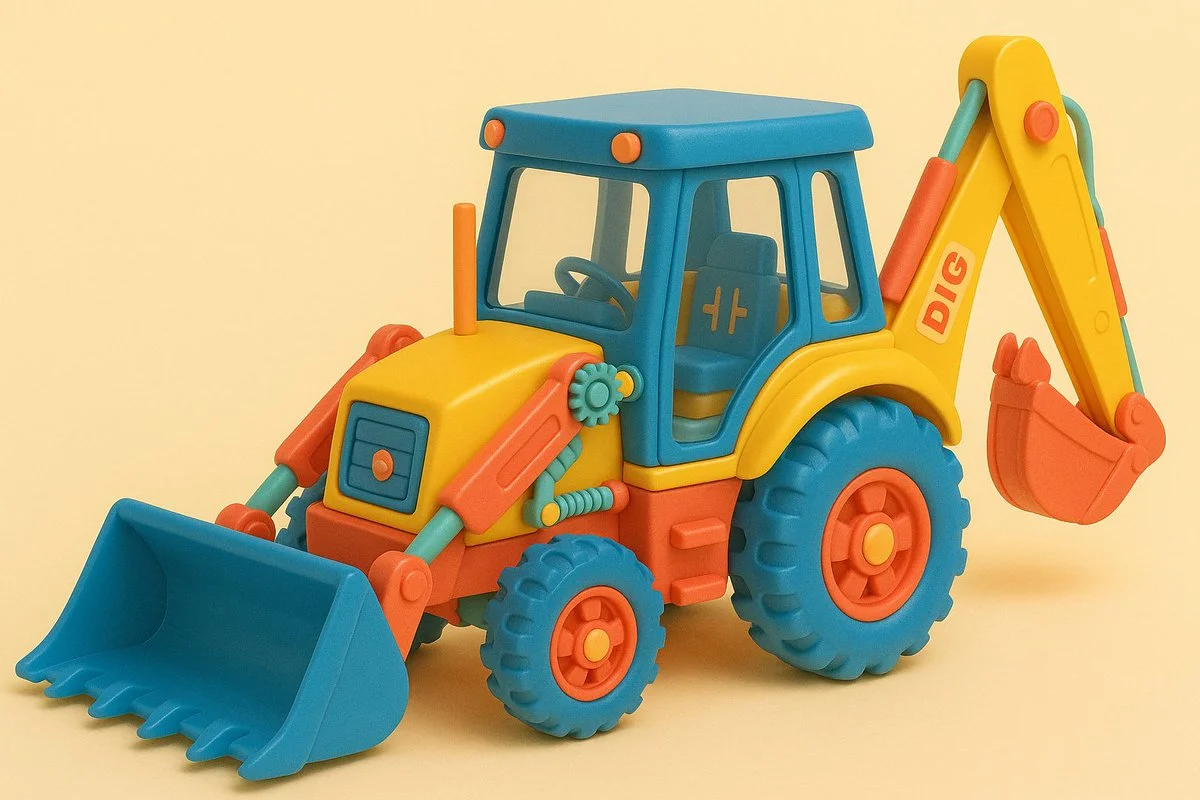
Verified prompt
Retexture the uploaded image based on the JSON { "materials": { "exterior": "matte injection-molded plastic", "interior": [ "blocky colored plastic parts", "oversized gears", "simple rods", "basic springs", "toy decals" ] }, "lighting": { "type": "studio soft light", "direction": "top and front fill", "color": "warm daylight", "mood": "nostalgic, cheerful" }, "background": { "type": "solid", "color": "pastel yellow" }, "camera": { "angle": "eye-level side", "focus": "medium sharp", "depth_of_field": "deep" }, "color_palette": { "dominant": ["red", "blue", "yellow"], "accents": ["mint green", "white", "peach"] }, "vibe": "1980s retro toy, nostalgic, playful" }
Retexture the uploaded image based on the JSON { "materials": { "exterior": "matte injection-molded plastic", "interior": [ "blocky colored plastic parts", "oversized gears", "simple rods", "basic springs", "toy decals" ] }, "lighting": { "type": "studio soft light", "direction": "top and front fill", "color": "warm daylight", "mood": "nostalgic, cheerful" }, "background": { "type": "solid", "color": "pastel yellow" }, "camera": { "angle": "eye-level side", "focus": "medium sharp", "depth_of_field": "deep" }, "color_palette": { "dominant": ["red", "blue", "yellow"], "accents": ["mint green", "white", "peach"] }, "vibe": "1980s retro toy, nostalgic, playful" }
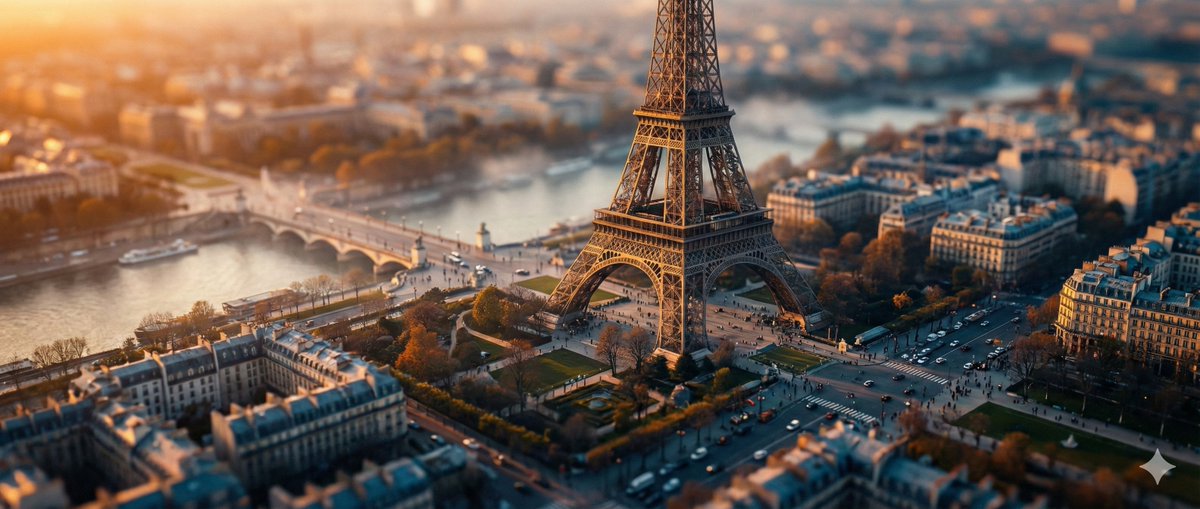
Verified prompt
ghly detailed tilt-shift photography of [LOCATION] captured from a high vantage point at [TIME OF DAY, e.g., golden hour sunset], transforming the iconic structure and surrounding landscape into a whimsical miniature toy model scene, with pinpoint sharp focus on the central elements like buildings, pathways, and key landmarks, gradually blurring into soft bokeh towards the edges and foreground/background for an exaggerated shallow depth of field effect; vibrant color palette featuring [COLOR SCHEME, e.g., warm oranges and deep blues], intricate textures on surfaces such as stone, foliage, or water reflections, subtle atmospheric haze or mist adding depth and realism, photorealistic rendering with high dynamic range lighting casting long dramatic shadows, ultra-high resolution 8K, cinematic composition emphasizing symmetry and leading lines, in the style of professional architectural miniature photography.
ghly detailed tilt-shift photography of [LOCATION] captured from a high vantage point at [TIME OF DAY, e.g., golden hour sunset], transforming the iconic structure and surrounding landscape into a whimsical miniature toy model scene, with pinpoint sharp focus on the central elements like buildings, pathways, and key landmarks, gradually blurring into soft bokeh towards the edges and foreground/background for an exaggerated shallow depth of field effect; vibrant color palette featuring [COLOR SCHEME, e.g., warm oranges and deep blues], intricate textures on surfaces such as stone, foliage, or water reflections, subtle atmospheric haze or mist adding depth and realism, photorealistic rendering with high dynamic range lighting casting long dramatic shadows, ultra-high resolution 8K, cinematic composition emphasizing symmetry and leading lines, in the style of professional architectural miniature photography.
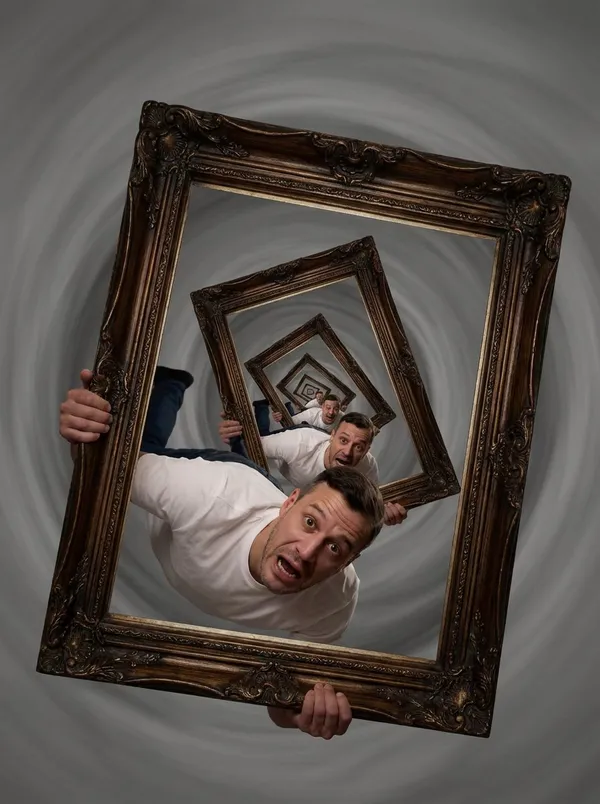
Verified prompt
n with wide, horrified eyes holds a large, ornate picture frame. Inside the frame is a perfect photograph of him holding the same frame with the same horrified expression. Inside that frame is a smaller version, spiraling inward. He is falling forward into the picture, tumbling endlessly into smaller and smaller iterations of his own trapped moment, shrinking into infinity with no bottom to hit. The Trap: He is caught in Visual Recursion. He has become a "strange loop" where he is simultaneously the container and the content, doomed to repeat the same moment at exponentially diminishing scales.
n with wide, horrified eyes holds a large, ornate picture frame. Inside the frame is a perfect photograph of him holding the same frame with the same horrified expression. Inside that frame is a smaller version, spiraling inward. He is falling forward into the picture, tumbling endlessly into smaller and smaller iterations of his own trapped moment, shrinking into infinity with no bottom to hit. The Trap: He is caught in Visual Recursion. He has become a "strange loop" where he is simultaneously the container and the content, doomed to repeat the same moment at exponentially diminishing scales.
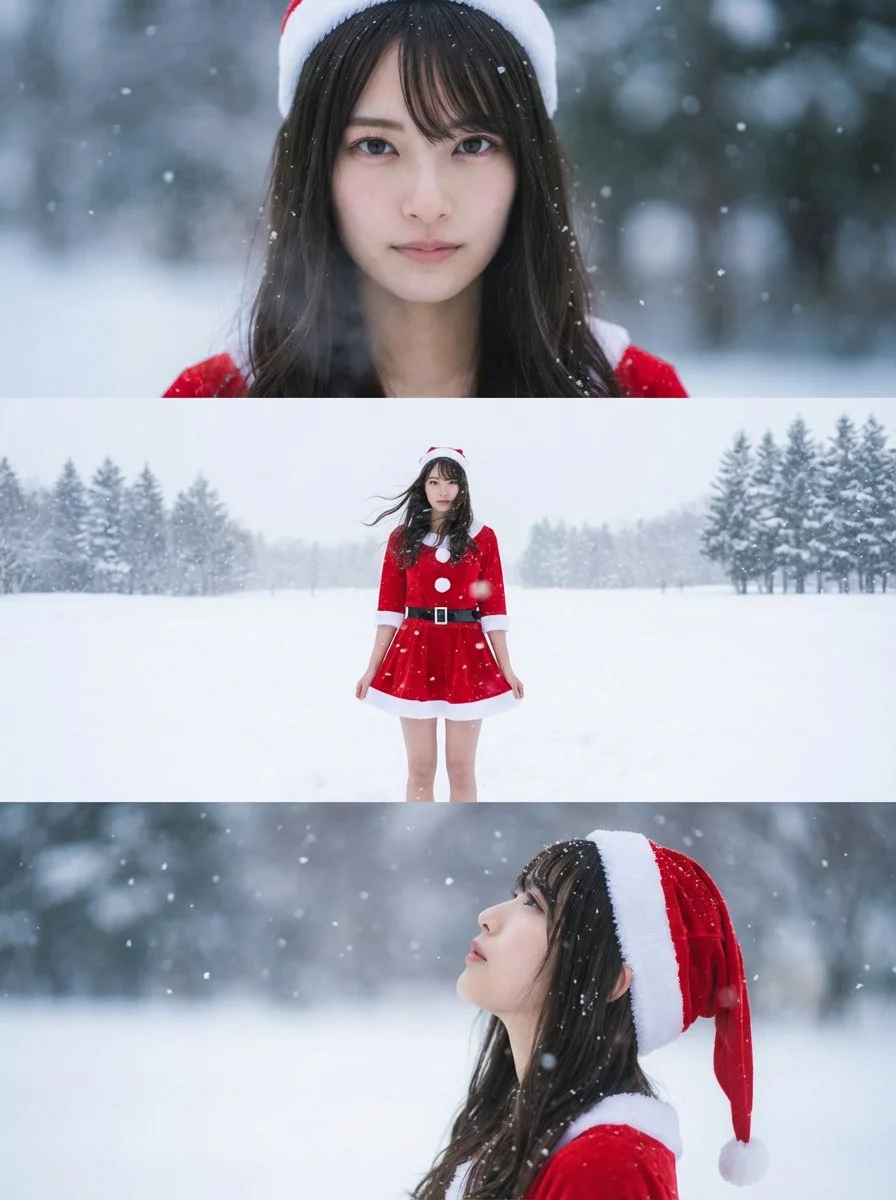
Verified prompt
Using the uploaded reference image, generate a horizontal three-panel composition. Keep the person's face, hairstyle, and body shape identical to the uploaded reference image across all three panels. Change the outfit to a mini-skirt Santa cosplay, while maintaining a realistic and natural appearance.
Using the uploaded reference image, generate a horizontal three-panel composition. Keep the person's face, hairstyle, and body shape identical to the uploaded reference image across all three panels. Change the outfit to a mini-skirt Santa cosplay, while maintaining a realistic and natural appearance.
Nano Banana 2: Create and Edit with Natural Language
Develop your Nano Banana 2 image brief around the result you need. Keep the main direction specific, check supported settings in the generator, and review the completed work before using it in your project.
Choose only the resolution and aspect ratio shown for the selected model. Check framing, fine details and any text in the completed image. A larger output size does not guarantee a more accurate result.
Explore Nano Banana 2
From a Brief to a Reviewed Image: The Nano Banana 2 Workflow
Allow time to inspect each image result and refine your brief. Processing time varies by model, request and service load. Change one direction at a time so that you can judge which edit improves the result.
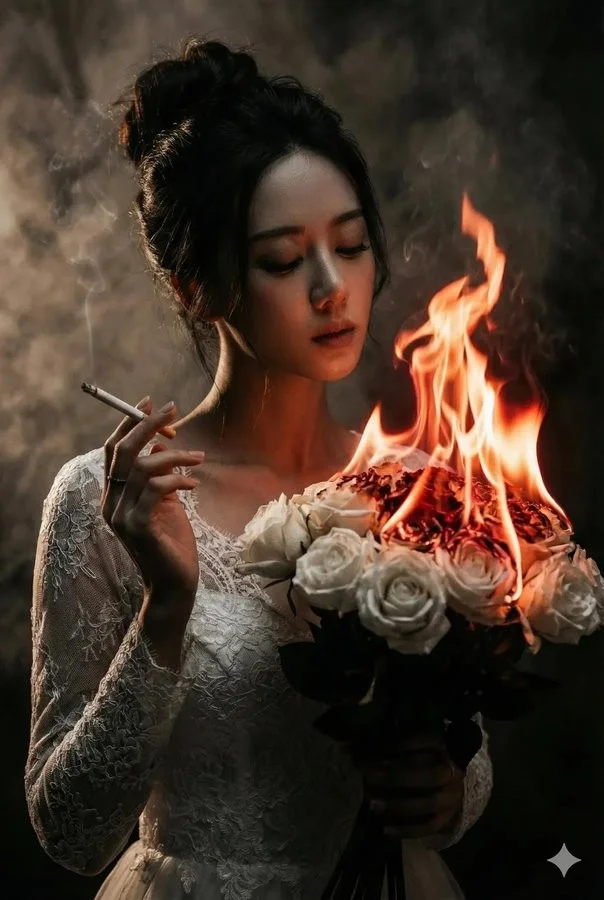
Enter prompt or upload image
Start your Nano Banana 2 image brief with a source image you have permission to use. Name the area to change and the colors, proportions or objects to preserve. Reference count and editing support depend on the selected model.

Review Availability, Settings and Credits
Allow time to inspect each image result and refine your brief. Processing time varies by model, request and service load. Change one direction at a time so that you can judge which edit improves the result.
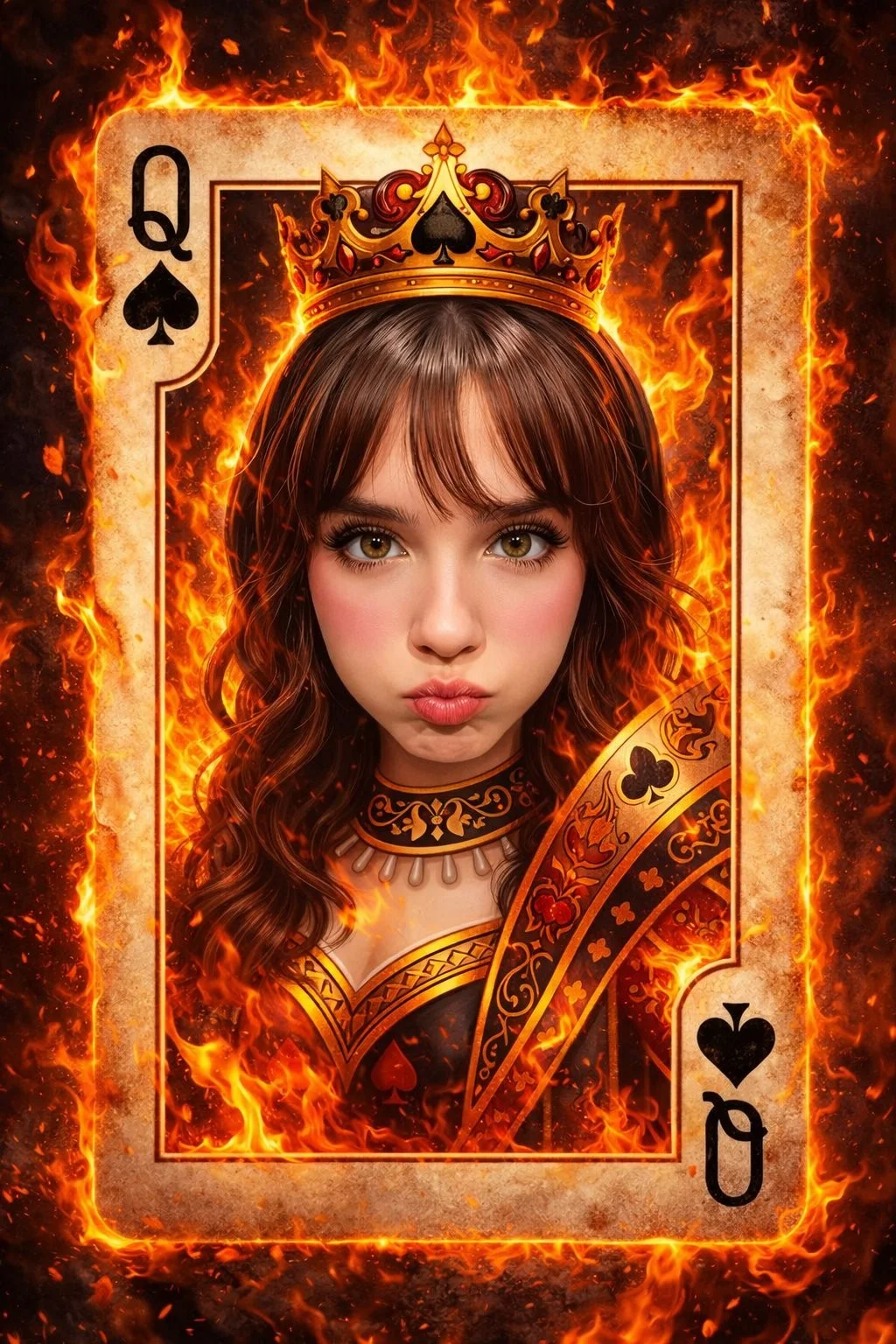
Review and Download Completed Results
When a request completes, inspect the image in History and download the result you want to keep. Review the composition and any unintended details before sharing it with your team or publishing it.
Build Your Nano Banana 2 Image Brief
For a Nano Banana 2 product concept, specify the product shape, material, key detail and setting. Keep logos and claims accurate, allow room for your own typography, and review the result before using it in an advertisement.
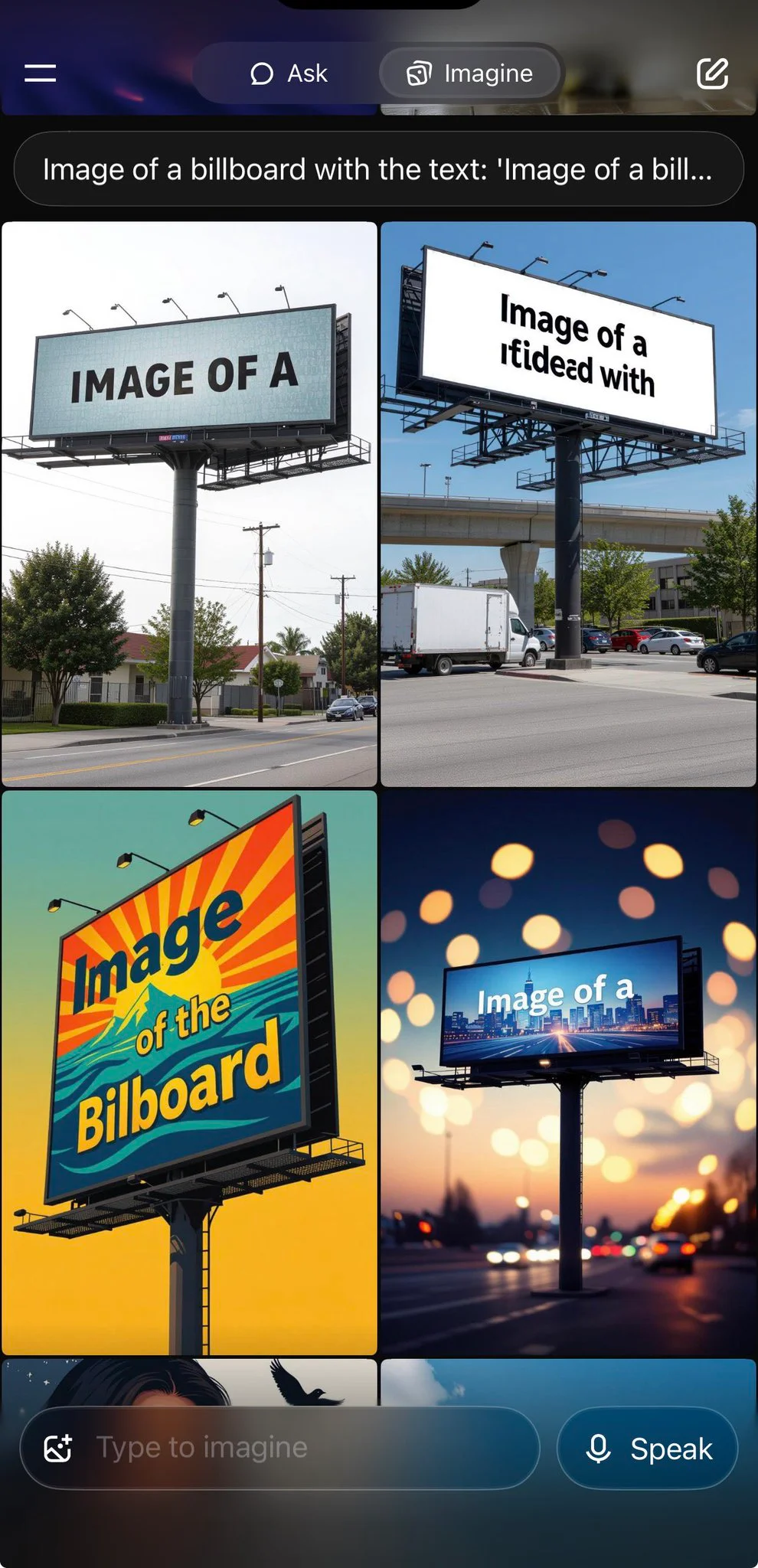
Explain Your Subject, Changes and References
Start your Nano Banana 2 image brief with a source image you have permission to use. Name the area to change and the colors, proportions or objects to preserve. Reference count and editing support depend on the selected model.
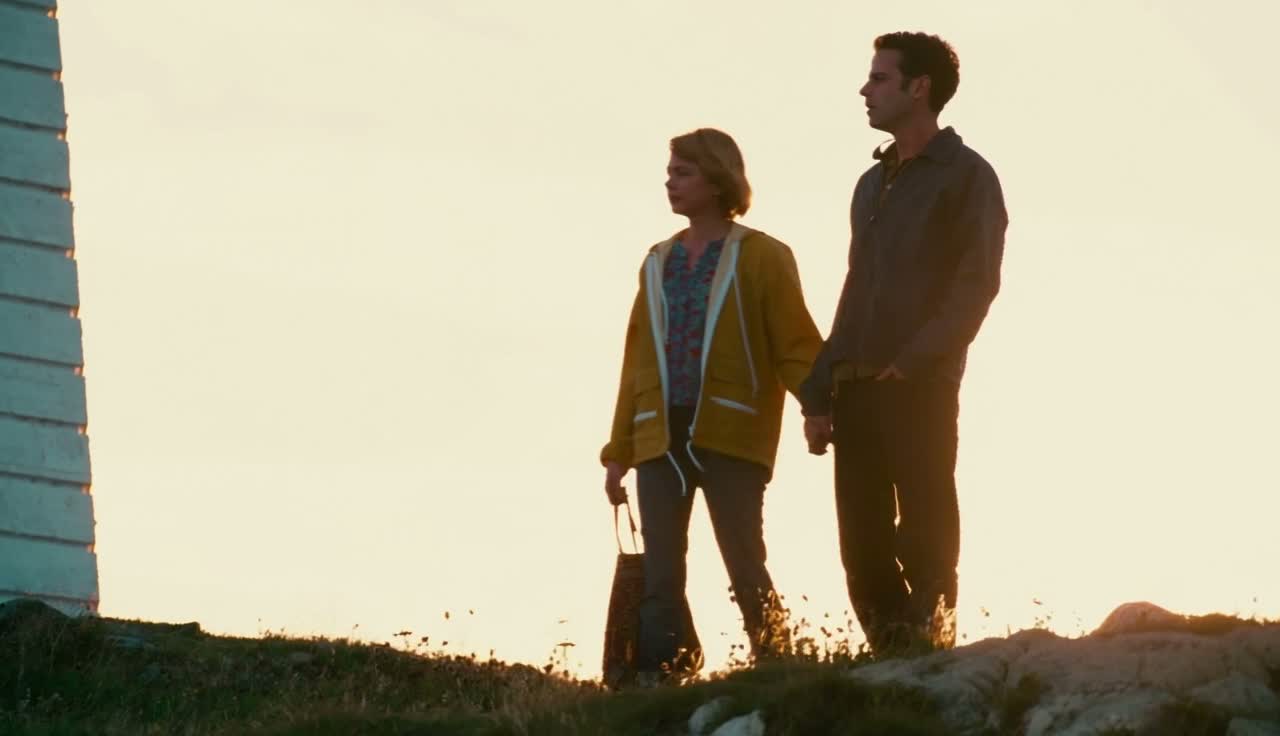
Describe the Changes and Details to Preserve
Write your Nano Banana 2 image brief around a subject, composition, lighting and intended style. Add a material or texture when it matters. For edits, state one precise change and explain which parts of the source should remain intact.
Check Details Across Every Result
Allow time to inspect each image result and refine your brief. Processing time varies by model, request and service load. Change one direction at a time so that you can judge which edit improves the result.
Explain Your Subject, Changes and References
List the details that matter in your Nano Banana 2 image brief: identity, shape, colors, clothing and background. Use supported references where appropriate and compare every result; exact consistency is not guaranteed.
A Clearer Creative Brief for Nano Banana 2
Allow time to inspect each image result and refine your brief. Processing time varies by model, request and service load. Change one direction at a time so that you can judge which edit improves the result.
Explain Your Subject, Changes and References
Allow time to inspect each image result and refine your brief. Processing time varies by model, request and service load. Change one direction at a time so that you can judge which edit improves the result.
Social Media & Advertising
For a Nano Banana 2 product concept, specify the product shape, material, key detail and setting. Keep logos and claims accurate, allow room for your own typography, and review the result before using it in an advertisement.
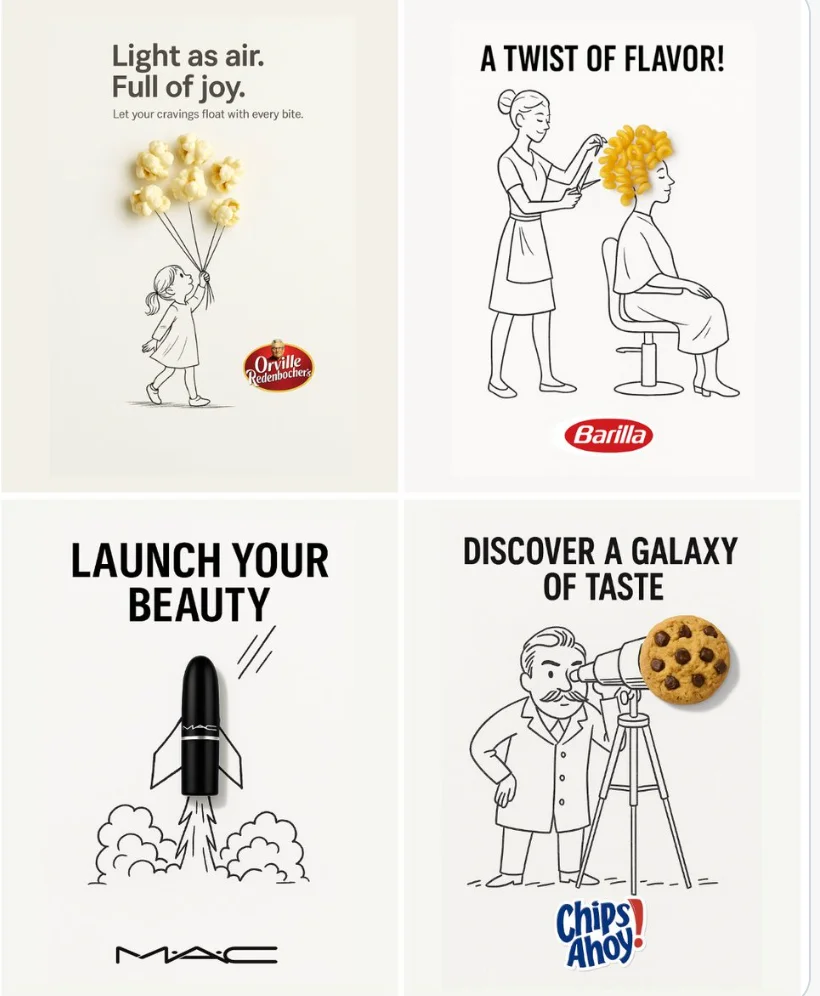
Check Details Across Every Result
List the details that matter in your Nano Banana 2 image brief: identity, shape, colors, clothing and background. Use supported references where appropriate and compare every result; exact consistency is not guaranteed.
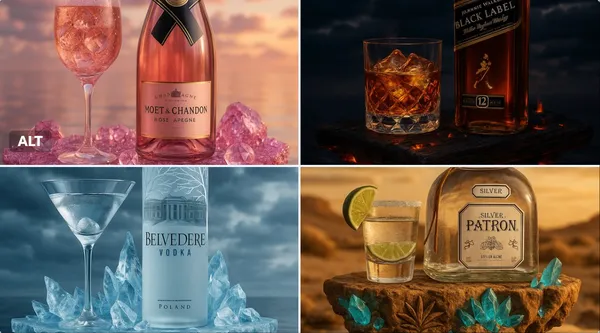
Efficient Production Workflow
For a Nano Banana 2 product concept, specify the product shape, material, key detail and setting. Keep logos and claims accurate, allow room for your own typography, and review the result before using it in an advertisement.
Creative Notes for Your Nano Banana 2 Image Brief
Give the main subject one clear action. For a Nano Banana 2 concept, a precise brief is easier to assess than a list of competing effects.
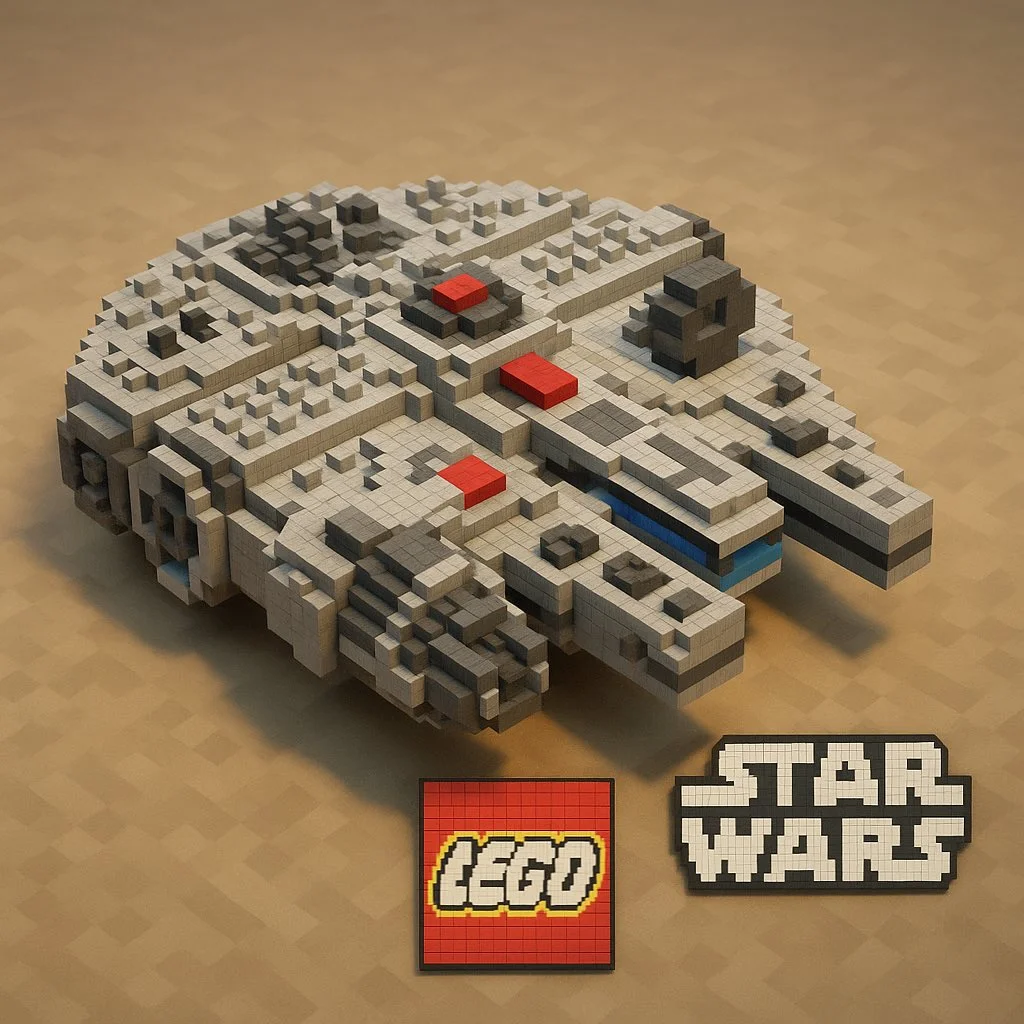
Nano Banana 2 Image Workflow: Questions & Answers
For a Nano Banana 2 product concept, specify the product shape, material, key detail and setting. Keep logos and claims accurate, allow room for your own typography, and review the result before using it in an advertisement.
This youdot page explains the Nano Banana 2 image workflow. It helps you write a focused brief and review the available inputs. Current access is shown in the generator; a model name on a guide does not mean it currently accepts requests.
Write your Nano Banana 2 image brief around a subject, composition, lighting and intended style. Add a material or texture when it matters. For edits, state one precise change and explain which parts of the source should remain intact.
Start your Nano Banana 2 image brief with a source image you have permission to use. Name the area to change and the colors, proportions or objects to preserve. Reference count and editing support depend on the selected model.
Develop your Nano Banana 2 image brief around the result you need. Keep the main direction specific, check supported settings in the generator, and review the completed work before using it in your project.
Use only the input modes and controls offered by the selected model. Describe the intended image clearly and add supported references when useful. This page does not promise separate motion-brush, audio-upload, restoration or editing tools.
List the details that matter in your Nano Banana 2 image brief: identity, shape, colors, clothing and background. Use supported references where appropriate and compare every result; exact consistency is not guaranteed.
For a Nano Banana 2 product concept, specify the product shape, material, key detail and setting. Keep logos and claims accurate, allow room for your own typography, and review the result before using it in an advertisement.
Choose only the resolution and aspect ratio shown for the selected model. Check framing, fine details and any text in the completed image. A larger output size does not guarantee a more accurate result.
You can request a refund within 10 days of purchase if you have unused credits from that purchase and provide a clear reason, subject to our Refund Policy. If eligible, an unused purchase can be fully refunded; a partly used purchase is refunded in proportion to its remaining unused credits. Fully used purchases and free or promotional credits are not refundable.
Credit validity depends on the pack, subscription or promotion that issued them. Review the purchase terms and expiration dates in Settings > Credits. A renewal or new purchase does not extend older credits. Use credits before their stated expiration; do not assume unused subscription credits roll over indefinitely.
Credits charged for a task that is confirmed as failed due to a system error are returned automatically. A task that is still processing has not yet been confirmed as failed. Check its status and your credit history before submitting again. If a confirmed failure still shows an unresolved charge, email support@youdot.app with the task ID.
AI results can vary, so a completed result that differs from your expectations is not automatically treated as a technical failure. Eligible completed image tasks can be submitted for credit refund review using the refund option where available; approval is required. For a video or another issue, contact support@youdot.app with the task ID and details. A credit refund returns credits, not money to your payment method.
Email support@youdot.app. For billing, include your account email and order ID; for generation, include the task ID, issue description and relevant screenshots. If you purchased as a guest, keep the original browser data and payment receipt so we can help locate the purchase.
Explore Your Next Nano Banana 2 Image Idea
Choose only the resolution and aspect ratio shown for the selected model. Check framing, fine details and any text in the completed image. A larger output size does not guarantee a more accurate result.
youdot.app · Updated
What's new on this page
- — Added editable example prompts and separate drafts for text and reference modes, with an action to restore the example.
- — Updated page copy and content.
- — Page content published.